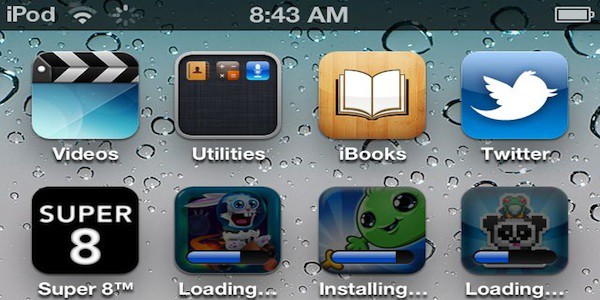
Here’s another little neat trick from the latest developer beta: in iOS 5, you’ll be able to download and install more than one app at a time, even on 3G.
Previously, if you wanted to install an app under iOS, you could install only one at a time. If you tried to install a second app while a first was installing, the icon would pop up on your home screen, but you’d just get a “Waiting…” message until the first app finished downloading and installing.
With iOS 5, all that changes: multiple apps download and install at the same time, with no queue. Even better, it all works fine over 3G:
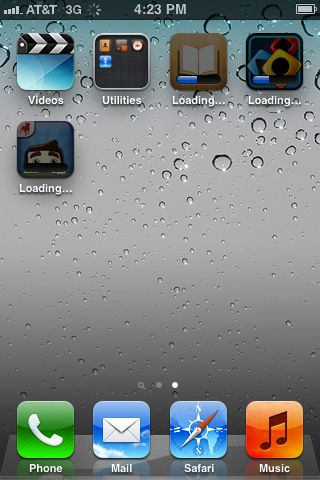
It’s a small tweak, but it’s all part of iOS cutting the cord with the iTunes desktop. Thanks to Apple ‘N’ Apps for the tip!

John Brownlee is a writer for Fast Company, and a contributing writer here at CoM. He has also written for Wired, Playboy, Boing Boing, Popular Mechanics, VentureBeat, and Gizmodo. He lives in Boston with his wife and two parakeets. You can follow him here on Twitter.


20 responses to “You Can Install Multiple Apps Simultaneously In iOS 5 Even On 3G”
Could you guys please check this: is it now possible to check the week-numbers in iOS 5? That would be an interesting innovation for the whole iOS-concept in itself.
even iTunes won’t download more than 3 at a time (for me anyway!)
This isn’t new, it was introduced in iOS 4.3.
http://appadvice.com/appnn/201…
removed
Cool. Would be most useful on iPad.
What is also cool is that while syncing with itunes, you can still use the phone and all the apps….syncing happens in the background.
it’s here too http://bit.ly/lcGUA2+
That actually happened to me once on my iPad 2 (running iOS 4)
Not sure how, but I was syncing to iTunes and the usual “Sync in progress” screen just disappeared. I then watched as apps popped up on my homescreen.
Very bizarre, but I’m glad to see that feature is official now!
Must’ve been like multitouch gestures. Available in an iOS 4.x beta, and fully released in iOS 5.
Does it still take you to the home screen when you click update and constantly ask you to put in your password, that shite is so annoying.