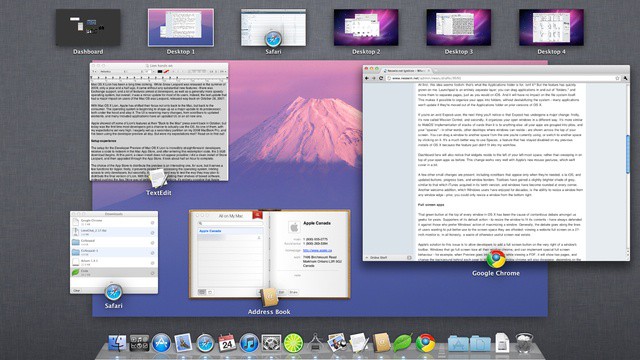
OS X is sometimes known for its visual flair and neatly implemented animations. If you’d rather just get down to business and lose the visuals of OS X though, there’s a neat Terminal trick that will let you either speed up, slow down, or lose the animations in Mission Control all together. This little tip can make work in Mission Control feel faster and help especially on slower systems. In this video, I’ll show you how to accomplish this.
Here’s the text to paste into Terminal:
To speed up:
defaults write com.apple.dock expose-animation-duration -float 0.15
For super fast:
defaults write com.apple.dock expose-animation-duration -float 0.1
For slow:
defaults write com.apple.dock expose-animation-duration -float 1
To disable animations:
defaults write com.apple.dock expose-animation-duration -float 0
To return to normal:
defaults delete com.apple.dock expose-animation-duration
[Thanks OSXDaily]

Michael Steeber is a student who is obsessed with everything Apple. He enjoys making videos and runs the MSComputerVideos YouTube channel in his free time. You can follow him on Twitter as well.




2 responses to “Change The Speed Of Animations In Mission Control [Video How-To]”
This is a GREAT tip. Thank you!!!
Nice tip. Thanks.