Mobile menu toggle

Apple Watch - page 90

YouTube’s tech assassin has Apple Watch in his sights

By

Richard Ryan is a YouTube sensation for putting tech gadgets, like Apple products, through outragious torture tests. Photo: FullMag/YouTube
Richard Ryan is a YouTube sensation famous for putting tech gadgets, especially Apple products, through outrageous torture tests. Photo: FullMag/YouTube

Richard Ryan is friendly and easy-going — even when he’s behind a 50-caliber rifle, violently shredding an iPhone, iPad or, this week, the new Apple Watch.

Every neighborhood had that one kid who liked to build a model only to blow it up. Ryan, 33, is that kid, except with more firepower and a slow-motion camera. He delights in “blowouts,” meaning when a round completely shatters a device, and likes to admire the “peel back,” the path a bullet travels through a device’s metal casing.

“Very little, if any, practical knowledge comes out of this,” Ryan told Cult of Mac before shooting an episode where he tested the Apple Watch while skydiving in a wingsuit. “It goes back to that kid smashing that thing he just bought as soon as he gets outside the store. Yes, there is a cringeworthy feeling you get watching that device you and I both want get destroyed. But there is a visual payoff with the slow-mo. It’s entertainment.”
12 biggest surprises after a week with Apple Watch

By

Apple Watch
The Apple Watch keeps surprising us. Photo: Jim Merithew/Cult of Mac
Photo: Jim Merithew/Cult of Mac

Far from being a superfluous device strictly for hard-core Apple fans, the Apple Watch is a surprisingly delightful and useful device.

Now that we’ve spent enough time with the latest gadget from the mothership, we’re noticing quite a few sweet little positives (and a couple negatives) about Apple Watch.

Bottom line: The more you use this thing, the better it is.

How to change out your Apple Watch band

By

Apple Watch band connector
The band stops here.
Photo: Jim Merithew/Cult of Mac

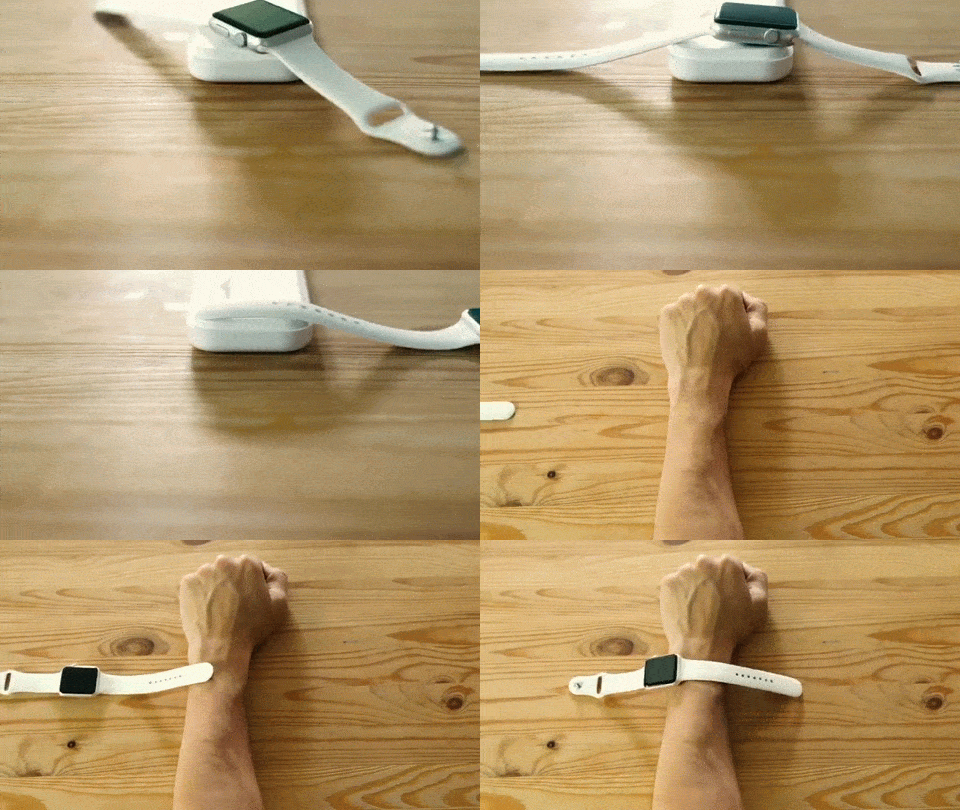
When I found out I’d be able to change out the band on my Apple Watch Sport, I was ecstatic. While I really don’t mind the green fluoroelastomer band, I’m looking forward to swapping it out for something a little less Swatch and a bit more Gap casual.

Changing the band is a pretty simple affair, but if you haven’t had the chance to put one on your wrist yet, it’s a bit hard to tell just how to do so.

Defective part slows Apple Watch rollout

By

Photo: Buster Hein/Cult of Mac
Problems with a key component appear to have slowed Apple Watch's launch. Photo: Buster Hein/Cult of Mac

The Apple Watch has been in short supply ever since its hype-filled launch, and a new report claims that it’s all the Taptic Engine’s fault.

Defects in the key Apple Watch component were found in the Apple’s supply chain, severely limiting early supplies of the wearable, according to a report from The Wall Street Journal.

Video shows Apple Watch ‘Tattoogate’ in action

By

Using an Apple Watch with a tattoo gives some users a (s)inking feeling. Photo:
Using an Apple Watch with a tattoo gives some users a (s)inking feeling. Photo: guinne55fan

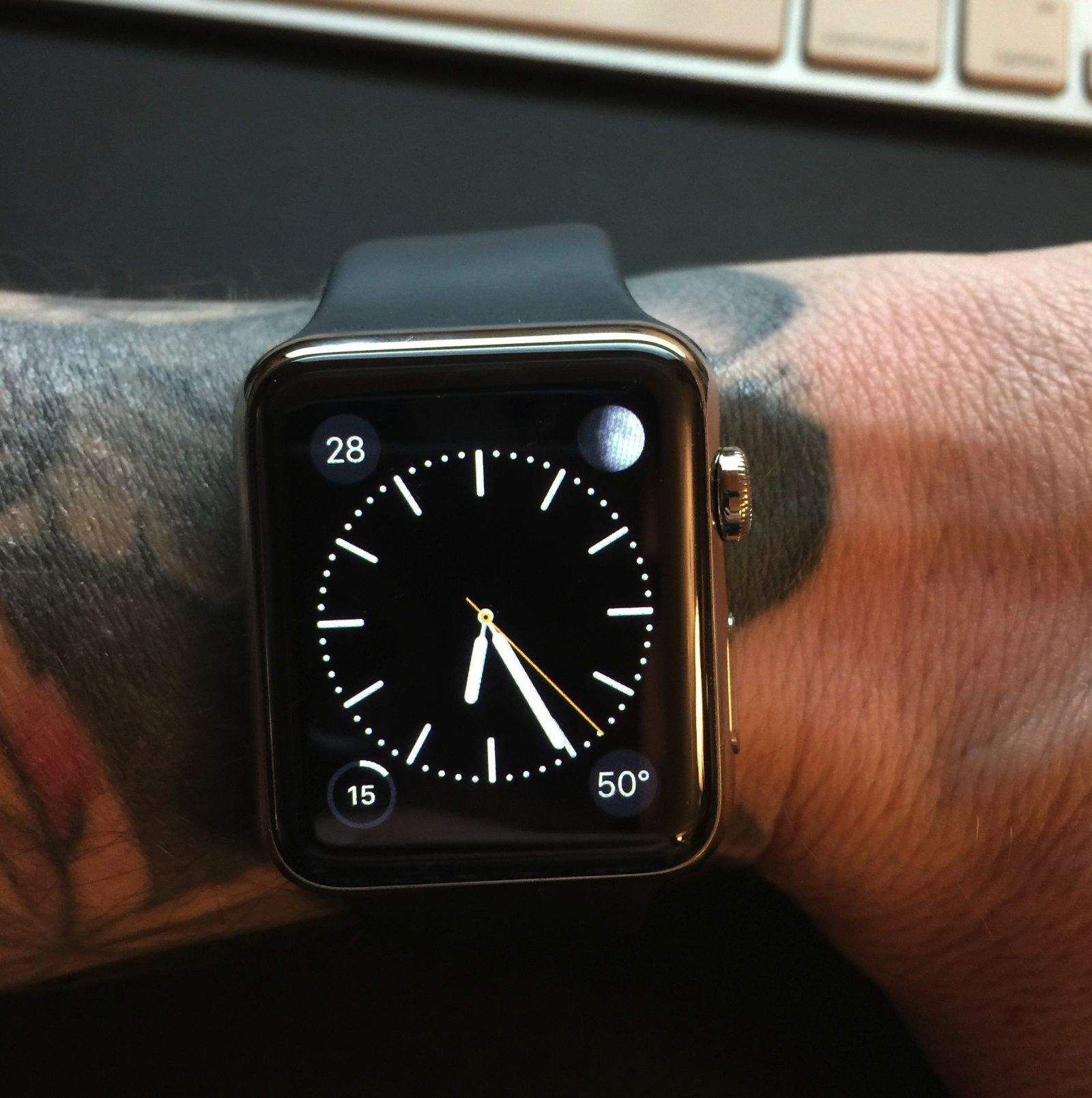
More Apple Watch owners with wrist tattoos are reporting problems using the device. The light sensors that enable the Watch to determine if it’s being worn apparently get confused by tattooed skin.

The problem — let’s call it “Tattoogate” — is possibly the result of metallic pigments used for the inking process, although nobody knows for sure. While the glitch affects only a small number of users, it’s definitely mauling the buzz of some frustrated Apple Watch early adopters.

Cult of Mac reader Michael Lovell spoke with us about his disappointing experiences with the Apple Watch, and even sent in a video demonstrating the problem. Check it out below!

Apple Watch users show off their creativity with custom app layouts

By

Apple Watch
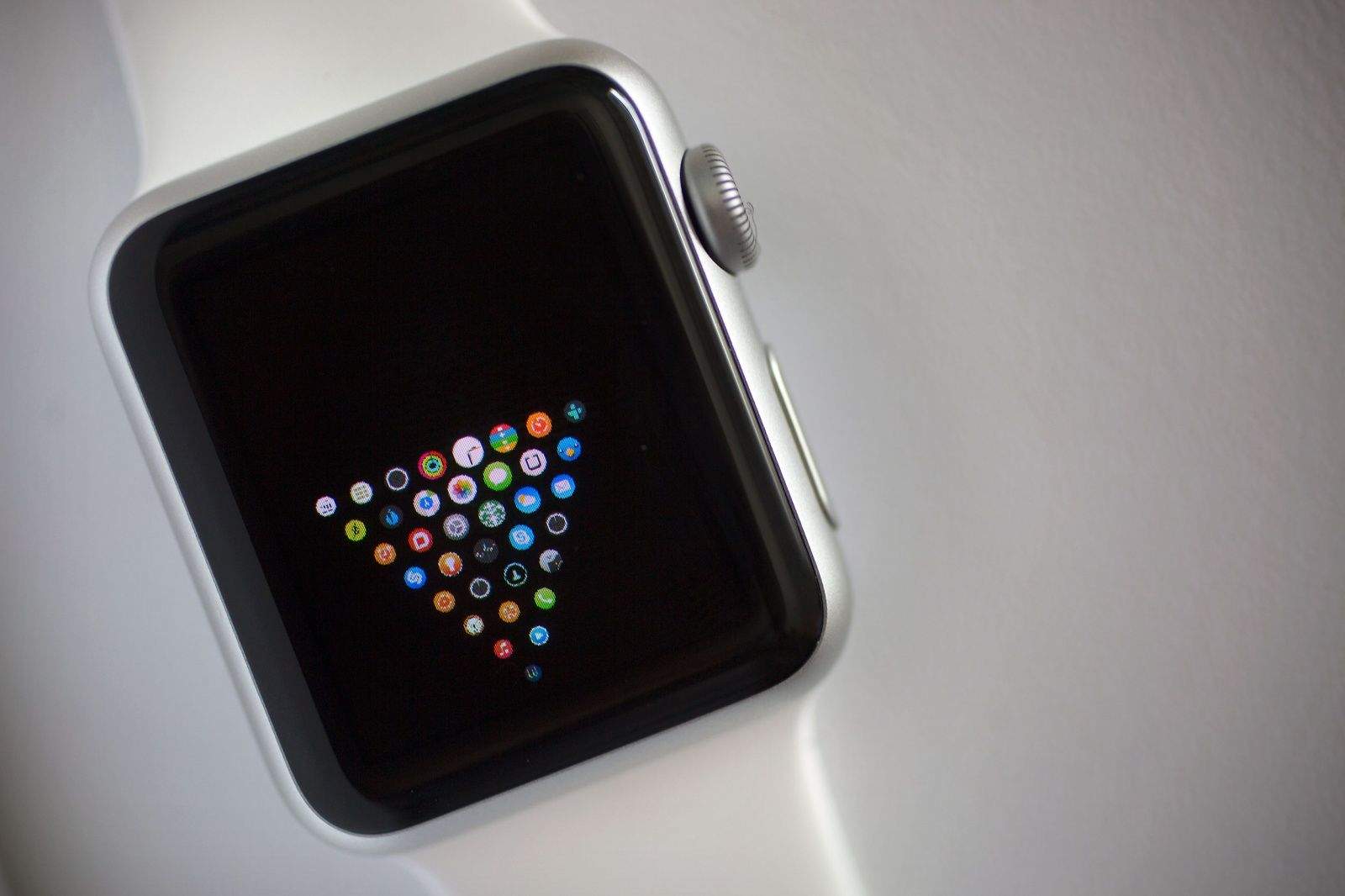
Did you know you can customize your Apple Watch app homescreen? Photo: Jim Merithew/Cult of Mac
Photo: Jim Merithew/Cult of Mac

Apple Watch is the most personal device you’ll ever use, and it’s not just because you wear it all day.

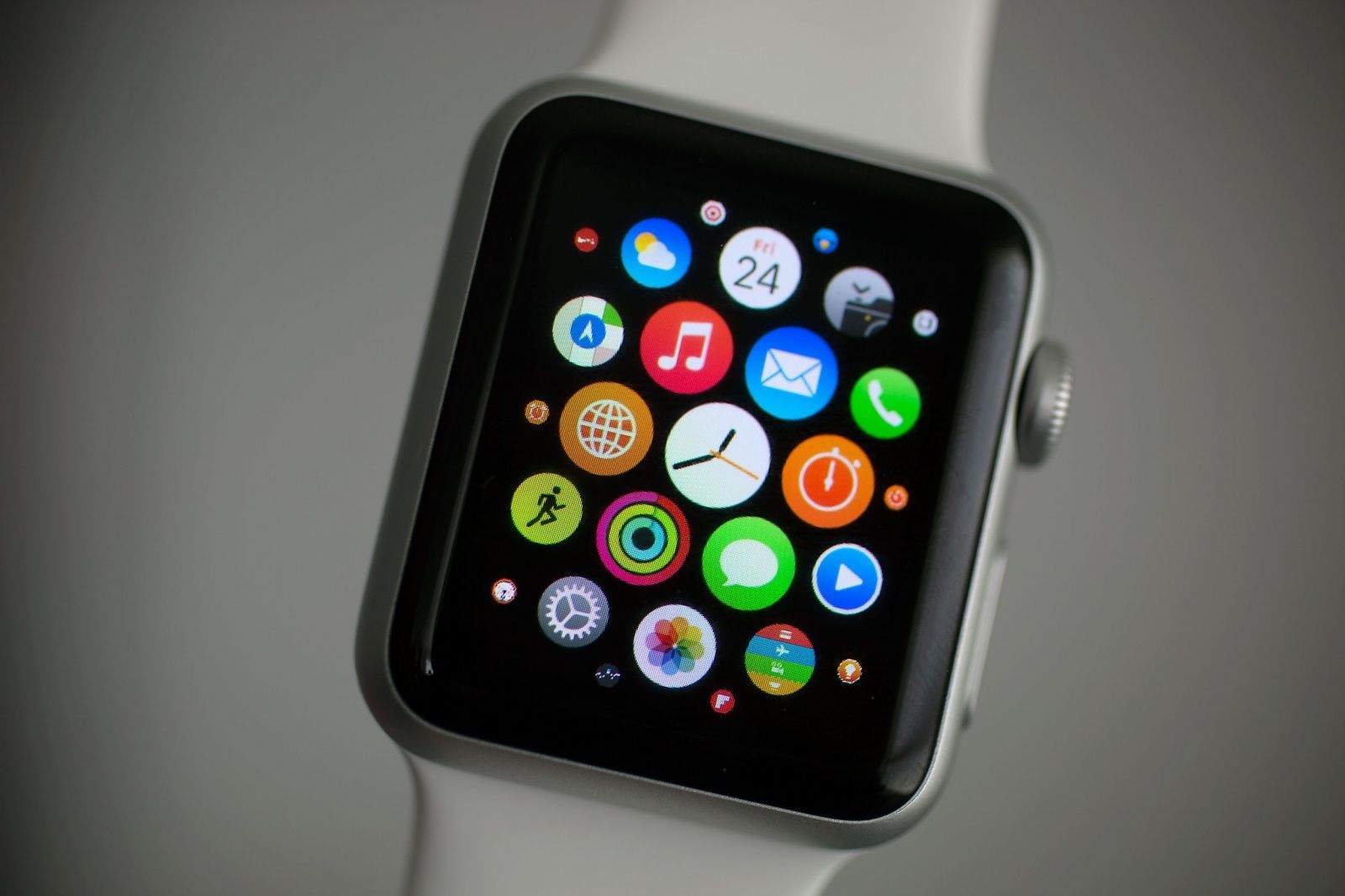
This is the most customizable Apple product we’ve ever seen. Everything from clock faces to the app homescreen can be tweaked to your personal tastes. Early Apple Watch owners have already come up with a myriad of different ways to change the app homescreen so that it’s just not a giant blob of randomness. Some are a bit crazy, while others are down right brilliant.

Check out out some of the best custom layouts below:

How to clear credit card info from a stolen Apple Watch

By

Apple Watch back
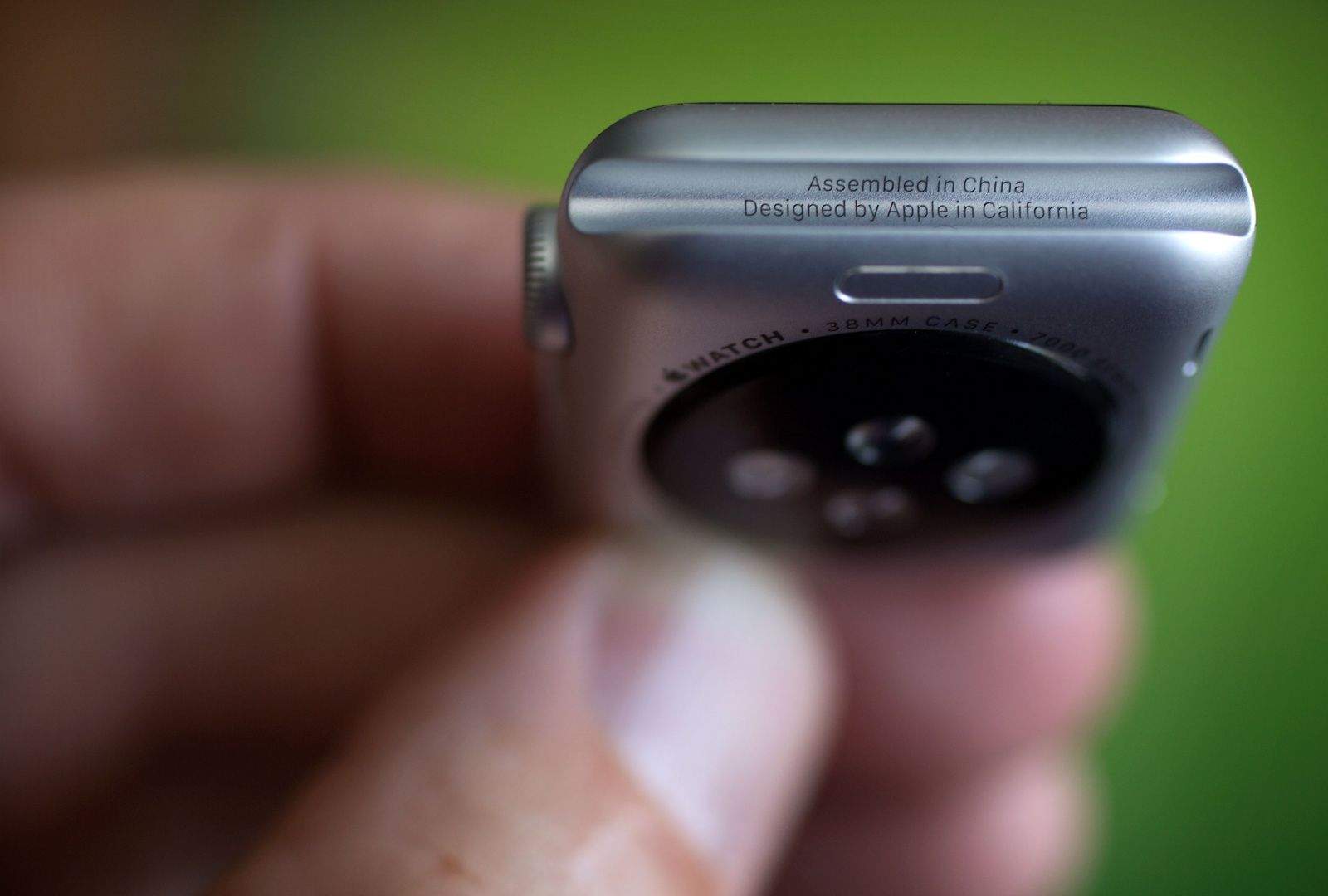
Let's hope you never have to worry about theft. Photo: Jim Merithew/Cult of Mac
Photo: Jim Merithew/Cult of Mac

So, you just got that shiny new Apple Watch. It’s amazing, right?

So amazing that someone may try to steal it from you. Sure, that sucks, but it could happen.

Here’s how to clear the credit card info from the stolen device if you no longer have physical possession of your Apple Watch.

Tattoos might make Apple Watch malfunction

By

Using an Apple Watch with a tattoo gives some users a (s)inking feeling. Photo:
Using an Apple Watch with a tattoo gives some users a (s)inking feeling. Photo: Guinne55fan

With a variety of bands, and price tags ranging all the way from $349 – $17,000, there’s an Apple Watch for everyone. Except, possibly, the heavily tattooed.

That’s according to a new thread on Reddit which claims that several tattoo-sporting Apple Watch customers are having trouble using the device, because the wearable’s wrist-detection feature gets confused by the way in which tattoos reflect the green and infrared light emitted by the Watch.

The result? People with tattoos don’t get notifications, unless they move the Watch to an un-tattooed area, or turn off wrist detection. Not exactly ideal for those with full sleeves!

You can now use your Apple Watch to unlock your Mac

By

Just Knock on your Apple Watch to unlock your Mac. Photo: Knock

Remember Knock? Released last year, it was an iPhone app that allowed you to unlock your Mac without entering a password, just by tapping on your smartphone’s screen. Now you don’t even need your iPhone handy to use Knock: It’s the latest app to get the inevitable Apple Watch support.

Apple Watch’s interchangeable band mechanism is now patented

By

Photo:
You can change your Apple Watch band quickly and easily. Photo: Apple

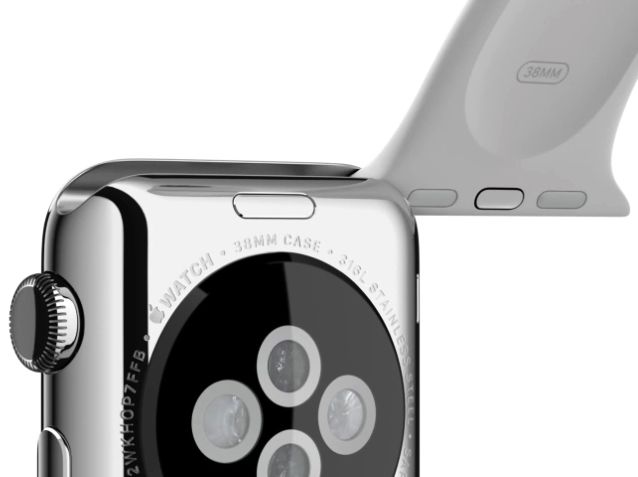
One of the neat features of the Apple Watch is the ability to quickly and drastically change its appearance by sliding different straps on and off the body of the device.

Achieved by way of a cunning three-contact mechanism, it’s undoubtedly a cool solution and — to paraphrase Steve Jobs — boy, has Apple patented it!

Apple Watch review: Futuristic, fun and fan-flipping-tastic

By

Apple Watch is a great early adopter device. Photo: Jim Merithew/Cult of Mac
Photo:

Apple Watch is the most confounding device to come out of Cupertino since Steve Jobs unveiled the iPhone. Is is it a watch? Is it a tiny computer on your wrist? It’s both — and it’s so much more.

After four days playing with the Apple Watch, we’ve found it to be far more futuristic — and far more fun — than we could have imagined. (It’s even more impressive if you’ve tried any of the other smartwatches on the market.)

Apple Watch isn’t without its disappointments, though. If you’re still unsure whether to shackle yourself to Jony Ive’s fabulous timepiece, here’s our take on what works — and what doesn’t.

78% of 1.7 million Apple Watch orders still haven’t shipped

By

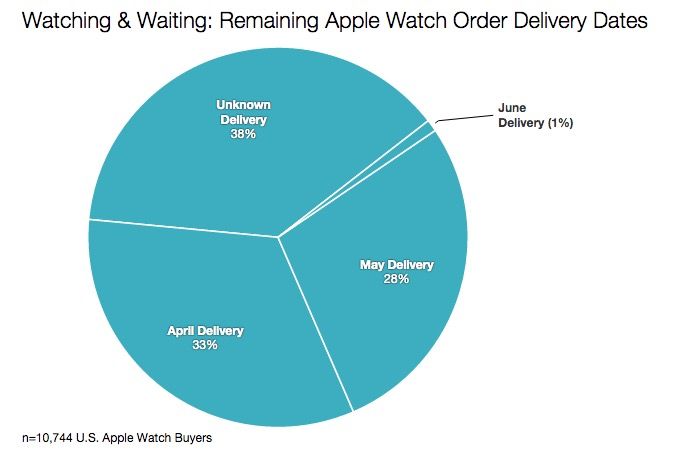
78% of all Apple Watch orders still haven't shipped. Photo: Slice Intelligence

Last week, researchers at Slice Intelligence claimed that Apple had taken orders for as many as 957,000 Apple Watches in the first 24 hours that it was available on Apple.com. And that was in the U.S. alone.

Now Slice is back, with new numbers suggesting that demand for the Apple Watch is far, far exceeding supply. According to Slice, in fact, Apple may have sold as many as 1.7 million Apple Watches since pre-orders began.

And if your Apple Watch still hasn’t shipped, you’re not alone: 78% of all Apple Watch buyers are in the same boat.

Liveblog: Apple looks to make history with Q2 2015 earnings call

By

Apple earnings are on the way. Photo: Jim Merithew/Cult of Mac
Photo:

In less than an hour, Tim Cook and CFO Luca Maestri will reveal whether iPhone 6 sales have continued to sail past Wall Street’s expectations. We’ll be on hand to liveblog all the action from the Q2 2015 Apple earnings call.

The results are expected to be monstrous, thanks to strong demand for the iPhone 6 and 6 Plus carrying over from last quarter’s historic results. Wall Street is expecting Q2 2015 to be the second-biggest quarter in the history of Apple, with revenue believed to top $56 billion, for 23 percent year-over-year growth.

Apple only needs to sell more than 58.1 million iPhones to make it the second-biggest quarter ever, but what we’re most anxious to hear is whether Tim and Luca drop some Apple Watch numbers on us.

The call begins at 2 p.m. Pacific, but the liveblog action starts now. Keep this tab open and come back throughout the day for coverage and commentary.

Apple Watch Sport has better display than pricier models

By

Is Apple Watch demand waning?
Apple Watch already has a ton of apps. Photo: Jim Merithew/Cult of Mac
Photo: Jim Merithew/Cult of Mac

Apple is pushing into new territory with the Apple Watch, by making it the first device to come from Cupertino that uses an OLED display. One of the reasons Apple’s never brought OLED displays to the iPhone is they’re more challenging to engineer than long-established LCDs.

Apple hasn’t given us too many details about the Apple Watch’s display yet, other than telling us it’s a ‘Flexible Retina Display’ but the team over at DisplayMate have put the new display to the test, and came away with a shocking discovery: Apple Watch Sport has a better display than the Apple Watch Edition.

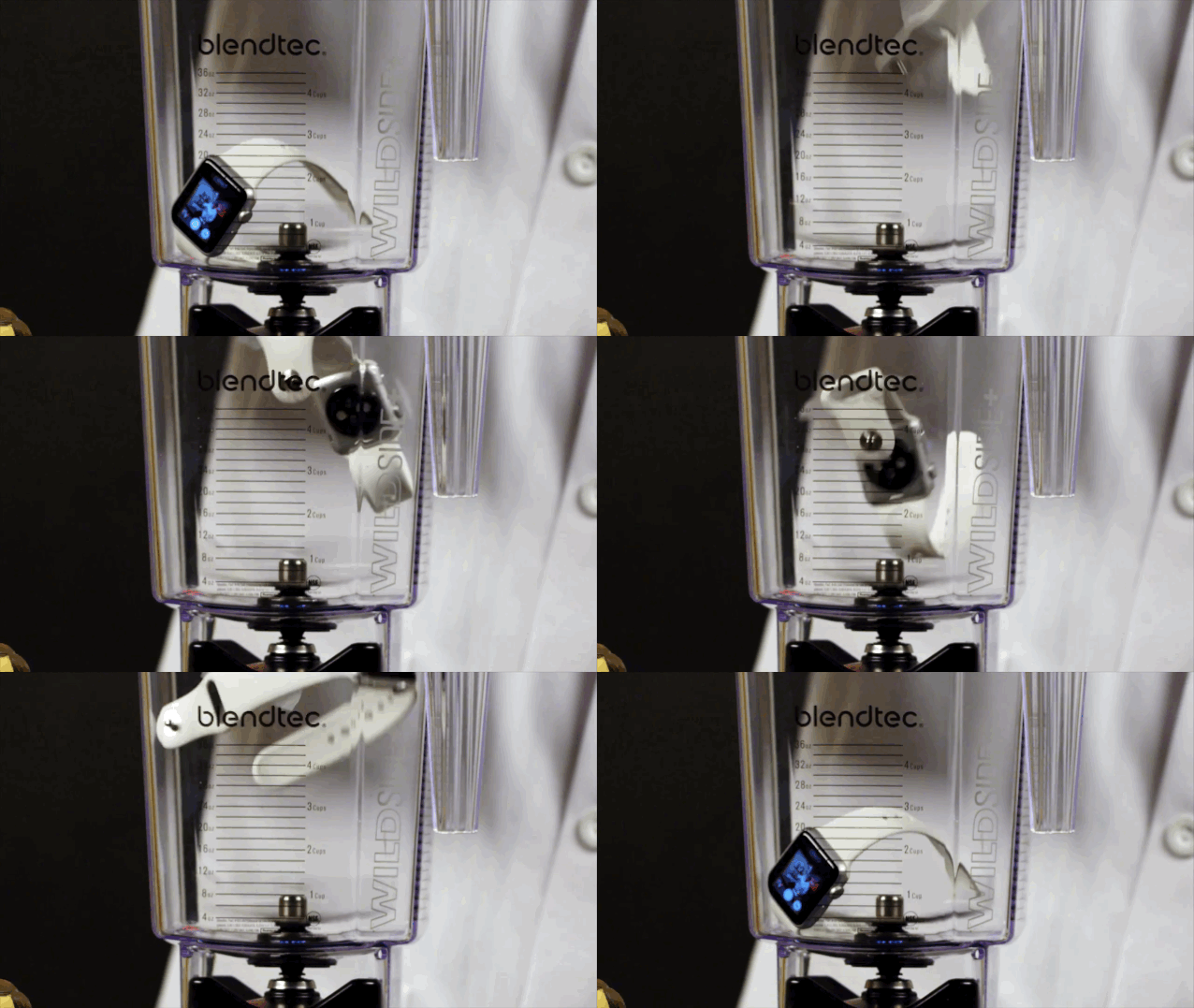
Apple Watch vs. blender. Guess which wins?

By

Tom Dickson put the new Apple Watch in a blender for his show, Will It Blend? Photo: Will It Blend?

The glass may be scratch-proof, but the Apple Watch is not durable enough to withstand a blender.

Tom Dickson wasted no time having the Apple Watch as a guest on his YouTube show, Will It Blend?Sure enough, it didn’t.

Dickson – maybe all too cheerfully – placed the watch in one of his Blendtec blenders and gave it a whirl. It seemed to take the beating from the initial revolutions of the blade before pieces began flying off the watch. The session ended with black smoke and a pile of what looked like ashes.

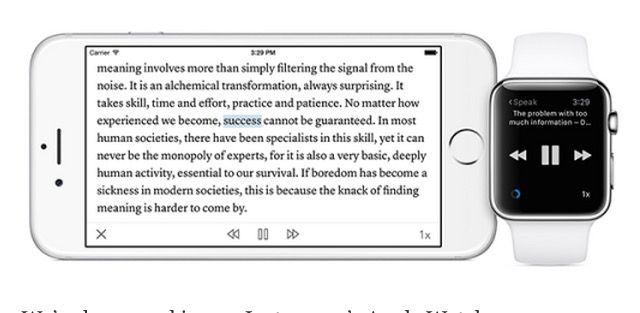
Instapaper for Apple Watch is surprisingly not terrible

By

Instapaper for the Apple Watch is here. Photo: Instapaper

The Apple Watch may be good at telling you how healthy you are, tracking your steps, propelling you to move, and reminding you of upcoming appoints, but conventional wisdom says it’s rubbish for reading. The 38mm and 42mm screens are just too tiny to read anything more than a sentence or two long on, and certainly not any longreads.

So on paper (no pun intended), Instapaper for Apple Watch is a terrible idea. Amazingly, though, it looks like the Instapaper team at Betaworks has made it work.

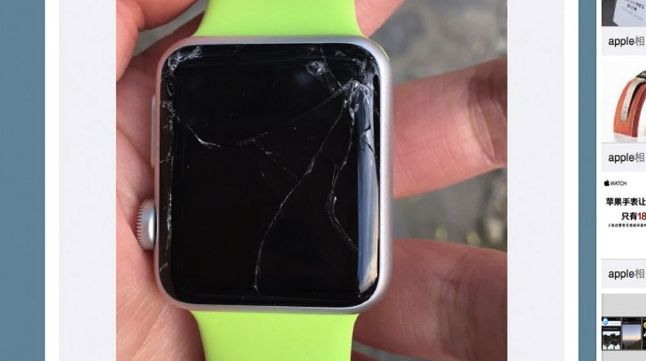
Clumsy Apple Watch buyers parade their costly breakages

By

Photo:
Even a broken Apple Watch is right zero times a day. Photo: Weibo

There’s an old adage about most sports car crashes happening within minutes of leaving the automobile showroom for the first time, and apparently the same is true of clumsy (or unfortunate) Apple fans enjoying their first weekend with a brand new Apple Watch on their wrist.

Almost like a badge of honor, social media already shows multiple people who managed to break their Apple Watches before most of us even got our hands on one of the devices.

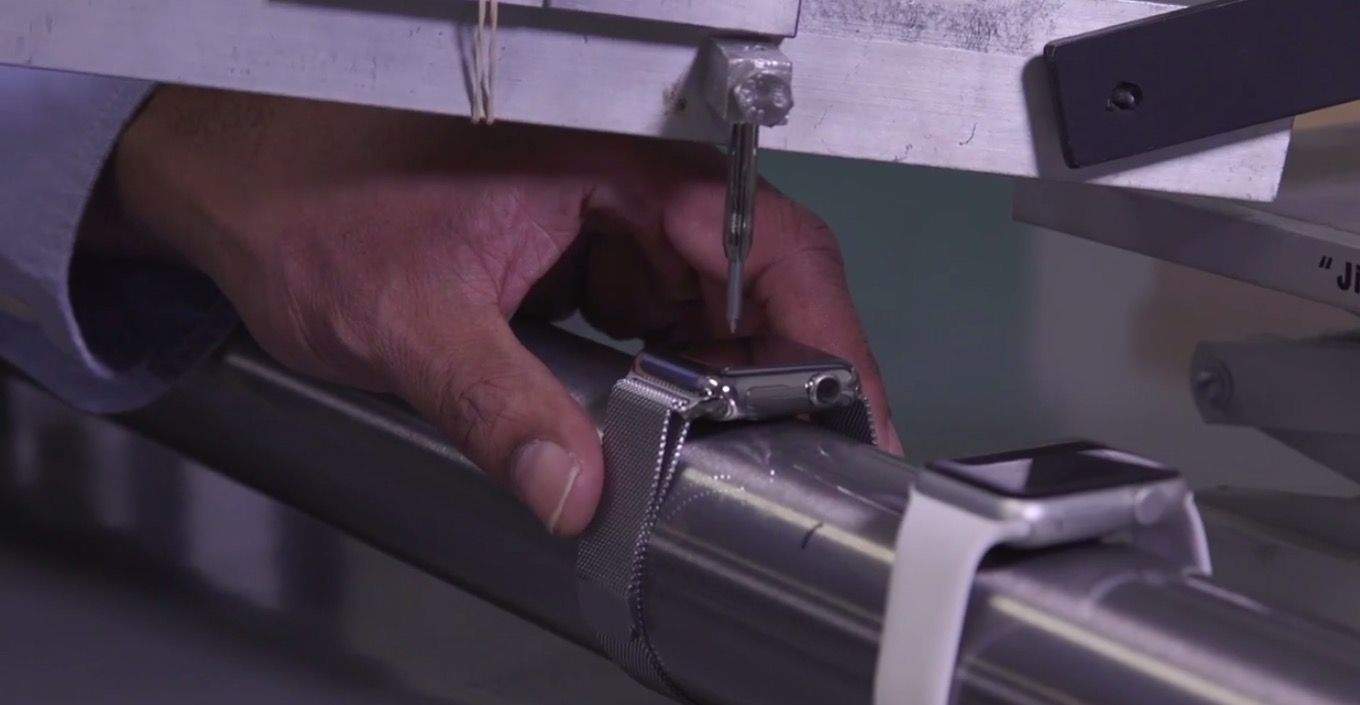
Consumer Reports runs Apple Watch through scientific torture test

By

The Apple Watch glass going through a torture test. Screenshot: Cult of Mac

Consumer Reports has a history of being hard on Apple. They famously refused to recommend the iPhone 4 because of a so-called “flawed” antenna design.

To test the Apple Watch, though, Consumer Reports is being harder on Apple than ever. They’ve run a gamut of torture tests on Apple’s new wearable to see just how hard the sapphire display actually is. Here’s a spoiler: You won’t be able to scratch it with anything short of a nuke. And even the Apple Watch Sport’s display is nearly unscratchable (although it can be cracked).

A look at the best (and worst!) Apple Watch apps on our newest CultCast

By

cultcast-apple-watch-com-head

Photo:

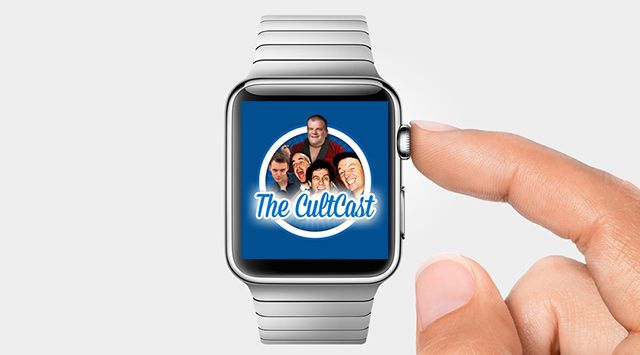
Apple Watch, inbound! And now that it is, we’ll take a look at some of the most useful Watch apps available, and just for fun, some of the stinkiest. Plus: the noteworthy differences between the Sport and steel editions; why those “scratch test” videos shouldn’t trouble you; and finally, you’ll never believe what our ol’ pal and ex-Apple exec Scott Forstall is up to now…

Our thanks for Freshbooks for supporting this episode. FreshBooks is the easy-to-use invoicing software designed to help small business owners get organized, save time invoicing and get paid faster. It also makes tax time a cinch. Get started now with a 30-day free trial.

cultcast-176-post-player-image-thin

Full show notes ahead!

Tweak your Apple Watch notifications

By

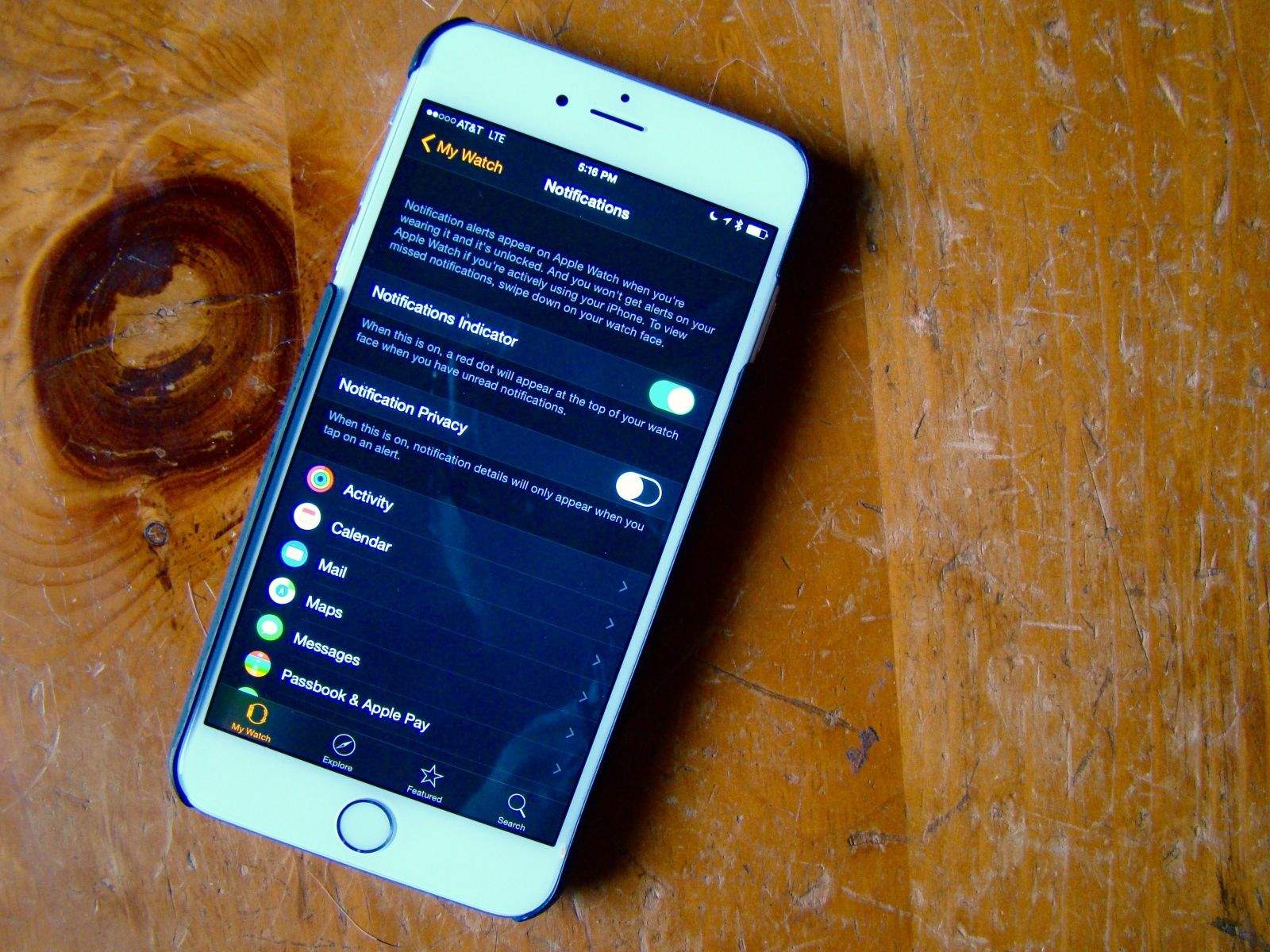
Manage your Apple Watch Notifications from your iPhone. Photo: Rob LeFebvre/Cult of Mac

Notifications are why we all got an Apple Watch, right? We want to be able to know what’s going on in our digital lives all the time, but we want to do it faster, without having to pull out an iPhone. Because that’s just rude.

However, getting every single Notification that you get on your iPhone shunted automatically over to your Apple Watch is going to get tiresome. No one wants to deal with a wrist tap every time someone takes a turn in Evil Apples.

Here’s how to manage all of the notification cruft a little bit better.