Mobile menu toggle

iOS - page 99

Half The Companies Allowing Personal iOS And Android Devices Have Suffered A Security Breach

By

BYOD programs present security challenges some companies choose to ignore.

The most striking point in a recent report commissioned by Trend Micro was that IT administrators are beginning to rank Apple’s iOS ahead of RIM’s BlackBerry and other mobile platforms, but there were some other significant details in that report.

The report focuses on mobile security and issues related to bring your own device (BYOD) programs. Such programs encourage employees to use their personal iPhones, iPads, Android devices and other mobile technologies to access business resources and perform work related tasks. Many IT professionals believe that BYOD programs introduce security risks – and it looks like they’re right believe that. Decisive Analytics, the company that prepared the report, notes that nearly half the IT professionals that they surveyed in the U.S., U.K., and Germany admitted that their companies had already experienced a mobile-related security breach.
WWE Puts The SmackDown On Your Mobile Device With Official WWE App For Android And iOS

By

post-185385-image-3fbd3497d2e41aefb572fec40043137f-jpg

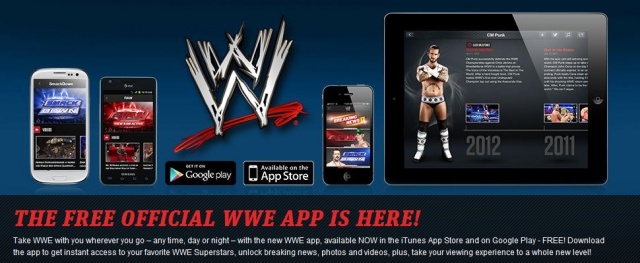
The WWE is ready to bring the pain, with its up close and personal WWE app for Android and iOS. Get in the ring with your favorite WWE Superstars, with instant access to profiles, biographies, social media feeds and more. Relive thousands of face smacking matches thanks to a video library consisting of thousands of clips. Whether you’re a die-hard fan or just looking for a little nostalgia, the WWE app has it all.

Bug In New Instagram Photo Map Exposes Your Private Photos To Android Users [Updated]

By

photomap

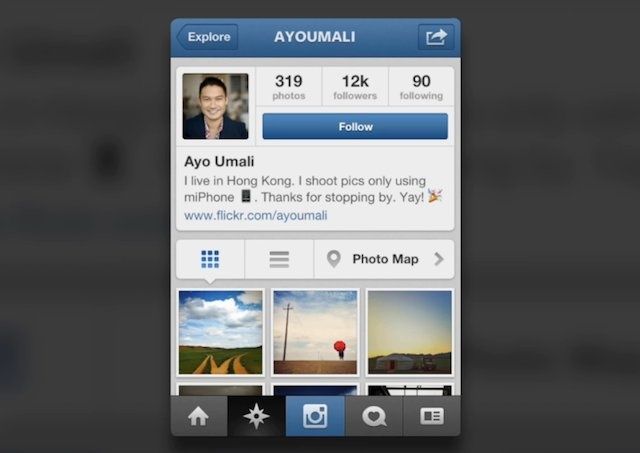
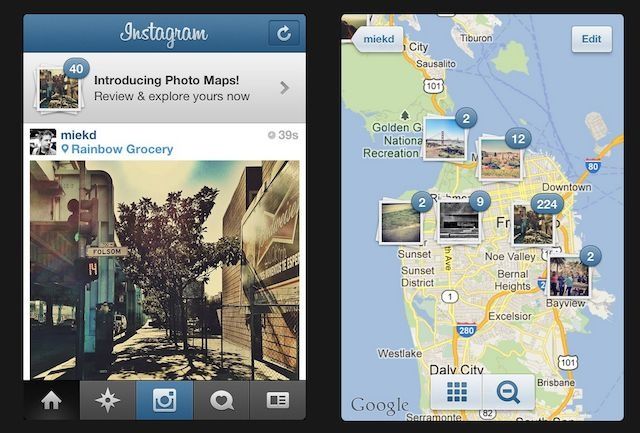
Yesterday, Instagram launched version 3.0 of their iOS and Android app. Along with some new UI improvements, the coolest thing about the update is the new Photo Maps feature which allows users to organize photos via geo-location data to provide more interesting narratives for their followers.

The new Photo Maps feature is great, but it comes with some privacy concerns. Private user photos that are added to a Photo Map are viewable to any Android Instagram user thanks to a bug in the 3.0 update.

Scratch Your iPhone While Wearing A Cellhelmet And They’ll Replace The Glass

By

This is the only screen protector in the world that comes with a guarantee for your display.

Back in February, I told you about an iPhone case from a company called cellhelmet that comes with one major advantage: If your iPhone breaks while it’s inside the case, cellhelmet will fix or replace it for free. Now the company is expanding, and it’s about to launch a new line of screen protectors that offer a similar guarantee. If your iOS device’s screen gets scratched while wearing one, cellhelmet will replace the display.

iOS Hacker Discovers Major SMS Security Flaw In The iPhone

By

iphone-sms-text-message
"Never trust any SMS you received on your iPhone at first sight."

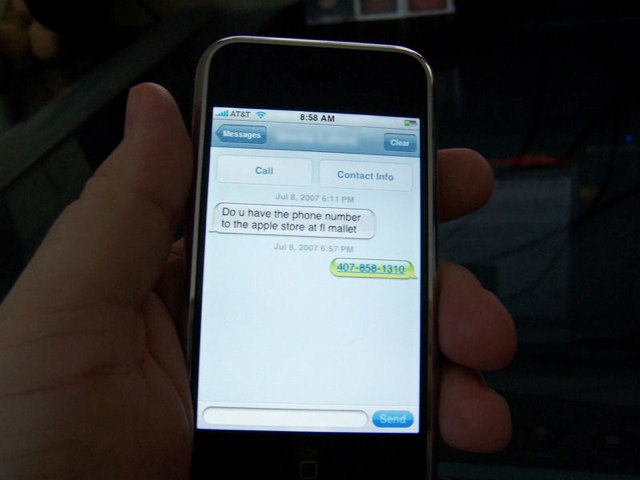
iOS hacker and security researcher Pod2g has uncovered a major SMS security flaw with the iPhone that could lead to text message spoofing. The problem is with the way in which the iPhone handles text messages, and it’s present in the latest version of iOS — including the iOS 6 beta 4 release. However, Pod2g insists he’s pleading with Apple to get it fixed.

No More Swipe Fees For Small Businesses Using Square Payment Processing

By

post-185208-image-b671122a74df7e16db93c2a0af63bb4c-jpg
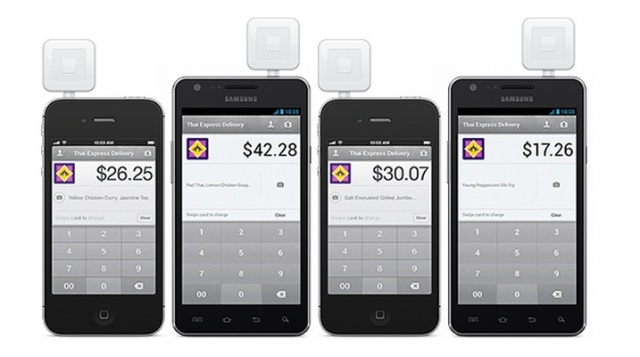
Square is courting small business with new rules and lower transaction fees.

Last week, Square announced a partnership with Starbucks to provide back-end payment processing and CRM for the coffee mega-company. Today, Square brings news of the other end of the business spectrum. Small businesses who make less than $250,000 per year will no longer have to pay the standard 2.75 percent per swipe processing fee (though they can still opt for this) if they pay one flat rate, currently set at $275 monthly.

If a small businesses chooses the flat rate option, they’ll essentially end up paying 1.3 percent per swipe – a significant savings if they meet the criteria. IF the business goes over the line, they’ll be charged the standard per-swipe rate.

This is Square making sure that it can have as many users as possible, from super corporate giants to small mom and pop shops with a bit of tech savvy.

Apple’s Purchase Of AuthenTec Could Mean Future iOS Devices Will Unlock With Your Fingerprint

By

Could your iPhone 5 be capable of reading your fingerprint?

When Apple purchased AuthenTec back in July for $356 million, the news was a surprise to us all. Unlike most of the company’s movements, this one hadn’t been surrounded by rumor and speculation for months prior to the official announcement, and none of us saw it coming. But now it’s time to take note, because the acquisition could spell exciting things for future iOS devices.

You see, Apple acquired AuthenTec for its 2D fingerprint scanners, which it insisted it needed urgently due to its “product plans and ongoing engineering efforts.” This suggests the Cupertino company is ready to use the technology sooner rather than later — fueling speculation that it will make its debut in the sixth-generation iPhone as the perfect accompaniment to Passbook.

Dunkin’ Donuts Releases the “App That Keeps You Running”

By

post-185002-image-7eff2f2f67476bb044a70da57b205f28-jpg

If you can’t make it through the day without some D&D (I’m not talking Dungeons & Dragons you nerds) then this next bit of news is for you. Dunkin’ Donuts wants to keep you running with their new app for Android and iOS. Released today, the Dunkin’ Donuts app allows customers to easily locate the nearest D&D, make payments, gift DD, and more. The app is supposed to make your Dunkin’ run easier, but the payment system seems a bit awkward to me.

This Beautiful iPhone Wallpaper Will Rekindle Your Appreciation For The Geometric Beauty Of iOS

By

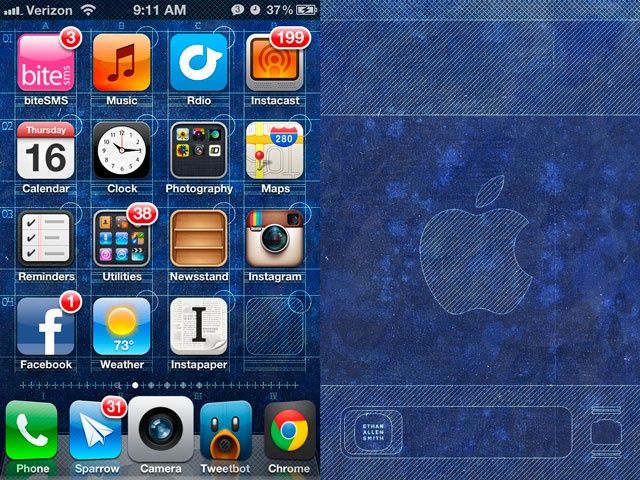
easwallpaper

I generally don’t favor Apple-themed wallpapers on my Macs or iOS devices, but I just had to make an exception for these meticulously designed, beautifully rendered schematic wallpapers for the iPhone by Ethan Allen Smith. If anything could give you an appreciation of the majestic geometry and elegant ratios that define every visual aspect of iOS, right down to the badges on every icon or where the pips at the bottom of every homescreen are placed, a couple days with these wallpapers will have you thinking hard about them: in iOS, every little line means something.

Smith has provided two wallpapers: one for the standard homescreen and one for the iOS lockscreen. The lockscreen one is nice, but it’s the homescreen wallpaper that really shines.

Magnificent. I hope these get updated for the longer homescreen of the iPhone 5. You can download them at the link below.

Source: IMGUR
Via: Reddit

Pinterest Announces New Android, iOS Apps To Broaden Audience

By

post-184676-image-1c3597bdda6fa039b4239a97a302285e-jpg

Social bookmarking service Pinterest today announced a new app for Android and iOS in a move to appeal to an even larger audience. If you’ve not used the service, it’s like a image-based social bookmarking system. You “pin” websites to your own Pinterest account, then share the pinned bookmarks via categorical lists. It has a heavy Facebook and Twitter integration as well, and last week it opened the doors to the general public, not requiring an invite any longer.

How To Build An Unbeatable Fantasy Football Team Using Your iPad or iPhone [Feature]

By

A fantasy draft can make or break a fantasy football season, these apps help you develop the best draft strategy so you can dominate your league.

For any fantasy football fan, draft day can be filled with mixed emotions – excitement at the impending start of the season, hope that you’ll get to build your dream team, and nervousness about where you’ll be in the draft order and whether or not you’ll get your top picks before someone else does.

Predicting the outcome of any fantasy draft is hard to do because there are so many variables in terms of drafting order, draft type, the team that you want to build, and the choices that other members of your league will make. That said, solid research and preparation can go a long way to helping you build a winning team and there are some great iPhone and iPad apps out there to help you before and during your draft.

iOS 6 Maps App Offers Roadwork Alerts To Help You Avoid Traffic Jams

By

Isn't that helpful!
Isn't that helpful!

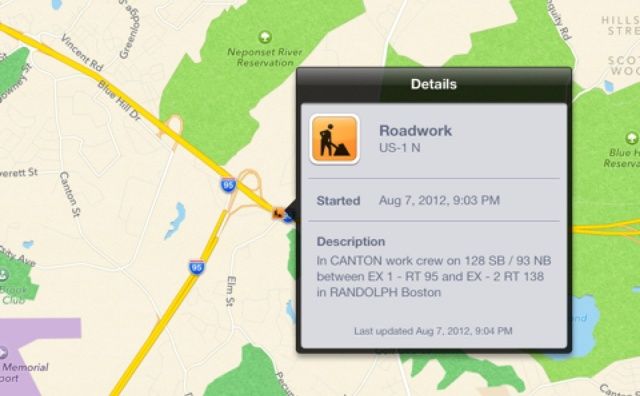
Here’s a handy feature in Apple’s new Maps app in iOS 6: When you’re traveling and you get near to roadworks, or there are roadworks ahead of you, Maps will throw up a new roadworks icon to alert you to them. What’s makes this feature really awesome is that you can then tap on that icon to find out more about the construction, including its start and description.

Use Your Keyboard To Filter Launchpad Apps Super Easily In Mountain Lion [OS X Tips]

By

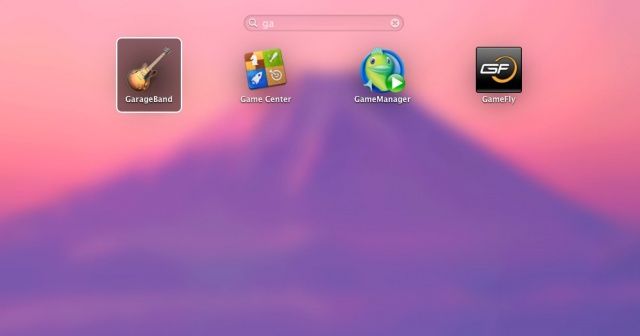
LaunchPad Filtering

Launchpad tries to bring an iOS-style app interace to OS X. Whether you like it or not, it’s here to stay. Introduced in OS X Lion, Launchpad arranges the apps you have installed on your Mac in a grid array, much like the apps are arranged on your iPhone, iPad, or iPod touch. Of course, your Mac has a much bigger screen than these iOS devices (hopefully), so there’s even more of a need to filter out the apps you don’t want so that you can find the apps you do want to find.

In iOS, as you get more and more apps installed on your device, you’re gonna end up swiping to the right of the home screen at some point and typing the name of an app into the Search field there. Prior to Mountain Lion, there was no way to do this in OS X. Now, however, there is, and I sincerely hope they bring this concept back to enrich iOS itself.

Verizon’s Viewdini Video Streaming Service Finally Comes To iOS

By

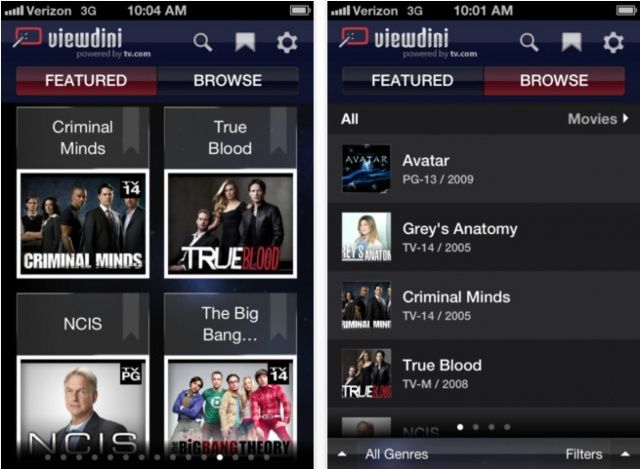
Viewdini is no longer an Android exclusive.

Verizon Wireless has announced that Viewdini is making its debut on iOS today, allowing users with an iPhone 4, iPhone 4S, iPad 2, or new iPad to enjoy the video-on-demand service on the go. The app provides access to both free and subscription-based providers, including Comcast Xfinity, Hulu Plus, mSpot, Netflix, Vimeo, and more.

Play More Than 100 Classic Nintendo Games In Your iPhone’s Web Browser Without Jailbreaking

By

Well... they're almost playable.

With Nintendo adamant it’ll never bring its games to iOS, the only way to enjoy your favorite titles on your iPhone, iPod touch, or iPad is to jailbreak your device and download an emulator. But that’s no longer the case. You can now enjoy more than 100 NES and Game Boy games in your iPhone’s web browser.

Step-By-Step: Blogging Using Just The iPad [How-To]

By

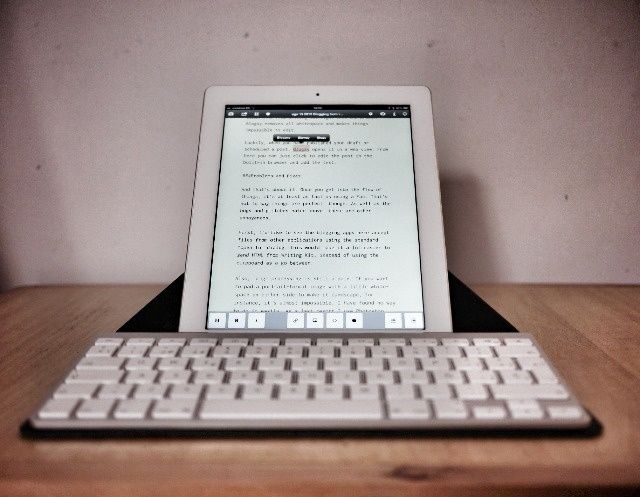
This is pretty much all you need to write and publish to the web.

I do all my work these days on an iPad. From organizing reviews through gathering story ideas to actually writing posts and features, and even photographing and editing gadgets for those reviews, it’s all — every last bit — done on Apple’s tablet. I just spent two weeks away from home using the iPad’s 3G connection to work, only opening up my MacBook to sync my FitBit.

And they still say the iPad is just for consumption.

One of the biggest problems with the iPad has been writing blog posts. You really did need a Mac to take care of the multiple browser windows and — most of all — the image uploading. Now, though, while there isn’t quite a wealth of options, there are certainly several credible methods to do this all from the iPad. So make a coffee, sit back and enjoy this how-to:

Don’t Worry, iOS Encryption Is So Secure Even The NSA Sucks At Hacking It

By

iphonelock

Your iPhone contains a whole lotta information about your personal life. You got your bank apps, email, text messages, phone calls, browsing history, plus all those embarrassing songs you listen to on Spotify you don’t want people to know about.

You don’t expect to get hardcore encryption security on a tiny iPhone, and when the iPhone was first released in 2007 you didn’t. Huge security holes allowed  hackers to easily take over the device, but Apple learned from their mistakes, and now your iPhone is like a freaking Fort Knox for data. Even the NSA is having a hard time breaking iPhone encryption, and it’s frustrating the hell out them.

Count Again: The iPhone 5’s 8-Pin Dock Connector Really Has 9-Pins

By

That 8-pin dock connector is really a 9-pin one upon closer inspection.

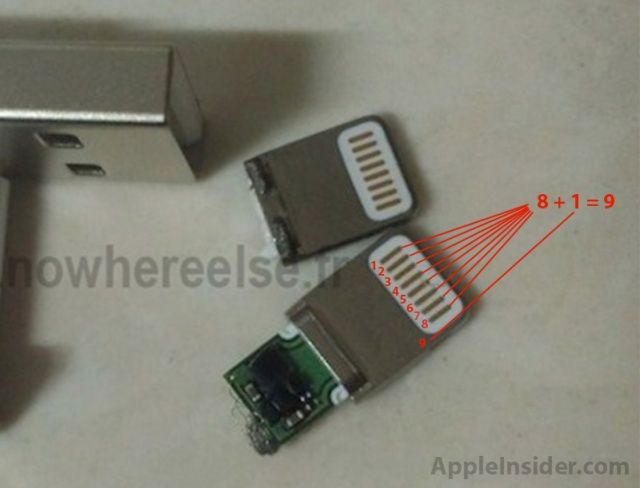
Will the next iPhone have an 8 pin or 9 pin dock connector? The iOS 6 beta says 9, but if you count the pins on the leaked dock components, there are only 8. Which is correct? Both: according to a new report, the new dock connector’s aluminum shell teams up with the 8 gold pins to make a ninth pin, resulting in 60% less real estate than the existing 30-pin connector, and better transfer rates with a fraction of the electrical contacts.

Latest iOS 6 Beta Makes App Store Updates Super Snappy

By

App updates appear to be a little snappier in the latest iOS 6 beta.
App updates appear to be snappier in the latest iOS 6 beta.

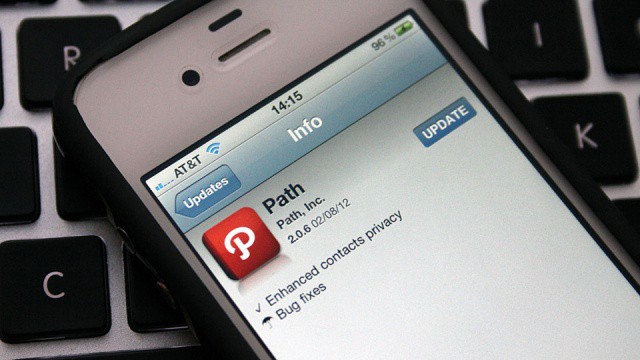
While Apple’s latest iOS 6 beta didn’t make any significant changes to the platform’s front-end — aside from removing the YouTube app — it did make some changes under the hood. In addition to “bug fixes,” it appears the fourth beta has made some improvements to App Store download times that make updating your apps super snappy.

How One Company Made A Multi-Million Dollar Blunder In Buying 14,000 iPads

By

Coming soon to a Department of Defense near you?
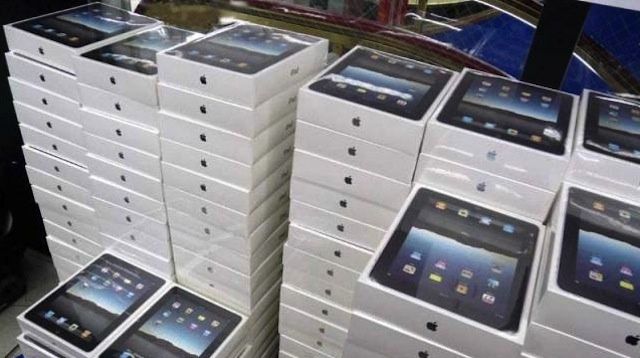
What can businesses learn from a company that spent millions of dollars on thousands of iPads without knowing how they'd be used?

I’ve been a big proponent of the iPad in business since Apple first announced its tablet more than two and a half years ago. In that time, the iPad has more than proved its value in companies of all different sizes and across virtually every industry. That said, the iPad isn’t a fit for every job within every workplace. If a company is considering investing in iPads for its employees, one of the first things that company and its IT leaders need understand is how the iPad will be used.

That seems like a pretty basic step in the procurement process, but it’s one that seems to be getting overlooked by some companies – including one very large enterprise company that should have known better.

Adding New Dock Connectors To All iOS Devices This Fall Is A Manufacturing Impossibility

By

In today's forecast: Lightning!
There's a good reason why this new dock connector won't be coming to all iOS devices this fall.

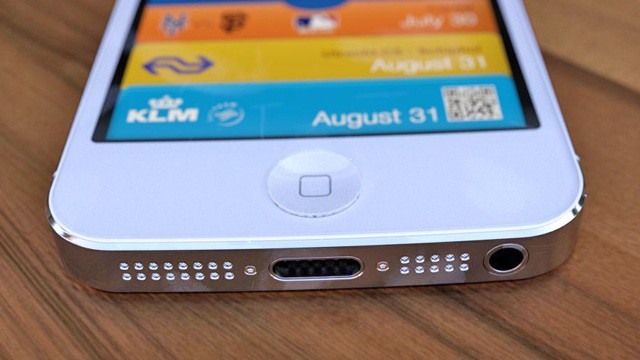
It seems like Apple’s sixth-generation iPhone will be the first iOS device to boast a brand new, mini dock connector when it launches this fall. But there have been rumors that claim Apple will refresh all its iOS devices to make the new connector a standard across its entire lineup.

Not only does this seem highly unlikely, but there’s one reason why it’s an impossibility: Apple’s supply chain just couldn’t handle a refresh that big.