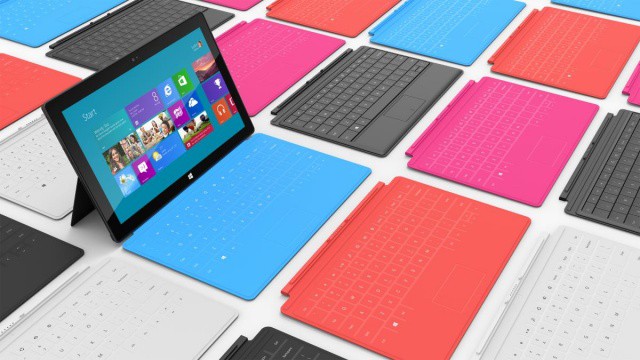
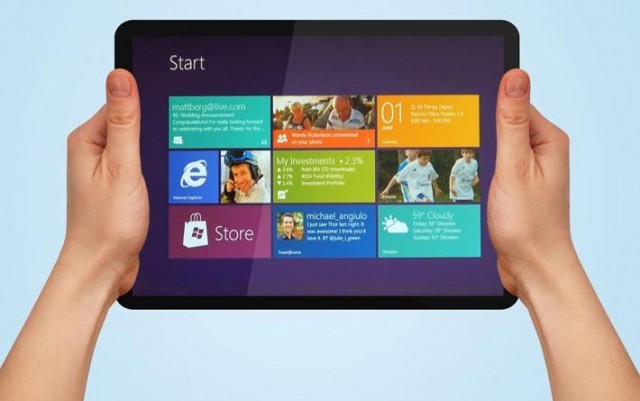
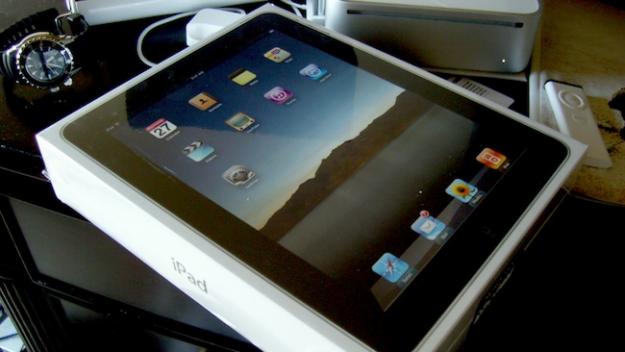
Microsoft today officially announced their new tablet, Surface for Windows, in two flavors, one with ARM chips (just like the iPad) and one with Intel chips, like standard laptops, including Macbooks. This is Microsoft directly competing with Apple for the iPad market, for sure.
So, you’ve got that big road-trip planned this summer, right? Got everything packed, maps apps at hand, ready to see the world from the point of view of your car, up close and personal in a way jet travel will never be. Pile in the dog and the kids and hit the road!
Of course, once the initial excitement wears off somewhere down the road, the kids are gonna get whiney. Instead of numbing them out with cartoons or video games, how about a bunch of classic car games? Of course you can use your iOS device! Here are a few fun apps that will teach the whole family some great ways to stay interested in the world outside the windows while staving off boredom.
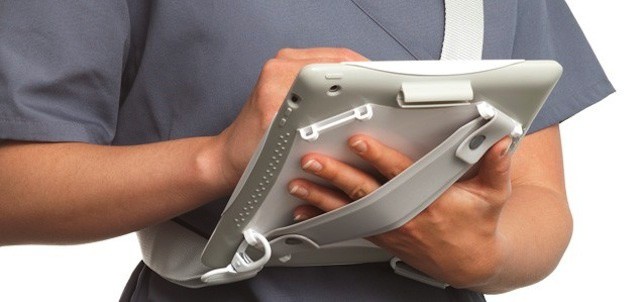
Griffin's AirStrap Med case makes the iPad more physician-friendly
The iPad has been popular with doctors and healthcare providers since it debuted two years ago. In fact, the iPad’s form factor and capabilities are almost tailor-made for many common and emerging uses in medicine like electronic health records, medical and drug reference guides, and even remote diagnosis using FaceTime.
With hospitals rolling out iPad deployments and many physicians in private practice buying them, it was only a matter of time before healthcare-specific iPad accessories hit the market. Griffin Technologies is one of the first companies to focus on making the iPad an even better fit for doctors, nurses, and other healthcare professionals with a new case that’s designed specifically for medical environments.
The iPad is many things, but one thing it is not is easy to hold. The Lady literally refuses to touch one when it’s naked (a sound policy in some other situations too), and even though I love the skinny feel of the iPads 2 and 3 in my hands, I too get a little nervous.
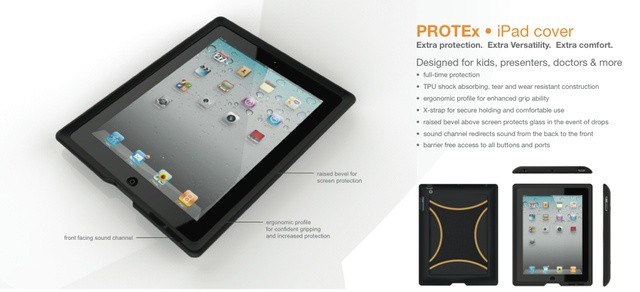
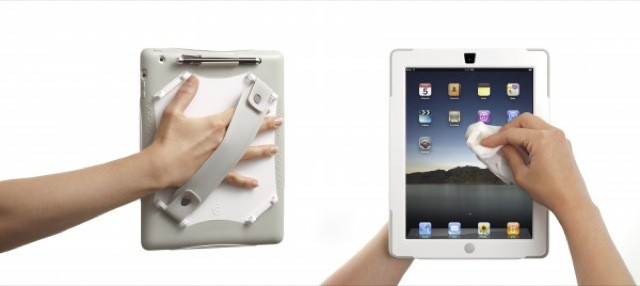
Higher Ground’s Protex is a case that not only protects the iPad, but makes it way easier to hold – and all without adding bulk or fugliness.
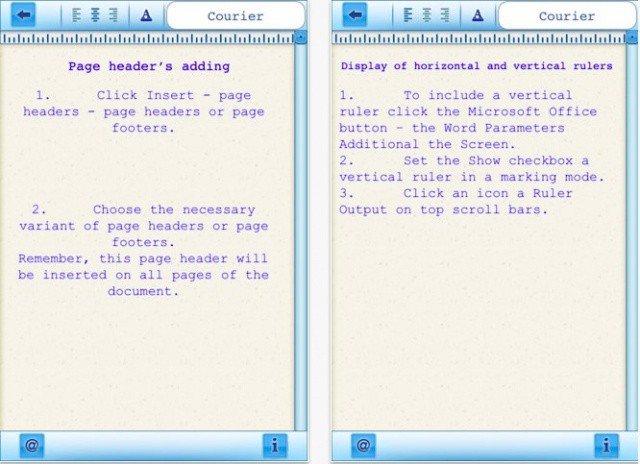
Looks a lot like Word, but it's just a shameless counterfeit.
There are a lot of iOS users who are waiting patiently for Microsoft’s Office productivity suite to finally make its App Store debut. Although Microsoft is maintaining its silence on the subject, recent reports have claimed that Office for iOS will arrive this year. Some developers have taken advantage of that speculation and begun making their own “Office” products.
No, I don’t mean the genuine productivity suites that have been available for some time — many of which are very good. I mean the knockoff apps that try their hardest to look like Microsoft’s own Office products just to trick you into handing over your cash. The latest is called “Microsoft Word 2012” by Super Racing Real Games.
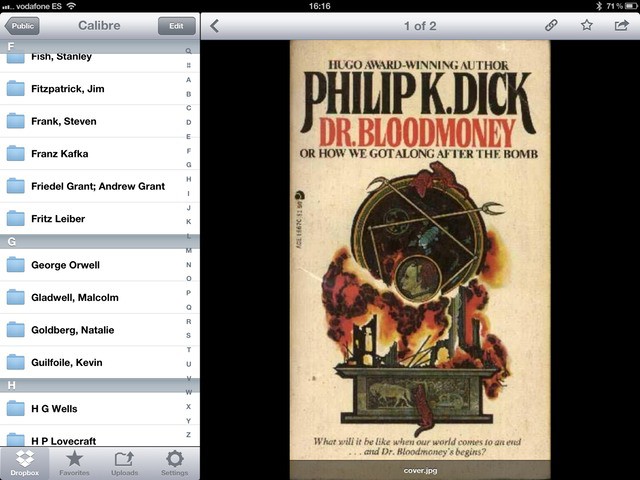
I love e-books. I love them so much that I’m considering buying a double-sided, sheet-feed scanner, chopping the spines of all my dead-treeware books and having an OCR frenzy on their asses.
What I don’t like is DRM. Not for any idealistic reasons (well, maybe a few) but for practical ones. My bookseller of choice is Amazon, as it has the best range and Kindle books work on any device. But the Kindle app for the iPad sucks, and with an update this week it is almost unusable. If only I could read my Kindle books in the beautiful iBooks app. Well, it turns out that I can. And what’s more, I can keep all of my books in a DRM-free format in the cloud, ready to be downloaded to any device, whenever I like. Here’s how.
If you’re an iPhone user who plays Angry Birds and watches YouTube videos all day long, you probably think your handset’s battery life is terrible. In reality, the iPhone often provides you with a lot more energy than many rival smartphones, and as for the iPad, well, no other tablet beats it when it comes to staying awake.
But there are some things you can do to make your battery life even better. In addition to obvious fixes — like turning down your brightness when you don’t need it to melt your retinas, or killing apps like Skype that constantly run in the background — identifying buggy apps that might be using battery unnecessarily could make a huge difference. And Carat for iOS helps you do that.
With Windows 8, Microsoft is making a strong push for the tablet market, in a last-minute attempt to catch up with the wild success of the iPad. While its clear that the Redmond based company has a long road ahead of it to even catch up with the first iPad, we may see some dramatic progress on Monday, seeing that Microsoft has announced an event to be held in L.A. about Windows tablets.
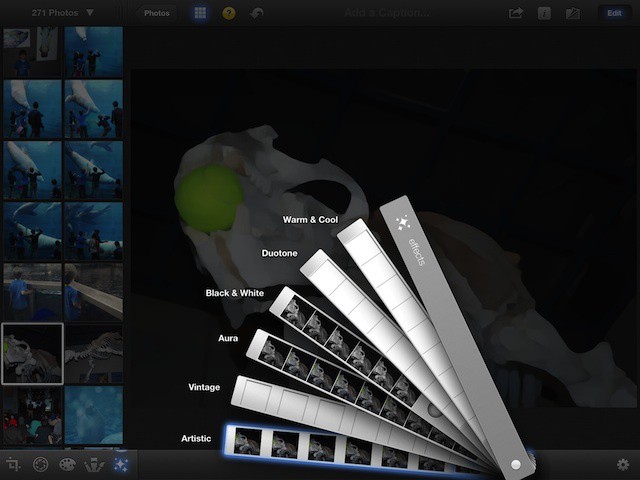
iPhoto has several Special Effects ready to play with, accessed with a tap on the little sparkly icon, the fifth from the left in the lower left corner of iPhoto on the iPad. Tap that, and a fan of special effects swatches will rise up from the bottom of the screen. There are six filters there, including Warm & cool, Duotone, Black & White, Aura, Vintage. and Artistic. Tap on a swatch you’d like to apply, and then tap or drag along the strip to select the effect that you prefer. Many of the filters can be further tweaked by pinching or dragging around in the photo itself. For example, the Vignette effect, found at the right within the Black & White strip, can be enlarged with a pinching out gesture, and moved around to a new center point with a simple drag. Play around and have fun here. Tap the question mark icon at the top for a tooltip for each of the effect swatches.
The iPad might seem to be the ideal tool for medical professionals — lightweight, always connected, reliable and with an all-day battery. But none of that will help you if you slip with a scalpel and suddenly have a gusher on your hands, or someone evacuates the contents of their ungrateful stomach all over your tablet.
What you need, doctor, is Griffin’s new AirStrap Mad.
Skype has just pushed out its latest update for Mac OS X, which includes a number of enhancements to existing features, as well as support for OS X Mountain Lion. The company promises that contacts lists, video calls to mobile devices, and screen sharing are all much-improved in version 5.8.
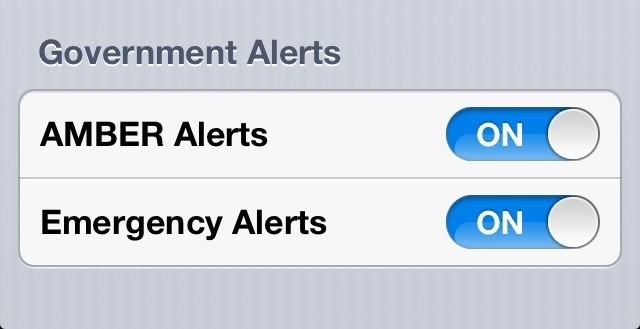
The iOS 6 beta has been available for four days now, but we’re still stumbling across new features that Apple didn’t mention during WWDC. One of those is the ability to receive government AMBER and emergency alerts automatically on your iPhone, iPad, or iPod touch.
It might be possible in the near future to violate copyright law simply by selling your old iPad 2 or iPod touch to a buyer from eBay or Craigslist, if a case soon to be seen in the Supreme Court goes horribly wrong. The Supreme Court has been asked to examine a lower court decision to prevent the sale of used electronics without securing permission from copyright holders involved in manufacturing the devices.
The annual Electronic Entertainment Expo (E3) is an invite-only event that centers on the video gaming industry. Held across two massive halls of the Los Angeles Convention Center, it is a draw for any journalist interested in games and gaming, and a source of endless news stories during the week in June it’s typically held.
No matter where I looked at the Expo this year, I saw mobile games and mobile devices. With a few notable exceptions (Nyko had a huge booth full of Tegra-enabled tablets to show off their gaming controllers for Android), most of the devices I came into contact with were decidedly of the iOS persuasion. I’m fairly sure that Apple is winning this round.
Since its introduction, the iPad has been missing some of the iPhone’s built in applications, such as Weather, Stocks, and Calculator. Until now, there’s been no sign of these apps making it to the iPad. With the introduction of iOS 6, though, it appears that Apple may finally be thinking about bringing the remaining iPhone apps over to the iPad.
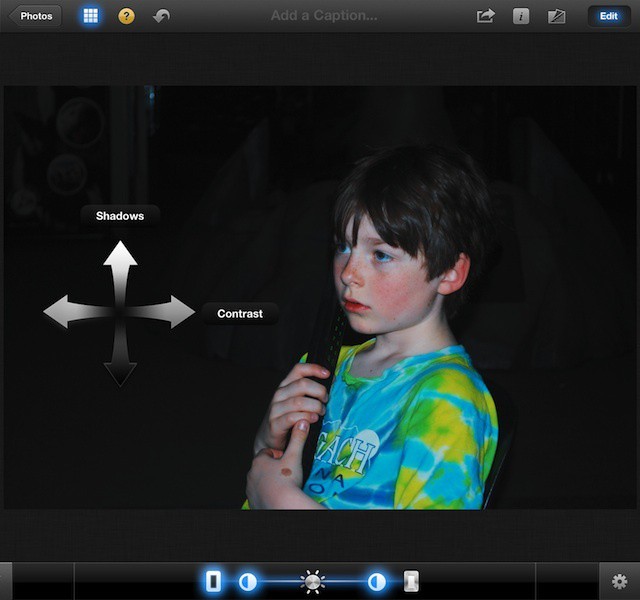
Photo editing is all about making changes to the visual image, using your own aesthetic preferences to make the picture just that much better than the original. With some simple tricks in iPhoto for iPad, you can make that good photo better, and that great photo sing.
iPhoto has three tools that you can use to do just that. Brighten, Zoom, and White Balance. While the features may be fairly intuitive, it never hurts to point them out, as not all of us are intuitive in the same way.
iOS 6 has some awesome new features, but here's 7 things it's still missing.
We’re super excited for iOS 6. Although it isn’t the complete iOS overhaul many users were hoping for, it does deliver a whole host of new features — like a new Maps app, user interface enhancements, improvements to stock apps, and Siri support on iPad — that we’re certainly looking forward to.
However, it’s hard to ignore the fact that iOS 6 still has some things missing. Things we’ve been waiting for for some time. Here are seven of them.
Imagine for a moment that your three year old daughter has a disability that stops her from using her voice to communicate. Then imagine that a combination of an iPad and a specialized app gave her the ability to talk to you, requesting things, express her needs, and even say, “Daddy, I love you.”
I don’t know about you, but I’d see that iPad and app as some sort of technological miracle.
Now, imagine that the app was pulled from the app store.
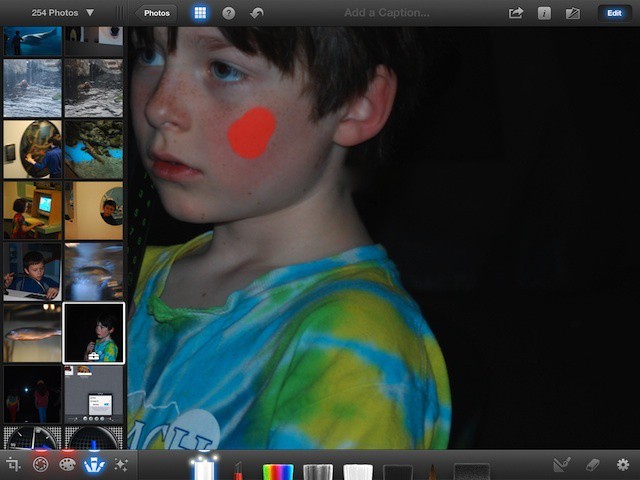
Red eye happens, folks. Caused by the reflection of a camera flash in our eye’s retina, it can be reduced by special flashes, but not always completely eradicated, especially in dark environments. Blemishes are a whole different matter, but they do seem to happen more often just before we take a picture of ourselves or loved ones.
Luckily, both of these issues can be fixed after a photo has been taken, and rather easily using iPhoto for iPad.
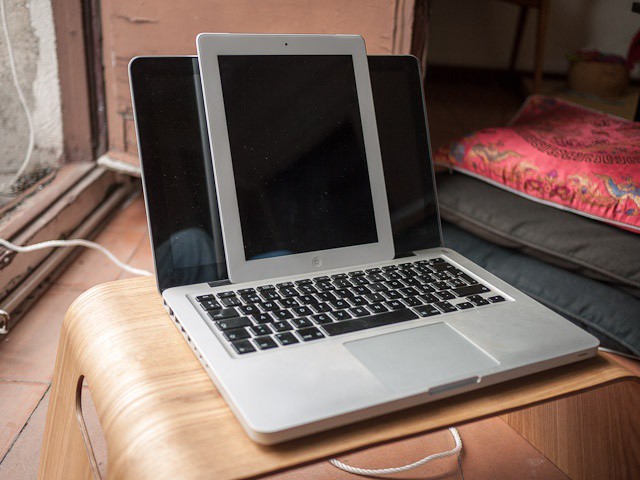
Kidding! It's a MacBook and an iPad. The bit about the scotch was real, though.
These exclusive blurrycam shots, which I found on an SD card left on my kitchen table next to a half-empty bottle of scotch, show what we think is a prototype retina-display 13-inch MacBook. It seems that, along with the high-res retina display like that found on the iPad, it also comes with a large bezel and the option to buy the device in white.
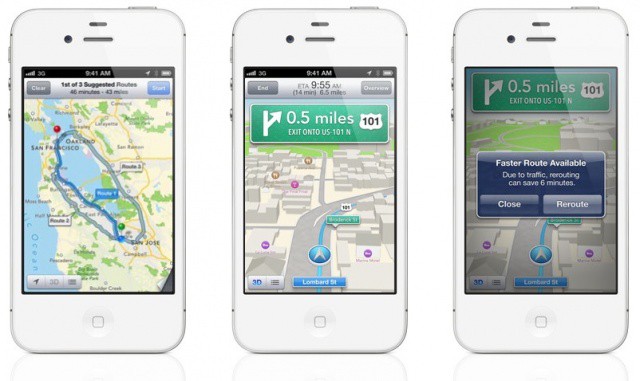
Turn-by-turn looks incredible, but it won't be coming to your iPhone 3GS.
Although iOS 6 looks a lot like iOS 5 at a glance, it represents a huge change to some of Apple’s core iOS features. Apps and services like Maps, Mail, Phone, Notification Center and more have all received new features worth talking about, while several new ones have been introduced.
The great thing about it is, is supports a whole host of devices, including every iPhone from the iPhone 3GS onwards. Some devices won’t get access to all features, however. Only the iPhone 4S and the first- and second-generation iPads will enjoy turn-by-turn navigation and 3D maps.
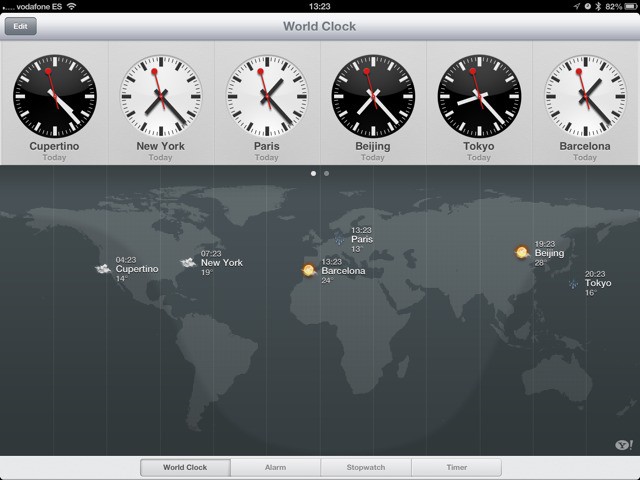
When the iPad launched, there was an inexplicable lack of a couple of core Apple-made apps. There was no Clock, no Weather app and (thankfully) no Stocks. Now, Clocks has been added to the iPad in iOS6, and weather is also in there – kinda.
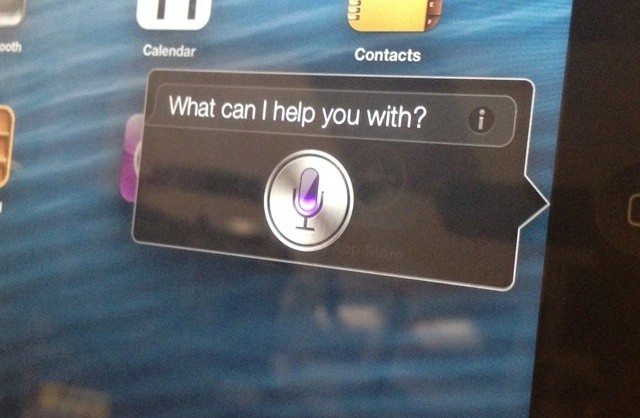
Siri is getting a major update with iOS 6, including support for Apple’s newest iPad. There’s plenty of new features to see, so we went hands on with Siri running on the new iPad. Check out the video after the break.
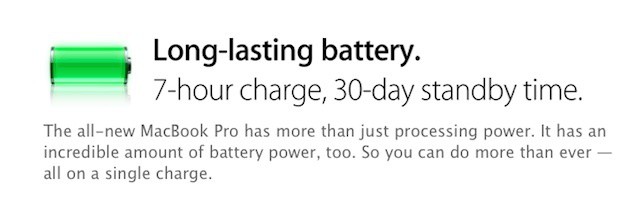
The new MacBook Pro highlights Apple's battery design know how
While the new MacBook Pro’s retina display, light weight, and thin format factor were all show stoppers, the notebook’s battery is also a major feature and feat of engineering. Apple claims that despite powering all those pixels, the new MacBook Pro with Retina display has a battery will last for seven hours on a single charge and offer a full month of standby power. Unsurprisingly, much of the its internal space is devoted to the mammoth battery required for that feat.
The new MacBook Pro with Retina display isn’t the first Apple device to sport a massive built-in battery. The new iPad also sports one and the MacBook Air line has had most of its internal space devoted to its battery for years. Each new mega-battery from Apple represents an advance of battery technology that few other companies could deliver.
When Game Center was announced for iOS 5, some folks were skeptical. They didn’t really see the value in Apple taking on the leader board scene with already established players like OpenFeint, Plus+, Crystal, Gameloft Live, and others.
Those very same people would surely have to eat their words when they heard today at the WWDC in San Francisco that Game Center has over 130 million people using it and those folks submit 5 billion scores every week.