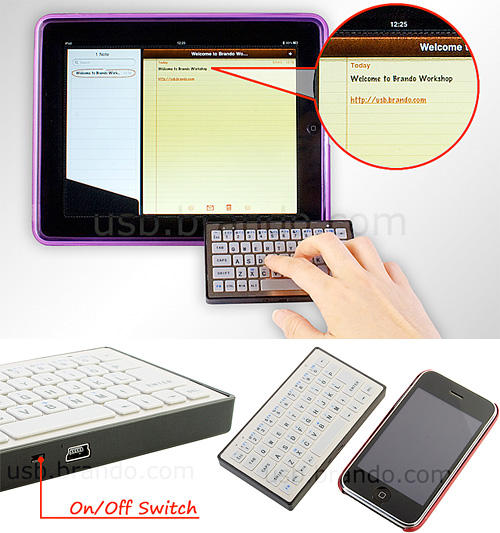
Infamous crap-gadget house Brando’s latest dispensable accessory is a compact Bluetooth keyboard that they claim is perfect for the iPad, which crams 52 keys into a form factor no larger than the iPhone in a device only half-an-inch thick. It costs $37.
I don’t get it. If you want to type on your iPad, you can use the on-screen software keyboard or connect a Bluetooth keyboard if you prefer a more physical and tactile typing solution. How is using a physical keypad the size of an iPhone easier than either of those options? The keyboard’s cheaper than Apple’s own alternatives, but not cheap enough to be so useless.
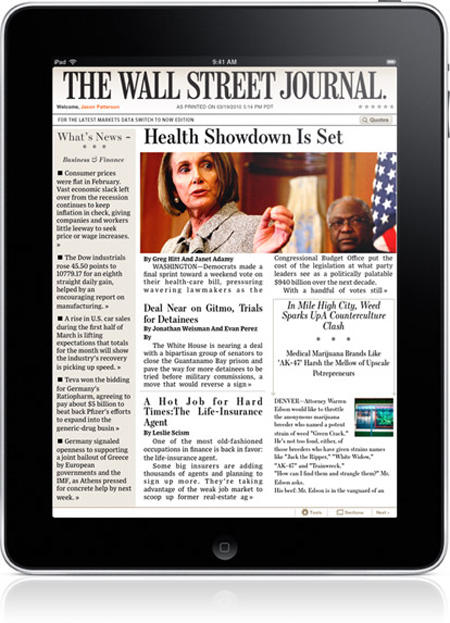
During a call discussing News Corp’s latest financial results, Rupert Murdoch told investors that the Wall Street Journal has been extremely successful on the iPad, and it’s far more profitable for them than similar content on the Kindle, at least on a per subscriber basis.
Beta 3 of the iPhone OS 4.0 SDK has a couple of great new interface features, including the ability to close background apps through a hold-and-close method similar to the way deleting programs functions on the operating system, but I think I like the new media player widgets best.
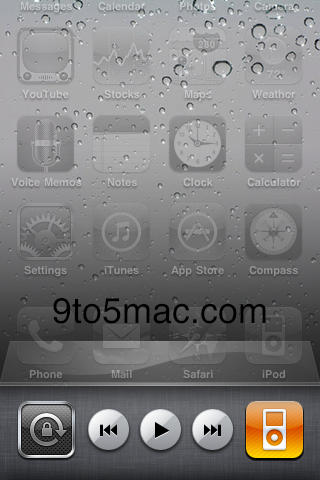
In the latest beta, if you load the multitasking interface you see a new set of widgets that sit in the dock to control iPod playback. The widgets include three buttons for track navigation (Play/Pause, Track Back, Track Forward), a shortcut to launch the iPod application, and a software orientation lock which serves the same function as the iPad’s hardware switch. Accessing the widgets is as simple as swiping left on the dock.
Very slick, but what interests me most is the possibility of further widget sets. If third-party developers can program their own widgets to control background apps from the dock, multitasking on iPhone OS 4.0 is just going to rock. Skype widgets anyone? My guess is that’s just what Apple has in mind, and the screen orientation lock will be the one standard icon
I am all for the Federal government funding and deploying a robust and relentless antitrust division. I don’t wish to go into detail or name examples here and now, but I believe the emasculation of antitrust and restraint of trade investigation and prosecution over the past 30 years has meant a great disservice to the public and to the economy. If that arm of the Justice Department gets revived under Obama it will be a good thing for the country and for the world.
With respect to antitrust claims against Apple related to either the iPhone Developer’s Agreement or the iAds program I don’t think Apple has a thing to worry about.
In a post yesterday about CoPilot’s new iPad navigation app, I remarked that I’d like to see more iPad car mounts than the custom dash fabricated by Soundman Car Audio; turns out, while it doesn’t look as if anything is available yet, there are a few companies working on solutions which should be available soon. Here’s a quick look at what’s coming.
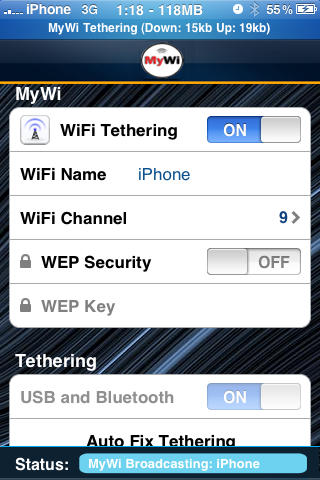
If you took the plunge on the Spirit jailbreak over the weekend, no need to wait for AT&T to fulfill their long ignored promise to bring data tethering to the iPhone in the United States: the MyWi App will turn your iPhone into a wireless 3G modem right now.
The app costs $10 on jailbroken iPhones and it looks pretty simple: you just launch the MyWi app, flip the “WiFi Tethering” switch to “On” and then you can connect any WiFi-capable device to your iPhone.
This would be a great way to make your iPad WiFi 3G capable while saving yourself $130 bucks. If you want to try MyWi, you can grab it now through Cydia.
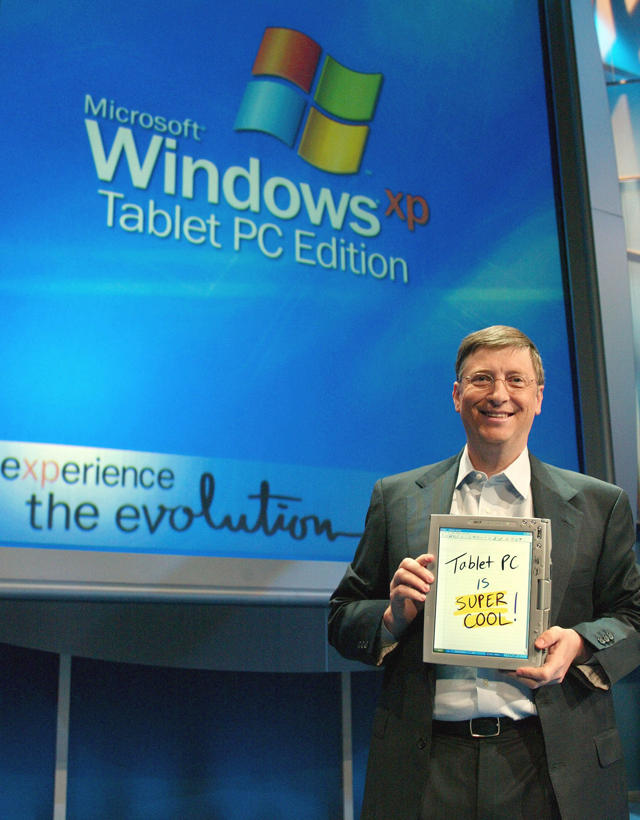
Apple’s iPad might have sold one million units in just a month, but that’s not impressing Microsoft founder Bill Gates, who thinks that the iPad’s touch-only input approach will ultimately lose to pen-based tablets… at least with students:
“Microsoft has a lot of different tablet projects that we’re pursuing. We think that work with the pen that Microsoft pioneered will become a mainstream for students. It can give you a device that you can not only read, but also create documents at the same time.
While I agree there’s a place for styluses with tablet computers (and, in fact, wish Apple would officially release a pressure-sensitive one for use with the iPad), Jobs is ultimately right: if uses have to reach for a stylus then a touchscreen device is a failure. I don’t think that changes whether you’re a casual user or a student.
The real reason Gates is saying styluyses are necessary for touchscreen devices has more to do with the fact that Windows 7, the operating system Microsoft would like tablets to run, was designed with mouse input in mind. A stylus does a better job at simulating a mouse than a finger, and Windows 7’s stylus support is more robust than its hatchet job multitouch. I wonder if Gates will change his tune when Windows 7 catches up with the iPhone OS, at least when it comes to touch.
Unlimited wireless data plans usually have invisible quotes around them. Although you’d be forgiven if, like Noah Webster, you thought that “unlimited” meant “not limited or restricted in terms of number, quantity or extent,” mobile carriers usually define it as meaning less than 5GB of data per month. Does AT&T’s unlimited iPad 3G data plan have a similarly illogical definition of “unlimited?”
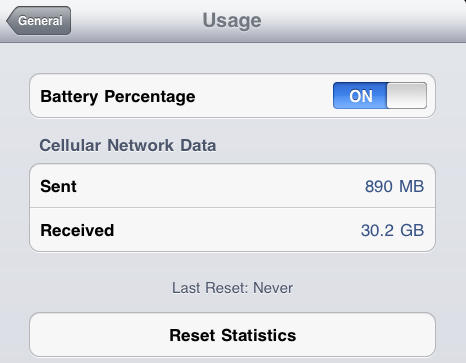
Not so far, according to Zach Epstein over at Know Your Cell. He’s pumped 31GB of data over AT&T’s network over the past few days, trying to see at what point Ma Bell will cut him off. They haven’t yet.
“If I can hit 100GB without being shut off by AT&T, I think it will be safe to say that users can consider the $29.99 iPad data plan to be “unlimited”. Considering I’m currently at six times the 5GB soft cap placed on smartphone data plans after just two days of usage, things are looking good,” writes Epstein.
I don’t know about that: it’s just this sort of data usage that is going to cause AT&T to clamp down on their iPad data plan. Still, for now, at least, rest assured that your iPad 3G can be used to pump a truly sick volume of data.
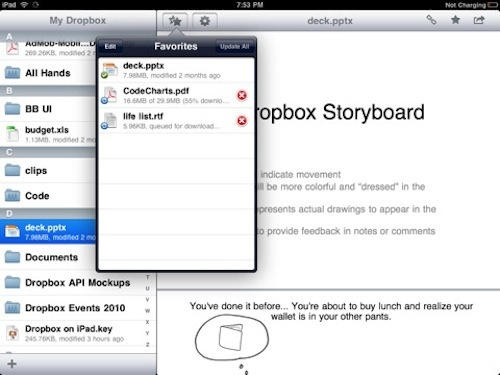
Dropbox, the indispensable document syncing app for the Mac, PC and iPhone, has now come to the iPad, thanks to an update that makes the program universal across all iDevices.
Don’t expect anything different: all the core functionality is the same, including the ability to access, edit, sync, download, upload and share files with others through Dropbox. The iPad version does look better than the iPhone app, though, and comes with a useful dual-pane mode.
If you’re a Dropbox user, you can grab Dropbox for iPad now for free over on iTunes.
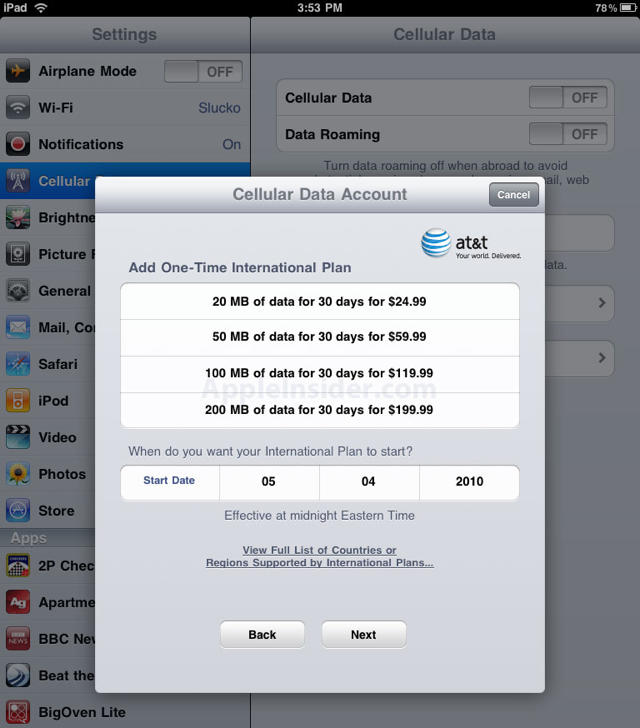
It’s not new that international data plans are pecuniary disembowleings, so it’s natural that AT&T’s official pricing for the iPad would be for the sadomasochistic only. Expect to spend as much as $200 a month for a slice of bandwidth exceeded by many App Store video games, or just a couple of downloaded iTunes albums.
As a contributor to Cult of Mac, you can probably guess that I’m an Apple fanboy. I showed up to the Apple Store at 5:45 AM on April 3rd (iPad Day for you civilians) ready to have my mind blown. Little did I know that I would soon be returning my iPad to that same Apple store.
An update to ABC’s iPad app that adds 3G video streaming has already been submitted to the App Store.
The popular app will likely win Apple’s approval and will shortly be available as a free download. Since its launch a month ago, ABC’s app has been one of the most popular on the iPad, all owing users to enjoy high-quality streams of ABC’s hit shows, like Lost.
However, as we noted last week, the app works over Wi-Fi only. It will not stream video over AT&T’s 3G cell network. This came as a shock and surprise to new iPad 3G owners, who were also beginning to discover that other video services, like Netflix and Youtube, severely downgrade video quality when streaming over the cell network.
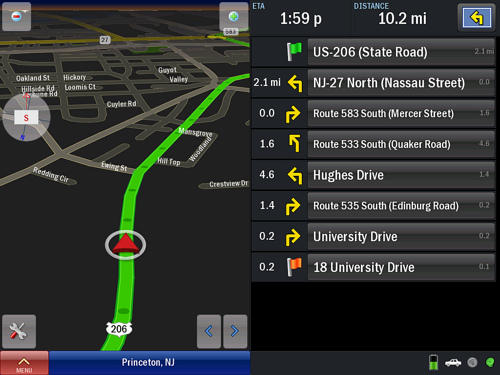
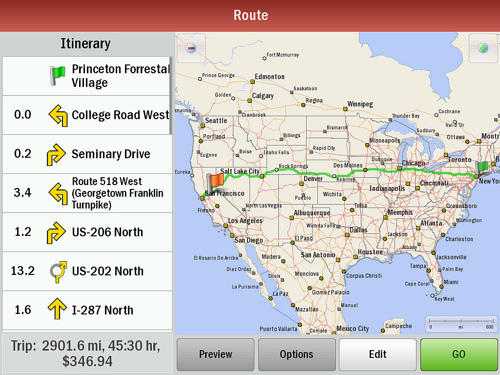
One of the coolest roles of the 3G iPad has to be as that of navigator. No more squinting at the iPhone’s tiny screen while trying to navigate the spaghetti-bowl of the NYC-area highway system; no more ending up in the wrong Springfield because of accidentally tapping in the wrong place.
The relatively inexpensive ($30) CoPilot GPS iPhone app now has an iPad version, CoPilot Live HD North America — currently the only iPad GPS app out there. The good news is that unlike most apps, the HD iPad version is the same price as the iPhone version. The bad news is that so far it’s only available for North America.
Now if only someone would make a car mount requiring less commitment than this one.
Web surfing on the iPad 3G using its cell connection is really pretty good, especially if you get away from congested urban areas.
Using the iPad over the weekend, I’ve been pretty impressed by the speed of the iPad 3G for routine Web surfing. Video, however, is another matter — it’s a disappointment.
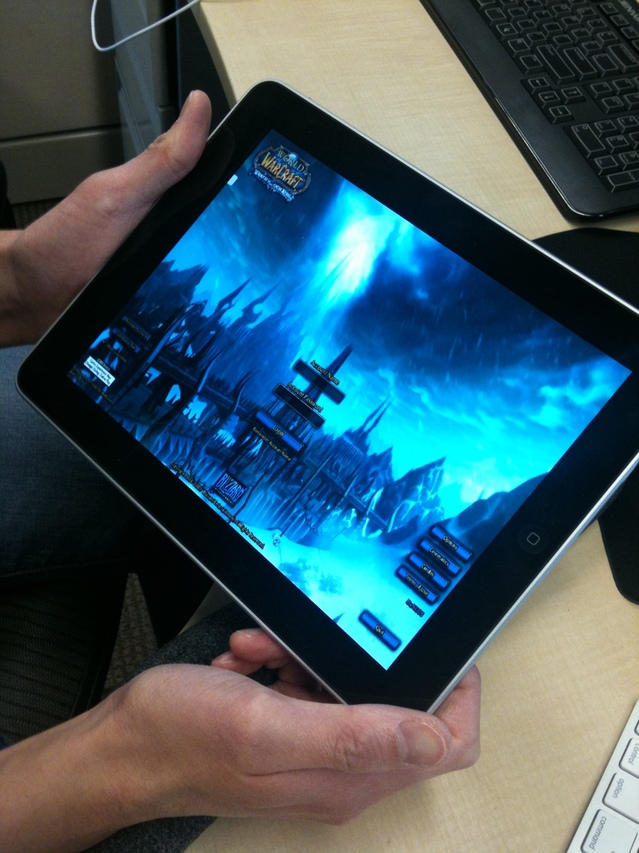
What you see here isn’t World of Warcraft running natively on the iPad, but rather WoW streamed through the Gaikai online gaming service, which allows you to play games within your browser using HTML5 and their server streaming technology. In other words, it’s a thin client.
I imagine this is pretty maddening to play — WoW depends on a mouse and keyboard — but if thin clients get big enough, developers will start programming for iPad-based input, even for non-native games. As a reformed WoW addict, I hope to god that doesn’t happen: I don’t need another reason to start back up.
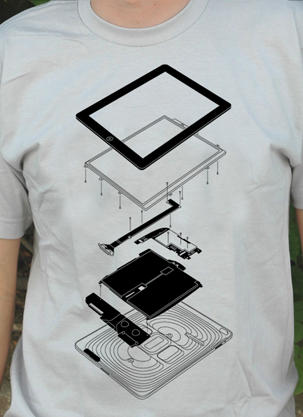
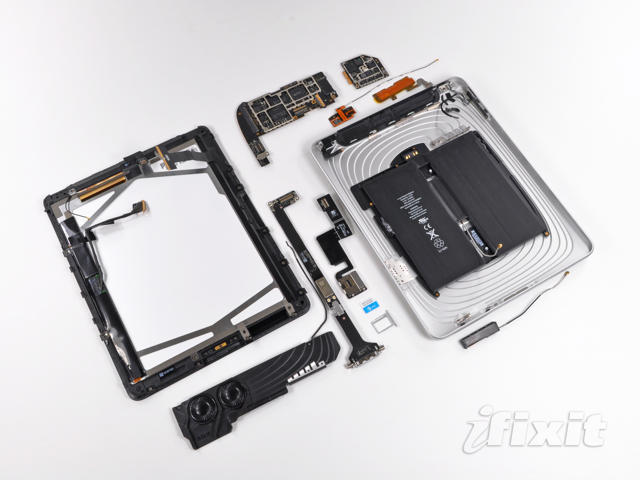
It’s just a matter of course for any new Apple product to be vivisected down to its very bolts and each part catalogued by the Internet’s gadget coroners, but no one does a better job at it than the boys over at iFixIt, who have already torn down the iPad 3G.
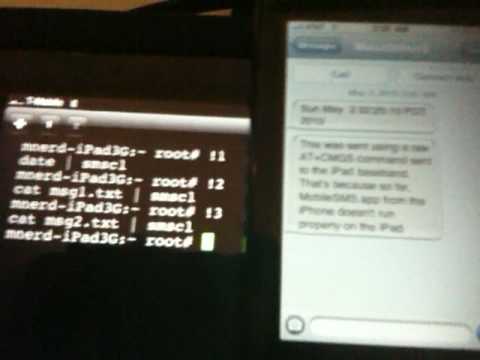
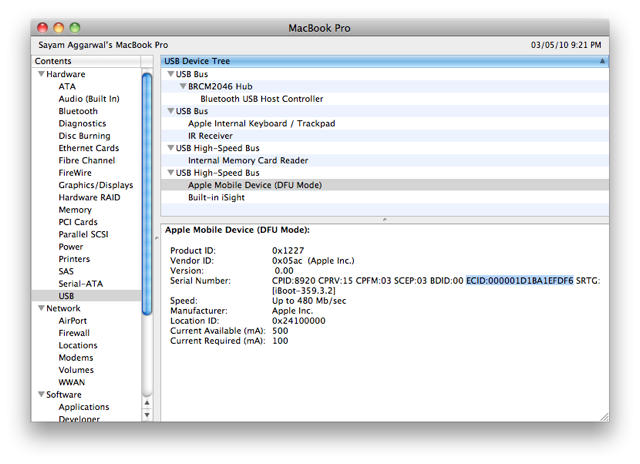
Take out the trusty old ex-acto knife and whittle down your T-Mobile SIM cart just right and you can cram it right into your iPad 3G’s medulla oblongata. Jailbreak with Spirit and you can then use your iPad to send SMSes, provided you’ve got some command line skill. Who said there was no reason to jailbreak your iPad?
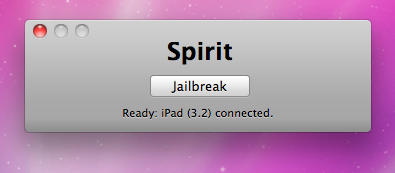
Spirit by comex allows you to jailbreak your device, to get complete control over it (see why you should jailbreak here). Currently, spirit allows you to jailbreak any device that has already been upgraded to firmware 3.1.2, 3.1.3 or even an iPad on version 3.2. However, it will NOT unlock the device, enabling it to be used with different GSM carriers worldwide.
The “Spirit” iPad/iPhone jailbreak is available for download from the Dev Team. You can download Spirit here.
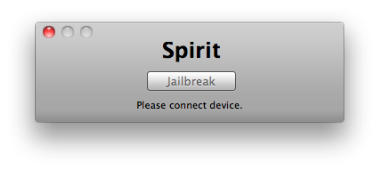
The free, untethered jailbreak is available for Mac and Windows, and works with any iPad, iPhone, or iPod touch on firmware 3.1.2, 3.1.3, or 3.2. It’s a quick, easy, one-click process, according to QuickPwn, although the Cydia app is buggy. Just download the jailbreak software, plug in your device, and your iPad or iPhone is instantly recognized. Hit the “Jailbreak” button and you’re done.
Note: Before performing a jailbreaking make absolutely sure you’ve got a backup of your SHSH blobs so that if anything goes wrong you can restore to 3.1.2. You can find a step-by-step guide from Redmond Pie here.
Spirit is not a carrier unlock (which allows you to use unauthorized wireless carriers like T-Mobile).
The Dev Team highly recommend syncing with iTunes before trying this jailbreak. If anything goes wrong, you will have to restore the device. It’s especially iffy on the iPad.
Note: On iPad, all this is still sort of beta. Some packages in Cydia, not designed for iPad, might screw up your system and require you to restore. Be careful. (And no, Cydia’s appearance is not final.)
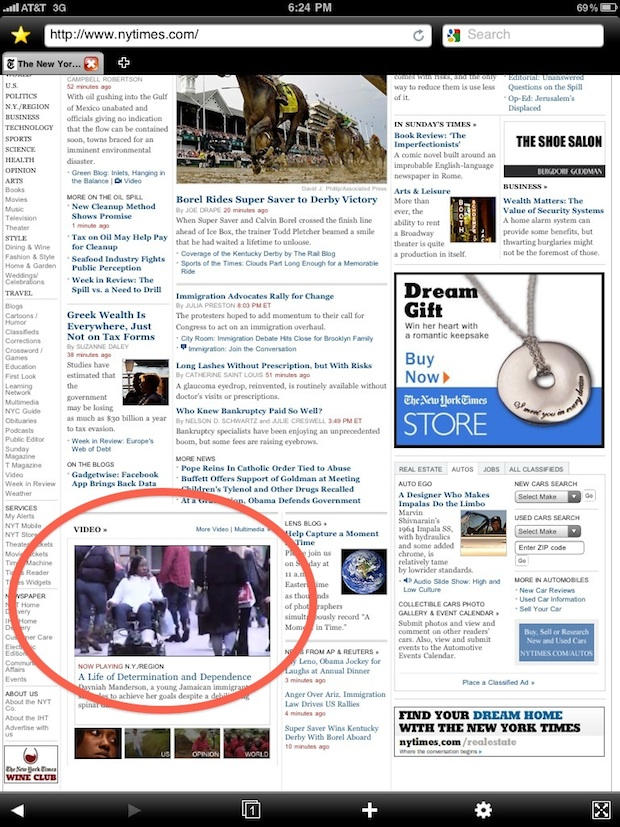
I just noticed something about surfing the web on an iPad. Here’s a hint: look at the red circle in the New York Times screenshot above.
It was hard to spot because it’s actually noticing something that’s not there: the blue Legos where the Flash plugin should be.
In January, when Steve Jobs introduced the iPad, he wasn’t able to load the NYT‘s front-page videos (remember the Lego bricks visible during his debut event?) The absence of Flash seemed like a major problem. Video, games, rich-media — none of these would work, pundits said, and the iPad would be a crippled device.
But that hasn’t proven to be the case. Not at all. During the past month I’ve been using the iPad, I’ve rarely encountered problems with the lack of Flash. All the sites I visit regularly – the BBC, NYT and Wall Street Journal — all of them have quickly made video and rich-media available in iPad-friendly formats.
YouTube is especially iPad-friendly. I’ve yet to encounter a YouTube video the iPad wouldn’t play. And because so many sites use YouTube to embed video, it seems like a lot of the web is iPad-friendly.
The only problems is streaming music from MixRiot (which I use a lot but isn’t exactly mainstream) and playing Farmville and thousands of other Flash games. But given how much time I waste fertilizing my kids’ crops and sending them gifts, that’s actually a blessing.
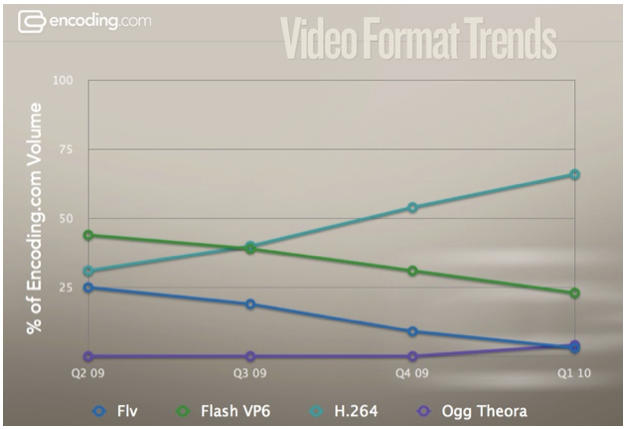
And it’s only going to get worse for Flash. Look at the chart below from Encoding.com, which does a lot of video encoding for sites like MTV and MySpace. In the last four quarters, Flash video (represented by FLV and Flash VP6) dropped from 69 percent to only 26 percent of all videos. Meanwhile, the H.264 format went from 31 percent to 66 percent, and is now the most popular format by a long shot.
Here’s a couple of screenshots from the iPad’s YouTube app showing the dramatic difference in quality between Wi-Fi and 3G.
The screenshot above is from video streaming over WiFi. And below is the same YouTube video playing over 3G.
I paused the video before taking the screenshots and tried to take them at about the same point.
The difference is clear. Over Wi-Fi, video quality is near high-def. Over 3G, it looks like a bad QuickTime movie from the mid-1990s.
Of course, this isn’t new — it’s just much more noticeable on the iPad’s big beautiful screen. This has been the case on the iPhone for some time, but on the smaller screen, the difference in quality isn’t as dramatic.
UPDATE: As our friend Chris Foresman of Ars Technica fame points out in the comments, 3G tops out at a paltry 64Kbps. ” It looks like crap on the iPhone,” says Chris, “so it shouldn’t be a surprise that it looks like crap 4x as big?”
Foresman says the 64Kbps number isn’t generally known, but is reported in Apple’s developer docs. AT&T had said there would be a limit, but didn’t say what it was.
64Kbps is pathetic for 3G. According to the International Telecommunication Union standards body, 3G specifies a minimum data rate of 144Kbps in high-mobility (vehicular) applications, 384Kbps for pedestrian applications, and 2Mbps (that megabits per second) for indoor (stationary) applications.
The honeymoon is over. I’ve discovered my first major disappointment with the iPad 3G, and I’ve only just started playing with it. Video over 3G on the iPad totally and utterly sucks.
The picture is noticeably downgraded on a 3G connection. The built-in YouTube app delivers video that’s very low-res compared to the video it delivers on a Wi-Fi connection. It’s barely watcheable.
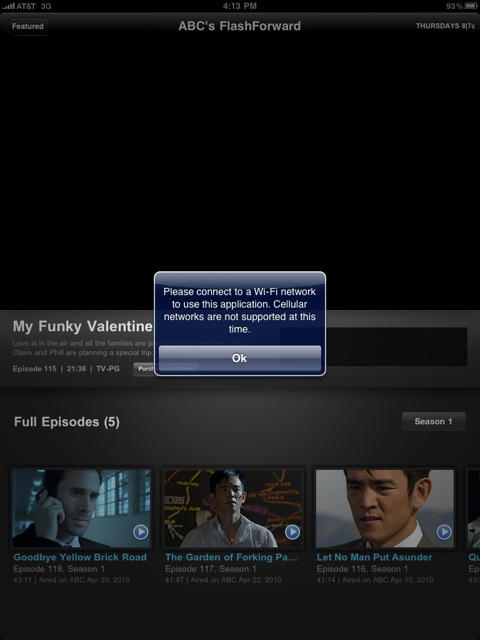
And apps like the ABC app and Netflix won’t work on 3G at all. They both The ABC app launches a pop up that says: “Please connect to a Wi-Fi network to use this application. Cellular networks are not supported at this time.”
It may be better to get a Wi-Fi only iPad and invest in a MiFi, which appears to work flawlessly for delivering high-def video, according to reader reports on iLounge.
UPDATE: My mistake. Netflix does work over 3G. The video quality is clearly lower resolution however.
Here’s a couple of screenshots showing the difference:
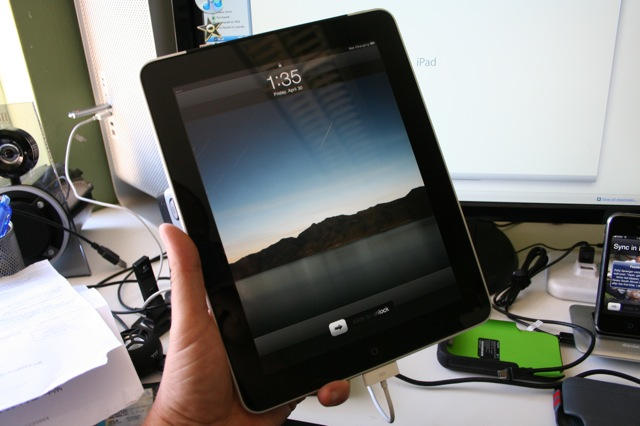
The iPad 3G is the iPad everyone’s been waiting for. Let’s face it: the 3G data connection and GPS makes this the iPad you don’t want to to leave at home.
There’s almost no physical difference between the iPad 3G and the Wi-Fi only iPad, except for the strip of black plastic on the back covering the 3G antenna, and the microSIM slot on the left-hand side.
The contents of the box are the same (iPad, charging brick and sync cable). The only difference is a pin tool to pop the microSIM slot.
Like the WiFi iPad, you must connect it to iTunes before it powers up. It will not switch on out of the box. There is no software update at present. The iPad doesn’t register itself with AT&T you call up the Settings menu and hit Cellular Data option.
Signing up for a data plan wasn’t too bad. You type in username, password, and credit card details. You have to create a new account, which seems to be linked to an AT&T account if you have one (it pulled up my address that it had on file). The sucky AT&T connection in this part of San Francisco made it slower than it should submiiting the data and waiting for a response. However, the activation of the data plan took only a couple of minutes.
Be warned: monthly data fees are ongoing unless you cancel. This is going to be easy to forget at the end of the month. If you cancel and want to re-enroll, you have to go thorough the entire enrollment process again. Kinda painful.
Web surfing is pretty slow — but that’s because AT&T is overloaded and the signal weak here at my office. It’s not really a fair test. I’ll conduct more tests later at home.