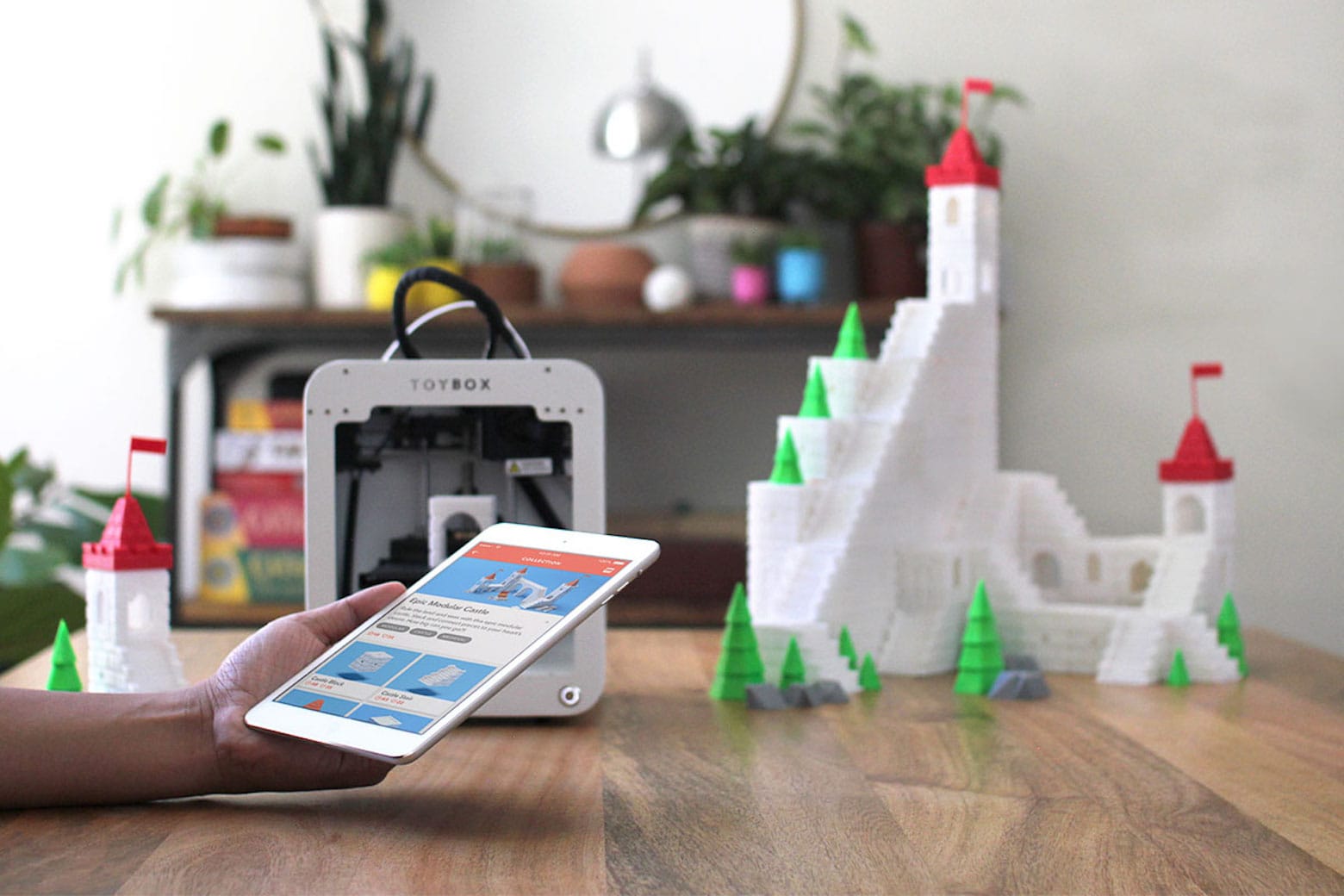
Save 20% on this 3D printer that lets kids design their own toys. Photo: Cult of Mac Deals
Kids (and adults) love to collect toys, but what if they could create their own? That’s precisely the point with the Toybox 3D printer deluxe bundle. This 3D printer for kids’ toys packs innovative technology into a simplified product that’s perfect for young minds.
Can you handle the weird? AI-generated emojis and wildly customizable Home Screens might make iPhones strangely unique. Image: Shubham Dhage/Unsplash License/Modified by Cult of Mac
This week on Cult of Mac’s podcast: In the near future, your iPhone might look as wild and unique as you want it to. Home Screen customization options, rumored to arrive in iOS 18, could bring a new level of personality to iPhones. And then there’s the AI-generated emoji we’ve been hearing about.
Hold onto your hats, iPhone owners. Things are about to get weird!
Also on The CultCast:
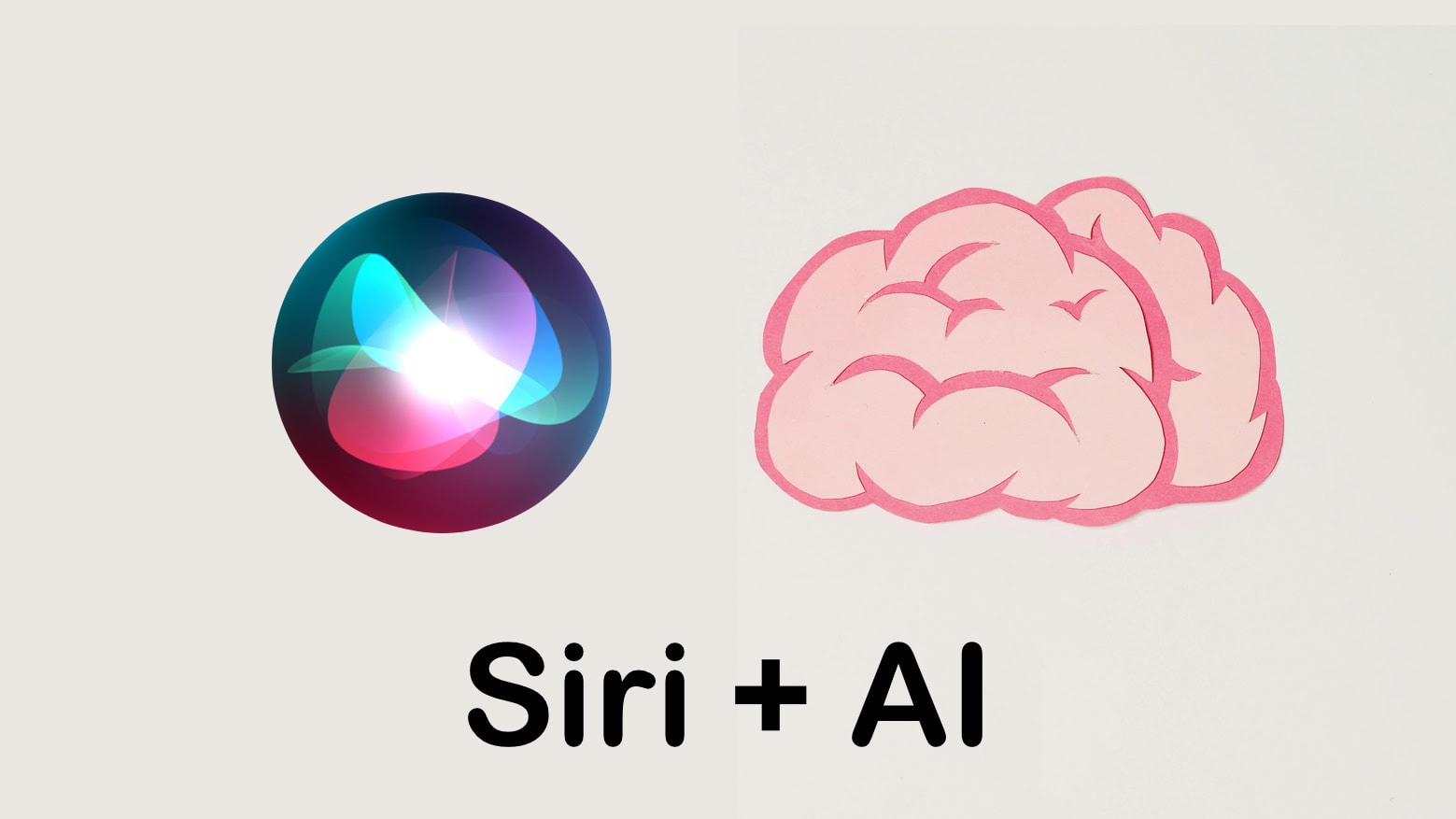
No joke: Siri might get the brain transplant it needs to remain relevant in the ChatGPT era.
Fascinating new videos show how rigorously Apple tests iPhones. We’re talking firehoses, an iPhone-flinging robot and a seriously advanced shake table.
Erfon wants to get his hands on Nomad’s new tracking card, which works with Apple’s Find My network, fits in a wallet, and recharges via MagSafe.
Griffin explains how easy it is to give your Mac a makeover with custom icons, folders and more.
And we wrap it up with a new edition of What We’re Into!
Listen to this week’s episode of The CultCast in the Podcasts app or your favorite podcast app. (Be sure to subscribe and leave us a review if you like it!) Or watch the video live stream, embedded below.
Our sponsors: You and CultCloth
Listeners like you: Your support helps us fund CultCast Off-Topic, a new weekly podcast of bonus content available for everyone. Plus, it helps us secure the future of our flagship podcast. You also get access to The CultClub Discord, where you can chat with us all week long, suggest show topics, and even end up on the show. Support The CultCast at support.thecultcast.com or at CultOf9to5MacRumors.com
CultCloth: These astounding cleaning cloths will keep your Mac Studio, Studio Display, iPhone 15 Pro, guitars and glasses sparkling clean! For a limited time, you can use code CULTCAST at checkout to score two free CarryCloths with any order of more than $20 at CultCloth.co
Microsoft Visual Studio Pro and the 2024 Premium Learn to Code Certification Bundle make a powerful combo. Photo: Cult of Mac Deals
Build your own app (iOS, Android and/or Windows — or all three simultaneously) with Microsoft Visual Studio Professional 2022 and the 2024 Premium Learn to Code Certification Bundle.
This double deal features Microsoft Visual Studio Professional, an integrated development environment where you can code complex projects, along with video lectures teaching beginner coding. And you can get the whole thing for just $52.97 for a limited time.
★★★★☆
The free Vision Pro app plunges you in the the Marvel multiverse. Image: Marvel Studios and ILM Immersive
Marvel Studios’ new What If…? An Immersive Story is a free app for Apple’s Vision Pro headset that combines interactivity with storytelling in a brand-new way. Is it a game? Is it an episode of the What If…? animated TV series? It’s not entirely either. It’s an hour-long story where you’re the main character, casting spells with your hands and collecting the Infinity Stones.
If you aren’t a Marvel fan, you’ll find the story a bit drab. But if you want to see the bleeding edge of what’s possible in gaming when you can seamlessly switch between VR and AR with natural hand controls, you need to check it out.
Apple could add new text effects to iMessage in iOS 18. One of the effects reportedly includes the ability to animate individual words in a message. If you’re curious about how to bold text in iMessage, Apple has some useful tricks that can help make your messages stand out.
iMessage, Apple’s proprietary instant messaging service, already supports many message effects and animations to add some excitement to texts. The possible new text effects in iOS 18 should make things even more eye-catching and fun.
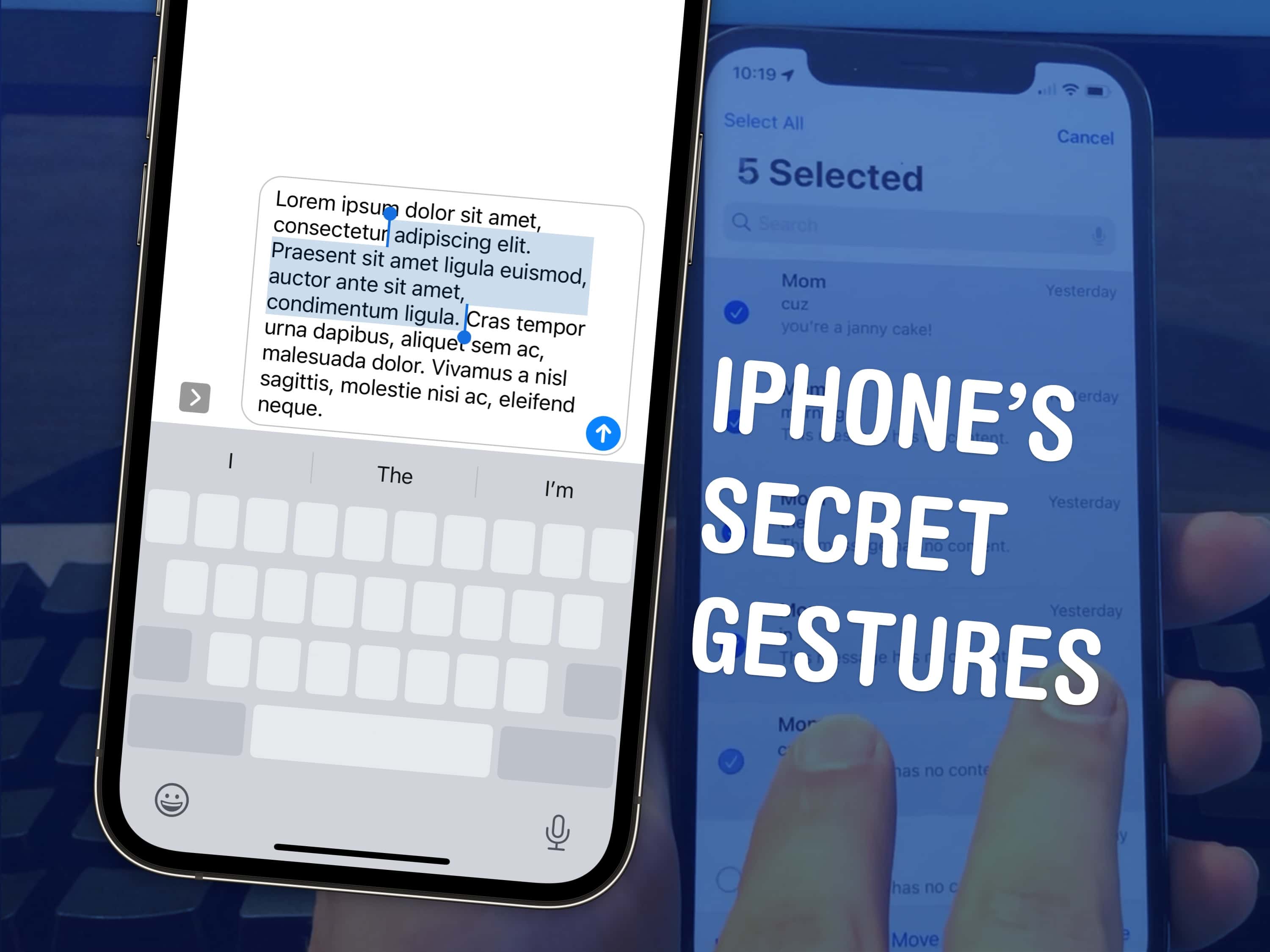
Top 3 tips to speed up a few things on your iPhone. Image: D. Griffin Jones/Cult of Mac
There are a few hidden gestures on your iPhone that you absolutely need to know. You’re typing out a long text on your iPhone and you need to go back to fix a typo. Tapping on the screen to move the cursor feels like a shot in the dark — but there’s a secret gesture to move around and select text.
Here are three top iPhone tips. Also in this article: how to select and delete a bunch of emails, text messages, anything in a list at once; and the secret gestures that undo and redo. Like, for example, if you accidentally delete a bunch of emails.
This full-sized wireless keyboard goes for $45. Photo: Keychron
For years Keychron made its bones on good mechanical keyboards. Now it’s jumping into the scissor-switch game with a pair of Keychron ultra-slim keyboards that are direct Magic Keyboard competitors.
They looks the part, include solid features and beat Apple on price by a mile.
Gallo Acoustics Micro Speaker is small, but it packs a sonic punch. Photo: Gallo Acoustics
Some people don’t amp up the sound in their computer setups simply because they lack room for the speakers. So they just use their computer or monitor speakers. But what if somebody made tiny but powerful speakers that could fit almost anywhere? Somebody did — Gallo Acoustics Micro Speakers. And today’s Mac Studio setup uses them for rich sound.
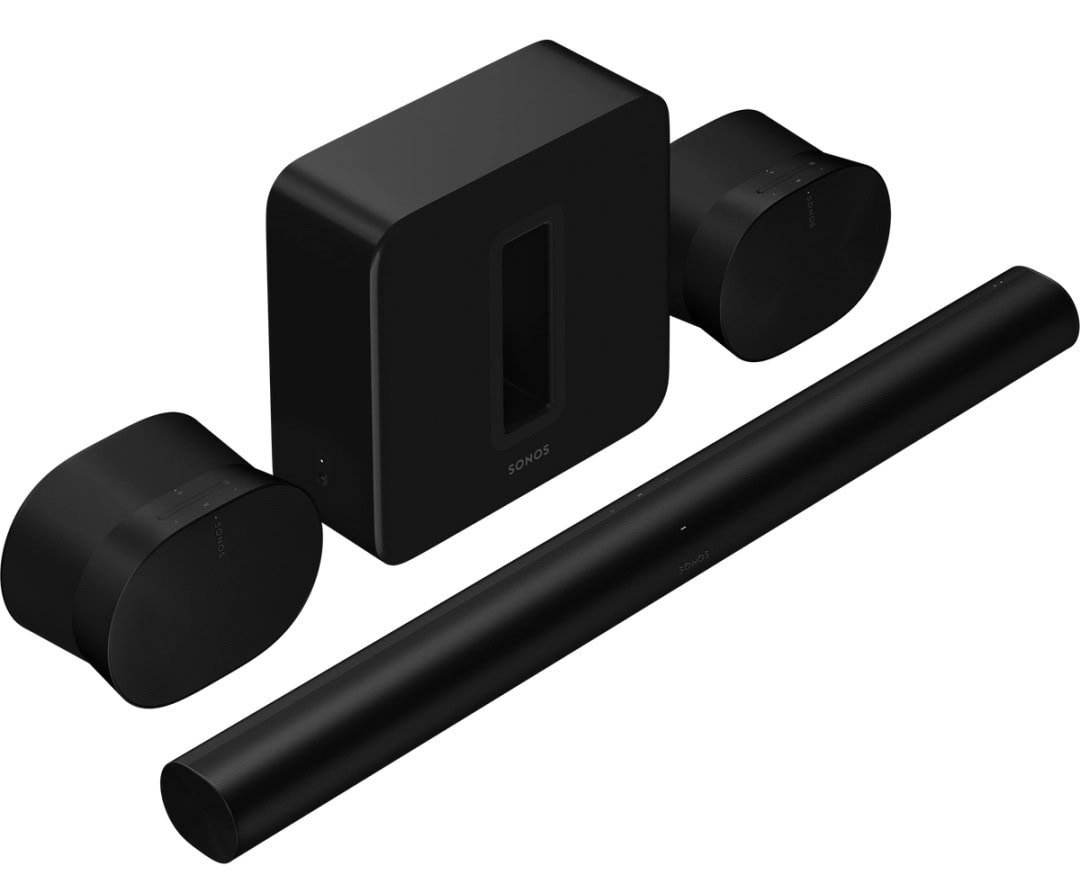
Sonos offers up to 25% off speakers and audio sets (in one case, you save $520). Photo: Sonos
People love Sonos audio gear for good reason. But they rarely find it on sale. For Father’s Day, however, it has launched a bonafide Sonos speaker sale, offering up to 25% off an array of speakers and audio sets like home-theater rigs.
In one case of a premium immersive audio set for your home theater, you save $520 (see below). With that one, your living room entertainment center will be the envy of the neighborhood.
Get ahead of Apple’s new AI features coming to iPhone, iPad and Mac. Photo: Cult of Mac Deals
You don’t need to wait for Apple to ship its rumored AI upgrades to try some similarly magical AI features. You can learn to use AI with this intro bundle that gives you the skills necessary to make the most of two of the most popular generative AI tools around: ChatGPT and Midjourney.
These two services boast astonishing capabilities for working with words and images. However, if you don’t know how to use them properly, you will never achieve the best possible results.
Turning it off and on again: the closest thing there is to a magical-just-fix-it solution. Image: D. Griffin Jones/Cult of Mac
If your iPhone is ever having odd technical problems, the first thing you should try is a good old restart — you’ll be surprised how many problems can be fixed by simply restarting.
Restarting your iPhone is just like restarting a computer. All of the apps and software will be reset, and you shouldn’t lose any saved data.
If an app you’re using is acting up, you can always force-quit it and open it again to reset it. But if there’s a deeper underlying problem with your phone’s software, like if Bluetooth accessories aren’t working or phone calls suddenly won’t connect, you should restart it.
AI could finally give us the Siri we deserve. Photo: Cult of Mac/Nadezhda Moryak
As a part of its AI upgrade, Siri in iOS 18 will reportedly enable control of individual apps through your voice. Apple has supposedly upgraded its voice assistant’s underlying architecture using LLMs to achieve this.
Additionally, Apple will process many basic AI tasks on-device in iOS 18 for faster response and a better user experience.
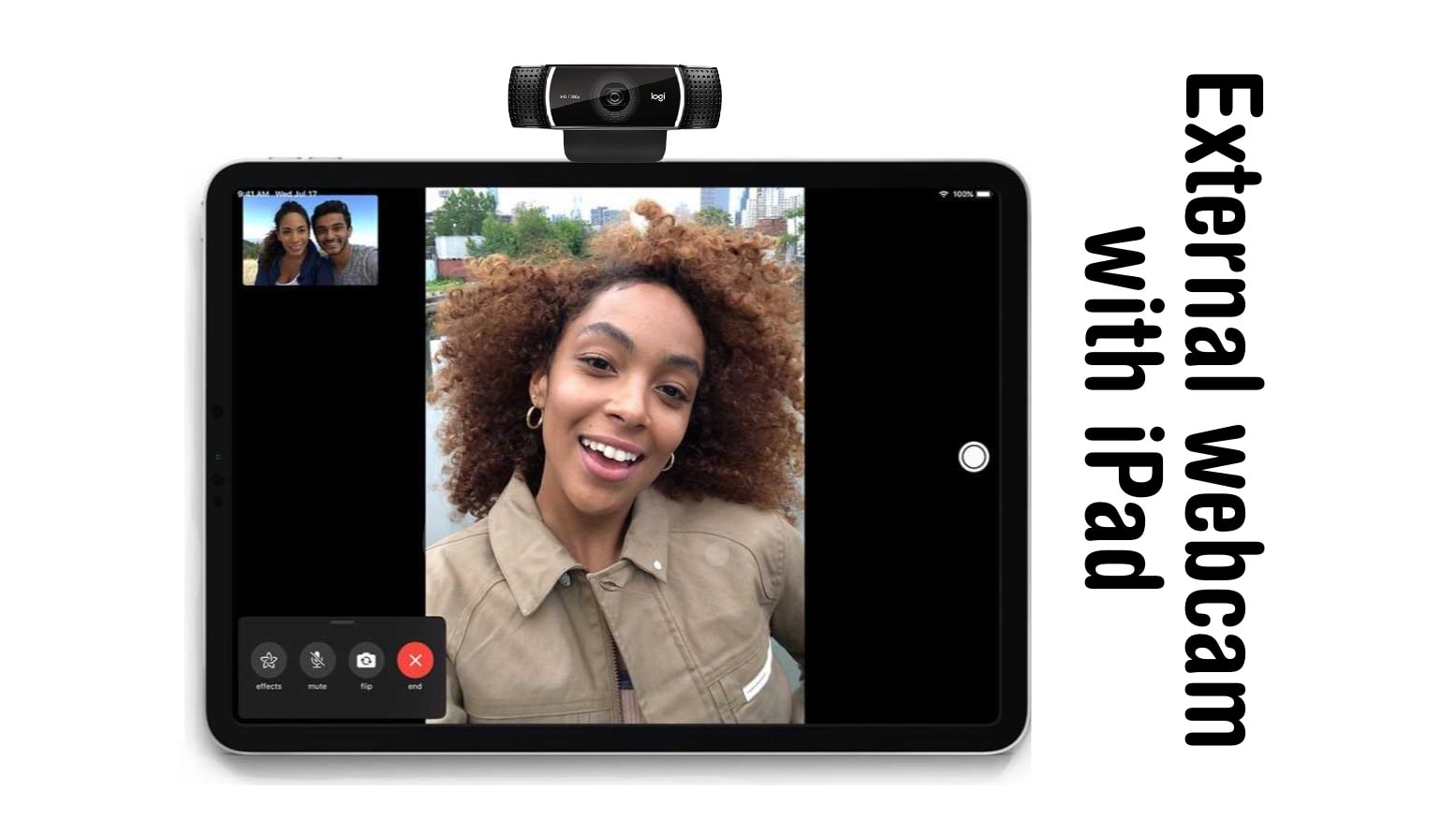
There are good reasons to use an external webcam with your iPad. Here's why and how. Photo: Ed Hardy/Cult of Mac
A trick you might have missed with the release of iPadOS 17 is support for external USB-C webcams. As good as the tablet’s front-facing camera is, it’s now possible to use a webcam with an iPad.
Here’s why you might be interested, and how to connect a webcam to your iPad with a USB-C port.
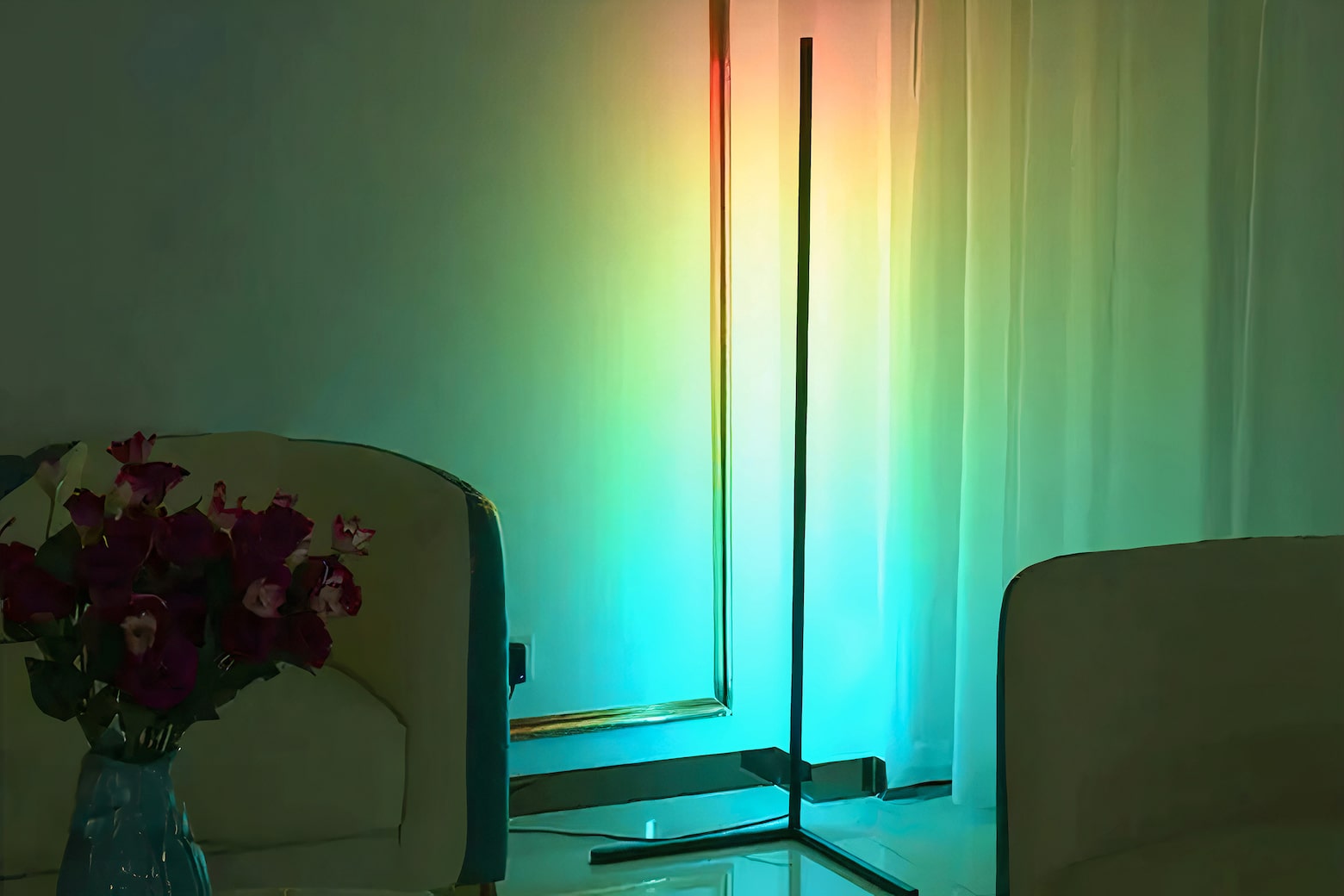
Light up your home in 16 million colors with this smart LED floor lamp, now $60. Photo: Cult of Mac Deals
You don’t need to completely revamp your home to make it feel new and cool again. Just a dash of color can completely change the mood of any space, and that’s easy (and affordable) with this modern LED floor lamp that can be controlled via an app.
Meet the 55-inch RGB LED Remote Floor Lamp, a practical piece of home decor that can help you create the perfect ambiance with its dazzling range of smart lighting features. Right now, it’s only $49.97 (regularly $99) when you shop at Cult of Mac Deals.
Get ready for summer camp and wilderness hijinks with the Peanuts gang. Photo: Apple TV+
Attention Beagle Scouts: Get ready for summer camp with the Camp Snoopy series trailer Apple TV+ dropped Wednesday. The Peanuts gang heads off to the woods soon. Kids and parents alike might get a kick out of it.
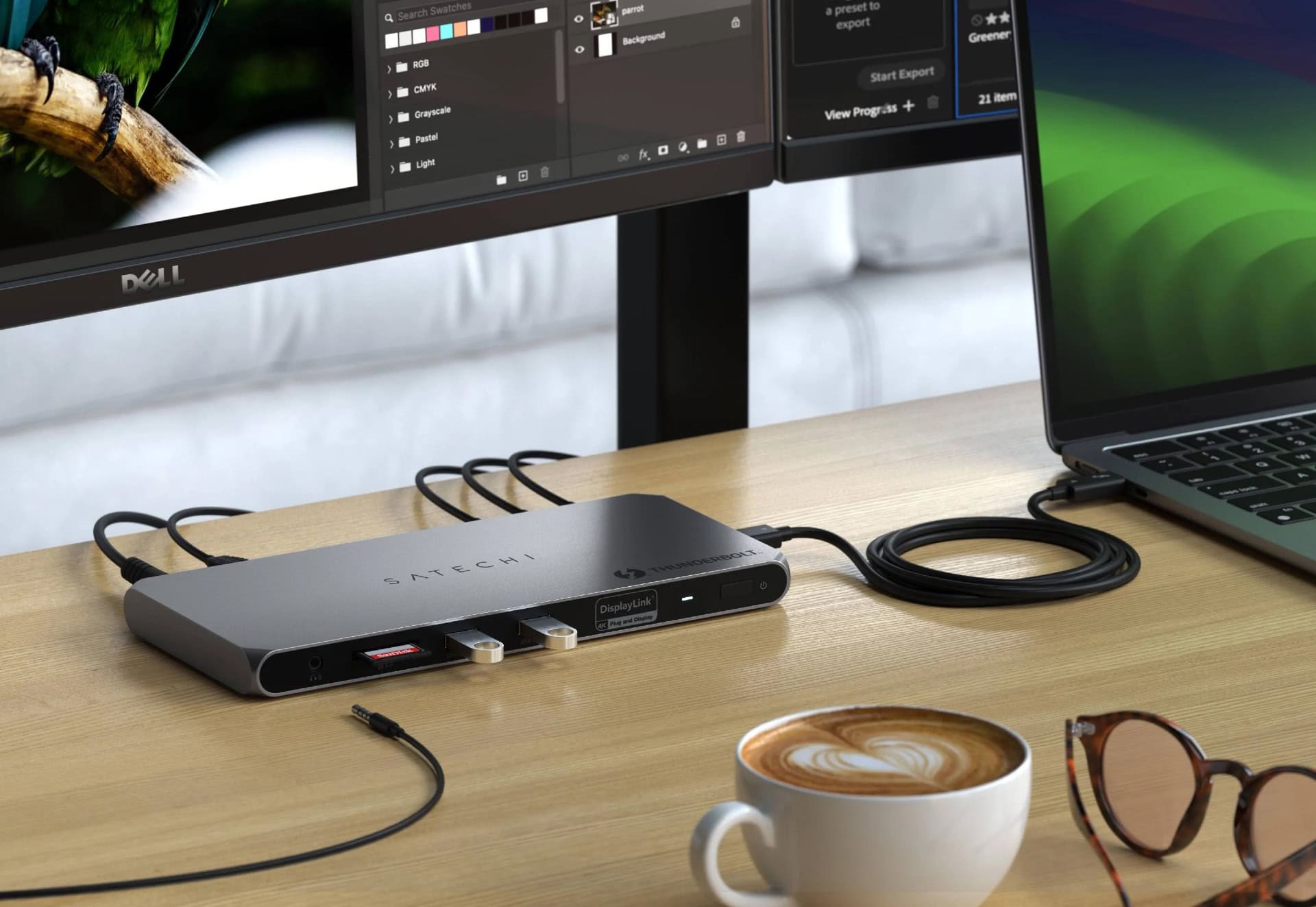
Finally, you can overcrowd your setup with tons of external displays! Photo: Satechi
The new Satechi Thunderbolt 4 Docking Station with DisplayLink uses DisplayLink software to enable Mac users to connect with up to four external monitors, in addition to accessing 96W power delivery for a MacBook and realizing blazing-fast Thunderbolt 4 data transfer speeds, the company said Thursday. If you’re looking for a versatile port hub to expand your Mac’s connectivity, check out this 6-port hub from Zagg.
Apple Music features a WWDC24 playlist to get you in the mood. Photo: Apple
With Apple’s massive annual software confab known as WWDC24 coming up fast on June 10, the iPhone giant decided it’s time to rock out with a special WWDC24 Apple Music playlist. The WWDC24 Hello list of tunes features music by Billie Eilish, Good Neighbours, Glass Animals and other artists.
Check it out below! This probably won’t be as controversial as the streamer’s top 100 albums list and its surprising No. 1 pick.
The PDF app is powerful, up-to-date and user-friendly. Image: PDF Editor, PDF Book Reader
Who says you have to shell out big bucks for something like Adobe Acrobat to get a great PDF editor? The much more affordable PDF Editor, PDF Book Reader stands out as a comprehensive, user-friendly app designed to transform how you interact with PDF documents. Available for iPhone and iPad, this advanced PDF editor offers a seamless blend of robust features tailored to meet the needs of professionals and casual users alike.
People have relied on the app for years, and it’s constantly updated to keep working well with iPhone, iPad, Mac, iMessage and Apple Vision Pro.
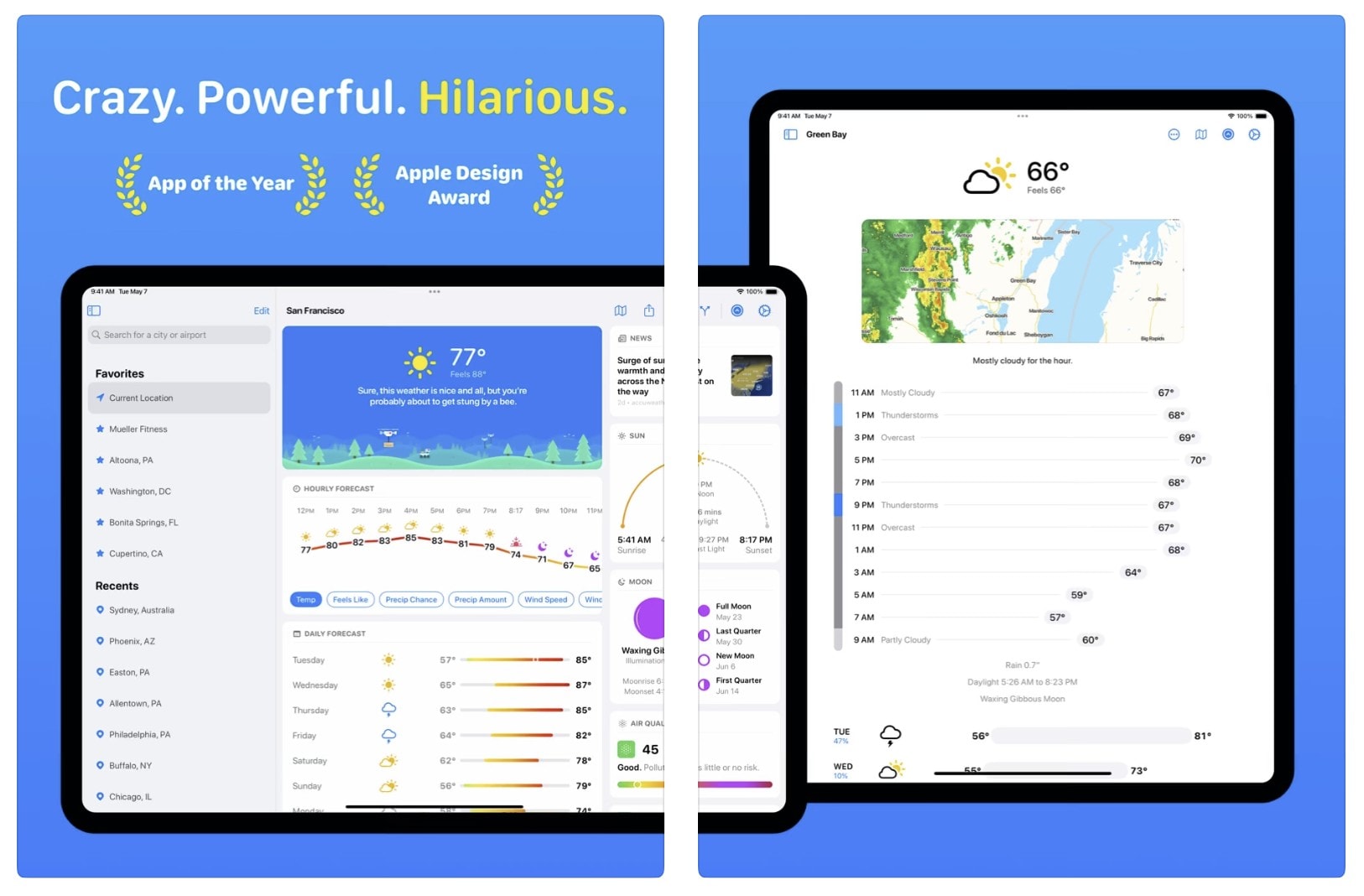
Carrot Weather 6.0 arrives with a raft of new features. And with rising sea levels, it may need a raft. Photo: Carrot Weather
The latest major update to the popular and snarky Carrot Weather app brings a delightful array of new features and improvements. It adds a dynamic “garden that grows over time” as part of a redesigned interface, along with line charts for hourly and daily forecasts, integrated weather news from around the world and more.
But of course it will still call you a “meatbag” and act surprised you’re still alive if you haven’t opened it lately. New Carrot Weather 6.0 is now available for iPhone, iPad, Mac, Apple Watch and Vision Pro.
Logitech MX Keys S Combo for Mac includes a new keyboard and mouse for your desktop.
Mac users in the market for a new desktop keyboard have new options from Logitech. There are small and large models and an ergonomic one, too. Plus a mouse.
The additions to the lineup include MX Keys S for Mac, MX Keys S Combo for Mac, MX Anywhere 3S for Mac, MX Keys Mini for Mac (in Space Gray), and Ergo Series Wave Keys for Mac.
This $40 intro to coding bundle includes some great AI courses. Photo: Cult of Mac Deals
If you’re on the hunt for a general introduction to coding with an emphasis on programming for artificial intelligence, try this entry-level educational bundle while it’s on sale. It’s basically AI for beginners. The bundle includes a full 213-hour introduction to coding and AI. Plus, you can earn certificates that prove you successfully completed the coursework.
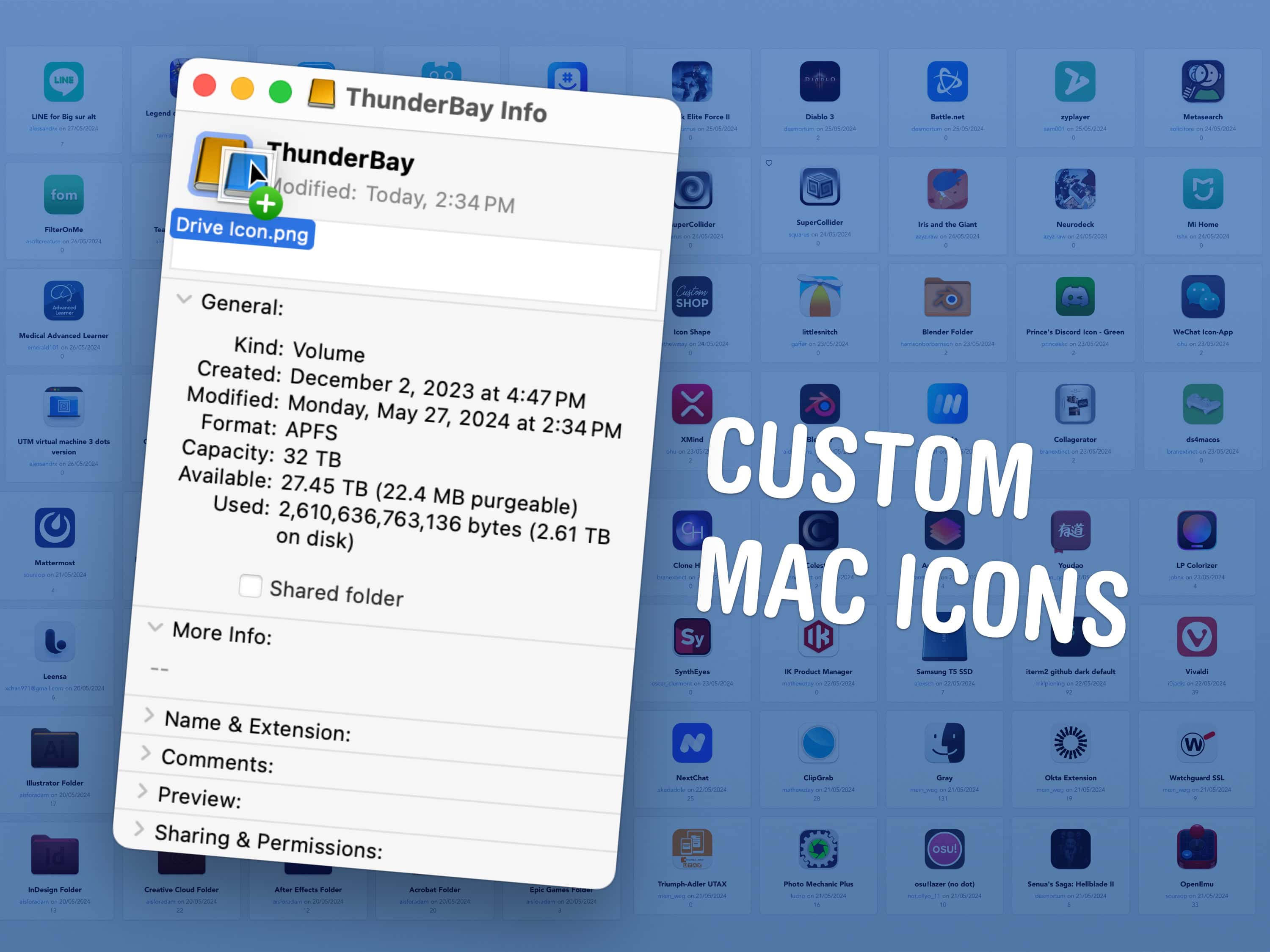
You can change any icon on your Mac to suit your taste. Image: D. Griffin Jones/Cult of Mac
A great way to personalize your Mac is with custom Mac folder icons. In fact, you can change any icon on your Mac to customize it to your taste. That includes any app, folder, disk or file icon.
Personally, I didn’t like the yellow icon of my external hard drive — so I changed it to blue. I’ve also edited a few app icons for better consistency in my Dock.
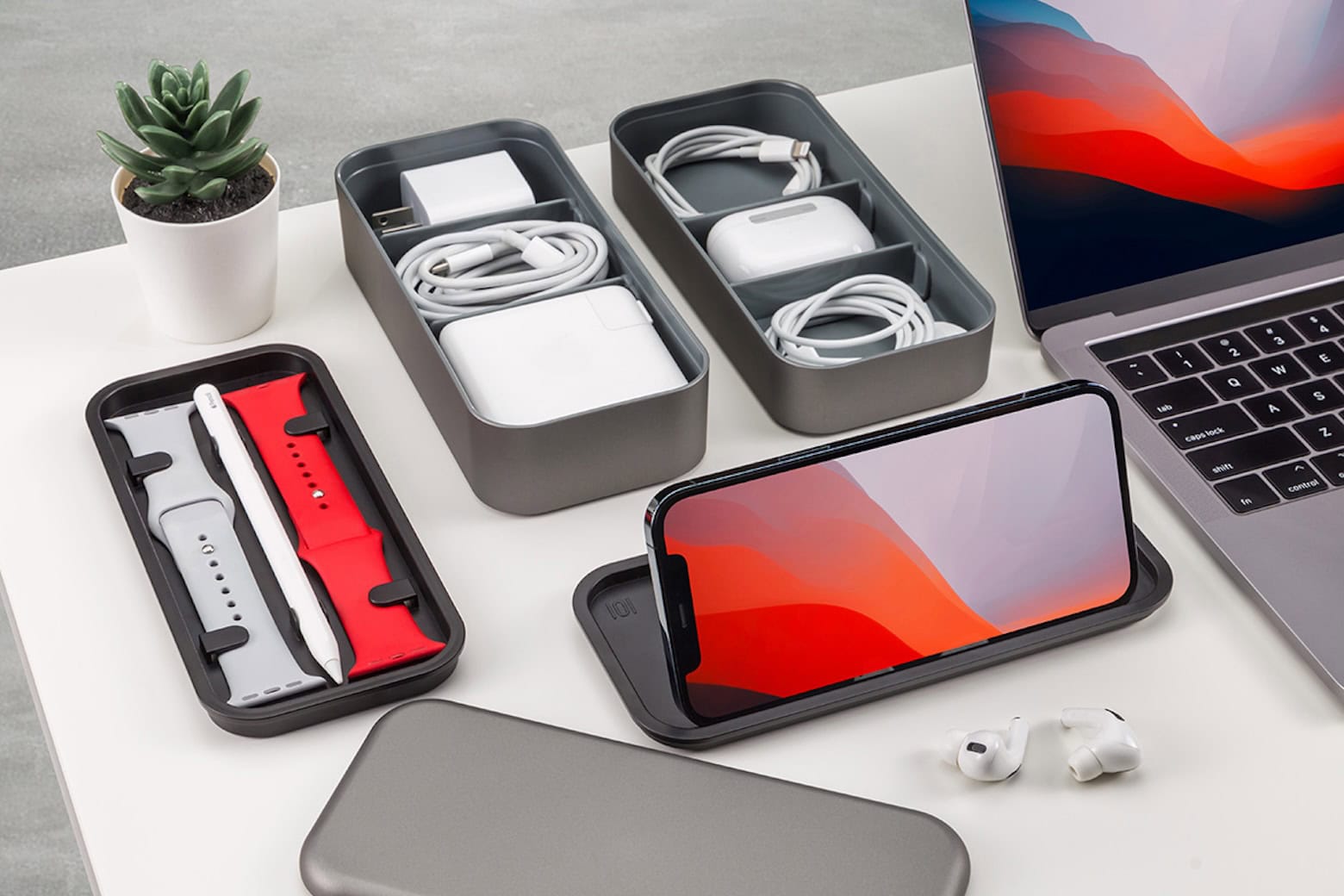
These $30 bento-style Apple accessory organizers are awesome to-go boxes for tech. Photo: Cult of Mac Deals
Got Apple gear? The BentoStack, a bento-style case from well-regarded Apple accessory-maker Function101, serves as a convenient place to store all your Apple accessories for travel, whether you’re just going to work or you’re making a cross-country trip.
Is Apple about to bring Apple TV+ and maybe more straight to Android users? Photo: Jim Merithew/Cult of Mac
In a sign Apple TV+ may yet arrive for Android users — meaning hell must be entirely coated in ice — Cupertino is looking to hire a senior engineer to build a TV and sports app for the smartphone platform, according to a new report.