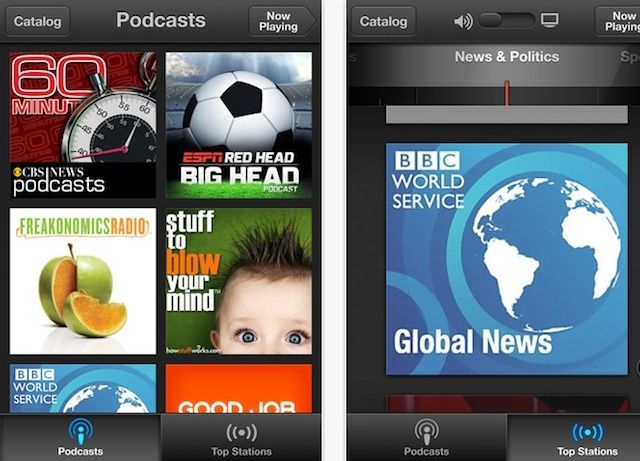
Along with iOS 6, and a Mountain Lion update, Apple has just pushed out an update for their new Podcast app for iOS. The update allows users to keep subscription up to date between iOS devices using iCloud. iOS 6 support has also been added to the app, along with a few other improvements.
Here are the full details for what’s new in Podcasts version 1.1:
Apple didn’t make huge improvements to the camera of the iPhone 5, but they did add a sapphire crystal lens, and a few tweaks to make it shoot better in low-light conditions. Now that early reviews have been released we have a better idea of how much better the new camera is over its predecessor.
iOS 6 comes with a host of new and improved features for us all to play with. We’ll be messing about in there over the next several weeks, helping you find the hidden tips, tricks, and features of iOS 6. Today, however, we’d like to show you the ten killer tricks we’ve found in iOS 6 to date.
Some of these tips may seem simple, while others may not be applicable to your own personal situation. Regardless, we hope that we can show you the coolest tips and tricks for your new iOS device, whether it’s a new iPhone 5, a new iPad, or anything that comae out before; iOS 6 will support the iPhone 3GS and up, the iPad and up, and the iPod touch third generation and up, so have at it!
There goes Samsung. Trying to win over iPhone users by releasing a new commercial that calls them a bunch of dumb hipster sheep. Again. Samsung isn’t going to win any fans by releasing these commercials every year, but to be honest, I actually enjoy them.
I mean, I don’t think the Samsung Galaxy S3 is better than the iPhone 5, or that people who wait in line for the new iPhone are stupid. But you totally hear Apple fans say ridiculous things like, “this phone is going to be like a precious jewel,” or “they should have a priority line for people who have waited five times.”
There’s no point in taking your smartphone preference too seriously, and even though Samsung’s newest commercial is almost offensive, it’s also kind of funny.
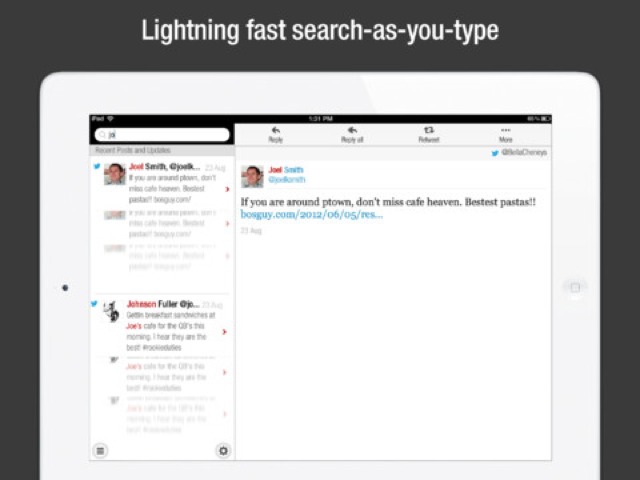
CloudMagic 2.0 is a huge update to a (previously) marginally useful search app. Now, with many extra services added along with a native iPad app, CloudMagic is pretty essential if you use any cloud services whatsoever. It lets you search in your Evernote, Dropbox, Gmail and other accounts, instantly
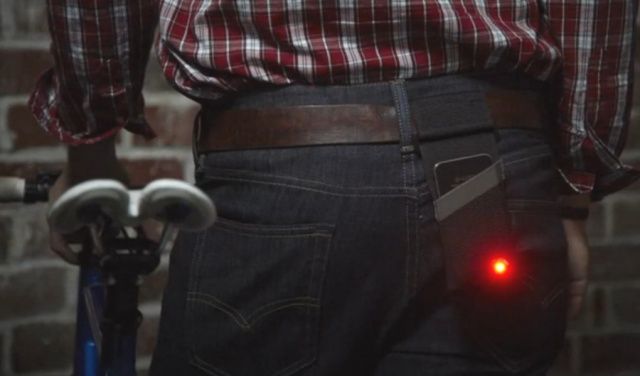
A kickstarter project wants to make an app-and-case product that magically transforms your $849 unlocked 64GB iPhone 5 into a fricken bike light.
I jest. It’s actually a great idea. The “Monocle” will be (contributions willing) a tough nylon carrying case with a hole in it where the iPhone’s flash goes. You lash this thing to your belt, use the app to set its flash rate (which is calculated by the app based on battery life and estimated ride duration), and off you go. The iPhone will flash red, making you more visible to cars so you don’t die.
Today, three months after its first preview at WWDC, iOS 6 has been released to the public and is now available to download via iTunes. We’ve already presented you with a comprehensive guide to everything that’s new — big and small — but which of those features really stands out?
So that you can jump into iOS 6 and quickly start using its killer new features, we’ve compiled a list of our top ten for you to check out. These may not necessarily be the biggest features Apple has introduced, but we’re confident that once you start using them, you’ll agree that they’re the best.
You can download it now through Software Update; the change list should be found here in good time, though the link is not functioning as of writing.
Main changes look to include:
• Facebook integration with Contacts, Photos, Sharing and Notification Center
• Power Nap support for late 2010 MacBook Air
• iMessages sent to your phone number now appear in Messages on your Mac
• Passbook support for Safari and Mail
• Shared Reminders lists
• FaceTime now receives calls sent to your phone number.
• Dictation now supports new languages.
Will we finally be able to block those late-night, slurred-word phone calls? Here's to hoping.
If your iPhone, iPad or iPod Touch still hasn’t received notification that iOS 6 is available to download, you can always download it directly and install it.
We’ve all been itching to get our hands on iOS 6 since it got its first unveiling at WWDC back in June, and today, three months after that announcement, the software finally gets its public debut. Apple’s packed a ton of new features into this update, including some major new features like Map and Passbook, plus some enhancements to existing apps and features, such as new Siri capabilities and a VIP inbox in Mail.
Apple’s been promoting some of these features on its website, but there are tons you may not have heard about. With that said, here’s your comprehensive guide to everything that’s new in iOS 6.
Apple has finally released iOS 6 to the public, more than three months after the software was first previewed at WWDC. It brings more than 200 new features to the iPhone, iPad, and iPod touch, including Apple’s brand new Maps and Passbook apps, Facebook integration, FaceTime over cellular, enhancements to Siri, Mail, and Phone, and lots, lots more.
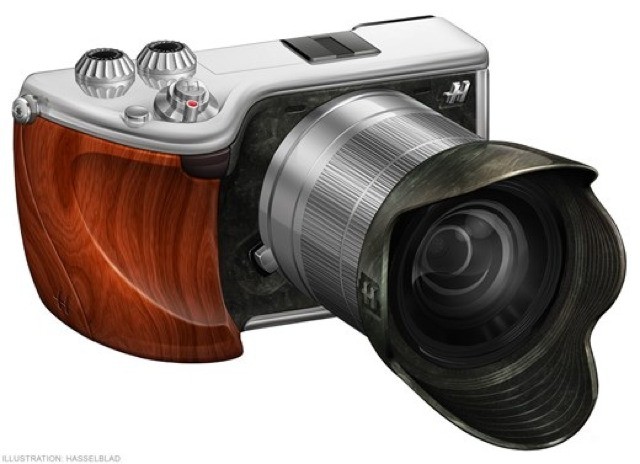
Hasselblad plans to make the ugliest camera, like, ever.
Hasselblad is planning to take a Sony NEX-7, replace its tiny, well designed body with a hideous blob of precious metal and rare wood, and sell it for around $6,500.
Yes, Hasselblad is trying to become the Vertu of cameras, a company that confuses “luxury” materials with actual quality. And it’s all the more sad, as Hasselblad made the cameras that went to the moon.
While Apple still hasn’t released a full-fledged television, rumors have been circulating that they might be working on a cable set-top box for cable providers as well. The big question has been whether or not cable providers would allow Apple to come in and take control of the TV experience.
According to Time Warner Cable’s COO, they’d be more than happy to let Apple come in and have control of the TV interface if it makes the customers’ experience better.
If you’ve ever dropped your iPhone or taken it for a dip in the swimming pool, then you know the pains of having your favorite electronic device murdered in front of your eyes. You also know the pains of the repair bill in your attempts to bring your iPhone back to life.
SquareTrade released a new study today that shows damaged iPhones have cost Americans about $5.9 billion in repair bills since their introduction in 2007. The study also found that in the last 12 months alone, 30% of iPhone owners damaged their device.
Madame Tussauds Wax Mueseums are renowned for their life-like representations of famous celebrities. To mark the first anniversary of Steve Jobs’s death, Madame Tussauds Hong Kong will unveil a new wax figure of the legendary Apple co-founder that will go on display September 27th.
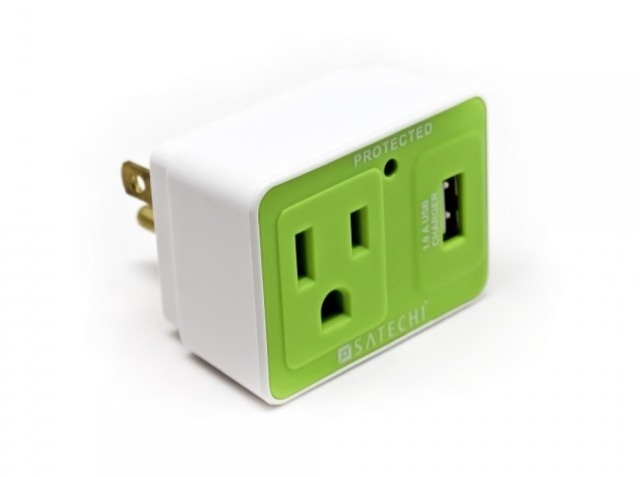
Satechi’s USB Surge Protector might just be the cutest little surge protector ever seen, with its look of surprised dismay, and its colorful two-tone shell. It even hads a little LED which tells you that it’s still alive, and which will eventually fade to nothing when the unit finally dies. And die it will:
It might be just a dummy, but it looks pretty darn impressive.
Remember that iPad mini that surfaced on Tuesday? Rather naively, I suggested it could have been the real thing, but as it turns out, it was nothing more than a dummy unit — as you can see from the video above. Admittedly, it is a rather impressive dummy unit, and it’s likely to be almost identical to the real iPad mini.
Street Fighter and Tekken are ready to go head-to-head on iOS in this “never-before-dreamed-of-crossover battle,” Street Fighter X Tekken. Now available to download from the App Store, the game brings online multiplayer brawling to iOS with 3D visuals optimized for your Retina display.
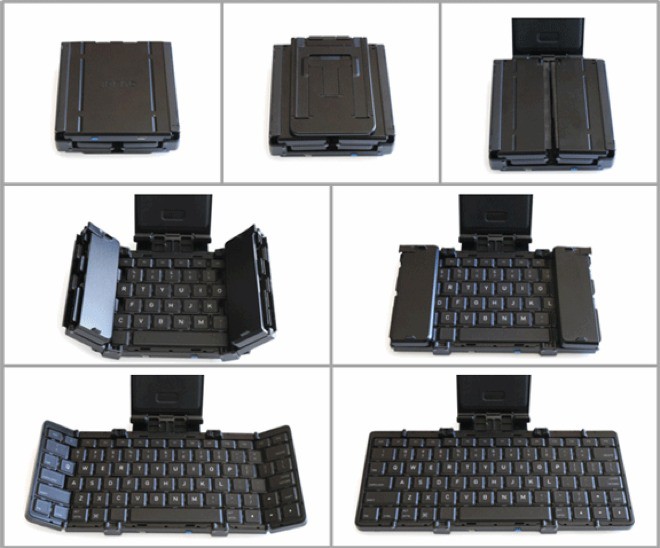
Click-clack-CLUNK! That’s the sound a Transformer makes when it, uh, transforms. And that’s the sound I imagine the Jorno makes when it transforms from stout, ugly black box into miniature-but-not-too-tiny Bluetooth keyboard.
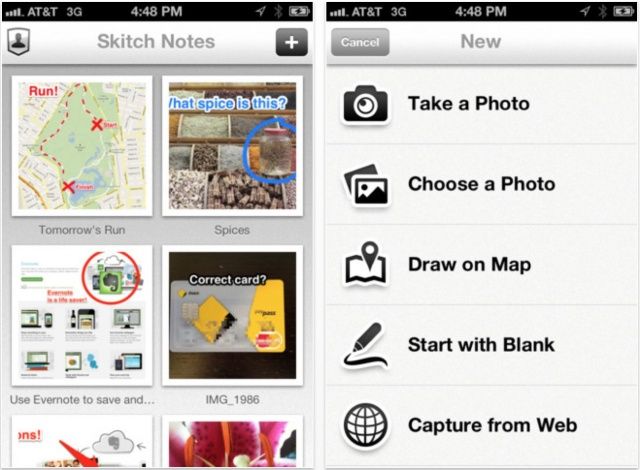
Evernote has updated Skitch, its wonderful image editing tool, to make it a universal app, and to introduce a stack of new features. The app was previously exclusive to the iPad, but now you can use it to annotate pictures of your cat on your iPhone, too. What’s more, the update also brings full Evernote integration, cross-platform syncing, and more.
With iOS 6 making its public debut today, I’m sure some of you are sitting in front of iTunes with your iOS device plugged into your computer, mashing that ‘Update’ button as much as humanly possible in the hope that any time now, Apple will open the gate. Well, you may want to give your fingers a rest, because it could be a few hours yet before iOS 6 drops.
We first told you about Rayman Jungle Run a couple weeks ago, when Ubisoft unveiled its first trailer, and we’ve been looking forward to it since. The title was scheduled to hit the App Store tomorrow, but fortunately for you, it just turned up a day early.
Jony Ive (center) with Apple's award-winning design team.
After Apple was awarded two prestigious D&AD (British Design & Art Direction) awards, Jony Ive and the rest of the Cupertino company’s design team flew to London this week to pick them up. There were 16 Apple employees in attendance, and Ive, who is responsible for Apple’s most iconic designs, received a standing ovation when he took to the stage.
I can’t remember the last time I really used Spotlight on iOS. I guess it’s cool. It brings up some pertinent stuff that you search for, but it’s not really a precise tool you can use with pinpoint accuracy, so most of the time it just gets neglected on most iPhones.
My fingers haven’t really been aching for a iOS Spotlight overhaul, but after watching this concept video by Cody Sanfilippo, I’m starting to believe there are a lot of great possibilities Apple needs to explore by heavily integrating apps into Spotlight. Just watch the concept video below to see all the cool things Apple could do to make Spotlight in iOS 7 truly amazing.
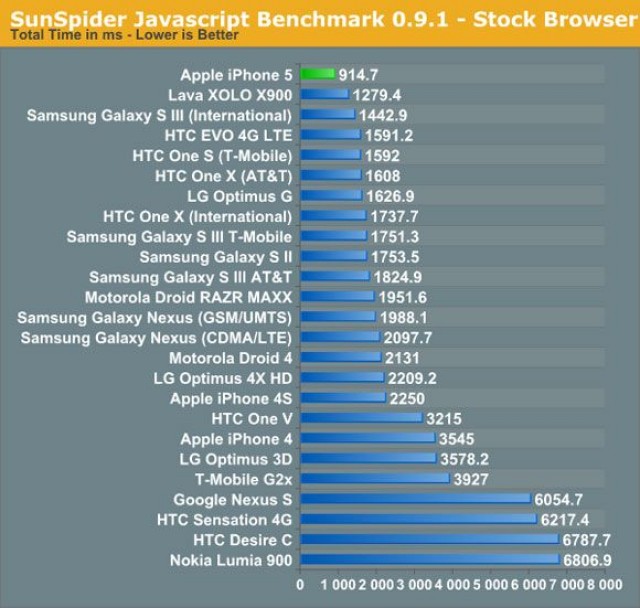
On Tuesday, the first Geekbench benchmarks surfaced for the iPhone 5. Those have been followed by SunSpider Javascript benchmarks which show Apple’s latest iPhone 5 beats everything when it comes to Javascript performance. It’s twice as fast as the iPhone 4S, and significantly snappier than high-end Android handsets like the Samsung Galaxy S III, the HTC One X, and the new LG Optimus G.