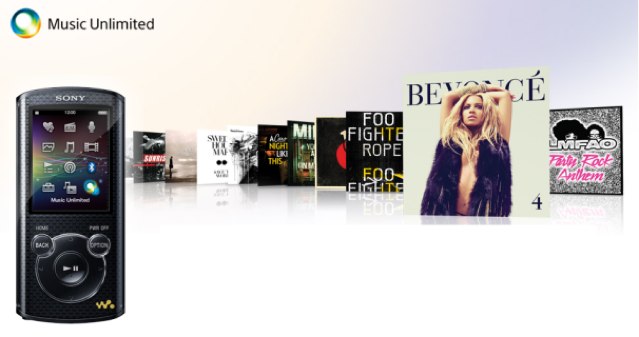
Music Unlimited offers over 10 million tracks from just $3.99 per month.
Music streaming services like Spotify, Rhapsody, and Rdio are set to face yet another competitor on iOS, as Sony prepares to make its own service available to the iPhone and iPad. The company’s COO, Shawn Layden, has confirmed that Music Unlimited will be making its way to the App Store “in the next few weeks.”
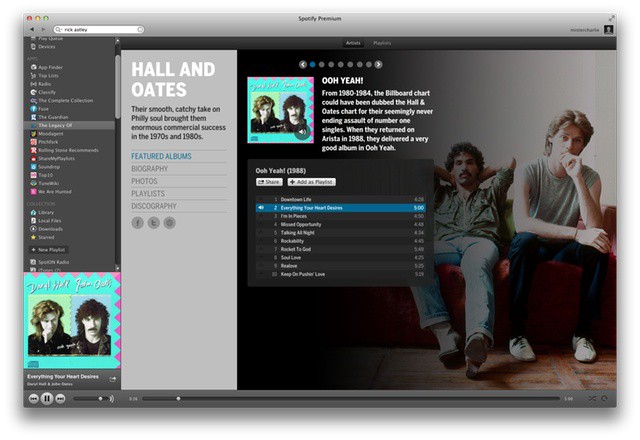
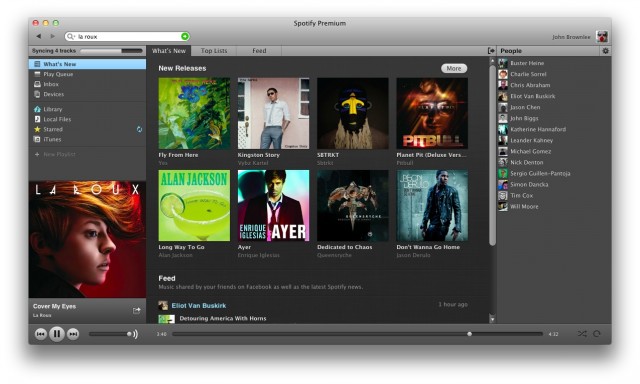
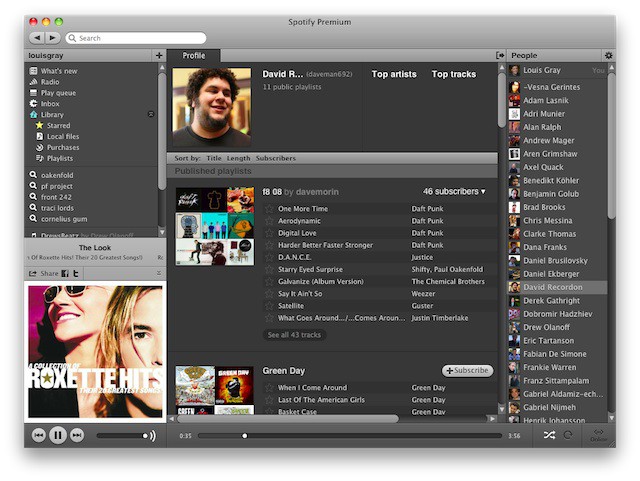
The world’s favorite music streaming service Spotify has just added a bunch of new music apps. Spotify apps are widgets that run inside Spotify and let you access the music in various ways. The first apps launched a few months ago on the Mac (they’re still not on the iPhone), and the second wave has just dropped. I have taken a quick look, and there are a few gems in there.
The coolest thing about the Microsoft Kinect is that it makes your feel like a freaking Jedi. Controlling a device by moving your hands or feet is ridiculously awesome when the technology works. Apple has been slow to jump on the motion control bandwagon, but that’s not stopping some clever developers from taking advantage of Apple’s built-in webcams and implementing their own crazy motion control technology. Enter Flutter – the new OS X app that lets you control all of your music without having to ever click a mouse.
Do you want to rock? Well get ready to enjoy your favorite Justin Bieber tunes in crisp, clear, audio HD, because according to a new rumor, Apple is hard at work developing a new audio file format that will offer adaptive streaming to provide high- or low quality files to iCloud users based on their current bandwidth capacities. Apple’s new format could mean users will have the ability to download high-definition audio to their iOS device via iTunes Match.
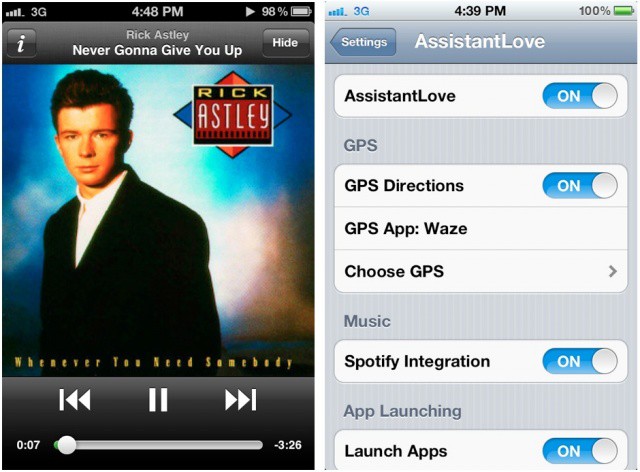
Have you ever wished you could use Siri to control Spotify instead of Apple’s Music app on your iPhone? How about using Siri to get directions with your favorite GPS app?
A really cool jailbreak tweak called AssistantLove was released today in Cydia that lets you do those things and more.
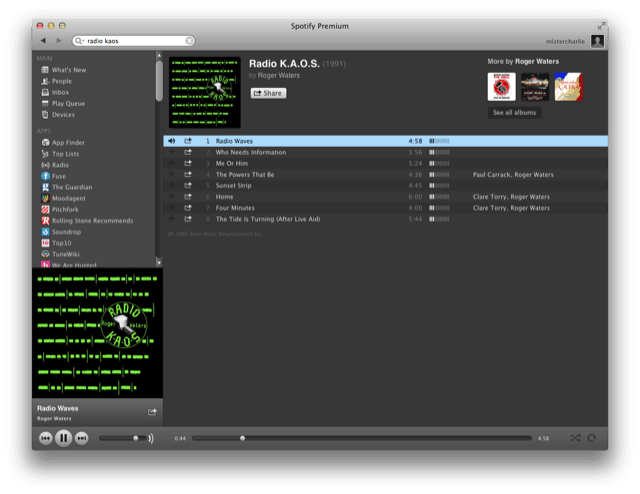
Roger Waters' Radio K.A.O.S, a giant in the field of concept albums
A brand new update from Spotify adds a couple of great new features. The Mac and Windows versions of the subscription music service both now support gapless playback and crossfading of songs. There is also a scattering of other tweaks and improvements.
With a plethora of options available for any taste, it’s a better time to be a digital music fan than ever before. iTunes Match. Spotify. Rdio. Soundcloud. Grooveshark. There’s a streaming music service for every taste, a place for every song in the cloud no matter how obscure.
With all of these competing services floating around, though, finding music in your library isn’t as easy as it once was, though… mostly because you probably don’t have a central music library. Some of your favorite albums are on iTunes, while others might only be available on Spotify, or knocking around as demos on Soundcloud.
Wouldn’t it be great if there was an iTunes-like media manager to consolidate all of your music? An app you could use to just find that song on all of your services, no matter where it’s stored: just type it in and hit play?
I’m always looking for ways to enhance my music listening experience on the Mac. For the last several months I’ve been using Bowtie to control iTunes with keyboard shortcuts, and Ecoute is another great alternative for managing iTunes in a minimal, simplified way.
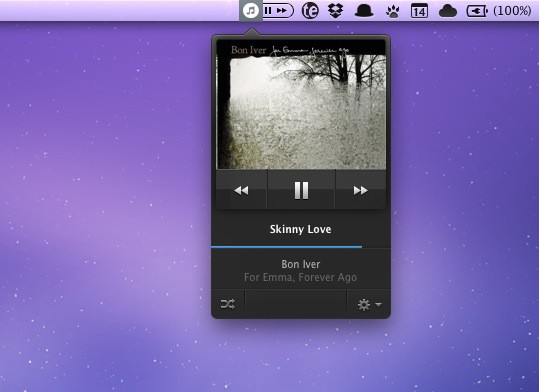
When the developers of Skip Tunes contacted me, I was intrigued by the app’s menu bar interface. For quick access to simple music playback controls, it doesn’t get much better than this.
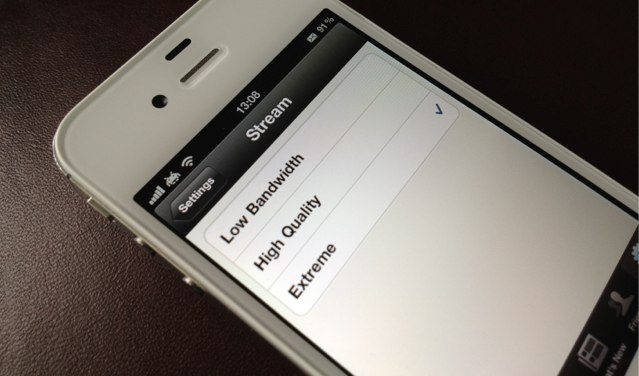
Spotify has issued an update to its hugely popular iPhone app that introduces the ability to stream music at an “extreme” 320kbps — the same quality Spotify Premium members enjoy from the Spotify applications for Mac and Windows.
Last August, Spotify launched a public API for mobile developers to piggy back off of their system and release their own apps. The hope was the abiogenesis of a series of cool new music apps that pushed the boundaries of how we discover music, with Spotify’s library of 15 million tracks as the lifeblood.
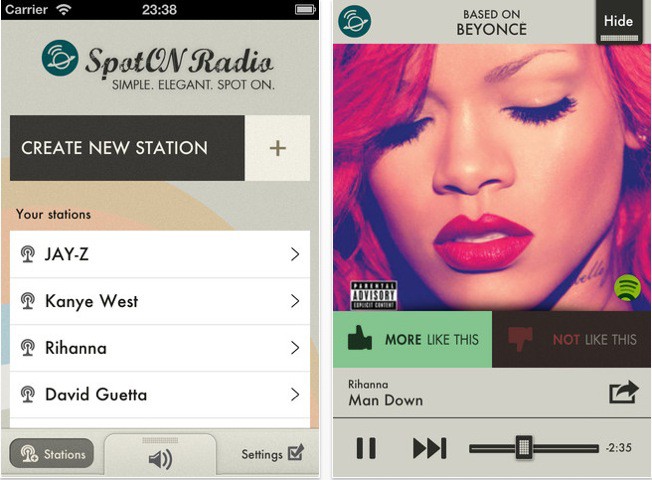
The first app to really come from Spotify’s initiative and impress? SpotON Radio, a Pandora-like service built upon Spotify that allows you to create custom tailored music stations, share them with friends and sync them across the iCloud. Plus, it’s got a really swank visual aesthetic that just sings on iOS devices.
It would seem that popular music streaming service Spotify is cooking something especially juicy in the voice department. Forbes is reporting that Spotify’s CEO has shown off a “hack” that involved telling the service’s iOS app to play some tunes.
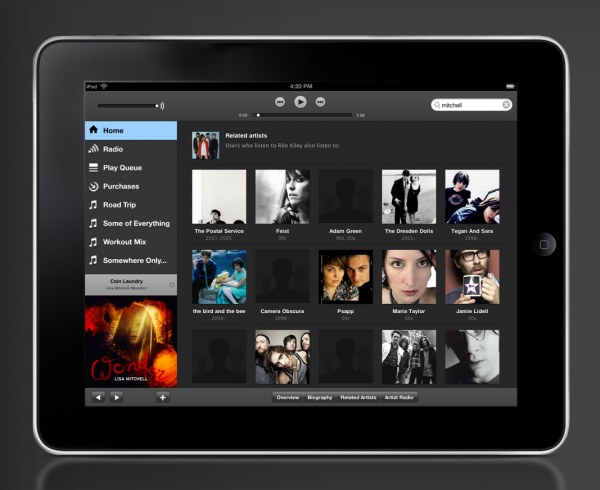
Spotify is working on an iPad app, and the highly-anticipated release is on the near horizon. According to Spotify UK managing director Chris Maples, the company is making its official iPad app “a priority” and it is “absolutely in the pipeline.”
Spotify is already available on most devices, and the iPad will be a welcomed companion to the service’s iPhone app.
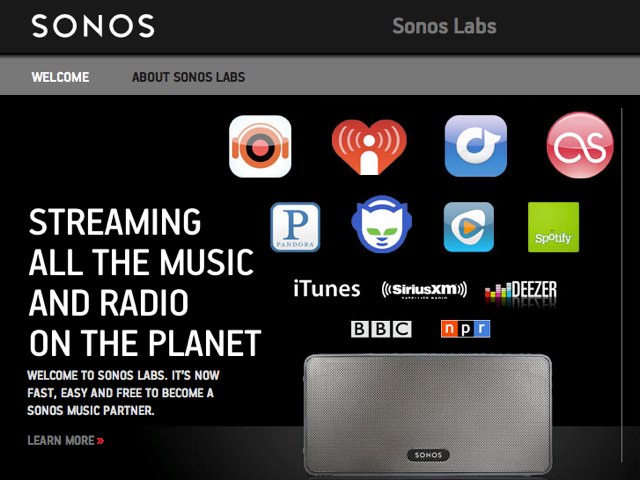
Sonos has issued an update to its Sonos System Software today which adds a number of exciting new features that promise to enhance your Sonos experience. In addition to support for Slacker Radio in the U.S. and Canada, and new Spotify features, the update adds support for Android tablets, and a ‘Sonos Labs’ beta.
Facebook’s f8 conference got under way today, and speculation has begun that suggests the social networking behemoth is going to announce its very own music service, which Jonny Evans at Computerworldbelieves “may give iTunes hegemony its biggest shake yet.” But I’m inclined to disagree.
This week’s roundup must-have apps features the long-awaited Skype app for the iPad, a beautiful new music app from Rdio, the quickest and easiest way to sell your old gadgets through eBay Instant Sale, and a new digital magazine from AOL that’s tailored just for you.
I’m sure you’re already aware by now that Spotify is finally available in the U.S., with over 13 million songs ready to stream on demand. But did you know that to accompany it there’s an awesome iOS app for listening to those millions of songs on the go? Spotify for iPhone is the first app in this week’s must-have roundup.
Coverjam Pro is another great app for music lovers that provides you with awesome slideshows of your favorite bands and artists while your listen to their music. It searches Instagram and Flickr for photos with the appropriate tags and aims to “enhance your listening pleasure.”
Google+ (yes, it finally hit the App Store!) is the official iPhone app to accompany Google’s latest social network, and “makes sharing the right things with the right people a lot simpler,” with access to your Circles, Stream and Huddle.
On Spotify’s homepage, one of the quotes they prominently use as an advertising blurb was written by my friend and old-Wired colleague, Eliot Van Buskirk, who once famously wrote that Spotify is “like a magical version of iTunes in which you’ve already bought every song in the world.”
They’re right to use it. It’s a great description. Spotify doesn’t have every song in the world — just 15 million, in fact — but boy does it feel like it. That’s not just because of Spotify’s huge library of licensed songs, though. It’s because Spotify seamlessly integrates into iTunes to supplement itself. It’s a true iTunes in the Cloud.
After years of what has seemed like endless haranguing with the record labels, Spotify has launched in the United States. It’s invite only for now, but there’s a way to jump to the head of the queue and start using Spotify today, no invite required!
It’s official. Spotify — that wonderful streaming music service that operates like the most fully packed iTunes library in the world — is finally coming to the United States.
Much beloved Spotify has been trying to launch in America for years now. During that time, they’ve faced considerable challenges in convincing a music industry worried about alienating Apple to give the greenlight to their excellent all-you-can-stream subscription service.
But it’s finally come together, and now there’s even a firm date being thrown around: the freemium music service will launch in the States between July 5th and july 15th.
Oh, man, finally. Years after showing Europe how a streaming music service ought to be done, and just a couple of weeks after Apple made it clear that their own iTunes-In-The-Cloud service wouldn’t do streaming at all, Spotify has officially confirmed that it will be coming to the United States within a matter of weeks.
No matter how many months of rumors and insider reports precede an anticipated Apple announcement, it’s probable that, when Steve Jobs actually reveals the product on stage, it’s going to be radically different than what people are expecting… but iCloud could be the most radical deviation yet between the fancy of pre-announcement hype and the reality of Apple’s finished product.
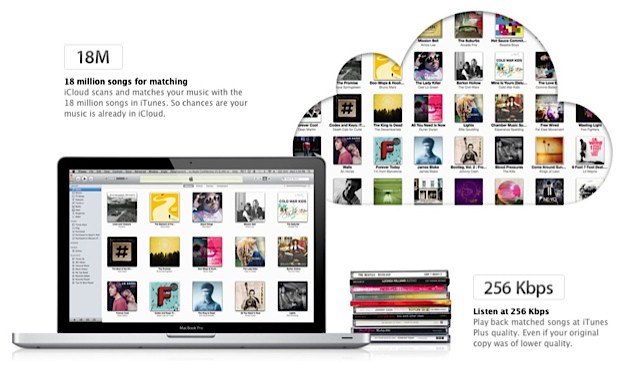
What people expected from iCloud was a streaming cloud locker for your media collection: iCloud would scan your iTunes library and automatically mirror them on a central server, allowing you to stream any song you owned to any device you owned without being bothered with local storage.
What people got? iTunes Match. It scans and matches your iTunes library in the cloud, sure, but there is no streaming: any time you want to listen to an album that’s not on your iPhone or iPad, you’ve got to download it from the cloud onto your device.
How much music or video can you really stream on a 2GB mobile data plan?
Next week, Apple will finally confirm years of rumors of taking iTunes to the cloud and unveil iCloud, their media locker service that will automatically scan and match your existing iTunes library for streaming to any iOS device.
In some ways, though, iCloud’s taken too long to get here. The era of unlimited bandwidth is over. In the last year we’ve seen both mobile carriers and ISP broadband providers impose severe data caps on their users. The vast majority of iPhone and iPad customers only have 2GB of data per month to play with. How much media can you really stream with a 2GB data cap?
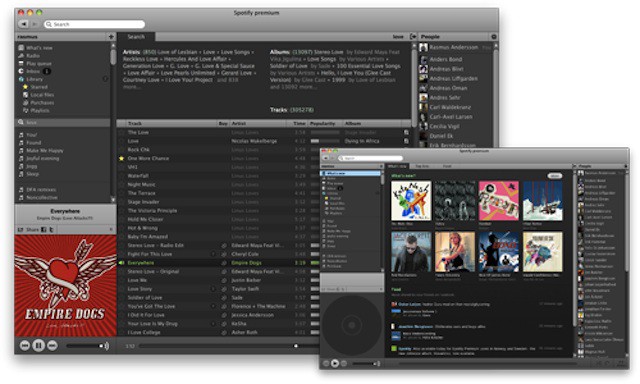
If you use online streaming service Spotify, you’ll know that the client software required for controlling it is pretty good.
It’s simple to use, and not too cluttered with controls and extras. Since I started paying £5/month for Spotify’s advert-free Unlimited service, I’ve been listening to it for many hours on end, and found only one problem: I have to switch back to Spotify to control it.
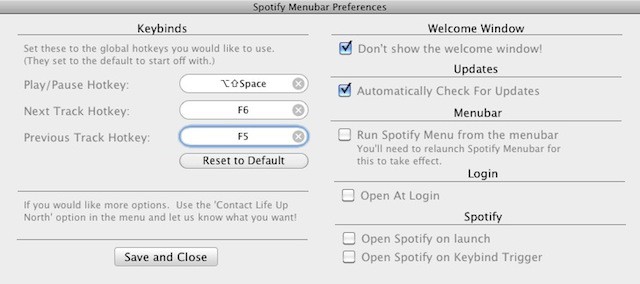
Now it’s true that Spotify can be controlled with your Mac’s existing dedicated iTunes buttons – F7 for previous track, F8 for play/pause, and F9 for next track. But this only works well if iTunes isn’t running at the same time. If both apps are open, they both respond to these commands, and audio chaos ensues.
Spotify Menubar is a simple free utility that solves this problem by allowing you to set up your own system-wide keyboard shortcuts for Spotify, so you can avoid the conflict with iTunes and still have easy keyboard access to your favorite songs.
It would be nice if Spotify Menubar had some clickable controls of its own, which would better justify its position on the Menu Bar in the first place. But for those of us who spend hours a day with our heads inside Spotify playlists, it’s a useful little widget to have around nonetheless.