Check out our recommended iPhone accessories. We have a selection of the best cases, chargers, MagSafe accessories and more.
iPhone charger
A high-quality iPhone charger can top your phone up faster. The most important stat to look at is its wattage — the basic 5W charger from years ago will take forever to top up your phone. The standard plug on chargers is now USB-C, a compact and reversible port.
Apple also makes a charger with two USB-C ports in one with a higher power 35W output. Its compact shape is easy to stow in a travel bag. Charge two iPhones, an iPhone and Apple Watch or any USB-C device overnight.
Apple sells a 1 meter (3 foot) and 2 meter (6 foot) charging cable for both the USB-C and Lightning cords. The 3 foot cable is enough to reach a nightstand from a nearby outlet, but if you want a cable with longer reach, you’ll probably want to use the 6 foot version — especially if you plan on holding and using the phone while it’s plugged in, or if your outlet is far away from where you use it.
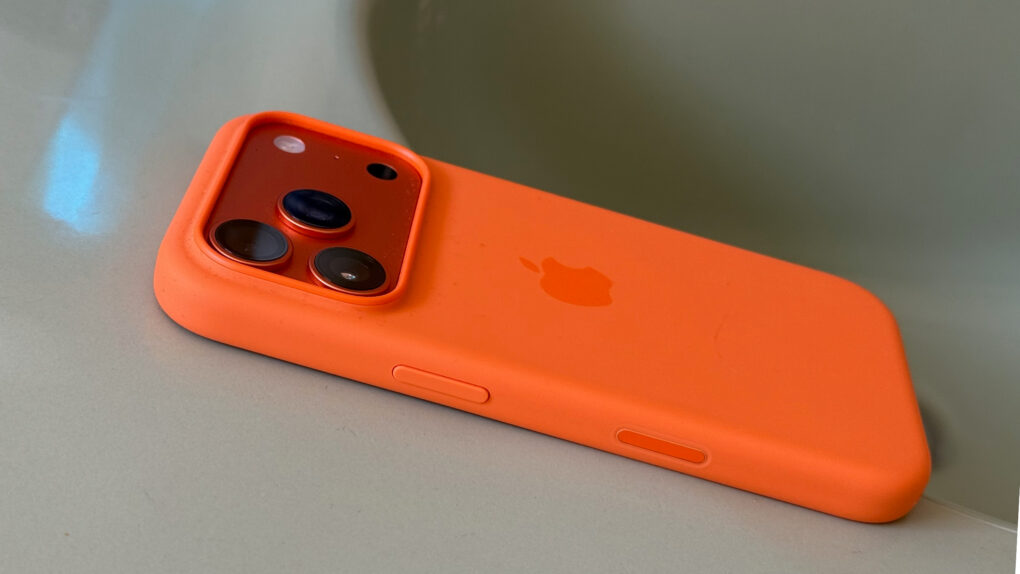
Apple official cases are made with high-quality materials. They’re also available on day one, as soon as the models are released. The silicone cases have a soft-touch feel, with high-quality metal buttons that are differentiated from the body and easy to press in your pocket.
On the iPhone 16 line, the cases have a capacitive cover over the Camera Control button that makes it just as easy to use.
Otterbox phone cases
Otterbox has a full line of iPhone cases that span a wide range of styles. Their latest cases are fully compatible with the iPhone 16 line and its Camera Control button in the bottom right.
Zagg is a popular brand of glass screen protectors. These are a great first line of defense to prevent your phone from shattering — iPhone screen repairs can be very expensive. Zagg makes glass screen protectors for nearly every model of iPhone.
A waterproof pouch for your phone can be a valuable tool for the beach, rafting, going to the pool or any other water activity. It’s ideal if you want great protection but don’t want to encase your phone in a bulky case.
MagSafe
MagSafe is the name for accessories, cases, stands, chargers, wallets and more that attach to your iPhone magnetically. The feature was introduced on the iPhone 12 and is compatible with all subsequent models.
This cable has a MagSafe connector for easy charging. The 6 foot length is ideal using your phone while you charge. It supports fast charging at 25W and 30W for topping up quick.
A MagSafe charger can charge at speeds up to 25W on the latest iPhone 16. Most officially certified MagSafe devices charge at 15W, while other third-party “MagSafe-compatible” devices only charge at 7.5W.
Charge your phone using this convenient MagSafe battery pack from Anker. It has a built-in display to show charging status. The folding stand will prop up your phone like a display.
You can also find MagSafe battery packs, if you want to top up your battery without dealing with a messy cable in your pocket. MagSafe car chargers let you quickly prop up your phone with navigation, while charging it up as well.
A thicker case will prevent your iPhone from connecting to MagSafe, as the magnets will not be able to make a strong connection. But a MagSafe case will include the same pattern of magnets built in, so that you can keep using the same accessories.
MagSafe wallets
If you want to carry around a small handful of cards, you can carry them in a magnetically attaching MagSafe wallet.
Mophie Juice Pack lets your new iPhone keep going and going. Photo: Mophie
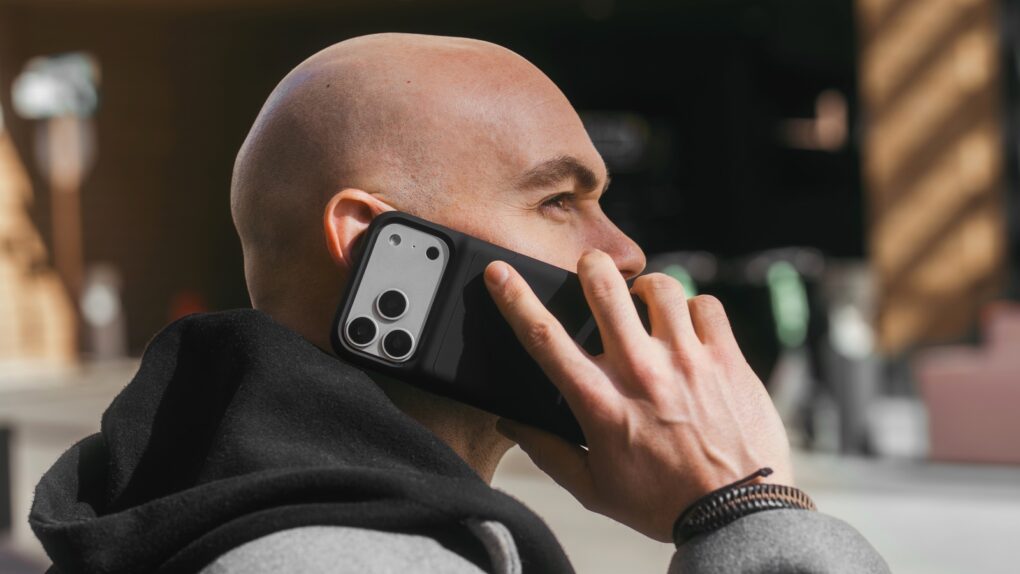
The Mophie Juice Pack wraps your iPhone in a protective case that’s also a battery that adds hours of use. On Monday, it launched versions specifically for iPhone 17 Pro, iPhone 17 Pro Max or iPhone Air.
Mophie did more than make the battery cases closely fit Apple’s latest. The updated versions deliver longer battery life, stronger protection, better ergonomics and more.
Apple's silicone cases feel silky smooth and come in a variety of vibrant colors. Photo: Lewis Wallace/Cult of Mac
Getting an iPhone case has never been more important with the new iPhone 17 Pro and iPhone Air models seemingly quite susceptible to scratches. Fortunately, deals save you up to 26% on the full range of official Apple cases for the new models: bumper case, silicone case and clear case (just not TechWoven).
An iPhone case is always a good idea, especially with these deals. But don’t delay — the savings are available for a limited time.
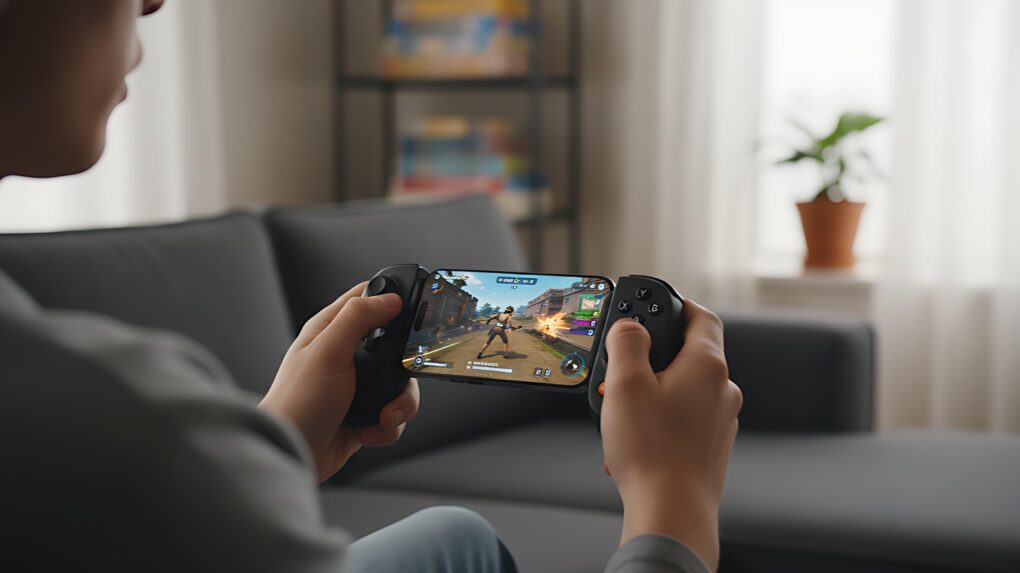
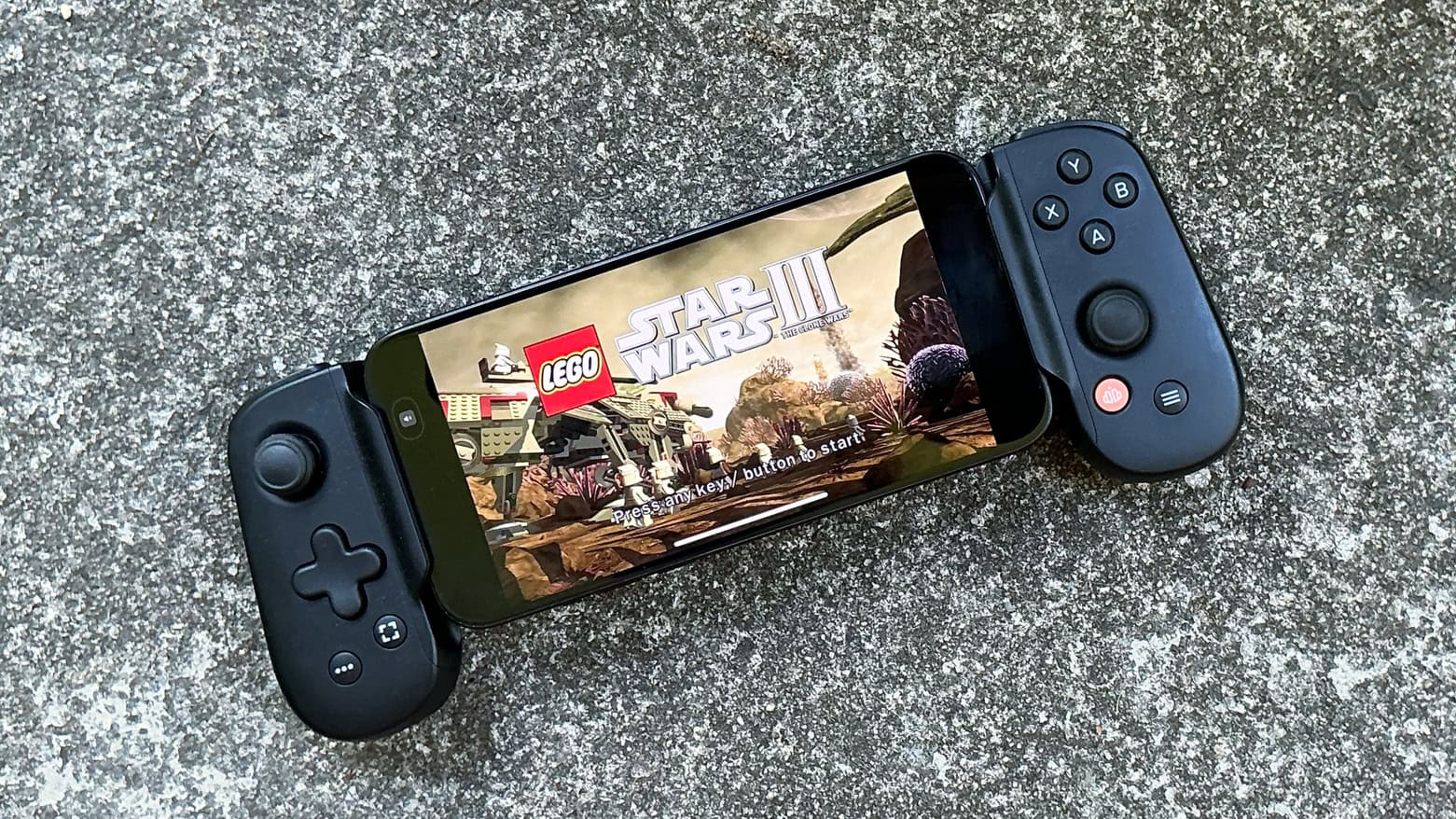
A Backbone game controller makes iPhone gaming much more like using a console. Image: Gemini
Nothing makes playing advanced games on an iPhone better than a Backbone game controller. Clip one to your phone, and it basically turns the handset into a mobile gaming console, ready to play wherever you go.
There are many top-quality first-person shooters and RPGs available for iPhone. Don’t waste your time playing these great games with just a touchscreen. Get a Backbone One or a Backbone Pro controller and snap it onto your iPhone. You’ll be glad you did.
★★★★★
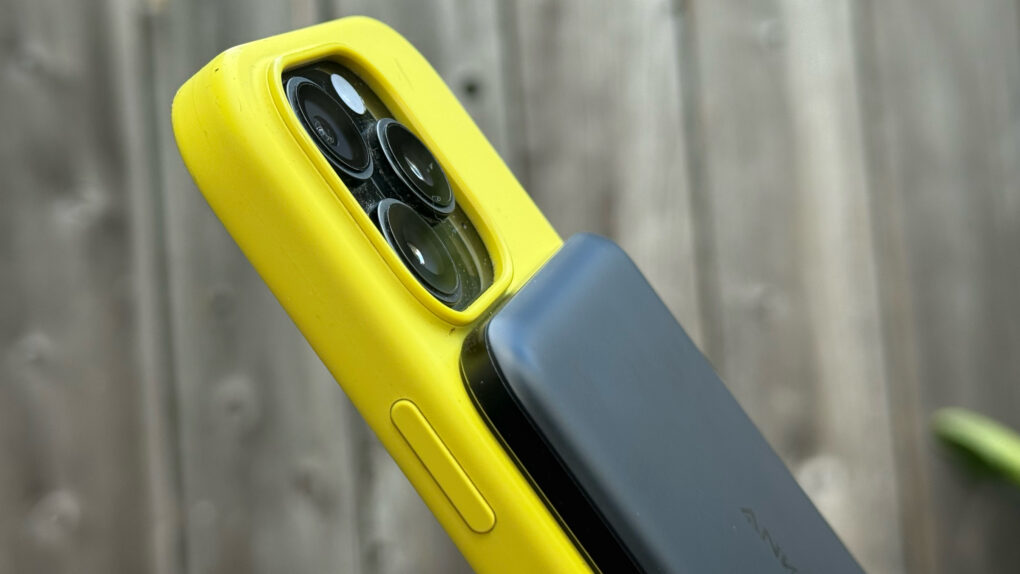
Anker's slender new power bank can give your iPhone the battery boost it needs. Photo: Lewis Wallace/Cult of Mac
With the Anker Nano Power Bank (5K, MagGo, Slim), thin is definitely in. Measuring just 0.34 inches deep, the Qi2 power bank attaches magnetically to MagSafe iPhones and delivers enough juice to get you through a frantic afternoon on the go.
At just 5,000 mAh, it won’t take modern iPhone batteries all the way to 100%. But it will power up a dead iPhone from zero to 20% in a little over 20 minutes. And it does so while attached comfortably to the phone, without the excessive heat generated by some competing power banks.
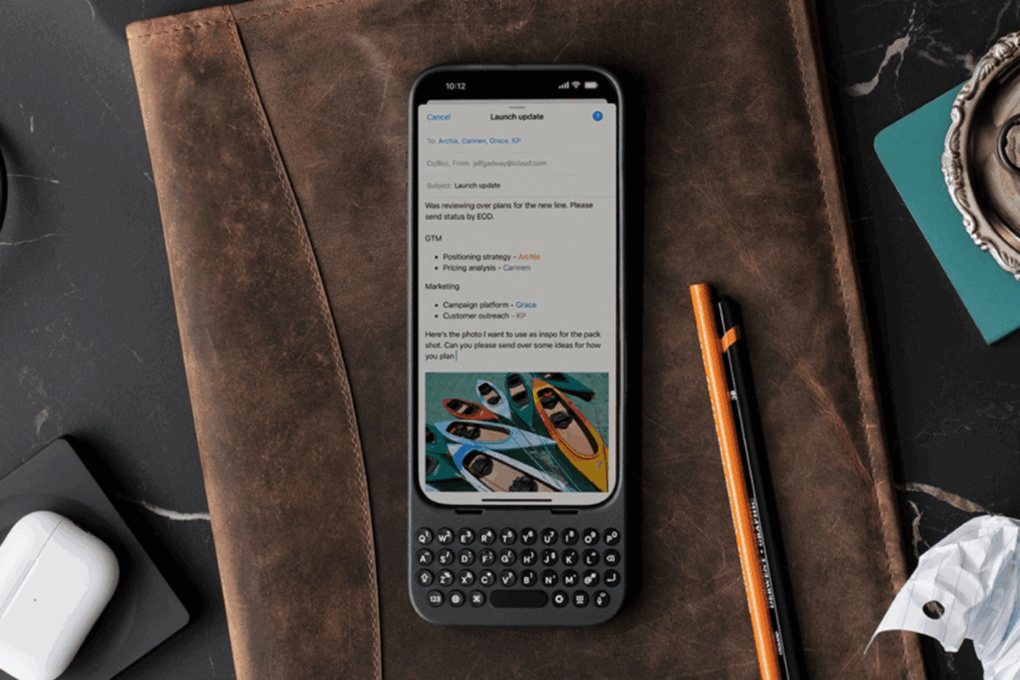
Get a 28% discount on this keyboard case for your iPhone. Photo: Cult of Mac Deals
If you ever wished your iPhone had real buttons, you need to meet Clicks — the premium iPhone keyboard case that blends nostalgia with next-gen design. On sale for just $99, this premium accessory frees up your iPhone screen and lets you type on physical keys like a BlackBerry.
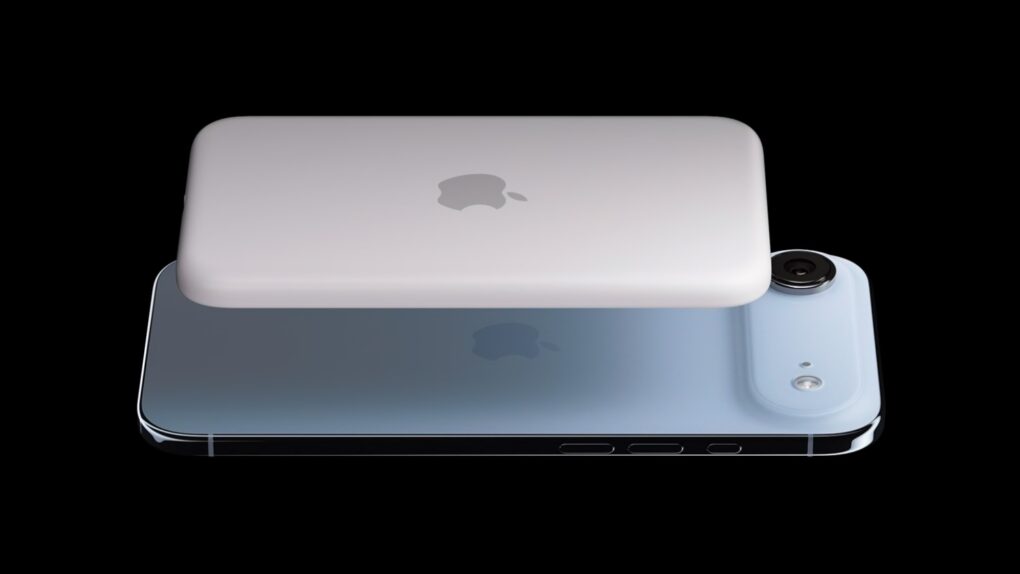
The iPhone Air MagSafe Battery is very slim, just like the Air itself. Photo: Apple
Alongside the iPhone Air, Apple launched a battery pack specifically for the phone. And interestingly, the iPhone Air MagSafe Battery uses the same capacity battery as the device it supports.
The folks over at iFixit tore down the iPhone Air MagSafe Battery and discovered its unusual shape. Based on preliminary evidence, they concluded Apple might be using the exact same battery inside the iPhone Air.
★★★★★
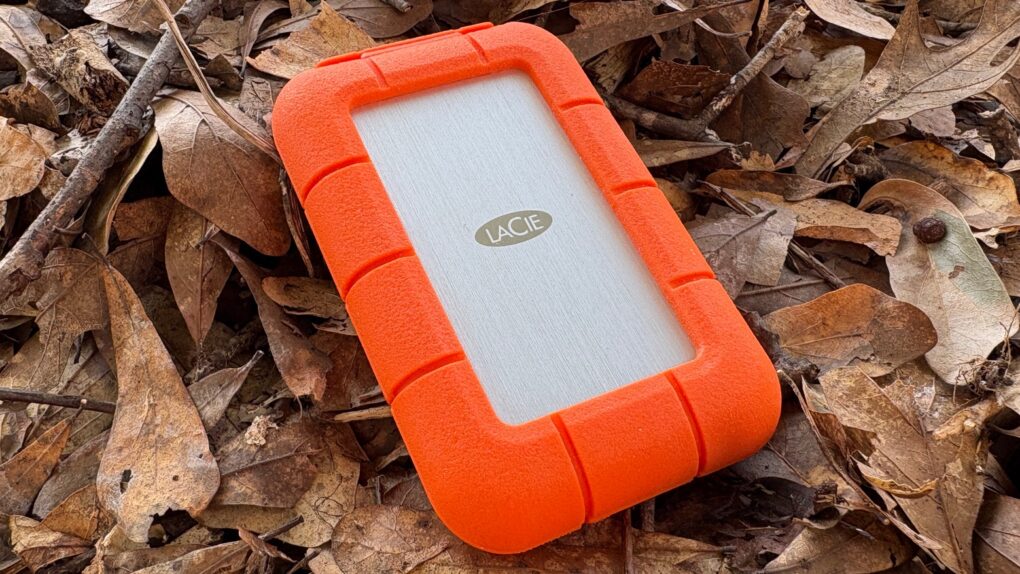
The LaCie Rugged SSD4 is rugged, fast and holds up 4TB. Photo: Ed Hardy/Cult of Mac
The just-launched LaCie Rugged SSD4 from Seagate is for “creators working beyond the four walls of a studio.” It’s designed to stand up to punishment while offering terabytes of storage and USB4 data transfer speeds. That’s fast enough for iPhone Pro users to record ProRes 4K video.
I put the SSD through real-world testing. Here’s how it came out.
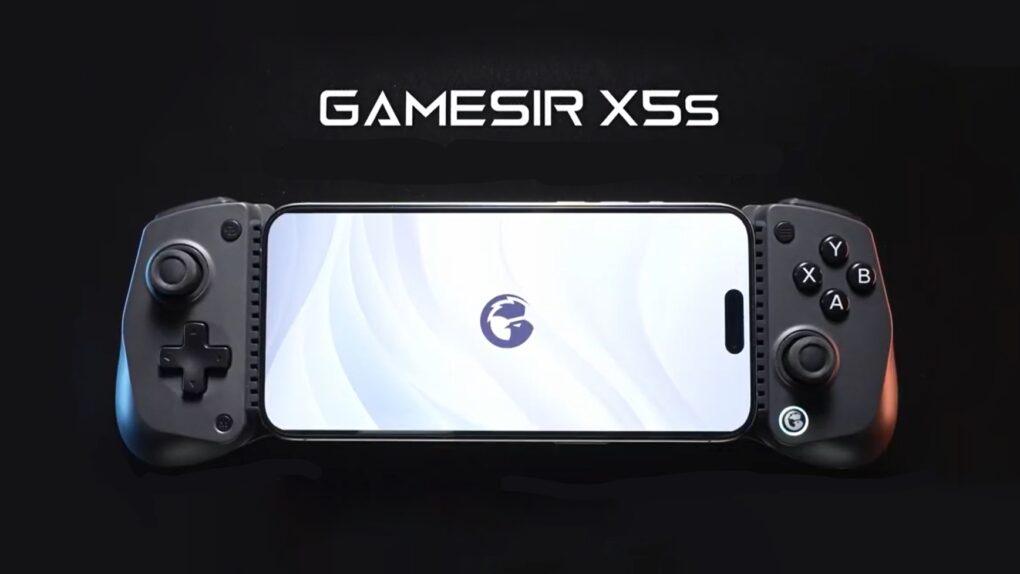
The GameSir X5s Wireless Mobile Game Controller offers tri-mode connectivity. Graphic: GameSir
Wrap the brand-new GameSir X5s around your iPhone to play high-end games. But that’s only the start — the controller also works with iPad, Nintendo Switch, PC and Android.
It’s lightweight with a portable design but includes Hall Effect sticks and triggers, a gyroscope and rumble motors.
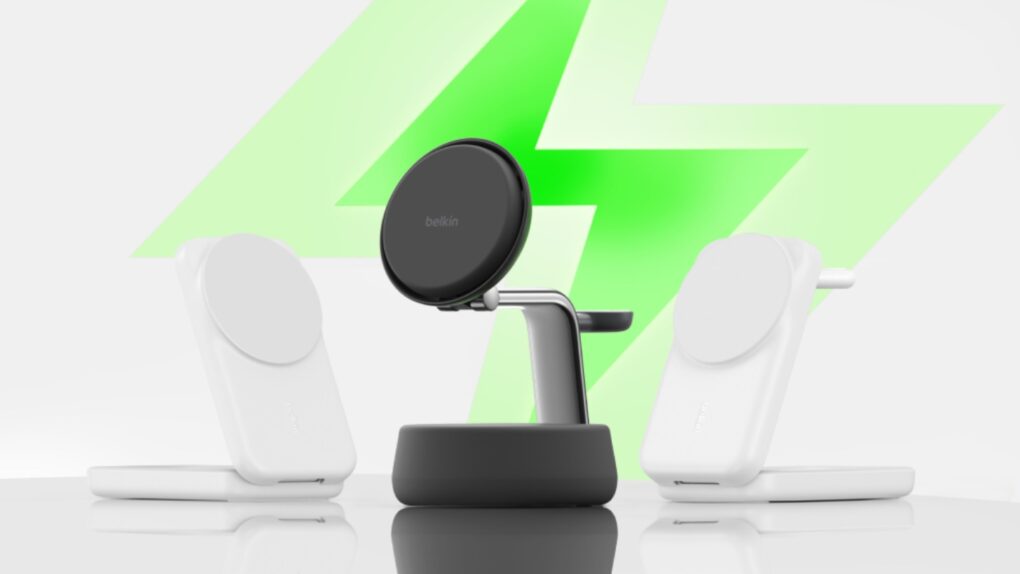
The UltraCharge Pro 3-in-1 Magnetic Charging Dock (center) is the highlight of Belkin’s new iPhone stands. Image: Belkin
Forget about the old 15W limitation on wireless charging. Belkin took the wraps off a trio of iPhone stands on Friday that support the new Qi2 25W standard, offering a 66% increase in speed.
The new models include the UltraCharge Pro 3-in-1 Magnetic Charging Dock for use in the office, plus a pair of multidevice wireless chargers for travel.
★★★★☆
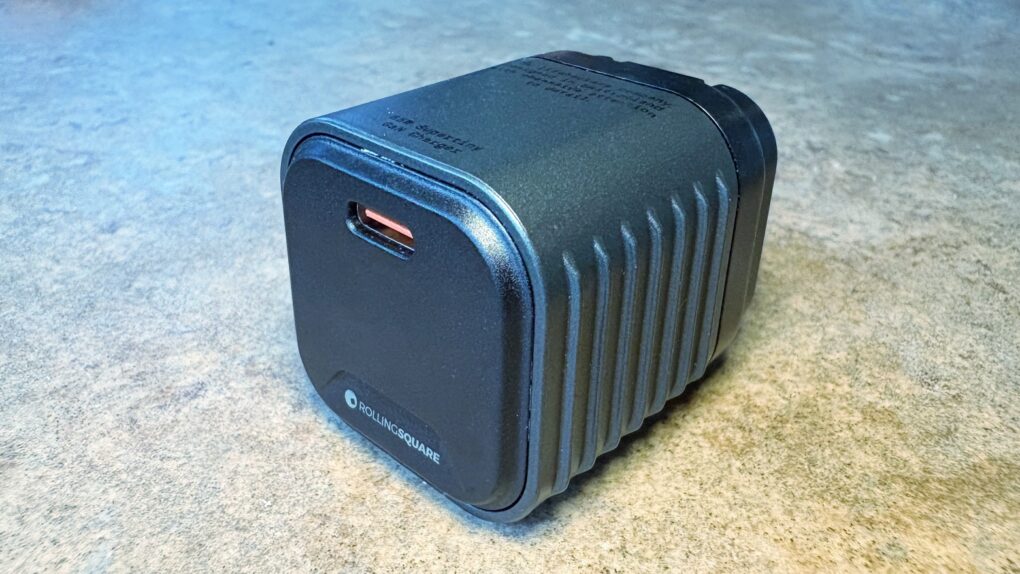
We went hands-on with the wee little Rolling Square Supertiny. Photo: Ed Hardy/Cult of Mac
Rolling Square claims, “Supertiny is the smallest 65W GaN Charger ever.” It’s definitely very small, but can still quickly power up a MacBook or other full-size computer.
I put the claims to the test and came away impressed. I do have one caution, though.
★★★★☆
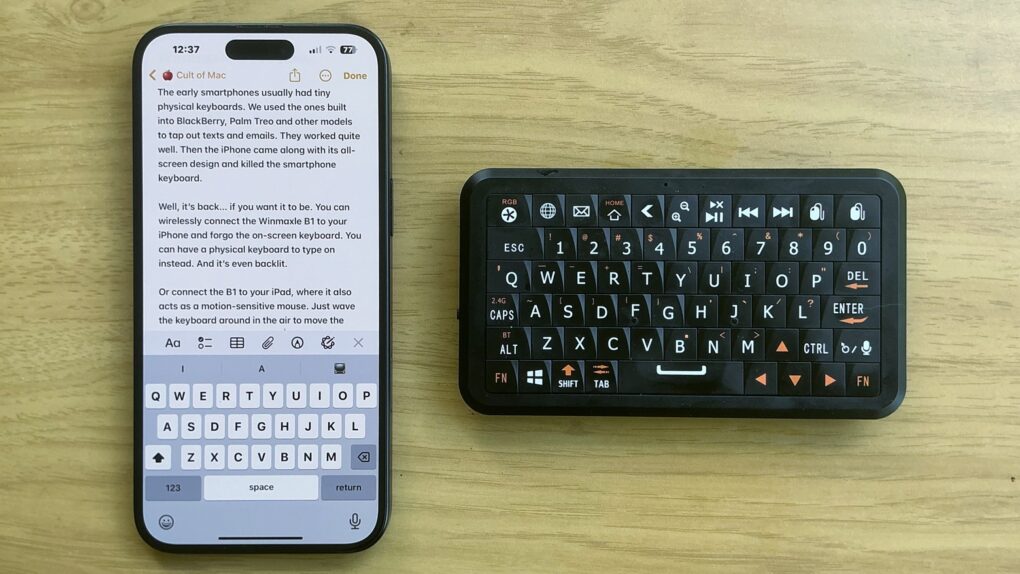
The Winmaxle Mobdel B1 adds a physical keyboard to your iPhone, and it's easier to type on than a virtual keyboard. Photo: Ed Hardy/Cult of Mac
The Winmaxle Mobdel B1 can be a physical keyboard for typing on your iPhone, harking back to the days of the BlackBerry. And because it’s also a motion-sensitive mouse, you can use it with your iPad, too. Either way, it’s a handy little gizmo.
I found multiple uses for the wireless keyboard while I was testing it. But I also ran into a limitation that made it not as useful with my iPad as I hoped.
Backbone One USB-C game controller makes high-end gaming a pleasure on iPhone. Photo: Ed Hardy/Cult of Mac
A deal on the Backbone One (USB-C), which ranks among the absolute best clip-on game controllers for iPhone, cuts 40% off the usual cost. It’s also on sale at Amazon, though the deal isn’t quite as good.
Can’t take the family Playstation or Xbox to university? Game on your iPhone instead with this controller.
★★★★☆
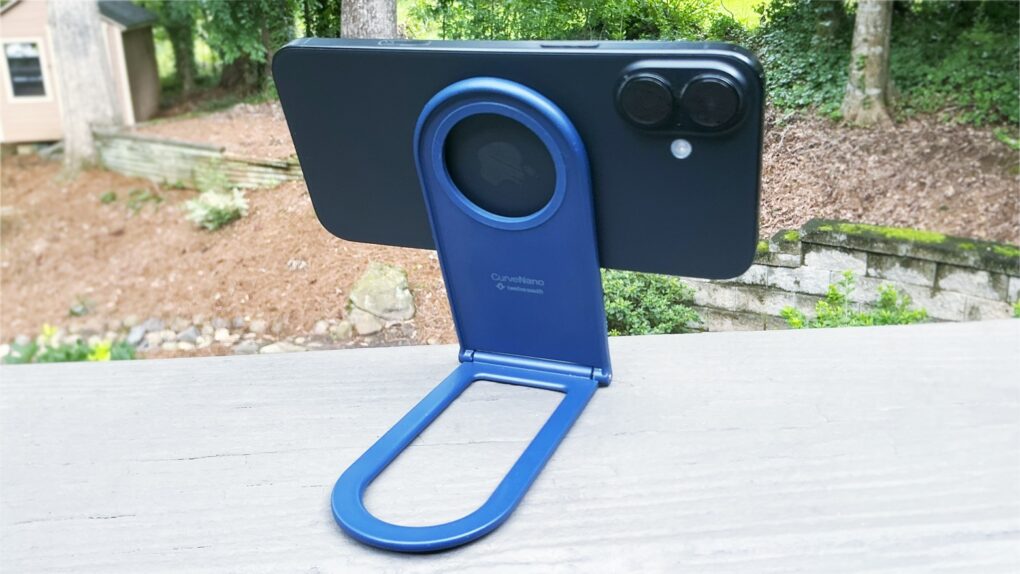
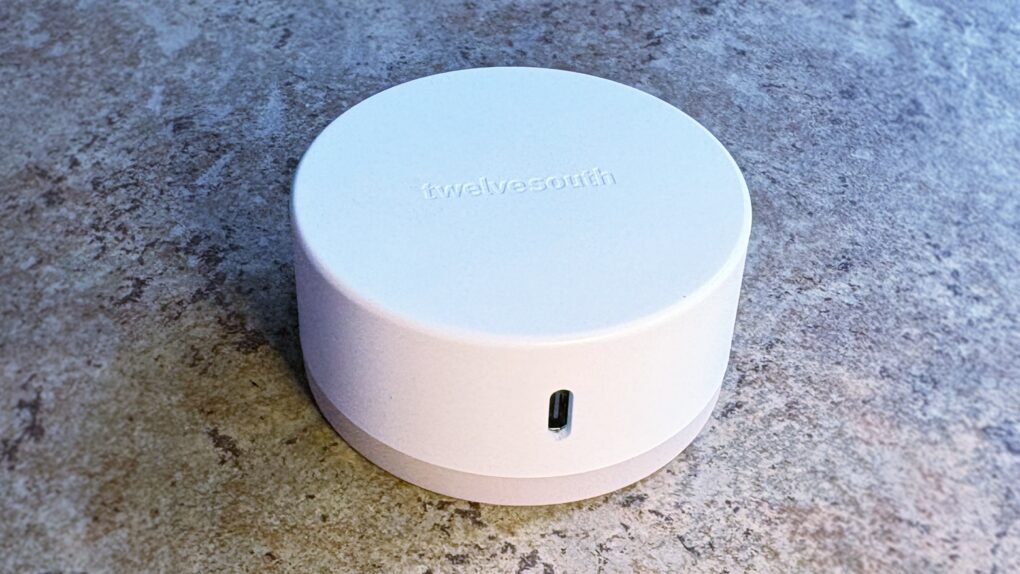
The Twelve South Curve Nano can be your iPhone stand wherever you need one. Photo: Ed Hardy/Cult of Mac
The Twelve South Curve Nano is an iPhone stand designed to go with you anywhere. It’s slim and lightweight when folded, but flips open to support your handset when you’re watching video, making a video call and more.
I tried it out with my iPhone 16 Plus, both at home and on the go. Here’s what I found.
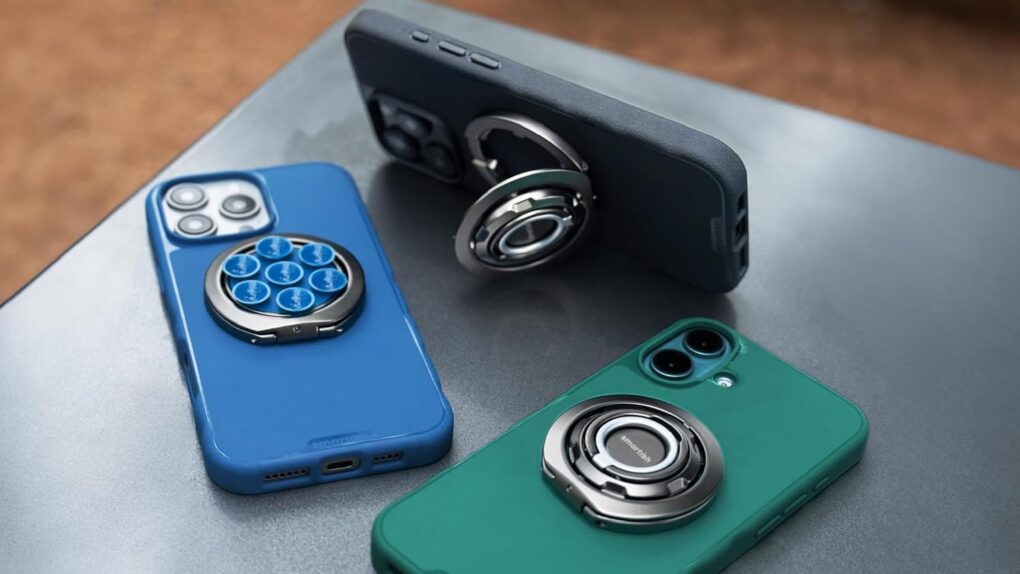
Don’t carry three accessories when one can do what your iPhone needs. Photo: Smartish
The Smartish Wallflower magnetically attaches to your iPhone, where it’s ready to do three important jobs. It’s a finger loop so you don’t drop your handset, it’s a stand to prop up the device, and it’s even a suction mount so the iPhone can stick to many surfaces.
★★★★☆
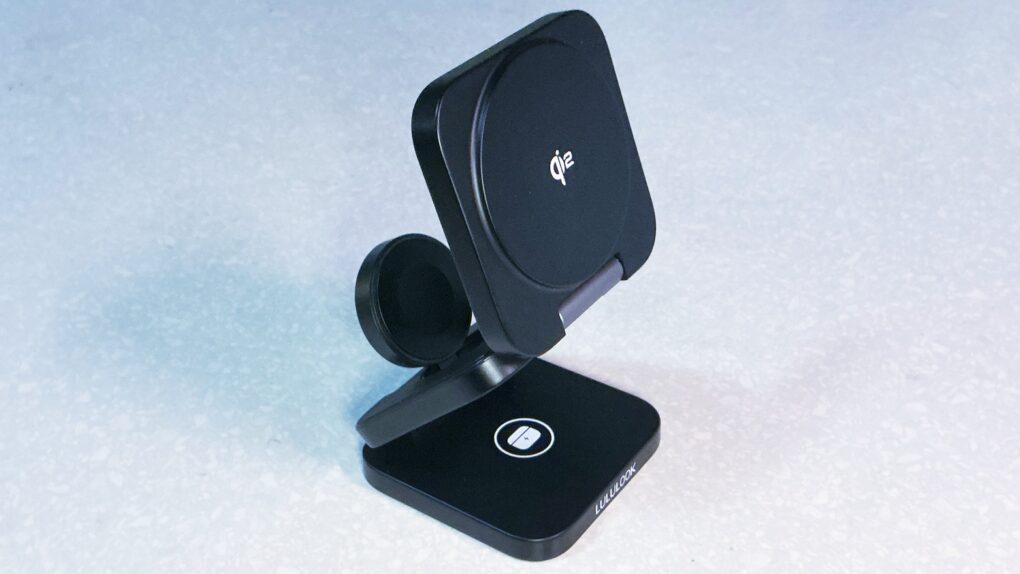
A new travel charger from Lululook works well and is very affordable. Photo: Ed Hardy/Cult of Mac
A couple of things immediately catch the eye about the Ultra-Nano Qi2 3-in-1 Travel Charger. One, you can make it into a convenient stand or lay it out flat when charging your iPhone, Apple Watch and AirPods. And the second? Wow, this thing is a deal.
I tried it out with all my Apple devices. There are a lot of features to like here, but also a quirk in the design that Apple Watch wearers need to know about.
★★★★☆
Don’t be fooled by the simple design — PowerBug is two useful accessories in one. Photo: Ed Hardy/Cult of Mac
The Twelve South PowerBug is a new palm-size accessory that does two useful jobs. It’s both an iPhone stand and a plug-in wall charger. It uses MagSafe magnets to hold onto the handset, whether you’re using it to watch video or to juice up the iPhone’s battery.
It works wirelessly, plus there’s a USB-C port for powering a second device.
PowerBug just launched today, but I got some hands-on testing time before the debut. Here’s what I found.
★★★★☆
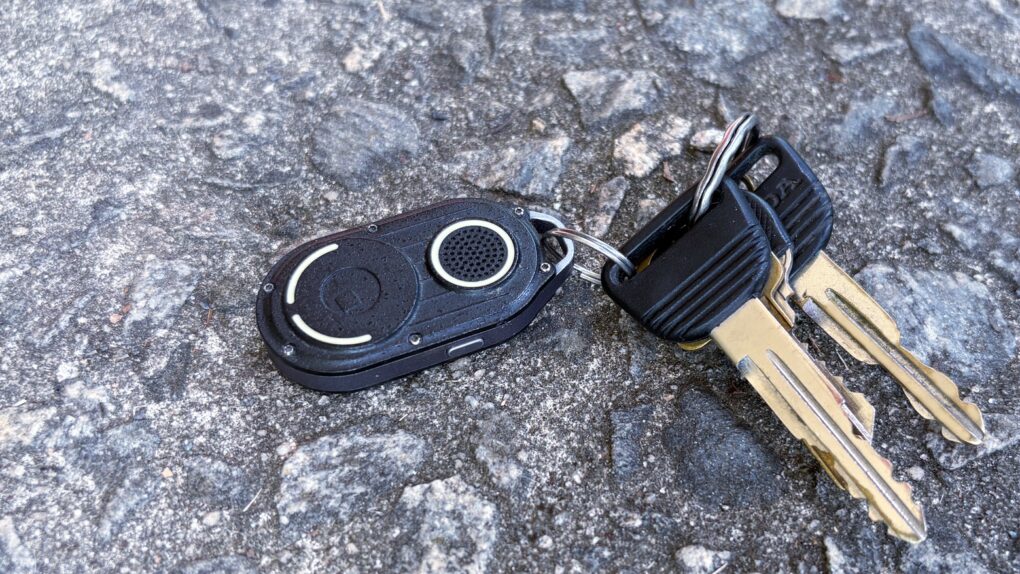
AirNotch Pro tracker tag outperforms Apple’s AirTag in several important ways. Photo: Ed Hardy/Cult of Mac
Those needing to keep track of something living a tough life should consider the Rolling Square AirNotch Pro. It does the same thing as an Apple AirTag, but beats Apple’s tracker tag with sheer volume and a few other tricks, too.
It’s rugged, and connects to Apple’s Find My network so no additional app is needed to locate the tag with an iPhone.
I tested AirNotch Pro for months. Here’s what I found.
This lanyard can also charge your iPhone. Photo: Satechi
The Satechi OntheGo USB-C Lanyard Cable makes carrying around an iPhone easy, and charging it, too. That’s because it’s both a lanyard and a USB-C charging cable in one accessory.
In addition, the accessory maker also just launched the Satechi OntheGo 67W Slim Wall Charger to power up an iPhone or MacBook when and where needed.
★★★★☆
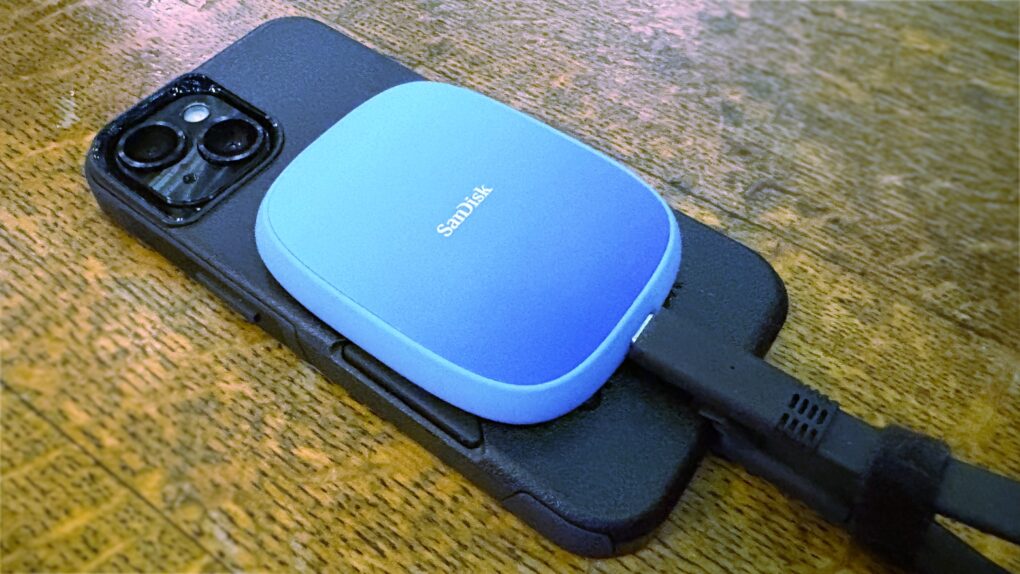
Expand your iPhone Pro/Pro Max storage capacity with this SanDisk SSD. Photo: Ed Hardy/Cult of Mac
SanDisk designed its Creator Phone SSD specifically for people recording large amounts of 4K ProRes video with a recent iPhone Pro/Pro Max model. The MagSafe drive magnetically attaches to the back of the handset so it’s out of the way during filming.
It holds up to 2TB of data without making the handset difficult to film with. And transferring data to a Mac for editing is a snap.
I tested the SSD with my iPhone and it worked very well. But the cable is bulkier than it should be.
★★★★☆
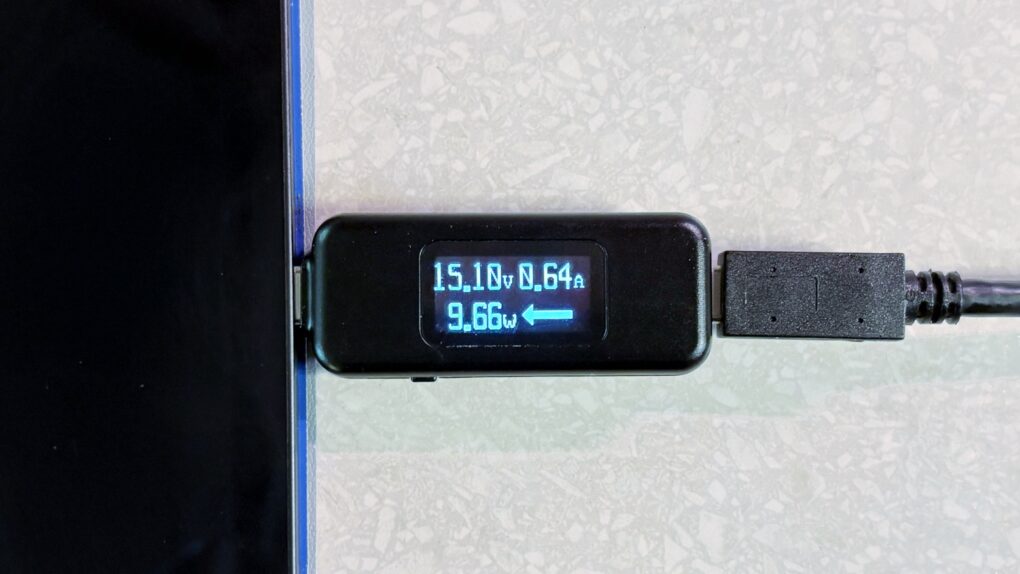
Find out why your iPad isn’t charging with this mini multimeter. Photo: Ed Hardy/Cult of Mac
With the StarTech.com USB-C Power Tester, you can easily look for charging problems in your setup. It’s a quick and easy way to ensure your devices are getting all the power they’re supposed to.
I tested the inexpensive little multimeter out. Here’s what I found.
★★★★★
The Arovia Splay puts a beautiful 25-inch screen anywhere you need one. Photo: Arovia
The Arovia Splay Portable Foldable Monitor and Projector is a truly remarkable piece of kit. Not only does it promise a 25-inch, 1080p screen that can fold down to the size of a book, it actually delivers… with a surprisingly bright, clear image that doesn’t need a darkened room.
As the name indicates, it can also be used as a small portable projector.
I watched hours of TV shows on the Splay, and used it for work, too. I’m truly impressed with the performance. I’m less pleased about the price, though.
★★★★★
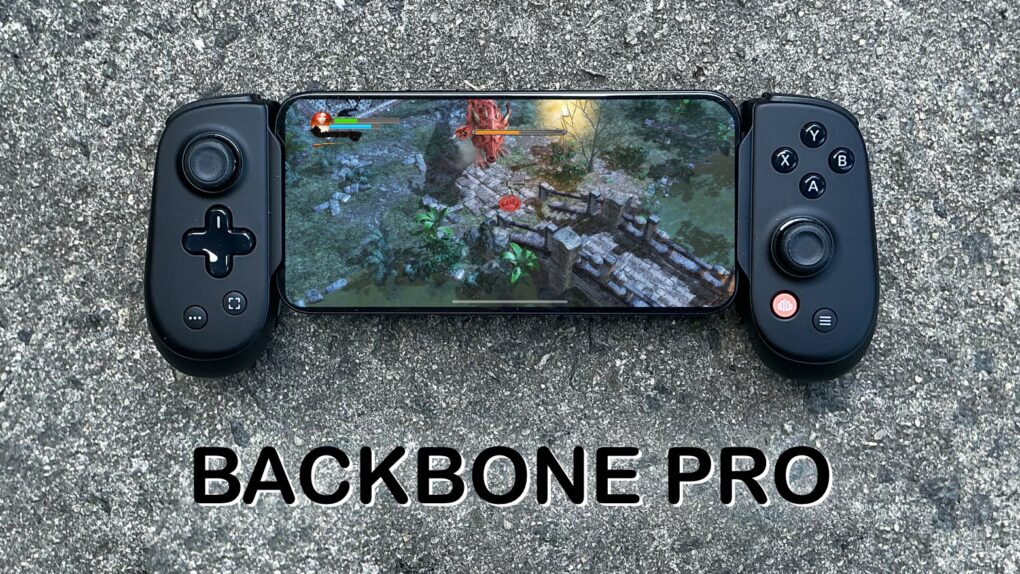
There’s no better way to improve mobile gaming than with Backbone Pro. Photo: Ed Hardy/Cult of Mac
The Backbone Pro game controller that launched Tuesday wraps around your iPhone and connects via USB-C, but it can also connect to your Mac or iPad via cable or Bluetooth. Plus, it adds remappable rear buttons to the standard mix of sticks, triggers, D-pad and more.
Backbone already makes the best iPhone game controller, and my hands-on experience with this new premium version found that it takes mobile gaming to a whole new level.
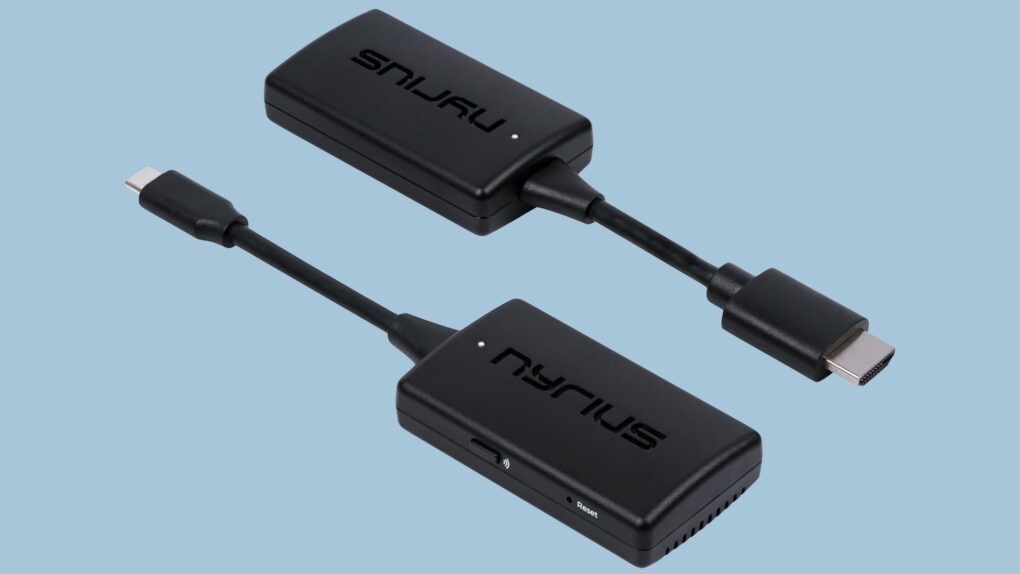
Replace that bulky HDMI cable with this wireless video transmitter and receiver. Photo: Nyrius
With the Nyrius Orion Prime Wireless USB-C to HDMI Video Transmitter & Receiver, you don’t need a cable to connect your MacBook, iPad or iPhone to your TV. It can send video up to 150 feet, offers HD resolution, and doesn’t require a Wi-Fi network.
★★★★★
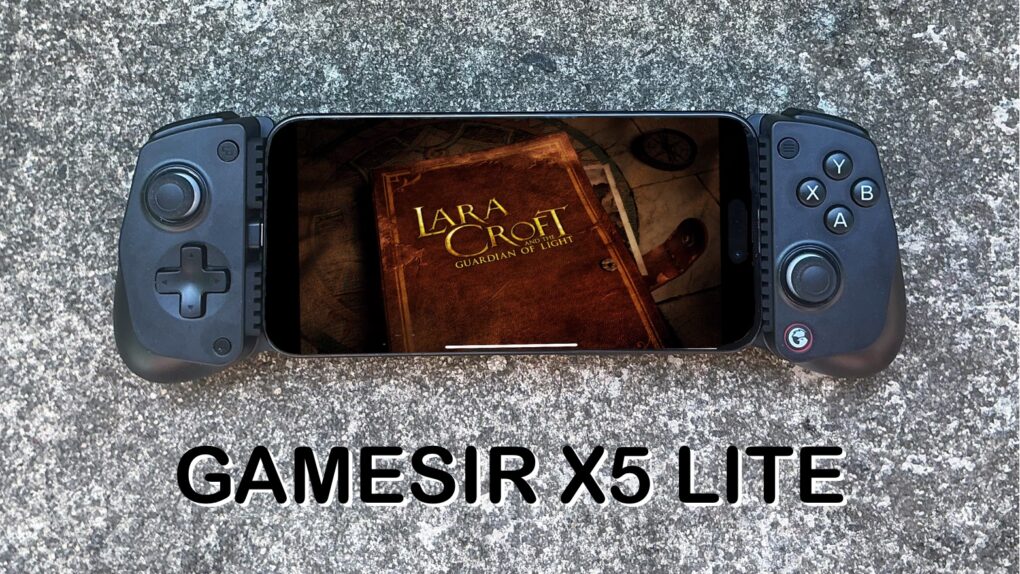
The GameSir X5 Lite is fun and a great value. Photo: Ed Hardy/Cult of Mac
The GameSir X5 Lite is the game controller for those who’ve hoped for a truly affordable way to add physical buttons and sticks to their iPhone. It costs a fraction of the price of its chief rival.
But don’t call it cheap. The accessory includes Hall Effect sticks plus a full set of the buttons and triggers needed for cloud gaming or on-device apps.
I enjoyed my time testing the GameSir X5 Lite — read the full review to find out why.
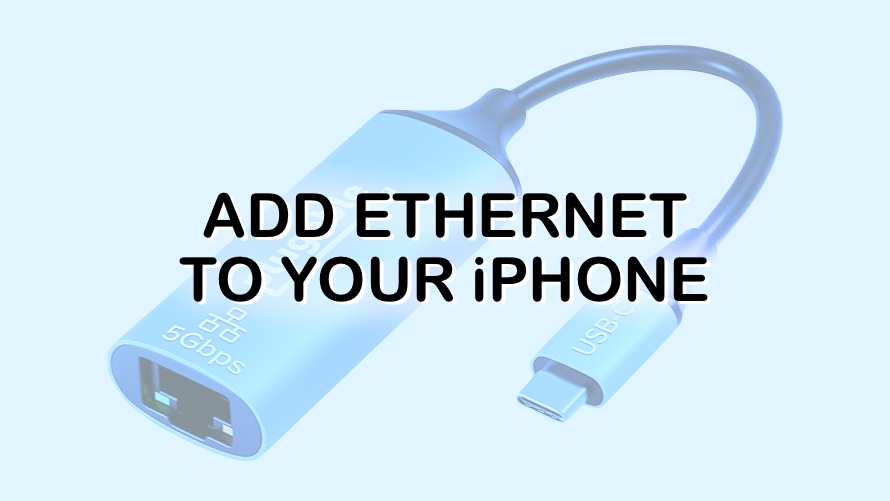
An Ethernet adapter might be a worthy addition to your iPhone. Graphic: Cult of Mac
iPhones are, by definition, wireless devices, but a connection via Ethernet adapter brings speed, security and reliability. Fortunately, adding a wired internet connection to your iPhone is very easy.