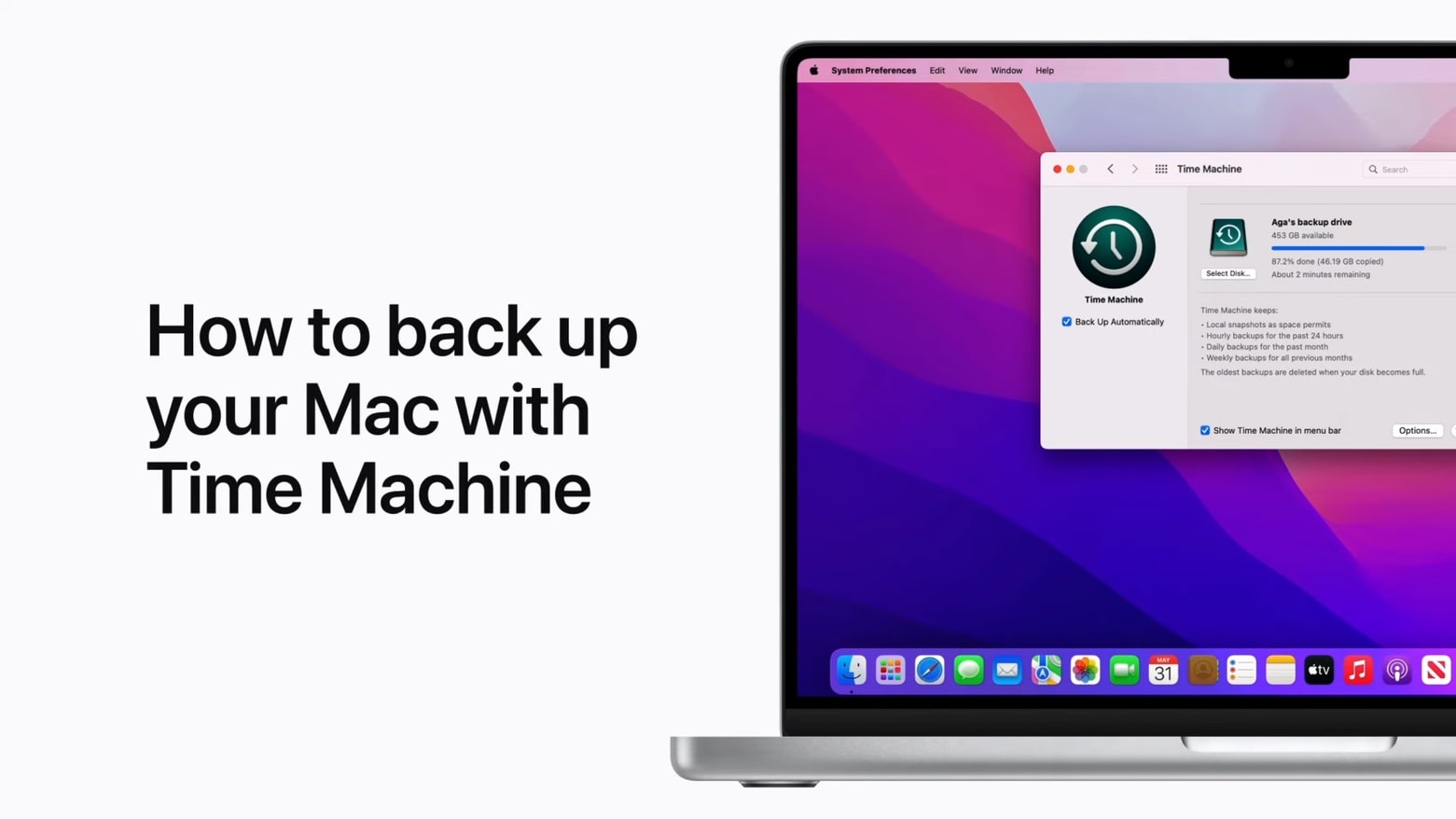
A "how to" makes the process of setting up Time Machine to backup your Mac less intimidating. Image: Apple
Your Mac can automatically make copies of your files with Time Machine, software built into macOS. A new video walks anyone unfamiliar with the feature through the setup process.
Using Time Machine is highly recommended. Macs don’t fail often, but when they do it can be a disaster for the user if they don’t have backups of their important files.
Transform your old Mac into a Chromebook with Chrome OS Flex Photo: Google
Google’s Chrome OS Flex is now ready to revive Macs that are too elderly to run the latest macOS version. That includes models as far back as 2010. It turns the Mac into a Chromebook, but at least it’s an up-to-date one.
The free OS is targeted at businesses and schools, but it might become a way for individuals to bring some new life to their obsolete Macs.
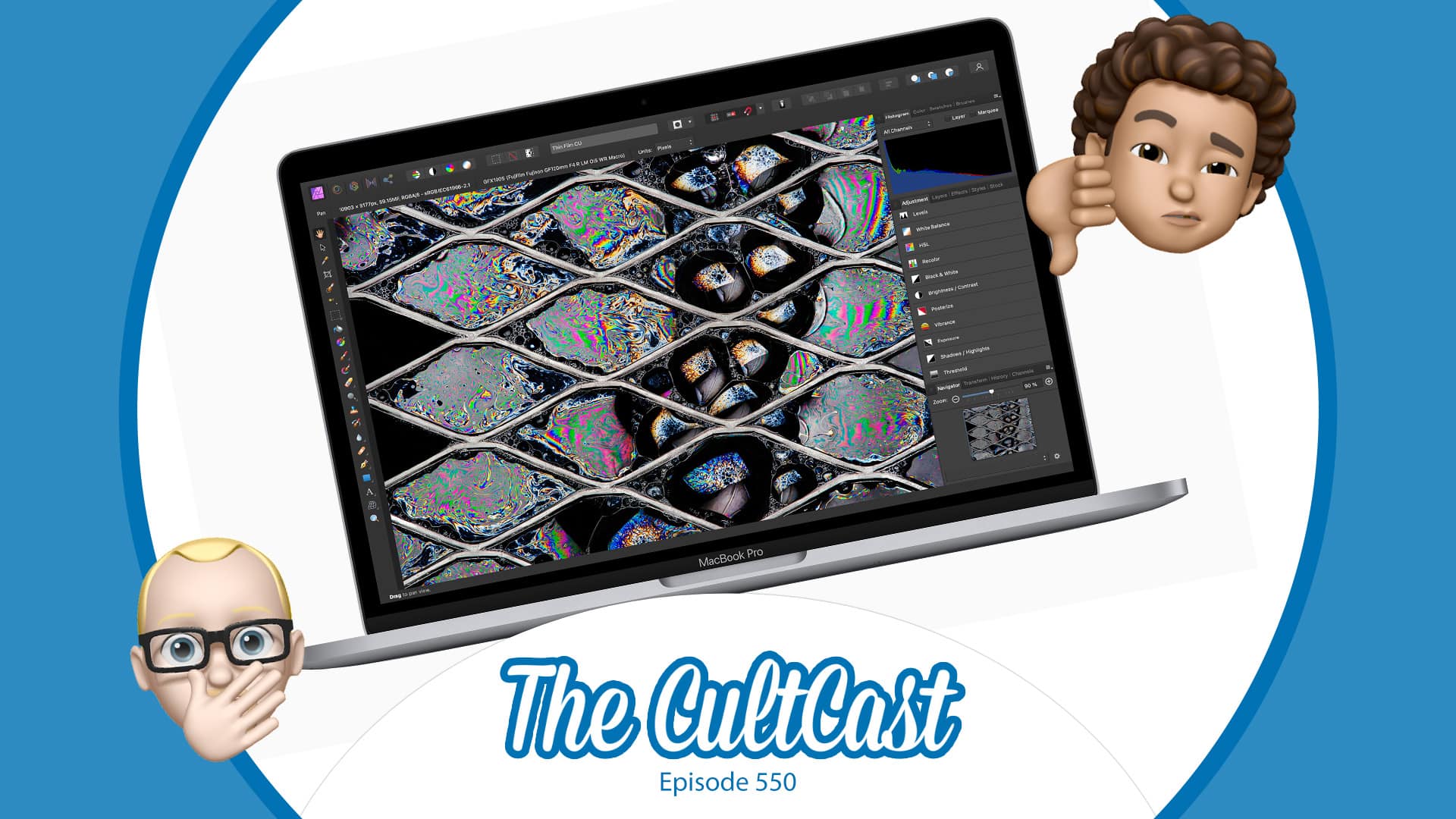
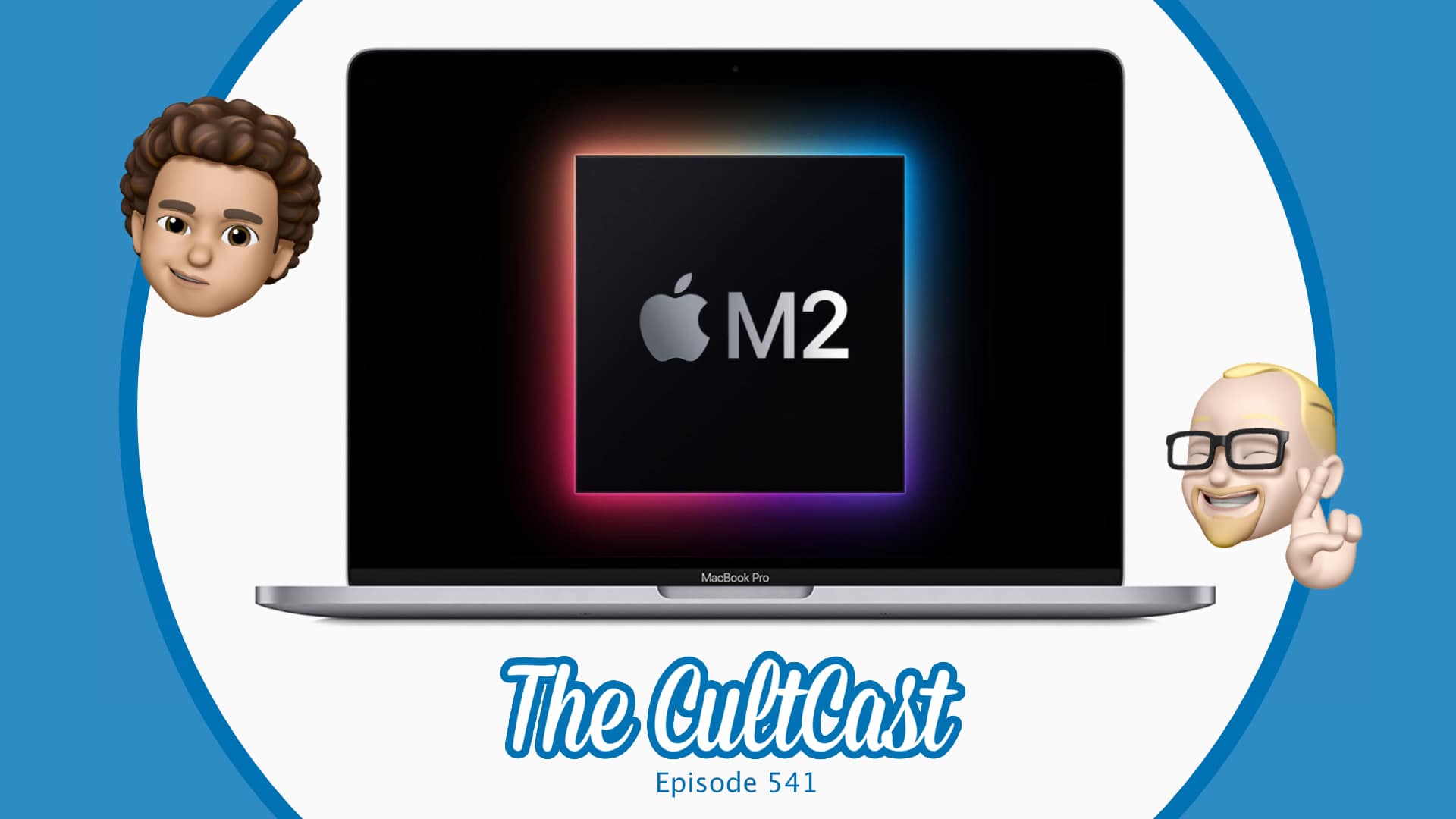
There are very few reasons why anybody should buy the new MacBook Pro. Image: Cult of Mac
This week on Cult of Mac’s podcast: The first reviews for the new M2 MacBook Pro are … not good.
Also on The CultCast:
Benchmarks for Apple’s new M2 chip continue to impress, but you can expect even more amazing performance boosts later this year.
What the upcoming CarPlay update is really about.
Apple TV+ has another hit on its hands with For All Mankind.
Listen to this week’s episode of The CultCast in the Podcasts app or your favorite podcast app. (Be sure to subscribe and leave us a review if you like it!) Or watch the video livestream, embedded below.
Our sponsor: CleanMyMac X
CleanMyMac X, from Ukrainian developer MacPaw, is a decluttering app for Mac that can keep your computer in tip-top shape. It includes 49 tools to find and delete invisible junk clogging your hard drive. Cult of Mac publisher Leander Kahney swears by CleanMyMac X (instead of swearing at it, as he does with most apps).
Get CleanMyMac X today with 5% off at macpaw.app/cultcast. Discount valid until June 30.
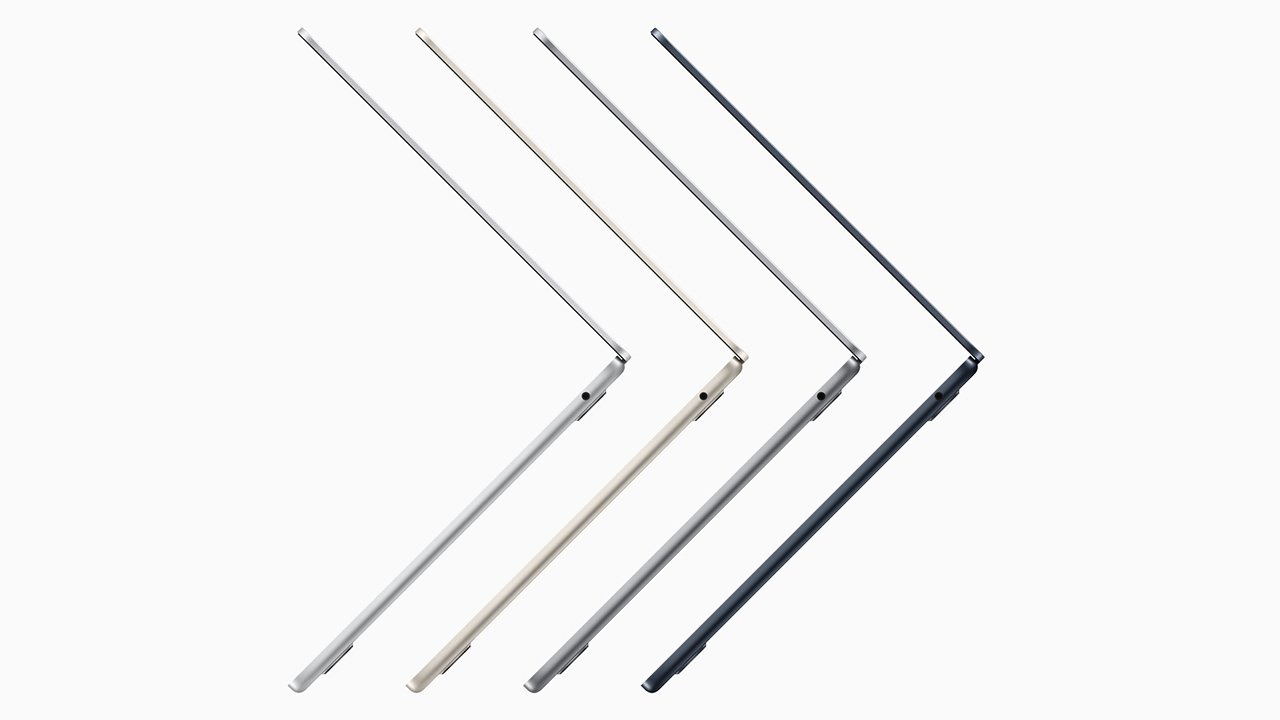
Apple appears to want to broaden its MacBook Air and MacBook Pro lineup to capture more market share. Photo: Apple
Apple is developing new form factors and planning upgrades for its MacBook lineup, Bloomberg reported Thursday. That should result in a 15-inch M2 MacBook Air and a new version of a 12-inch M2 MacBook arriving by late 2023 or early 2024.
And, likely sooner than that, we could see faster chips in the 14-inch and 16-inch MacBook Pro models.
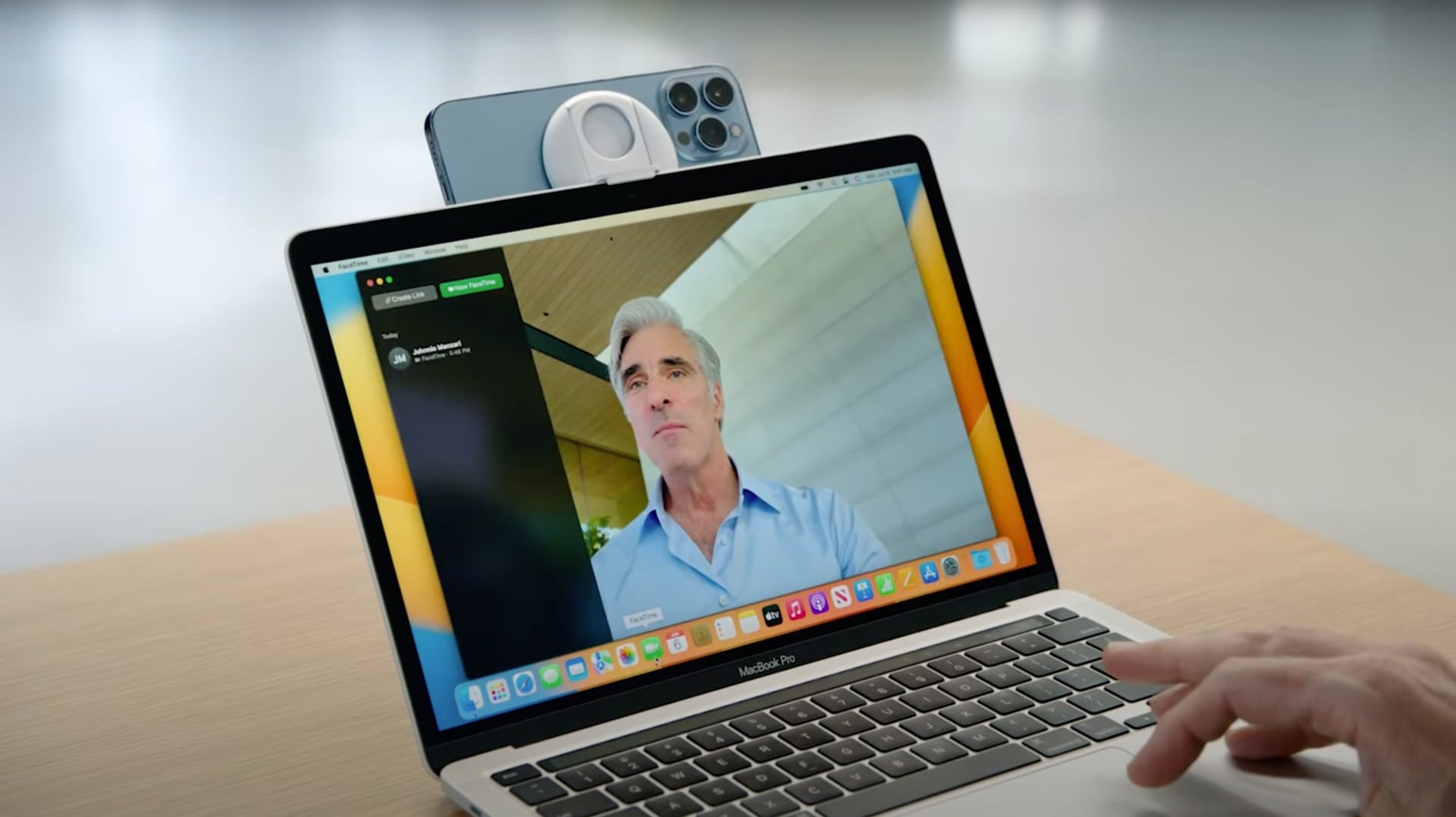
It might look a little silly, but Camera Continuity could be a huge win for video calls AND video streaming Photo: Apple
Continuity Camera, a new feature coming in iOS 16 and macOS Ventura, will upgrade video calls by bringing the iPhone’s pristine camera to the Mac.
“With Continuity Camera, you can use iPhone as your webcam,” said Craig Federighi, Apple’s SVP of software engineering, during Monday’s live-streamed WWDC22 keynote. “It’s powered by the advanced capabilities of the iPhone camera system, letting you do things that were never before possible with a webcam.”
Don't miss a thing from WWDC22. Photo: Cult of Mac
One of Apple’s biggest events is right around the corner. This year’s Worldwide Developers Conference keynote promises to deliver our first look at the company’s next-generation software updates for iPhone, iPad, Mac and more. And it’s all happening on June 6.
Just like past WWDC keynotes, this year’s will be streaming online, so you’ll be able to watch it in its entirety as it all unfolds. Here’s how.
Get the most battery life out of your Mac. Image: Apple
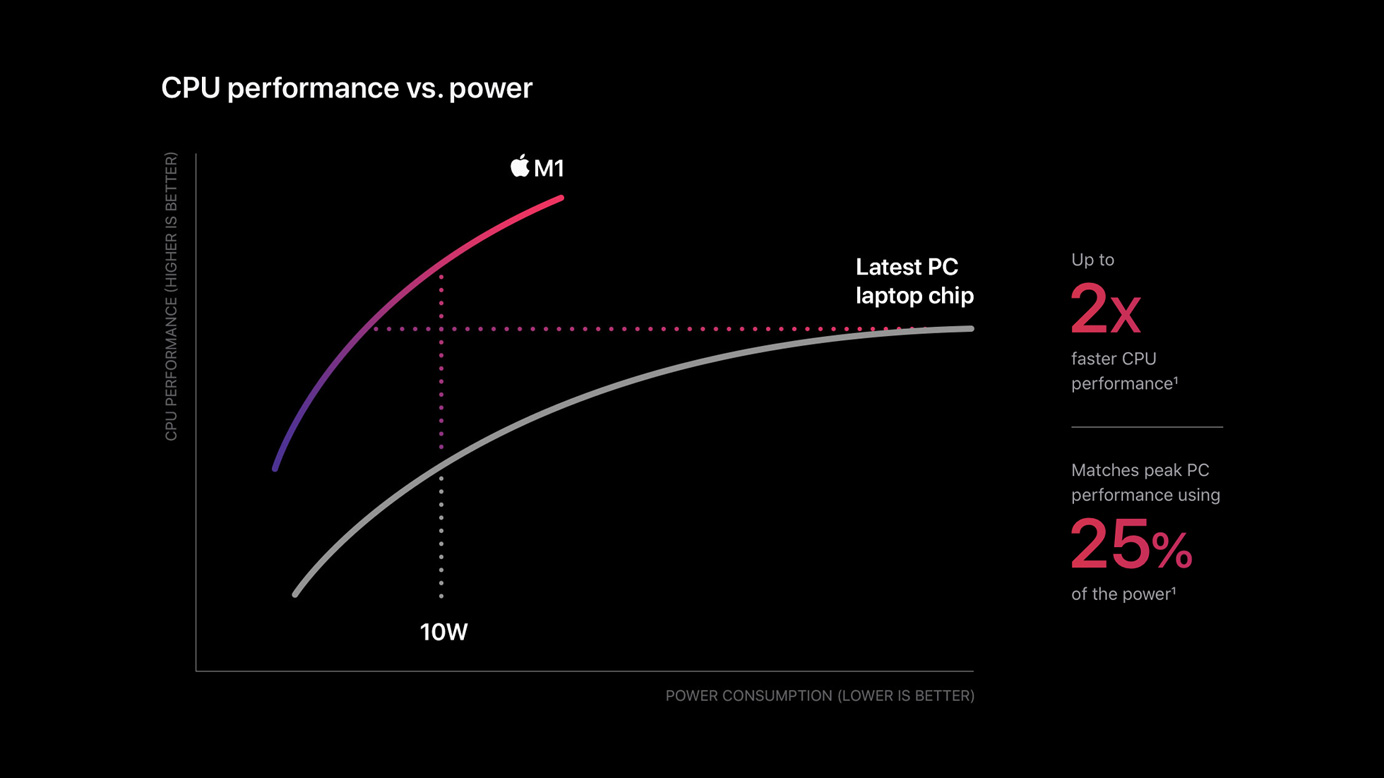
How do you kill that which cannot die? The MacBook Air and MacBook Pro boast industry-leading battery life. In the PC world, the high power consumption of Intel processors means you generally must choose between battery life and performance.
The latest MacBooks use Apple’s own custom chips, cut from the same cloth as the iPhone and iPad chips Apple has been designing since 2010 (and, in a roundabout way, the one they made for the Apple Newton in 1994). This is what powers them to last all day at full speed.
If you want to take your M1 Max MacBook Pro to the coffee shop to get work done, and you leave your power cable at home — even if you’re editing 8K ProRes video streams in Final Cut Pro — you still might be ordering lunch and staying through dinner. How could one possibly need more battery life, and how do you get it?
With the Anker 563 USB-C Docking Station, a MacBook with an Apple M1 processor can handle three external monitors – two more than Apple designed the notebook to support.
And the hub can do more than that. It also packs three USB-A ports and an Ethernet connection.
It could be a while before you can put a Mac Studio in your office. Photo: Apple
If you need a Mac Studio this autumn, it might be smart to order it now. You could find yourself waiting for up to three months for delivery of some some top-tier configurations.
The macOS desktop appears to be caught by the same assembly delays that are affecting MacBook Pro.
There's a light at the end of tunnel of long MacBook Pro wait times. Photo illustration: Cult of Mac
Everyone waiting for a new MacBook Pro to be delivered can take heart from a report that Quanta Computer has restarted assembling Apple notebooks. This comes after its assembly plant in Shanghai had been temporarily closed as part of the Chinese government’s attempts to slow the spread of COVID-19.
In the meantime, though, wait times for top-tier MacBooks now stretch into July.
Awesome Apps is a new series highlighting the best apps around. We will feature our favorite apps as well as new and notable ones. Apps are transformative, and these are the best.
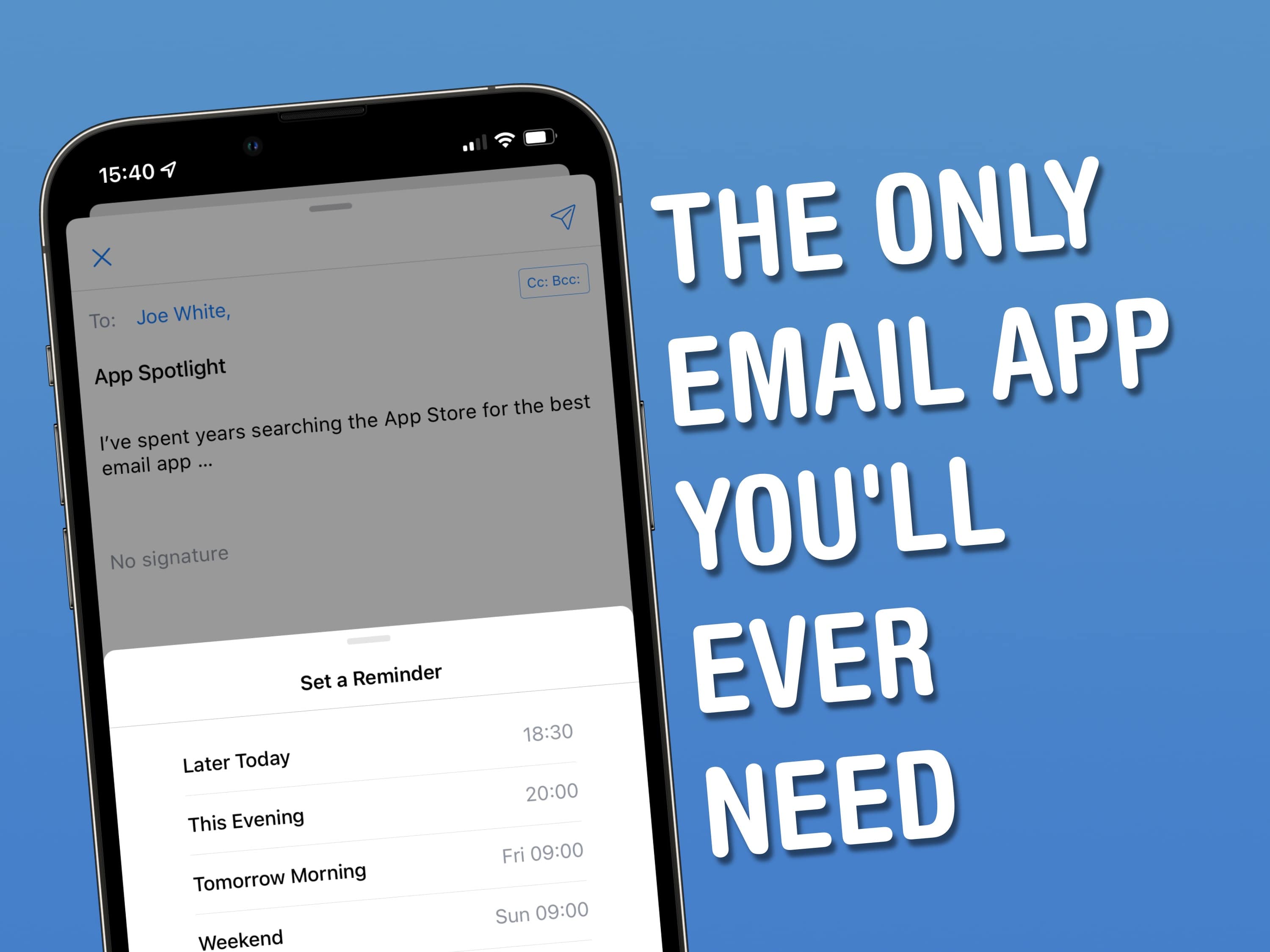
I’ve spent years searching the App Store for the best email app – and in doing so, I’ve tried them all. Spark is my favorite because it equips users with accessible power features, which make wrangling email on iOS, iPadOS and macOS as easy as ABC.
When friends of mine bemoan the limitations of Apple’s built-in Mail app, I point them to Spark, from Ukrainian developer Readdle. Spark is by no means a new addition to the App Store. But over the years, the developer added a strong set of features – many of which found their way into other email clients for iPhone, iPad and Mac.
Apple warns that supply chain constraints will take a heavy toll in coming months. Photo: Raychel Sanner/Unsplash License/Cult of Mac
The first three months of 2022 were good to Apple, with revenue setting a quarterly record. But the company warned on Thursday that problems getting components and assembling products will take a nasty chunk out of revenue for the current quarter. The hit will to be between $4 billion and $8 billion.
But there’s also plenty of good news in from the conference call CEO Tim Cook had with investors after Apple’s March quarter results were announced.
We'll discover on Thursday how Apple did during Q1 2022. Analysts are moderatly optimistic. Photo: Ed Hardy/Cult of Mac
Wall Street analysts harbor modest hopes for Apple’s most-recent financial quarter. They predict the company saw its revenue rise by 5% versus the same quarter of 2021.
The iPhone-maker will announce the results of the January-through-March period ahead of Thursday’s quarterly earnings call. Investors will be looking closely to see how the company is managing the ongoing chip shortage, COVID-19 lockdowns at assembly plants, inflation and other challenges.
Looks like 2022 is gonna be bumpin'! Image: Lewis Wallace/Cult of Mac
This week on Cult of Mac’s podcast: It sounds like Apple is planning nearly a dozen new Macs with a next-gen M2 processor. The question is, just how big of a speed bump will that new chip bring? And then there’s iPhone 14, which sounds like it might come with a very big bump indeed — and not the kind you might be hoping for.
Also on The CultCast:
The original HomePod never ceases to surprise.
iPhone 14 could be the ultimate smartphone for narcissists.
Apple might be prepping an ingenious hybrid device to take over your living room.
When you’re tired of wearing earbuds, you’ve got options. Very strange options.
Listen to this week’s episode of The CultCast in the Podcasts app or your favorite podcast app. (Be sure to subscribe and leave us a review if you like what you hear.) Or watch the video livestream, embedded below.
Our sponsor: Squarespace
Special thanks to this week’s sponsor, Squarespace. Get all the tools you need to set up your very own website and commence selling anything online. Start your free website trial today at squarespace.com/cultcast (no credit card required). Save 10% off your first purchase of a website or domain with code cultcast at checkout.
Turning a design into a product doesn't have to happen in China. Photo: Apple/Cult of Mac
Apple will increase the number of countries where it does an important phase in developing products, according to a industry analyst. Currently, its R&D-oriented New Product Introduction (NPI) sites are in China, but the company plans to build NPI offices in other places as well.
Recent COVID shutdowns — which have disrupted several recent products — are supposedly the reason for the change.
There’s one thing you don’t do if you’re on Microsoft’s social media team, and that’s promote Apple products. It seems at least one person forgot that last week when they posted a tweet featuring an image of the M1 iMac.
The post, which was removed after a few hours, was about cleaning Windows machines “safely and smoothly.” Microsoft should know better than anyone that it’s not even possible to run Windows natively on M1 Mac models.
Just how big will the iPhone 14 Pro camera bump be? Image: 91 Mobiles and Killian Bell/Cult of Mac
This week on Cult of Mac’s podcast: So, what’ll it be first? Good news or bad news about iPhone 14? We’re talking about Touch ID, a possible Apple hardware subscription service and an even bigger camera bump on the Pro model. Hoo boy!
Also on The CultCast:
A peek inside Apple’s new Studio Display proves surprising.
Would a 15-inch MacBook Air by any other name smell as sweet?
The EU might wreck iMessage.
We’re giving away five leather crossbody iPhone cases from Noémie.
What “The Slap” heard ’round the world says about Apple events.
Listen to this week’s episode of The CultCast in the Podcasts app or your favorite podcast app. (Be sure to subscribe and leave us a review if you like it!) Or watch the video livestream, embedded below.
This week’s episode is brought to you by CultCloth. Forget about that overpriced Apple Polishing Cloth. This is the cleaning cloth your Apple devices deserve.
Better than iTunes in every single way. Image: Cider Collective
iTunes has become a slow and bloated mess over the years — which is why it no longer exists on Mac. But for those who are stuck with Windows, suffering iTunes is necessary if you want to enjoy Apple Music. Or is it?
There are other ways to take advantage of your Apple Music subscription on third-party machines. You could use the web app in a browser of your choice, or you could download Cider, a new and far greater iTunes alternative.
Cider, which is also available on Mac if you aren’t happy with the default Music app, offers a clean and simple user interface and almost all of the features we’ve come to expect from Apple’s streaming service — plus extras.
Disappointing M1 Ultra Mac Studio benchmarks leave us scratching our heads. Image: Killian Bell/Cult of Mac
This week on Cult of Mac’s podcast: The first Mac Studio benchmarks make Apple’s much-ballyhooed M1 Ultra chip sound less amazing than we hoped. Maybe it’s not the unhinged beast we expected! But then, what do benchmarks really mean, anyway?
Also on The CultCast:
The new Studio Display suffers due to some odd choices on Apple’s part.
A software update might fix Studio Display’s tragic webcam.
A 15-inch MacBook Air would tick a lot of the right boxes.
And finally, a giveaway for the ladies!
Listen to this week’s episode of The CultCast in the Podcasts app or your favorite podcast app. (Be sure to subscribe and leave us a review if you like it!) Or watch the video livestream, embedded below.
This week’s sponsor is JAMF, an Apple device-management solution that gives individuals and businesses the tools they need to wrangle iPhones, Macs, iPads and more. Register with JAMF now to manage three devices for free.
Would you want to a Mac monthly subscription? What if it offered a new Mac every year? Photo: Apple
Apple might soon give customers the option to get a Mac or other device with monthly fees, rather than paying the full cost up front. The company is working on a hardware subscription service, according to a reliable source.
Software subscriptions are common, but hardware is a different business. Even so, Apple has already dipped its toe into this market.
How is macOS Monterey 12.3 holding up for you? Photo: Ste Smith/Cult of Mac
A growing number of Mac users are reporting issues with external monitors and game controllers after updating to macOS Monterey 12.3.
Some say their Mac no longer detects connected displays at all, while others are frustrated that their Xbox, PlayStation, and other third-party gamepads are not functioning over Bluetooth — even when the controller is connected.
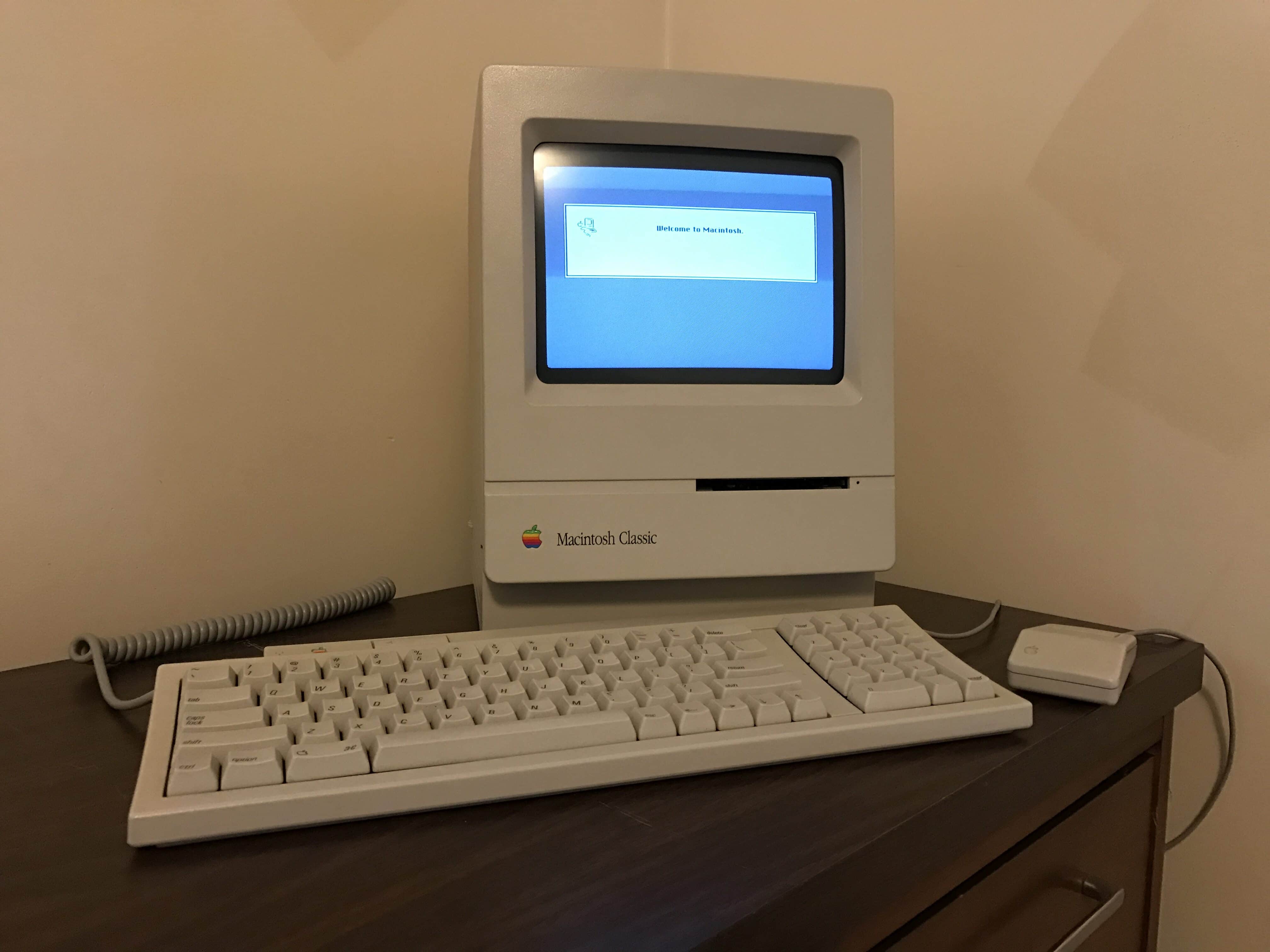
My Macintosh Classic with matching ADB keyboard and mouse. Photo: D. Griffin Jones/Cult of Mac
What makes people start collecting vintage Macs? There are many reasons. Some folks want to play abandoned games or use old software on original hardware. Some simply don’t know how to transfer files, and thus keep their old machines as a giant backup, just in case.
I collect old Macs because I care deeply about history. I want to have an informed perspective on the past so I can better understand trends of user-interface design and the evolution of technology.
My first vintage computer was a Macintosh Classic I bought on eBay for about $80. After lifting it out of its shipping box, I reached around the back to flip on the power switch and watch it boot. I loved hearing the whir of the hard drive, the fans humming and the delightful blip!-blip!-blip! noise the disk drive made when reading a floppy.
Apple computers are highly collectible. They span the entire history of personal computing. The company’s unwavering design philosophy, always pushing ease of use, means even the oldest and weirdest Apple computers are never hard to figure out. The historical lineup spans all different kinds of form factors and designs. Not to mention, they look rad.
So, you want to collect old Apple computers, too? Where do you start, and what do you want? Here’s a quick guide to buying classic Macs. These tips should get you started and help you avoid common pitfalls. (If you want to go even deeper, we also provide some links to further reading on the subject.)
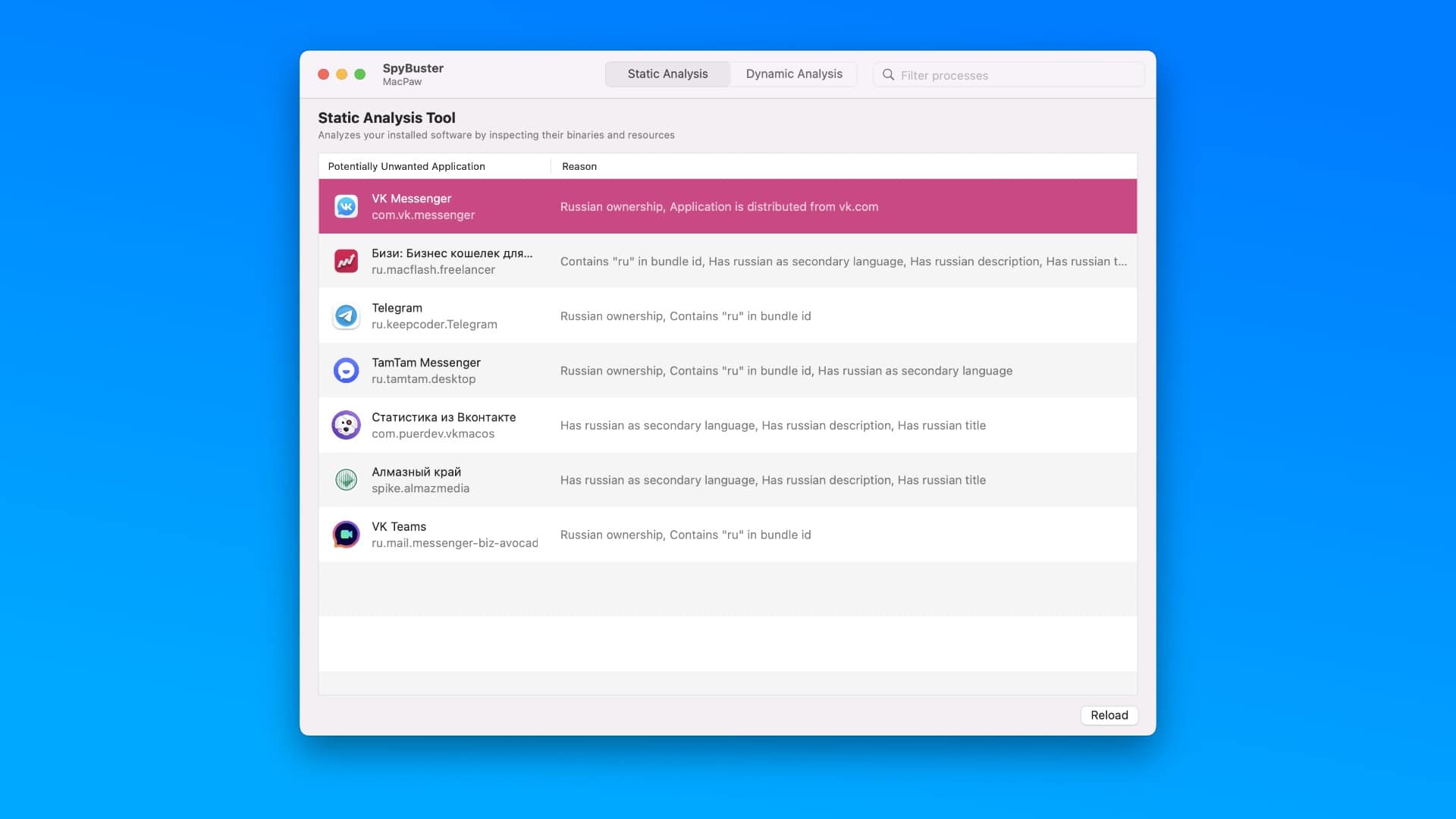
Ukrainian developer MacPaw today released SpyBuster, a new (and completely free!) Mac app that identifies software built by and reporting to “undesirable countries of origin” — such as Russia and Belarus.
SpyBuster also lets you block those connections so that you can prevent additional data being sent to overseas servers, where it may not be protected by the same privacy laws that we’re accustomed to in other countries.