From Vienna comes news of one of the most striking homes (and Mac home offices) I’ve ever seen. Designed by architects Najjar & Najjar, the owner of Villa F is an IT entrepreneur and aficionado of Macs and Lamborghinis. He wanted a living space that reflected his passions. The futuristic result is something which wouldn’t be out of place on the Starship Enterprise.
There is a vast open space that connects the entrepreneur’s working space with a lounge area, a bar and a kitchen. Almost everything inside the Villa F is digitally controlled. There are Plasma TVs, a huge aquarium with computer generated graphics, LED lighting and sound systems that respond at a click of the mouse. [Born Rich]
PlayNice from PocketMac is a new utility that enables syncing between Windows and Mac OS X. It is designed to be a replacement for MobileMe syncing and it doesn’t require an annual subscription. You can sync contacts, calendars, and tasks between iCal and Address Book on Mac OS X and Outlook on Windows.
Dr. Johan Sanneblad has written, Filerr, a new MAC OS X file utility. The application assists users by making sure that the files they are sharing on their Mac are compatible with Windows computers and Windows OS formatted USB thumb drives.
The application runs in the Mac OS X Menu Bar and will allow you to locate and change the names of files in Finder so they can be copied to Windows OS based systems, drives, and cloud services like Dropbox. Anytime a file with an incompatible filename is created the program will warn you via a Growl notification. Filenames that are deemed incompatible begin with a space character or contain one of the following characters: \ / : * ? ” < > |.
The application will allow you to work with multiple files and has some filtering options to prevent warnings popping up on files in specific folders. You set those folders to be ignored and you can set others to be watched. Files drag and dropped into the watched folders will be checked for compatibility.
Filerr is available as a single-user license for $6.95 and requires Mac OS X 10.5 or higher. You can download a free trial here.
Apple released a Mac OS X security update today that patches a critical PDF vulnerability and a handful of other security issues.
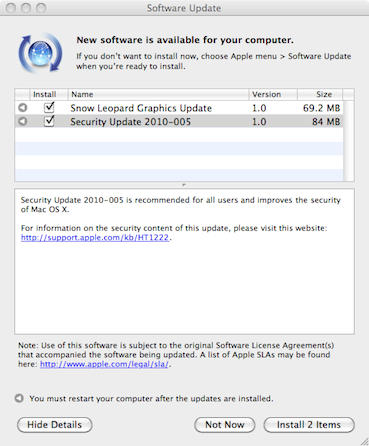
Security Update 2010-005 supplies a fix that addresses a “heap buffer overflow” that exists in CoreGraphics and the way it handles PDF files. The vulnerability could have allowed the “unexpected application termination of arbitrary code execution” via a malformed PDF file.
It is interesting to note that this sounds just like the exploit hackers used to jailbreak iOS 4 on the iPhone. It is possible that it is the same since the two Operating Systems are said to share the same code base. However, there isn’t any indication that this is true in Apple’s support document. Apple released the update for the iPhone exploit, iOS 4.0.2, a few weeks ago.
This update also addresses a “stack buffer overflow” that would allow arbitrary code execution through a malformed embedded font and the remainder of fixes in the update resolve problems with network security.
Security Update 2010-005 is available for: Mac OS X v10.5.8, Mac OS X Server v10.5.8, Mac OS X v10.6.4, Mac OS X Server v10.6.4 via Software Update or direct download.
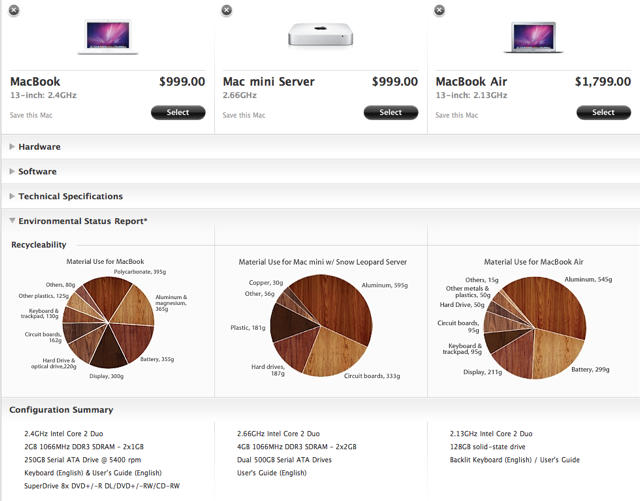
Figuring out which Mac you want to drop your moist wad of bills upon just became a little easier thanks to a new addition to the online Apple store called Compare Macs.
The feature offers a tri-paned juxtaposition of the hardware, software, storage, environmental impact, communications and display of any OS X machine sold by Apple online. The option becomes available in the top menu bar once you select a Mac.
Although there’s nothing particularly revolutionary about the feature, as usual, Apple has managed to execute the new option with such perfection that the HTML5 seems to shiver. Each genre of juxtaposition — Hardware, Software, Technical Specifications, And Configuration Summary — is delineated into specific sections that collapse as you scroll down the page, with each point of comparison flushly horizontal with its comparable brethren. The pie charts under the Environmental Status Report section are particularly well rendered, using different patinas of oak and walnut to attractively convey the green-friendliness of each model.
In truth, Apple’s computer line-up is so well branded that it’s usually pretty clear what performance you’ll get from each computer simply according to where the line model falls within Apple’s spectrum of products. But that’s besides the point: ultimately, “Compare Macs” is just another example of the exemplary interface polish that Apple is known for whether in software, hardware or HTML.
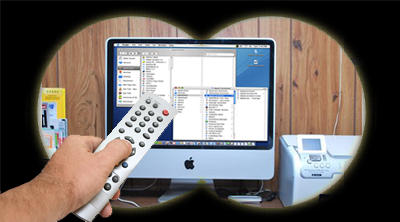
Remote control of your Macintosh allows you to access a distant computer across a network or the Internet. The screen of the remote Mac appears locally, and you use your mouse and keyboard to control the distant system. This capability can be helpful for tech support, system administration, finding missing information or more informed parenting (to the chagrin of many offspring).
With the Mac’s increasing popularity there are now an increasing number of options available for Mac Remote Control, many of which are free. Choices include Apple’s built in Screen Sharing and Remote Desktop software, web based services like LogMeIn and GoToMyPC, and old standards like VNC.
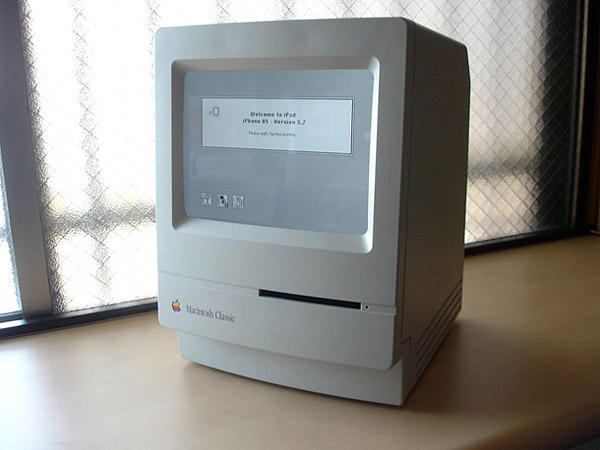
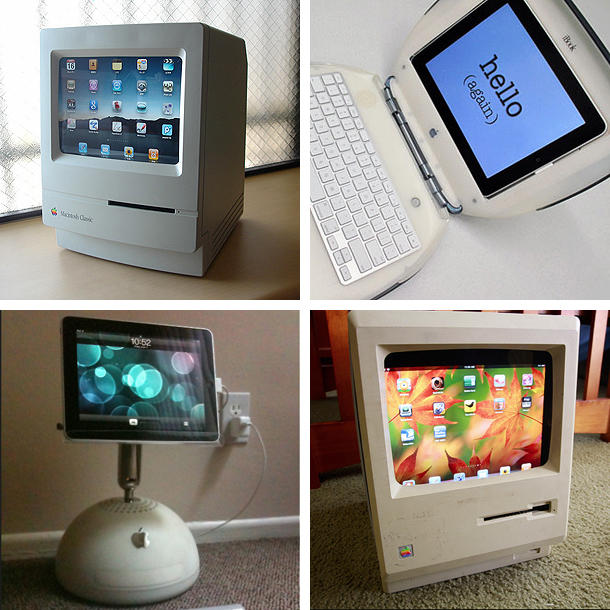
Rising from the dead like a Newton running Mac OS 9, a new form of Mac Zombie is evolving in the wilds of Apple Geekdom: recycled old Macs being used as iPad stands.
One way for old computers to beat mortality is emulation: early Macs had Apple II emulators, PowerPC Macs running Mac OS X had Classic mode, even the venerable Lisa has an emulator. Software emulation gives life to vintage machines long after the actual hardware ceases to function.
A new trend seems to be developing with the iPad: rather than running software within iOS, the iPad is making a home for itself inside the modified cases of old Macs! We’ve coveredtheseitemsbefore, but taken in aggregate a new form of Mac recycling seems to be evolving within the Cult of Apple.
Phone Disk, from Macroplant, is a utility for Mac OS X (and Windows) that runs quietly in the background on your computer until you plug-in an iPhone, iPod touch, or iPad using a USB sync cable. Plugging in your favorite iDevice causes Phone Disk to seamlessly mount the iOS file system on that device to your computers file system. Once mounted you can directly access the files on that device using Finder (and Windows explorer) or any other program.
You’ll be interested in this application if you’re an IT Ninja looking for another good troubleshooting utility to carry around or you’re simply curious about the data that resides on your favorite iDevice.
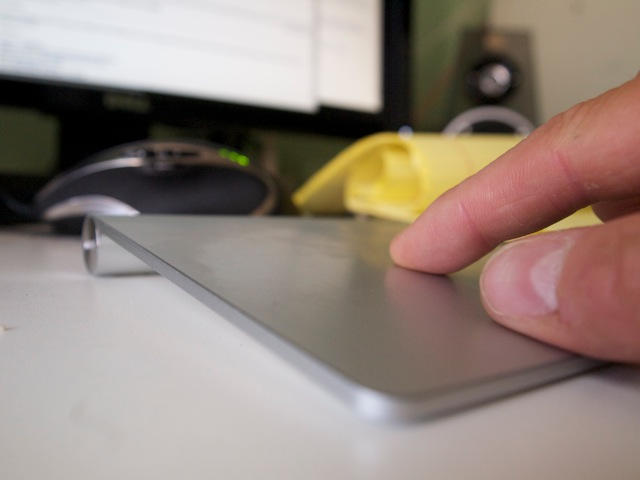
I’ve been using Apple’s Magic Trackpad for just over a week, and I can confidently say it’s replaced the mouse for me.
The Magic Trackpad is easier to use, much more functional than even a multibutton mouse, and possibly less prone to causing repetitive strain injuries.
Not knowing your Mac’s password is like locking yourself out of the house; it’s inconvenient (at best) and always happens at the worst possible time. In our efforts to shield information from others we often wind up just blocking access for ourselves. Fortunately there are several ways to reset your Mac password when amnesia strikes or relevant information isn’t available.
Some methods of resetting your password can affect access to the keychain, however, where many of your other passwords are stored. Nothing in life is free…
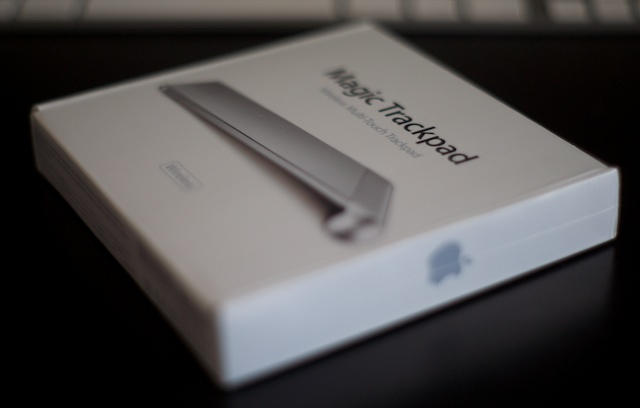
It only makes sense that the company who brought us the first mouse would try to re-invent the way desktop computers are used. Apple is attempting to bring multi-touch to the masses with its new Magic Trackpad. While this might seem like just a trackpad, this could be a sneak peek on how Apple plans to implement iOS onto OS X. Regardless of their intentions, this is the most exciting input device since the Magic Mouse. Read the rest after the break.
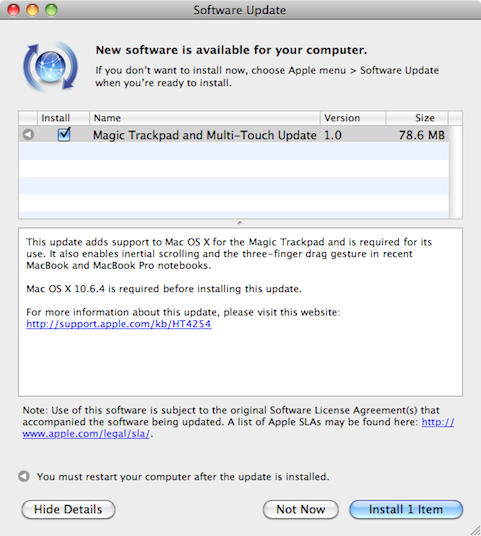
Amid all the new product news on Tuesday Apple quietly shipped a driver update titled: Magic Trackpad and Multi-Touch Update 1.0. I discovered the 78.6MB update last night via Software Update on my Macbook Pro and promptly installed it.
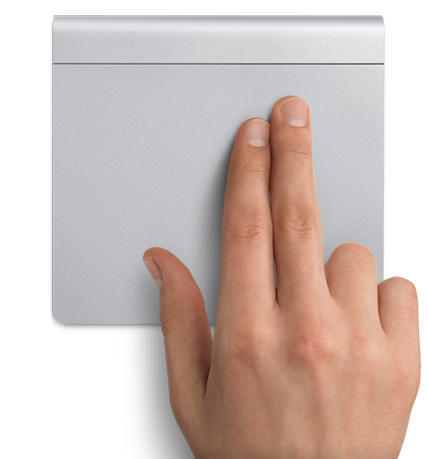
I highly recommend this update for most recent Macbook and Macbook Pro notebooks since it adds support of the new $69 Multi-Touch Trackpad as well as adding gestures for inertial scrolling and three-finger dragging. The three-fingered gesture is my favorite since it allows me to quickly drag windows around.
Also Tuesday, Apple released updates for Windows that add support for the Magic Trackpad hardware. A 6.62MB update is available for 32-bit versions of Windows and another for the 64-bit versions of Windows is 3.98MB. It works with Windows XP, Windows Vista, and Windows 7 as well as Macs running the operating system via Boot Camp.
The Apple Store is back up following some downtime this morning and the Magic Trackpad is now available.
At just $69, the Magic Trackpad provides your desktop Mac with all of the multi-touch functionality and gestures you’ll find on your Mac notebook. It looks fantastic and uses the same sculpted aluminum design as Apple’s wireless keyboard, so it will blend in perfectly on your desk.
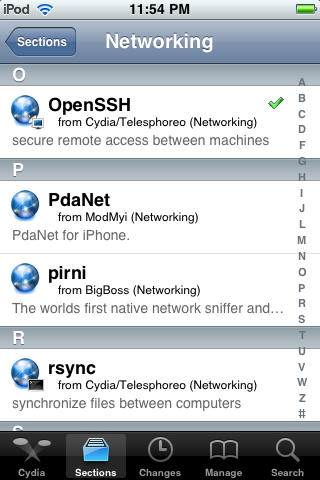
Unless you jailbreak your iPhone, the file system will remain off limits as Apple intended. Even so, many people who jailbreak their phones stop with Cydia. There are, however, a few reasons you might want access to the file system on your device. SSH allows you to do just that using a Wi-Fi connection and a suitable Mac or PC client.
It can come in handy should you need to install something that’s not directly available on Cydia, think beta apps, etc.
Here’s Cult of Mac’s how-to guide to get you started.
If you’re going to jailbreak your iPhone or iPad, before you get started, we highly recommend you backup your device’s SHSH blobs.
With the release of iPhone 3GS and iPod Touch G3, Apple added an extra layer of security to prevent hacking, jailbreaking and unlocking. Apple is constantly closing the exploits used by jailbreak hackers by updating the firmware of its iPhone/iPt and iPad. If you accidentally upgrade your jailbroken device to Apple’s latest firmware, you can’t re-jailbreak it until hackers release new jailbreak software.
MacRumors have picked up on some claims this morning by Mac4Ever that give details on Apple’s next update to the iLife suite.
It’s rumored that the update will happen on August 7th, 2010, and will introduce a whole host of new features including a new “mystery” application:
– iLife ’11 will be sold for $79
– Release Date of 08/07/2010
– All applications will be 64-bit
– Improvements in iPhoto faces & places
– Improving the integration of social networks
– iWeb will be totally renewed
– New application (mystery!)
– Disappearance of iDVD
– MobileMe gallery in beta (with faces & places)
Several rumors have circulated recently regarding an update to iLife, some of which claim the new update will be labelled iLife ’10. However, as MacRumors points out, the iLife ’11 name would be more consistent with Apple’s previous behavior; iLife ’08 was introduced in August, 2007.
MacPaint by Bill Atkinson (Image: anoved via flickr)
Where would the Macintosh (and Computing) World be without Bill Atkinson? MacPaint, QuickDraw, HyperCard – Atkinson stands with the Giants. In homage of his recent donation of the MacPaint source code to the Computer History Museum, flickr artist anoved offers this portrait of Bill Atkinson created entirely in MacPaint. With tools like these, who needs Photoshop? Well done!
Clues to the causes of Mac startup problems can be found by analyzing when in the boot process the system fails. Problems may be related to the power supply, battery, hard drive, logic board, OS corruption or an issue with a user account. Macs are reliable machines, but like many of us they get cranky from time to time.
Isolating where the problem is occurring is key to finding the solution. Unplug any external peripherals (disk drives, printer, etc.) to help narrow down the cause.
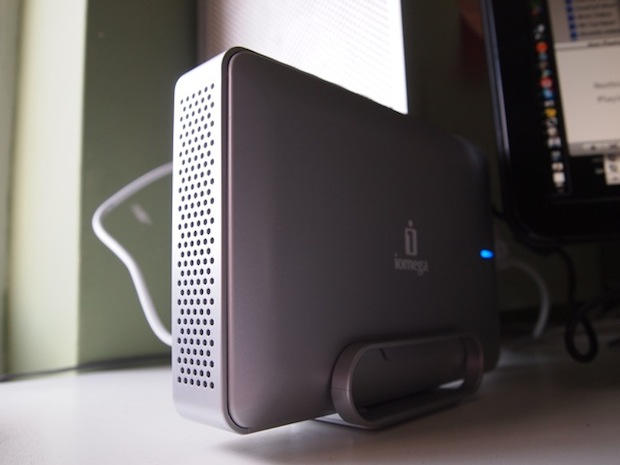
Iomega’s new Mac Edition eGo Desktop Hard Drive packs a whopping 2-Terabytes in a compact, stylish package.
Available now for $249, the eGo drive offers plenty of connectivity options — USB 2.0 and a pair of FireWire 800 ports — making it suitable for a host of tasks, from backup to iMovie video editing.
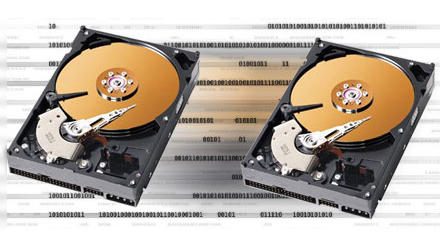
A clone is a bootable backup of your Mac’s hard drive that provides redundancy for both your data and the Macintosh Operating System. Cloning is easy to do and is complementary to other backup methods like Time Machine. The ability to get up and working in minutes after a crash or system update gone awry can be a very useful thing.
Clones provide a way to rollback your Mac OS X installation. You can keep your clone updated using synchronization software to perform incremental updates, and can use your clone to boot another Mac should the need arise.
If you’re going to jailbreak your iPhone or iPad, the first thing you MUST do is backup your device’s SHSH blobs.
With the release of iPhone 3GS and iPod Touch G3, Apple added an extra layer of security to prevent hacking, jailbreaking and unlocking. Apple is constantly closing the exploits used by jailbreak hackers by updating the firmware of its iPhone/iPt and iPad. If you accidentally upgrade your jailbroken device to Apple’s latest firmware, you can’t re-jailbreak it until hackers release new jailbreak software.
You can, however, downgrade your device to the previous firmware version which can be jailbroken — if you have your SHSH blobs on file.
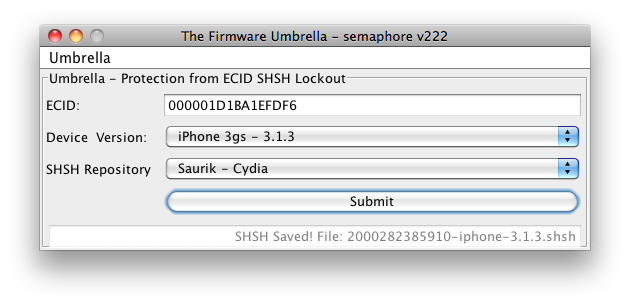
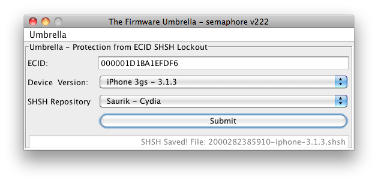
You can extract these SHSH records and save them with the help of a utility called Umbrella. Here’s how:
These records are firmware specific and each time you update, you should repeat this process to save the records for the particular firmware version.
Kimmel records today's show with his MacBook (Photo: abc.com)
This just in: after a power outage hit the taping of Jimmy Kimmel Live! earlier today, our intrepid host lept to the rescue with a Mac user’s quick thinking – plus the Power of QuickTime. Kimmel improvised and with the help of the crew taped the entire show using his MacBook’s iSight webcam.
Kitchen Performers and Video Bloggers rejoice – your video production tool of choice has been vindicated! The show airs Wed 23 June at 12:05AM EST on ABC if you want to see how it all worked out…
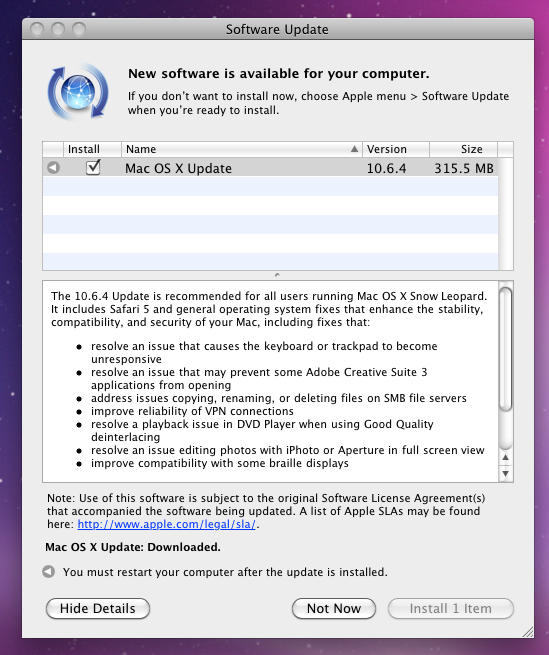
Trying to distract attention from the iPhone 4 pre-order flustercuck, Apple has just released the Mac OS 10.6.4 update, whoch has been expected for weeks.
Weighing in at 315.5 MB, the update includes a bunch of minor fixes, including stability issues with Adobe’s Creative Suite 3, SMB file servers and DVD Player.
The Mac OS 10.6.4 update can be downloaded via the built-in Software Update application.
Apple your idea about iPad file syncing using the manual file-sharing capabilities of iTunes is disappointing. Especially in my case — I sync my media content with my iMac, which by the way isn’t very easy to carry around, and I cannot sync that same content on my Macbook Pro. If I try to sync using iTunes on another computer my syncing options are to Cancel, Transfer Purchases, or Erase and Sync. None of these options are useful, but if I click Cancel eventually I can manually access the files shared on my iPad even on my Macbook Pro.
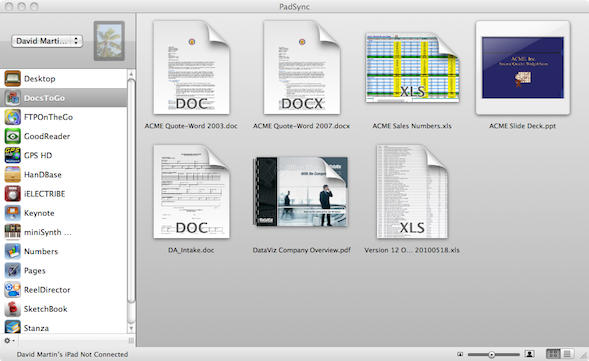
It isn’t clear why Apple didn’t add a simple thing like automatic file syncing, but that doesn’t matter now after I discovered Ecamm Network’s new Mac application, PadSync, which adds automatic syncing capabilities to the file sharing feature of the iPad.
Yesterday, we posted an iBook that had been hollowed out and modded into a working iPad keyboard dock.
Today? The same concept, but accomplished far more elegantly with a vintage Mac Classic… complete with a custom MacOS desktop to keep things appropriately retro.






![MacPaint by Bill Atkinson [Image: anoved via flickr]](https://cultofmac.lh2.online/wp-content/uploads/2010/07/MacPaint-by-Bill-Atkinson.jpg "To Bill Atkinson, With Love and MacPaint")