While looking at social media on your favorite iOS devices is smooth, making the transition to the Mac just isn’t quite the same. Though there are plenty of top-notch applications for looking at Twitter or Snapchat on iOS, the social media gems on Mac can be hard to find.
In today’s video, we’ll show you the top social media apps for Mac so you can transport the fun from iOS to your desktop in the most efficient ways possible. Here’s how to enjoy the fun of Snapchat, Instagram and more, all on your Mac by downloading some killer social apps.
Mac are incredibly complex machines, but thanks to Jony Ive and the rest of the creators, they’re also incredibly simple to use. Mose Mac users know to use keyboard shortcuts to make daily tasks even quicker, but not many know how to turn your Mac’s trackpad into one of the best time-saving tools you’ll ever use.
In today’s video, we’ll take a look at a little known feature called Hot Corners. We’ll teach you how to set them up and how to use them. How to Put your display to sleep, clear your desktop and do even more useful actions, now with just a few quick flicks.
Over time when using your Mac it’s common to find your desktop in scattered disarray. With photos here and documents there, in the midst of this jumble mess completing further tasks seems trivial. Luckily there’s a number of tips that you can use if you find yourself trapped in Mac disorganization.
In today’s video take a look at some tips that will help you tidy up how you use your Mac and in return clean up your experience. See how to start tagging your files, use smart-apps and other great ways to get your Mac in structural order.
Transitioning to the college lifestyle can be awkward at first. Being away from home, having a heavy workload and still wanting to hangout with friends can be a lot to manage all at once.
Luckily, your Mac can help relieve a little of that stress throughout the school year. In today’s video, take a look at these five hot Mac tips that can make your new year of college easier: be prepared for thieves, find the best way to take notes and more.
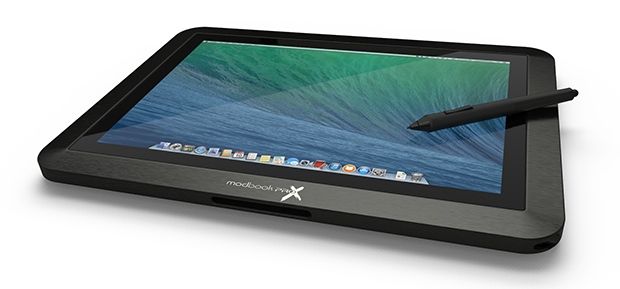
Do you still dream of the day when the iPad and MacBook finally converge in beautiful harmony? Are you also really jazzed about the Apple’s big ass iPad rumors? Well if you’ve got a measly $4000 laying around, Modbook is ready to sell you the tablet of your dreams.
The company created a new Kickstarter campaign to the support the launch of its new ModBook Pro X tablet which transforms any 15-inch Retina MacBook Pro, into a quad-core OS X tablet so powerful you might as well toss your desktop in the trash.
While our Macs were designed for power, they were also made for beauty. Sharply rounded edges and fine materials come together to create the computers we know and love. But with normal daily use, dirt and grime can make our Mac workhorses less attractive.
In today’s video, we show you the surprisingly simple steps you can take to relieve your Mac of filth and enjoy a cleaner, better-looking computing experience. Make use of these quick Mac cleaning tips and having a fresh-looking computer will be a cinch.
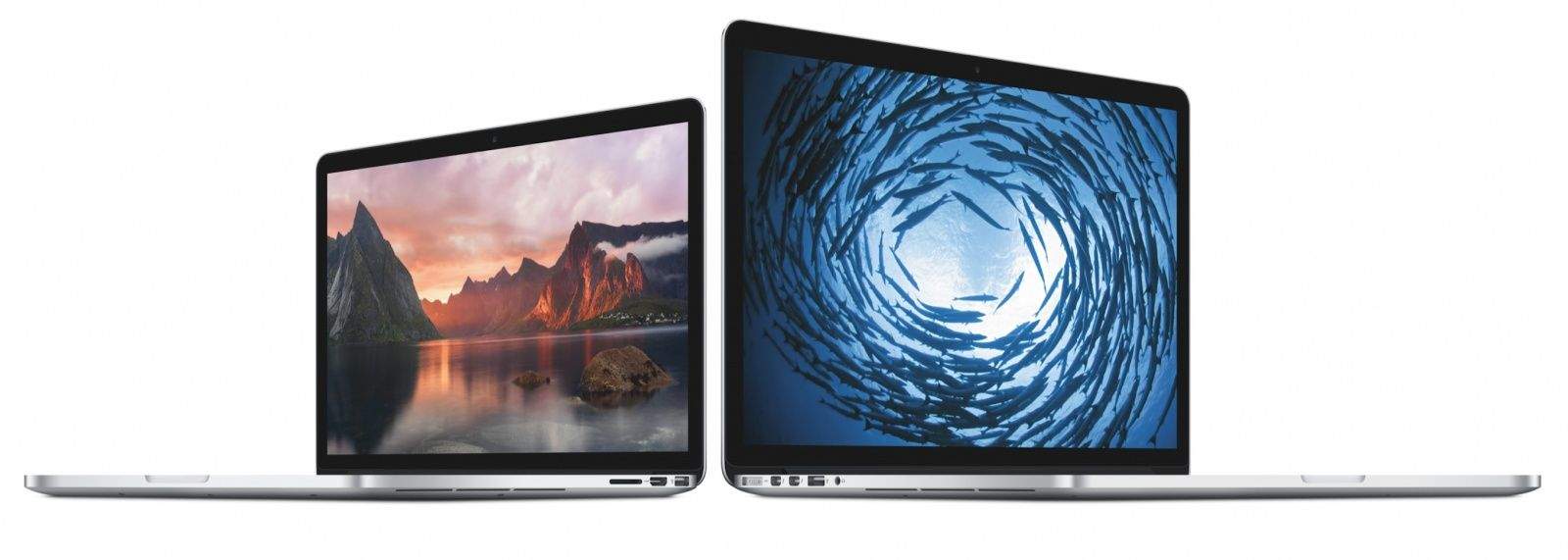
As expected, Apple’s Retina MacBook Pro line received its first refresh since October — adding speedier Haswell chips to its 13-inch and 15-inch models. The 13-inch notebooks now boast 8GB of RAM as standard, while the 15-inch models feature 16GB of RAM.
The minor refresh, which comes right in the middle of Apple’s back to school season, is to tide customers over until the arrival of the more significant Retina MacBook line refresh, which is expected in 2015 when Intel’s next gen 14-nanometer Broadwell processors are ready.
The new model Retina MacBook Pro specs can be seen after the jump:
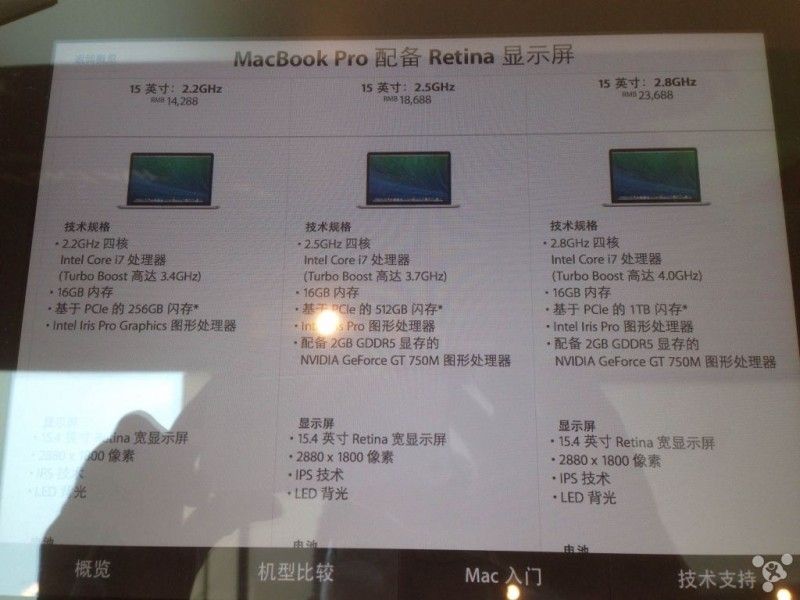
We may be on the verge of receiving a refreshed 15-inch Retina MacBook Pro line, according to a leaked pricing chart apparently from Apple’s Chongqing, China store.
The chart shows three different configurations of the MacBook. The first of these features an Intel Core i7 2.2 GHz processor and 16GB of RAM standard (the current 15-inch base model Retina MacBook Pro has 2.0 GHz Intel Core i7 and 8GB of RAM.) The second features a 2.5 GHz Intel Core i7 processor and 16GB of RAM (compared to the current 2.3 GHz Intel Core i7 processor.)
A third, higher-end Retina MacBook is also included — boasting Intel’s new 2.8 GHz Intel Core i7 processor, 16GB of RAM, 1TB of flash storage, and Intel’s Iris Pro graphics, alongside a NVIDIA GeForce GT 750M.
Splicing a cute little animal into a photograph doesn’t take more than a few seconds for anybody with a copy of Photoshop.
But Colorado artist Janelle Pietrzak spends hours cutting light stencils with a razor blade, then uses a shoebox and long-exposure photography to bring Bambi and other cuddly creatures to life inside her home.
“If you look at my photographs there is fantasy world full of mythical creatures, floating orbs, ghosts and goddesses, all created by manipulating light,” Pietrzak tells Cult of Mac. “The catch is that I hardly use any Adobe Photoshop. What you see in the images is basically what I saw on the back of my camera.”
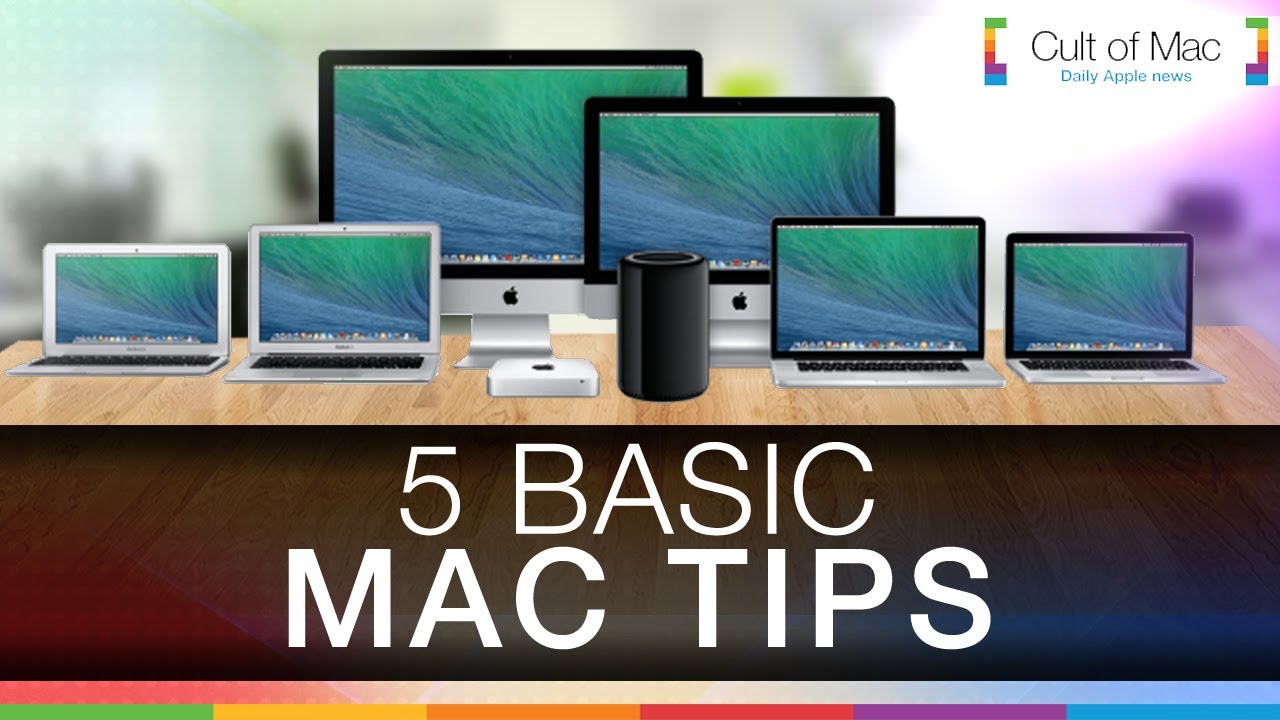
As user-friendly as they are, Macs are complex machines. They’re absolutely loaded with features, some of which might not be obvious from the start. In today’s video, we take a look at five basic tips that can help make everyday use of your Mac much more enjoyable. Find out how to clean up your desktop, customize your Dock, tweak audio settings and more with just a few quick clicks.
Sometimes things aren’t as easy as they could be when you’re using your Mac to plow through the day’s tasks. Cluttered screens and excess clicking become irritating and tiresome. In today’s video, we take a look at five useful Mac shortcuts that can make using your Apple computer even more efficient.
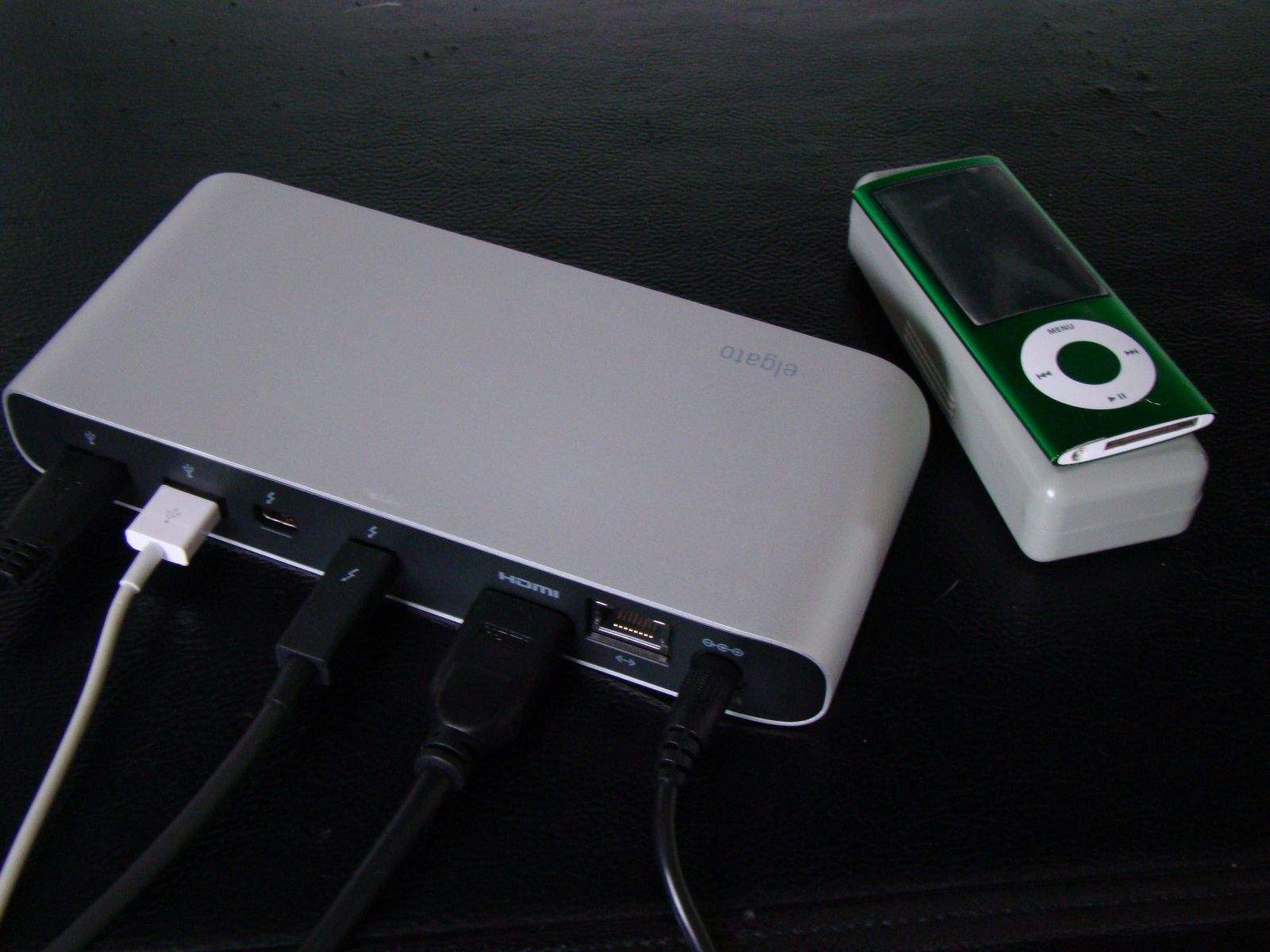
Got a free Thunderbolt port? Elgato's dock will hook you up. Photo: Rob LeFebvre/Cult of Mac
The more I use my MacBook Pro for work and play, the more I need to plug stuff into it. It’s got only two USB 3 ports along with its two Thunderbolt ports and HDMI out. Other docks, like the Kanex dock we reviewed a while back, use up one of the two USB ports, and they don’t provide video out capabilities.
With Apple’s Thunderbolt protocol, though, you can get stuff like video and audio out that requires a lot of bandwidth. The Elgato Thunderbolt Dock is just what you need if you aren’t using either of your MacBook Pro’s Thunderbolt ports, as it gives you three more USB 3 ports, an HDMI out to connect your favorite high-def monitor, a microphone and headphone port, and a gigabit Ethernet port as well.
It’s kind of everything you need in one sleek package.
After months of beta testing Apple has finally made OS X 10.9.3 available for public release.
The update is light on new features but does pave the way for 4K to come to the iMac in the future thanks to new support for a full range of Retina scaling modes for 4K monitors, allowing users to juice their extra pixels to make things crisper instead of just smaller.
Cult of Mac Deals has some stellar promotions lined up right now, whether you’re looking to up your storage or improve your audio recordingsby adding an external quality microphone to your workflow.
For a limited time you can get the Nifty MiniDrive, which lets you add up to 128GB of storage space to your MacBook Pro Retina for only $35.99 and a top-notch microphone in the form of the Blue Yeti can be yours for 20% off the regular price – just $117!
With Apple recently making OSX Beta Seed downloads available to the general public, Cult of Mac’s Ste Smith shows you how to prep your Mac to install the latest software. Get the latest OSX updates before general release by following the simple steps shown.
Take a look at the video to see what you need to do.
In the past, we’ve seen at least one madman use his iPad as a cutting board. While the guy was clearly senile, it does raise an interesting point: the design of many Apple products, from the iPad to the Mac, look like they might have been inspired by cutting boards in Jony Ive’s kitchen.
If you’d like to show solidarity with the Cult of Mac in your kitchen, consider this: a cutting board made of Apple wood that is identical in shape and design with the unibody MacBook Pro. For a cutting board, it’s not cheap at $110, but on the positive side, that’s at least a grand cheaper than you’d buy a working aluminum MacBook Pro for.
Editor’s Note: Due to the sheer size of Elder Scrolls Online, we’re publishing our hands-on impressions in three chunks. Here’s part one.
I dash up a sandy dune, rushing past palm trees, looking for the spot on my map where an eyeball icon beckons my attention. The sky is blue — it’s mid-day here in the Hammerfell region — with a few clouds to tease the eye. It’s hot enough to fry an egg on my heavy armor, but hey, I’m not really running anywhere.
As I crest the little hill, a brilliant lens-flare from the sun draws my attention skyward, distracting me from the broken bridge. I tumble heavily to the sea below, splashing into the water.
I’m in good company: there’s a small school of orcs and elves who have made the same rookie mistake. We make the slow swim of shame to the sandy beach, then rush off to explore this idyllic, if tricky, land.
This all takes place on the continent of Tamriel, which will be familiar to gamers who’ve played the previous titles in the series: Skyrim, Oblivion, Morrowind. It’s like Middle Earth for game nerds. While each of the previous games took place in just one area of Tamriel, the Elder Scrolls online promises the whole land mass.
It’s paradise –I wonder if I can bring my kids with me when I move here.
Grab a great deal on a refurbished MacBook Pro Ivy i5 Dual 13" Laptop. Photo: Cult of Mac
It’s been almost two years since Apple announced the Retina MacBook Pro, and it’s still the only Mac with a Retina display. But according to sources in Apple’s supply chain, that’ll change this summer when the Cupertino company finally unveils the Retina MacBook Air.
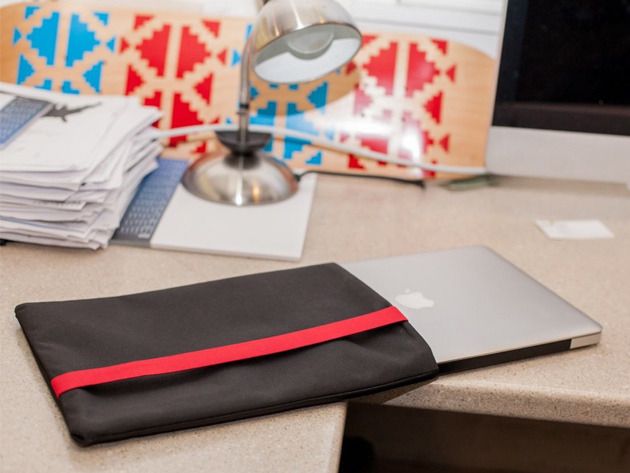
The diffr3nt|sleeve is going to be your MacBook Pro’s best friend.
The ideal combination of minimal design and durable protection, these sleeves keep your MacBook safe from the daily torment of scratches from desks, notebooks, purses and backpacks alike. And Cult of Mac Deals has the diffr3nt|sleeve for just $29.99 for a limited time.
As laptop speakers go, those built into Apple’s MacBooks aren’t bad — particularly if you have a MacBook Pro. But they can be so much better. Plug Twelve South’s BassJump 2 into one of your USB ports and you have a mini sound-system that dramatically improves your MacBook’s audio performance.
BassJump 2 by Twelve South Category: Audio Works With: MacBook Air, MacBook Pro Price: $69.99
Whether you’re listening to music, watching a movie, or just enjoying a podcast, the BassJump 2 subwoofer gives you significantly richer and fuller sound that you won’t believe is coming from your MacBook. There’s no need for expensive external speakers that take up too much room in your bag, or headphones that limit the experience to just one person.
The BassJump 2 is priced at $69.99, and Twelve South calls it “an essential road tool for listening to and editing tracks on the tour bus, hotel room or anyplace else your music takes you.” Now, I’m no musician or music producer — but I definitely agree.
Apple will finally discontinue the non-Retina MacBook Pro later this year, according to sources in its supply chain. Production is expected to come to a halt during the second half of 2014, reducing Apple’s notebook lineup to just the MacBook Air and the newer, thinner MacBook Pro with Retina display.
How bad does the other half — those who have never owned a MacBook — have it?
Pretty bad, as this hysterical video showing what Macgasm (tongue-in-cheek?) says are a trio of Norwegian Microsoft employees hurling around a MacBook Pro between themselves like the early hominid apes in the Dawn of Man section of Stanley Kubrick’s 2001: A Space Odyssey.
So oblivious are they to the fact that this shiny wedge of unibody aluminum is a laptop, that they blindly destroy it, hooting and hollering as if they could never even envision a laptop that wasn’t made of cheap black plastic. Which, surely, many PC owners can’t.
Tim Cook has made a journey over to Ireland this week to visit with staff at the company’s Cork offices. Along with addressing the 4,000 employees responsible for assembling the MacBook Pro, Cook also met up with the country’s prime minister, Taoiseach Enda Kenny today to talk about Apple’s presence in the country, and the Irish tax laws that help it avoid paying billions extra.
The Irish Prime Minister denied claims that the Irish government courts multinational companies like Apple to give them special deals on their corporate tax rate. According to a report from theJournal.ie, Edna Kenny said the tax issue came up during his conversation with Cook and told him they’re in discussions with the OECD about an international response, but the country’s statutory rate of 12.5% applies to all companies.
If you have a 2011 MacBook Pro that is wonking out like it was haunted by a Japanese ghost, you’re not the only one. It appears that a massive number of early-2011 MacBook Pro owners with AMD graphics are having issues with system crashes and hardware problems, with failure rates reaching a critical mass in recent weeks.
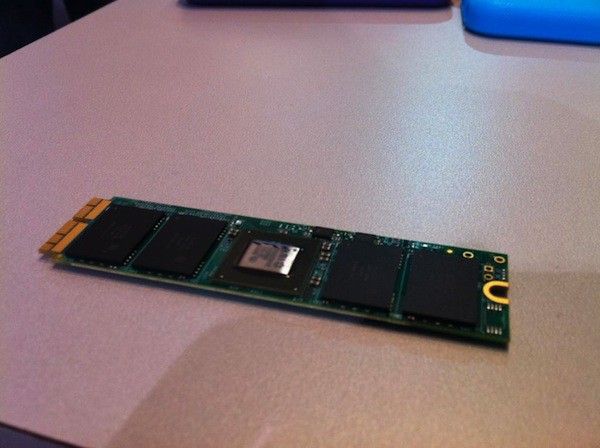
Last year, Apple made an important change to 80 percent of their Mac line-up, including the new iMac, MacBook Pro, Mac Air, and Mac Pro, that changed the type of flash storage of each of those systems to incorporate a PCI Express (or PCIe)-based storage system. It’s a much faster technology than the Serial ATA based storage Apple was using before, but there’s a rub: it also uses a non-standard connector, making upgrading any of these Mac’s flash storage impossible up until now.
At CES this year, however, it looks like Other World Computing (OWC) has made important strides to cracking the problem. They showed off flash storage prototypes that should enable users to upgrade their newer Mac’s SSDs.