Camera+ is one of the best photography apps available, period. And today sees the release of Camera+ 3, a major update with lots of new features.
Camera+ 3 Is Smarter Than Ever, But Not Always Faster [Review]
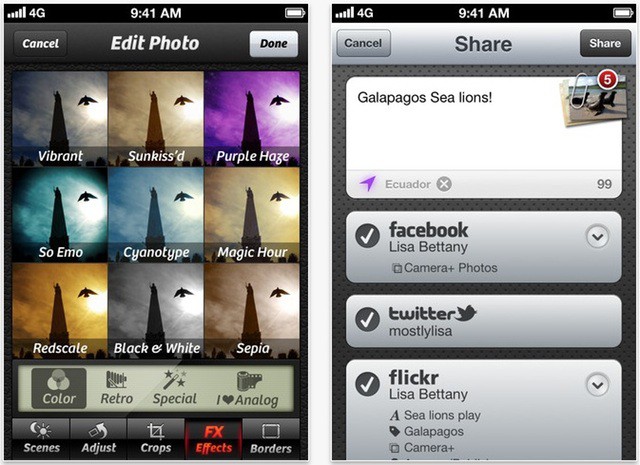
Camera+ is one of the best photography apps available, period. And today sees the release of Camera+ 3, a major update with lots of new features.
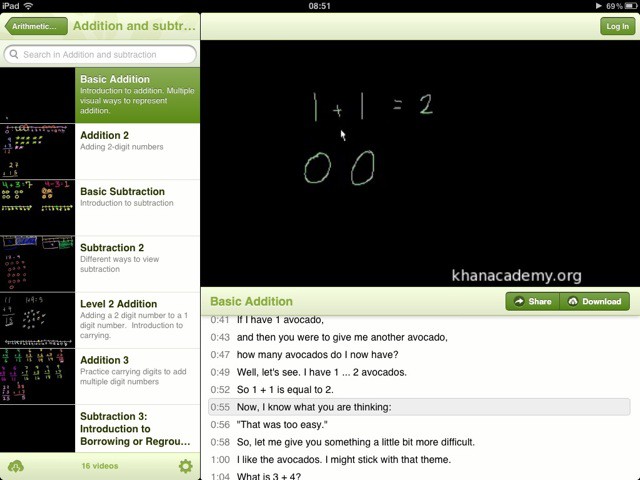
Virtual school The Khan Academy just released an official iPad app today, and if you have kids in school you might just want to grab a copy, because it’s excellent.
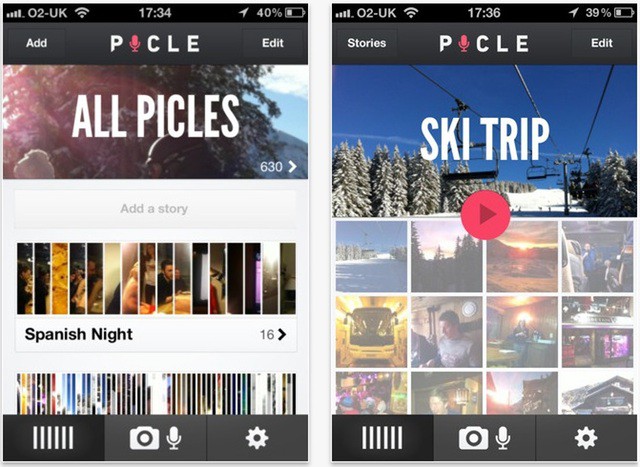
Newly launched at SXSW this week is Picle, a free iOS photography app with a twist: the aim is to make something that sounds like Instagram. It’s a lovely idea but the initial release suffers a few disappointing problems.
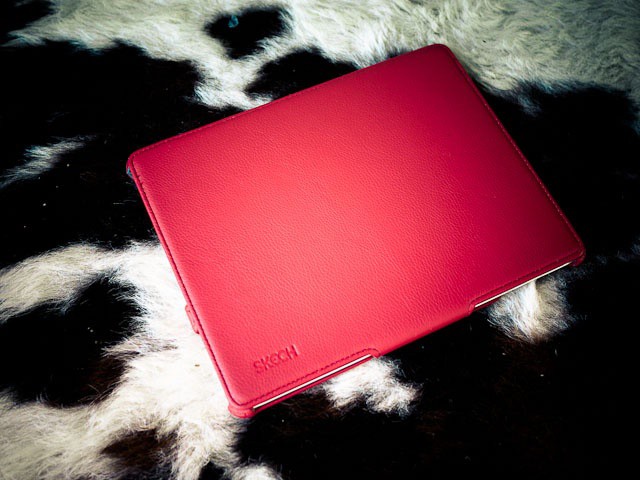
I’ll come out and say this right at the beginning: I don’t like to put my Apple gear into cases. I went for years with an iPod Touch bareback in my jeans pocket, but with the iPad there was just too much easy-to-scratch screen on there. All the cases I tried were bulky or inelegant or just plain junk. I settled on Apple’s case, although that was a little like putting a supermodel in a wetsuit.
With the iPad 2, I have used the Smart Cover exclusively, with a rear skin sometimes. But now, I’m totally gaga over this hot little number from Skech. And here’s why.

Along with everything else in iLife for iOS (and iWork too), iMovie got an update at the new iPad announcement on Wednesday. The big new feature is trailers, which you may have used before on the desktop. Now you can make them on iPhones (4 or later) and iPads (2 or later).
We wanted to put the new iMovie through its paces, so here’s a trailer we made.
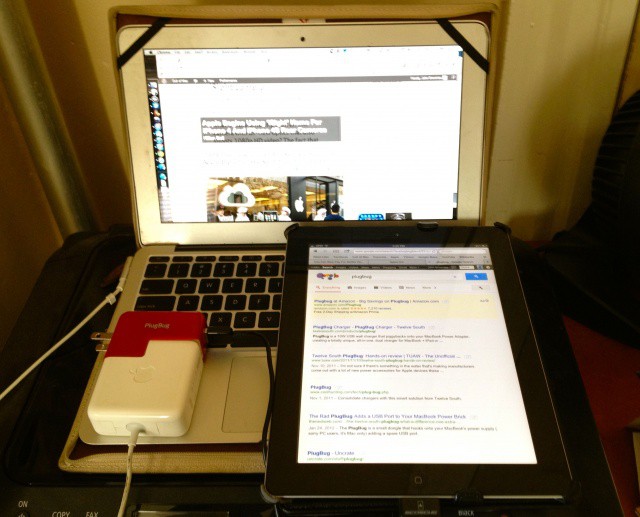
Over the last couple of years, I have developed an obsession with traveling light that has been wonderfully encouraged and cultivated by Mssrs. Cook, Ive & Co. When I go out of the house and need to work remotely, my bag is as light as I can possibly make it: an 11-inch MacBook Air, an iPad 2, my iPhone 4S, a couple pens and a steno-pad for notes. Despite the sheer amount of silicon and tech stuffed into my shoulder bag, it’s always light, always svelte, always uncluttered. As they have done with so many other things when it comes to consumer electronics design, they have turned making gadgets thin into a cutting-edge art.
Well, except for one thing. The chargers.
The standard Apple MacBook Charger is easily two to three times thicker than my MacBook Air. The same can be said about the Apple 10W USB charger, which is just a brick compared to the thin slate it powers. Between the bricks and the cords, Apple’s chargers add an extreme amount of thickness and ungainliness to a streamlined gadget bag… and since my MacBook Air, at least, doesn’t have 10W USB ports, I can’t piggy back charging my iPad off of just the one charger.
Well, not without TwelveSouth’s ingenious, button-cute accessory, the <a href=”https://twelvesouth.com/products/plugbug/”>PlugBug</a>, that is.
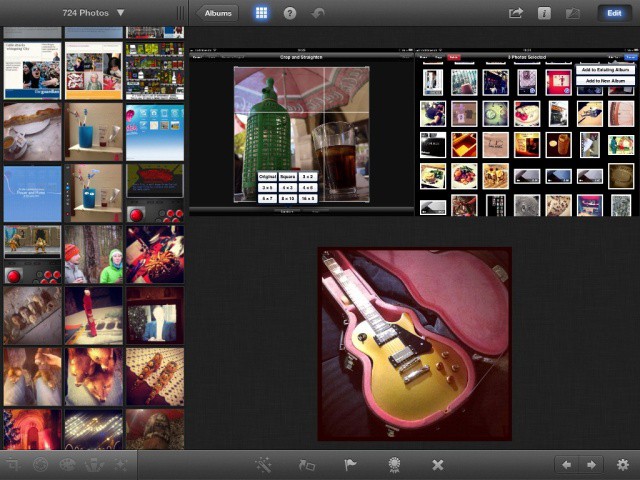
One of Apple’s biggest announcements yesterday — apart from something about some new iPad — was iPhoto for iOS. We’d suspected that Apple would fill in the hole in its iLife suite, and we were right. What we weren’t expecting was something as fully featured as iPhoto turned out to be. That said, it seems the app was really built with the iPad 3 in mind: It works great on the iPad 2, but it’s a little glitchy in places: just like its desktop cousin.
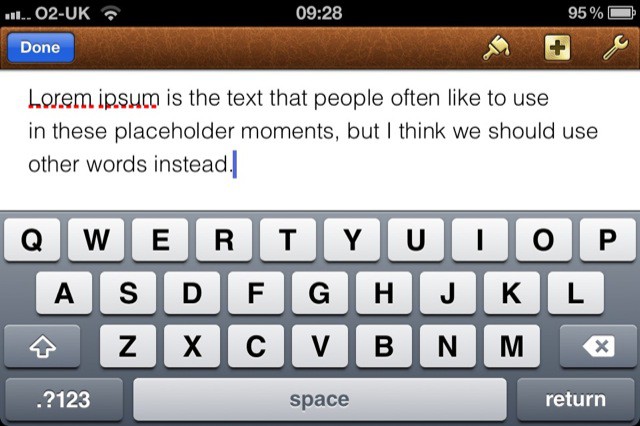
Here is the new Pages for iOS, as announced by Apple last night.
Not a huge amount has changed here, to be honest, but there are one or two nice additions, stuff that help Pages retain its top spot in the small world of word processing on iOS.
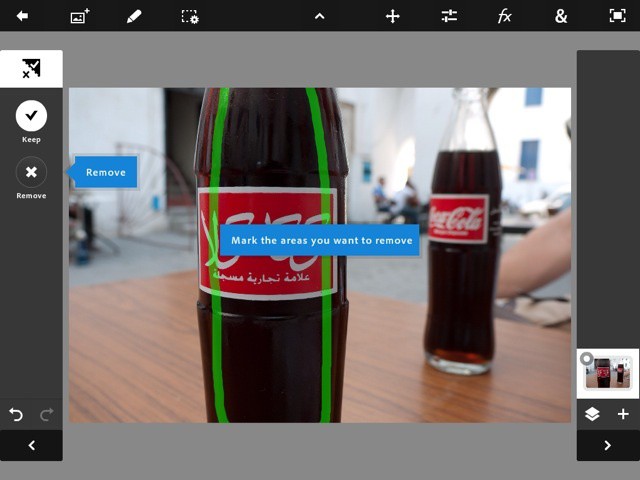
I have been using Photoshop Touch almost obsessively for the past week, despite being holed up in the Mobile World Congress in Barcelona for much of that time. At first look, I thought it was yet another photo-editing app, and in many ways it is. But as I dig in more and more, its clear that — while this is no substitute for desktop Photoshop — its an amazing app in itself. And all the more so as it runs in just 512KB RAM.
First, what Photoshop Touch for? That’s not as dumb a question as it might seem.

Fans of Monty Python, gather your dead parrots and your stuffed John Cleese plushies: today is your day to celebrate the official launch of Monty Python: The Holy Book of Days for iPad, an app that gives faithful Python followers everything they could ever wish for on a plate, with strawberries on top. The rest of us might be left wondering what the fuss is about, though.

With the number of MIDI controllers on the market, the search for a great portable controller can be daunting.
Let me introduce you to the Korg microKEY, my favorite mobile MIDI controller.

So the 25 billionth download from the iOS App Store was none other than Where’s My Water? Free. It brought its owner a shiny $10,000 iTunes gift card and worldwide fame for 15 minutes. But will it bring you anything? The short answer is probably: no.
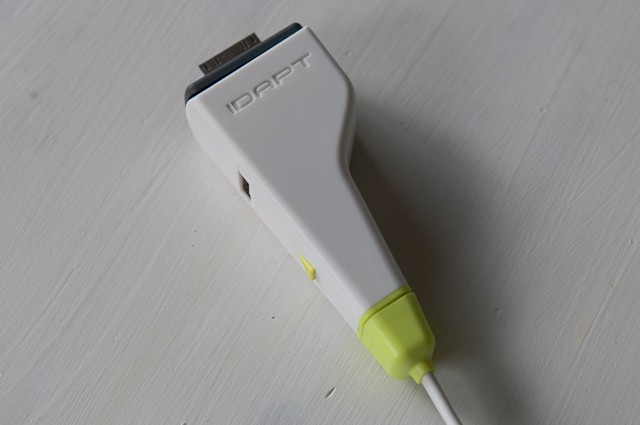
The IDAPT i1 Eco Universal Charger ($25) aims to be your charge-every-device portable charger. But this is one instance where bigger is indeed not better.
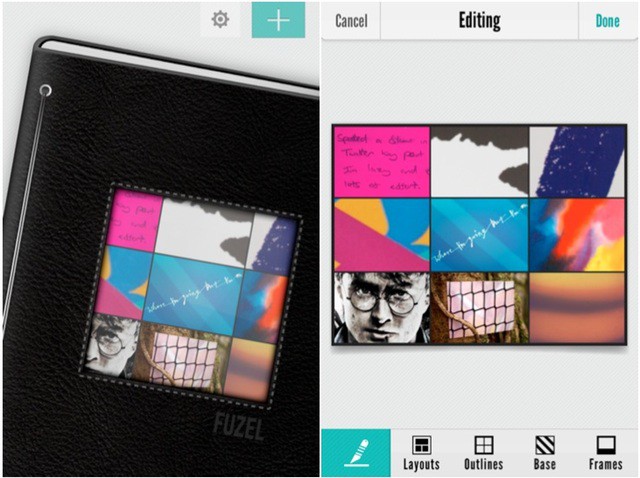
Fuzel is another one-dollar photo collage maker for iOS. There are dozens of others, so what marks this one out?
Well actually it’s rather impressive. To start with, it has a lovely natural interface that begins with the faux-textured front cover of a photo album, with your most recent creation poking through a hole. Swipe this aside, and keep swiping through your creations, just as you would with a real album.

This simple image has become a cliché in the UK in recent years, and is now much parodied and remixed everywhere you look. Now you can remix it yourself, thanks to a variety of (very similar-looking) apps for iOS.

Yesterday we showed you how to make your own gorgeous pixel art with The Grix. Today we’re looking at pixels again, this time with a clever new photo toy for iOS called pxl, by Rainer Kohlberger.
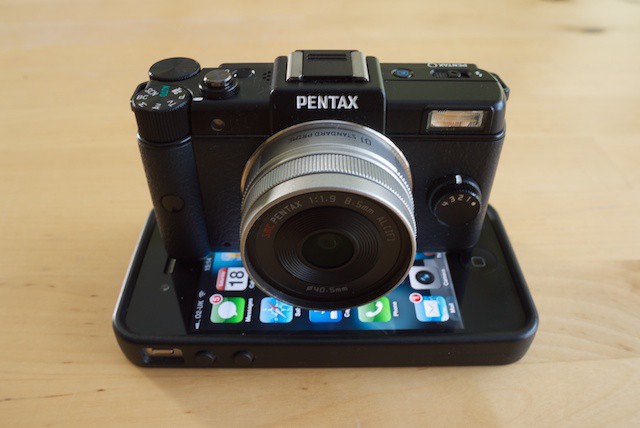
First things first: Pentax calls this “the smallest, lightest interchangeable lens camera in the world,” and they’re dead right. This camera is small. You thought your micro four-thirds camera was small, but it’s huge compared to the Pentax Q. It’s hard to appreciate just how small it is, until you put it next to something else that’s really small. Like an iPhone.
As you can see, the Q sits neatly atop the iPhone’s screen, not even touching the edges of its case. It’s tiny.
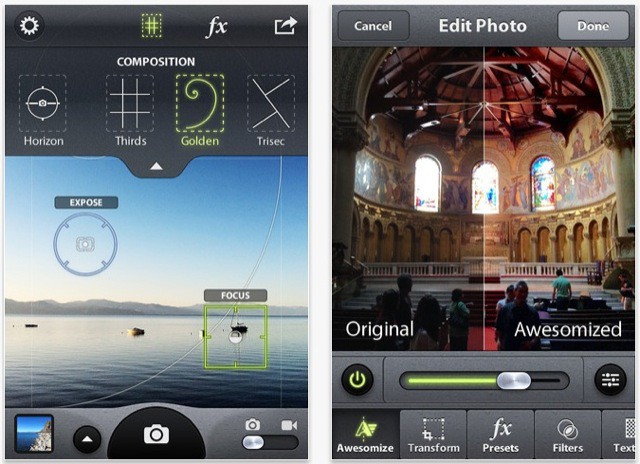
Camera Awesome is a new all-singing, all-dancing photo app on the iOS Store this week. But just how awesome is it?
Brought to you by photo sharing site SmugMug, the first noticeable thing about this app is the price: it’s free. There are no adverts inside it, you’ll be pleased to hear. But there are quite a lot of extras that can only be unlocked with in-app purchases.

The Grix is a cool new $5 pixel editor for iOS, with wide appeal for serious pixel artists and anyone looking for a creative way of killing a dull moment.
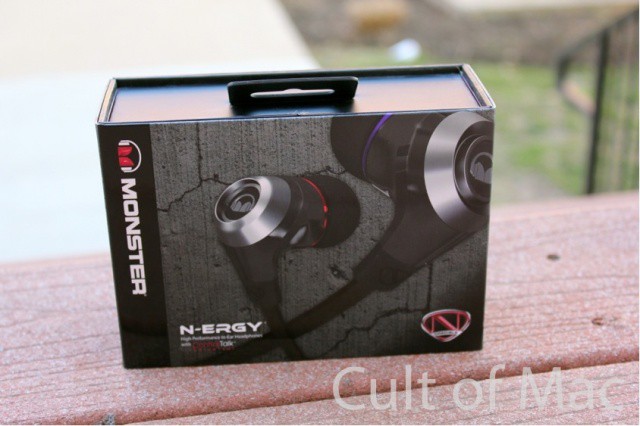
Monster collaborated with rapper/actor Nick Cannon to make the N-ERGY “high performance in-ear headphones.” I put the last part in quotes because the N-ERGY headphones ($70) are neither “high performance” nor “in-ear.”
I’m not an audiophile, but I appreciate and know good sound when I hear it. It took a total of 15 minutes for me to realize that the “NCredible” (yes, that phrase is used to market the product) N-ERGY headphones are awful. They look great, but they’re about as painful to listen to as Nick Cannon’s comedy.
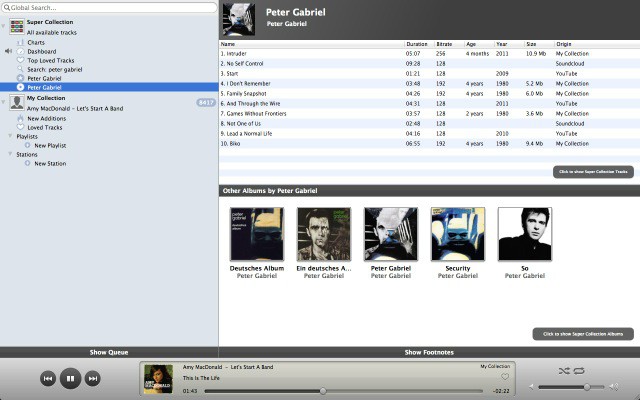
Here’s Tomahawk, a music player with a difference: it plays music from anywhere and almost everywhere. Not necessarily music from your collection, either.

TinkerTool is the Swiss Army knife you need for your Mac.
With its blades you can activate – or deactivate – all sorts of features that are normally hidden from view.
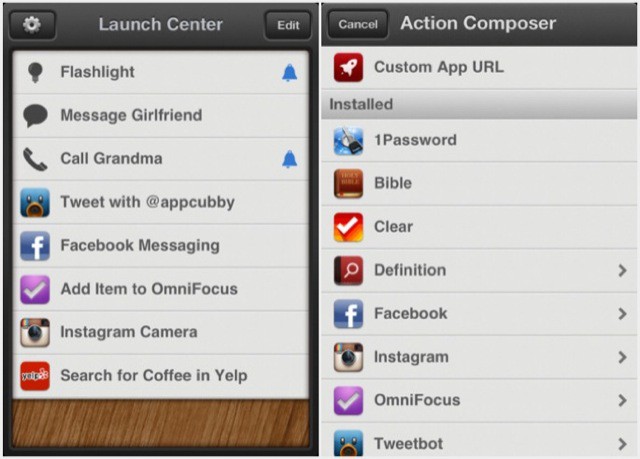
I first heard about Launch Center from my old TUAW colleague Dave Caolo when he began writing a series of posts about it on his excellent 52 Tiger blog.
Read what Dave writes, and take careful note of his wise words: Launch Center is an ingenious little marvel that’s well worth having on your iPhone. Allow me to explain why.

Determined to acquire sea legs before the America’s Cup breezes into San Francisco in 2013, I’m learning to sail. Well, learning is a big word. Mostly trying not to get smacked by the boom and checking out the porpoises.
The Bay Area is known for its challenging waters, so I figured it’d be a good place to test out DryCASE, which vacuum seals your iPhone into a waterproof pouch that you can wear as an armband or around your neck.
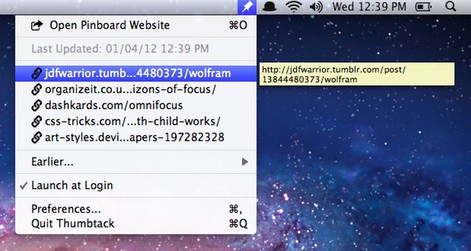
ThumbTack is a Menu Bar utility for OS X that puts your most recent Pinboard bookmarks in easy reach, no matter what application you’re using.