Mobile menu toggle

Reviews - page 157

BBP’s Great Hybrid Hampton Bag Converts From Messenger to Backpack And Back [Review]

By

CIMG1063-1

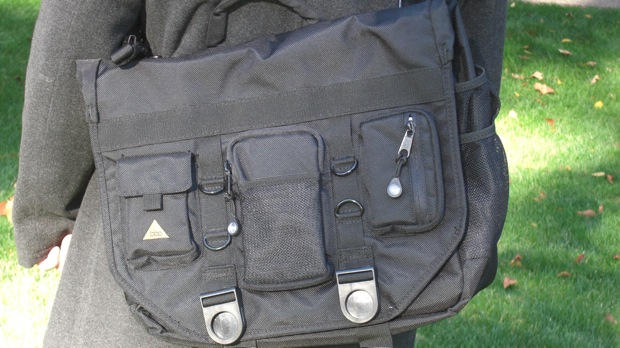
I must admit I love the BBP Hybrid Hampton bag, possibly my favorite of the year, in terms of style at least.

BBP’S Hybrid Hampton is the company’s flagship laptop bag featuring the Bak2Pak system that converts from a backback to a messenger bag in no time at all.

I’ve been on the lookout for a bag that is cool enough to be hip ‘with the kids’ while grown-up enough to take to business meetings without feeling like mutton dressed as lamb. And this bag is what I’ve been waiting for.

Note: It’s Bag Week on CultofMac.com. We’re checking out some of the latest and greatest bags on the market. Read all the bag reviews here.


iPhone Weekly Digest: The Best iPhone Fitness App and Loads of Games

By

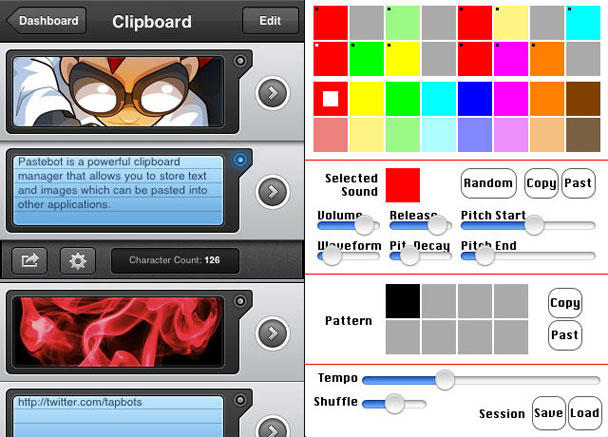
Left: RunKeeper - better than Nike+. Right: the beautiful but frustrating Ramp Champ.

It’s time for our weekly digest of tiny iPhone reviews, courtesy of iPhoneTiny.com, with some extra commentary exclusive to Cult of Mac.

This time, we review Showtimes, Space Deadbeef, UFO Kidnapped, Ramp Champ, IMDB, Air Hockey, Valet Hero, RunKeeper Free and RunKeeper Pro.

Review: Find In Page App For Mobile Safari

By

post-30002-image-eb8dec4cdd3a79850fa60c3208943078-jpg

Mobile Safari is a lovely browser but lacks a few features, and one of those is Find-in-page. If you want to find a specific piece of text on a very long web page, you have to resort to third-party fixes.

There are a variety of bookmarklets, alternative browsers and add-ons around, but this latest one is a bit different. Although it’s basically just a bookmarklet, it’s being distributed as an app on the App Store, for a fee of 99 cents.

It’s called Find in Page, and just from the title you know what it does. Here’s a simple demo video:

What separates this from other bookmarklets is the extra interface controls that appear above Safari’s built-in navigation controls when you’re using it. They let you flick between instances of your search term, or start a new search, without having to start all over again.

The app itself simply adds the bookmarklet to Mobile Safari’s bookmarks folder; in theory, you need only run it once to do this, then you can delete it from your device. But you might want to keep it around in case your bookmarks get edited or lost and you need to add it again.

Review: Lynxlet Is An Easy Internet Nostalgiafest

By

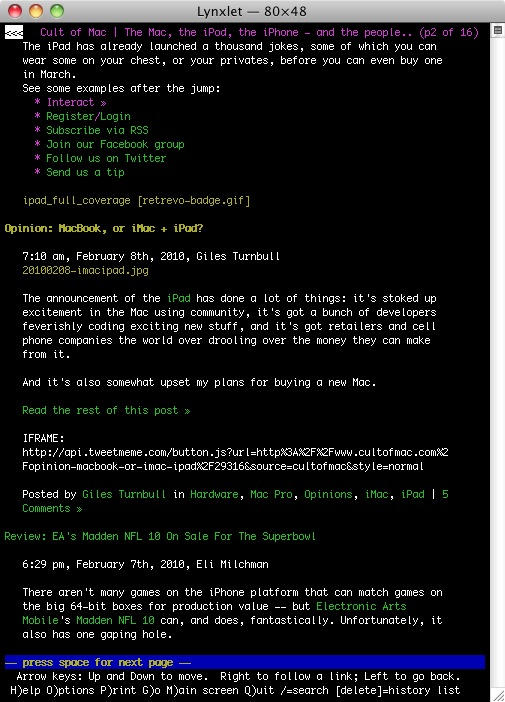
20100208-lynxlet.jpg

So this is the web that you don’t see; the web in text-only form. Ugly, isn’t it?

Yeah, ugly. But fast. By disregarding everything that isn’t text, browsers like Lynx display web pages at lightning speed. If all you want to do is read stuff, Lynx is useful to have around. And if you don’t want to do that, it’s fun to play with. For five minutes.

But not many people are comfortable enough with the Terminal to install it manually on their Mac. It’s not the kind of app that comes with a drag-and-drop installer.

Well, it wasn’t, until Lynxlet came along. Lynxlet gives you the best of both worlds: the text-only speediness and the drag-and-drop simplicity. Nice.

Lynxlet’s maker calls apps like this “Termlets”, and Lynxlet isn’t the only one available: you can grab a handful of others here.

(Via Merlin Mann.)

In Depth: 30 Days with the Nexus One

By

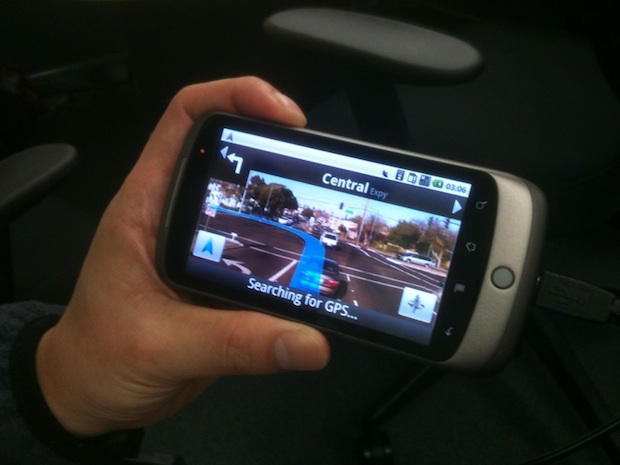
Google's Nexus One smartphone. CC-licensed picture by ekai.

It’s been a month since my review of Google’s “SuperPhone”, the Nexus One. Since that time, we’ve surfed, updated facebook, navigated, called, played endless hands of cribbage and even tried to freeze it to death on a trip to Dayton Ohio. Follow me after the jump to find out does the “SuperPhone” stand the test of time, or is it a phonebooth’d Clark Kent.

Notational Velocity Adds Simplenote Syncing, Gorgeous New Icon

By

20100203-nvicon.jpg

Forgive me for banging on about Notational Velocity – but it’s such an awesome app that it deserves a place on your Mac. And this week it just got a little awesomer.

The latest version of NV includes native support for syncing with Simplenote, the iPhone app and web notes service.

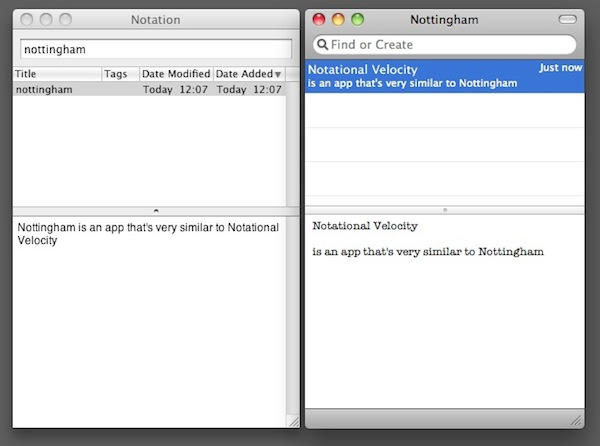
As I noted the other week in a post about rival (and NV-inspired) notes app Nottingham, the great thing about Simplenote is that you get access to what I call an “ecosystem”. Your notes are safe – there’s copies of them in the cloud and inside your NV database. But because Simplenote encourages third-party apps, you’ll always have plenty of choice about how you access those notes from your computer.

NV has also undergone a few visual tweaks to smarten up its appearance, not least of them smart and funny new icon by Colin Cody. There are some more technical details about the new update on this blog post if you’re interested.

Having all my Notational Velocity notes automatically and wirelessly synced with my phone is just wonderful. If you need a similarly simple synced notes service, I encourage you to download Notational Velocity and sign up for a Simplenote account. You won’t regret it.

Review: Deliciously Evil App Grants Endless Possibilities To Piss People Off

By

cult_logo_featured_image_missing_default1920x1080

And now for something completely different.

I’ll admit, the first alarming thought that shot through my head when I stumbled across this vidclip on YouTube of Cult jefe Leander Kahney, was that he’d created it as fun-yet-terror-inducing way of emphasizing the “dead” part of the word “deadline” to Cult staff.

Turns out it was actually created by app developer Toga Pit — btw, cute marketing there, guys — to promote their new, maniacal-laughter-inducing iTouchMyFriends app, which turns images of your friends into manipulatable puppets. Just the evilness of the name ran shivers of anticipatory pleasure down my spine as I secured a copy to explore. I wasn’t disappointed.

Cult of Mac Favorite: Skimble Tracks ALL of Your Active Life

By

post-28589-image-e9757e318736fddce4e9388c53fd142a-jpg

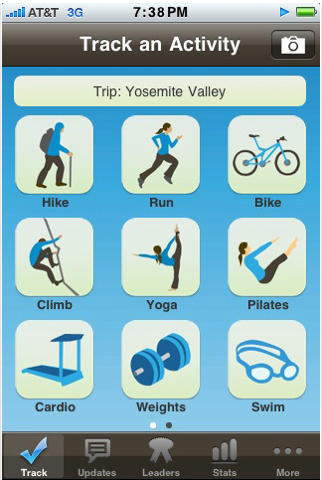
What it is: Skimble is a fitness-tracking iPhone app that stands out from the crowd by keeping track of rock climbing, swimming, and even yoga.

Why it’s cool: Maria Ly created Skimble because she found no good tools for tracking the sports she had become passionate about in recent years. Basically, she’s become a very good rock climber in a very short time, and didn’t have a way to really track that progress and get a clear picture of how far she had come. She also does a lot of yoga, and, unsurprisingly, Nike+ doesn’t work so well for quantifying the impact of your Downward Dogs and Sun Salutations.

Fortunately, Maria’s a talented software engineer, so she was actually able to do something about it. And, as a rock climber (though one not quite so good as Ly), I can say that Skimble is just about perfect for tracking your climbing and bouldering efforts. I put into action at my local climbing emporium Mission Cliffs yesterday, and I was easily able to click a button to select the difficulty of the climb, the fashion in which I finished it, and a note (typically the name of the route). And as a result, I have a record of where I succeeded, where I failed, and where I maybe over-did it (that would be the late 5.12a I threw in).

Review: Grand Theft Auto on iPhone a Near-Perfect Match

By

ctw_iphone_hotwire

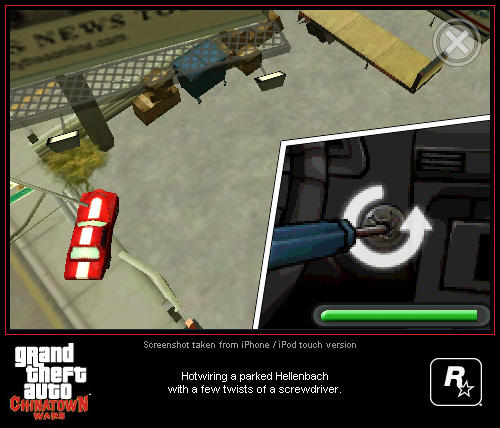
Way back when the iPhone was the much-speculated upon Apple product of the future, I took the liberty to imagine a time when the iPhone would be a legitimate mobile gaming competitor, tackling Nintendo and Sony head-on. It was a fun bit of predictification back then, but it’s science fact today. The clearest evidence yet that Nintendo’s dominance of portable gaming might be threatened is Rockstar Games’ much-anticipated Grand Theft Auto: Chinatown Wars, an epic, multi-hour crime game that is deeper than anything I’ve seen on the iPhone to date.

Review: VoiceBand App Ushers In The Age Of The Three-Dollar Rock Star

By

voiceband

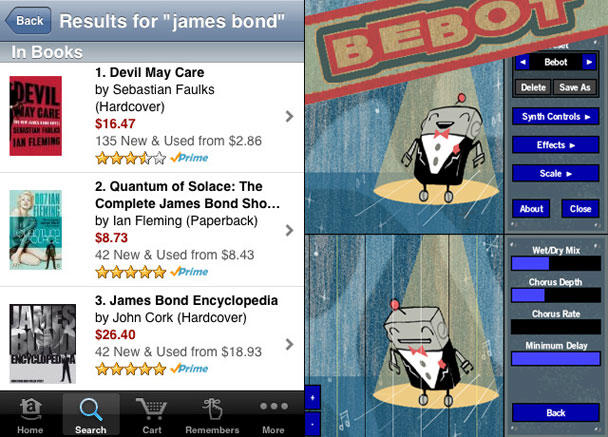
Sometimes I wake up from a dream where I’ve fashioned a majestic rock symphony. I’ll fumble around for my trusty digital recorder, groggily hum a few throaty bars and fall back asleep; then in the morning I find myself listening to something that sounds like a drowning donkey (or more frequently, I find I’ve forgotten to flip the “hold” switch).

Well, hell with that — for $3, I bought VoiceBand by WaveMachineLabs and turned my iPhone into a recording studio. What’s really cool is that all I have to do is vocalize into the mic and the app transforms my voice into a remarkably credible imitation of a musical instrument.

App Hed2Hed: Shazam Encore v. SoundHound

By

post-26774-image-b624fa76cb85257e9b5f2c78809961f8-jpg

It was a rainy Sunday afternoon when I was suddenly bewitched by the heavenly tones of a siren’s call radiating from the single speaker inside my favorite Starbucks. I was enraptured, overwhelmed with the sudden desire to find out to whom these dulcet tones belonged! Gripped in a fever of curiosity, I quizzed the barista, but — tragedy! She didn’t know! Would I never find the answer?

After I calmed down a bit, I realized, like everything else, there’s an app for that. In fact, there are two — one of which is truly outstanding.

Cult Favorite: MemoryMiner 2.0 Realizes Potential of Your iLife

By

post-26203-image-c140569dac30a14fef2d940cabf37dcb-jpg

We take pictures to remember our own lives better and tell stories about the people who matter most to us. In older days, we had photo albums. These days, we have gigantic digital libraries on our computers, and a lot of the time it’s pretty disorganized. Sure, the most important photos are grouped into albums and what-not, but little else is. The meaning behind the pictures isn’t obvious.

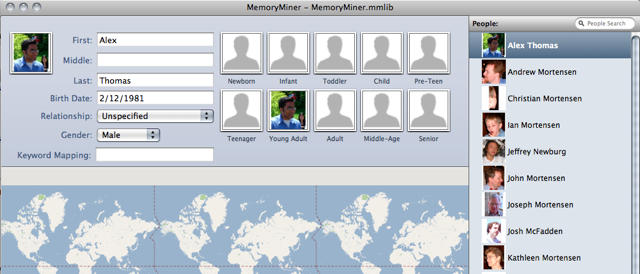
Apple has taken steps to address this in iPhoto 09, adding in face detection and the ability to take people in pictures for searching by participant and searching by geography via GPS data, but these elements aren’t well-intertwined — and it does a bad job of considering the long view. That’s where MemoryMiner, a very nice piece of shareware from GroupSmarts, steps in.