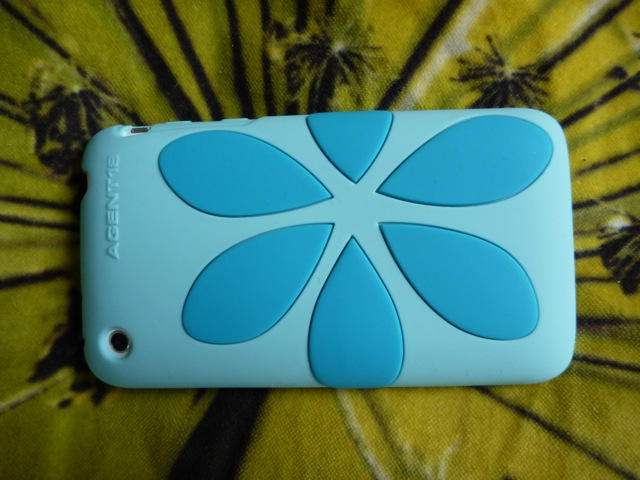
Guys, did you forget to call your girlfriend on her iPhone? If so, nothing says “sorry” better than flowers — a flower iPhone case that is, by Agent 18. She may love you — but she loves her iPhone more.
Note: It’s Case Week on CultofMac.com. We’re checking out some of the latest and greatest iPhone cases on the market. Read all the case reviews here.
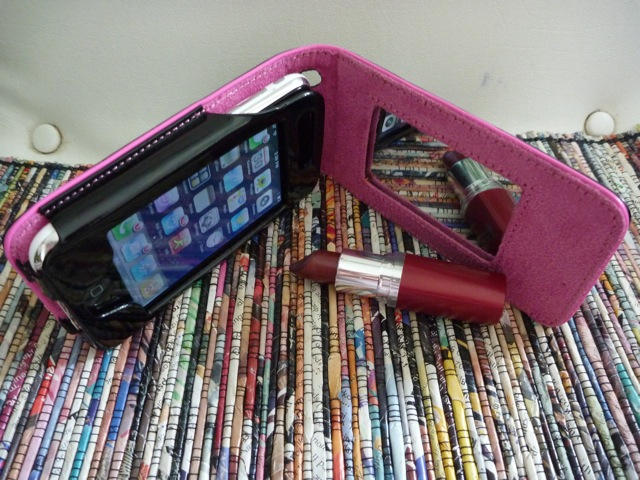
My sons are constantly stealing my iPhone to play their games, until I got the Pink Lady Mirror iPhone Case, which totally put them off. This iPhone case from USBfever screams girly!
Note: It’s Case Week on CultofMac.com. We’re checking out some of the latest and greatest iPhone cases on the market. Read all the case reviews here.
Let’s face it: if there’s one thing Apple is really not known for, it’s making great headphones. The white buds that ship with every iPod and iPhone deliver mediocre-at-best sound (while constantly falling out of your ears), and the microphones built into the phone models tend to pick up nothing but wind.
I was converted a few years ago to Shure headphones, beginning with an old pair of Shure EC2’s. At the time, they were the undisputed champs of portable audio. With the right fit, they could literally block out all external sound, deliver clear bass, mid and treble, and all without breaking the bank.
Since my initial Ec2’s met an untimely demise (Severed Cord. Slamming Car Door.), I’ve used successive models of their replacement, the SE110 and SE115. And I’ve been singularly unimpressed. The sound isn’t as good, the fit isn’t as as good, and, if you can believe it, the build quality is less. Every pair I’ve had has shorted out in one ear or the other, at first temporarily before going away permanently. Though it was my first love, Shure has let me down.
Reluctantly, I’ve left behind Shure. And thank goodness. Because Ultimate Ears has delivered in the SuperFi 5vi a headset near-perfectly matched to the iPhone. I don’t know how I got along for so long without them.
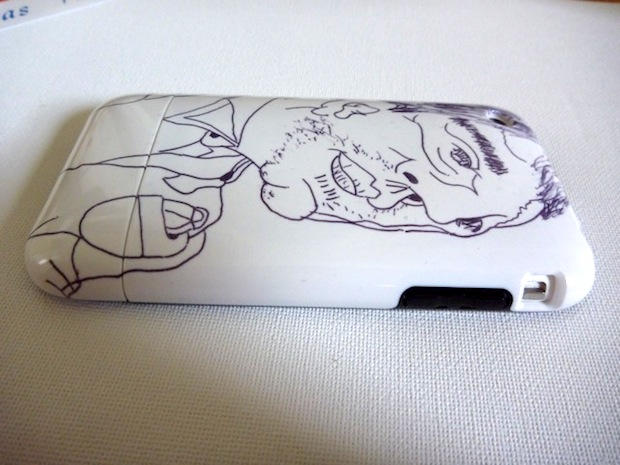
When I first saw Uncommon’s customizable iPhone Cases at Macworld in January, I was skeptical. The company lets you print your own designs or artwork on customizable iPhone cases. Their samples looked cool, but I didn’t think they’d look so good with real photos or drawings.
But after testing it out, I’ve got to say I’m absolutely delighted with the results.
Note: It’s Case Week on CultofMac.com. We’re checking out some of the latest and greatest iPhone cases on the market. Read all the case reviews here.
For years I’ve been shuttling movies and TV shows between Macs at home and work using a portable hard drive.
But now that same drive is hooked to the internet thanks to the Pogoplug, a nifty $129 device that turns any USB hard drive into your own little cloud server accessible over the Internet.
Sitting on a bookshelf at work, the Pogoplug serves up all my files over the Net, even to my iPhone. It’s also going be a great complement to the iPad (arriving Saturday), storing all my media and streaming music and movies over the net without eating up the iPad’s limited memory.
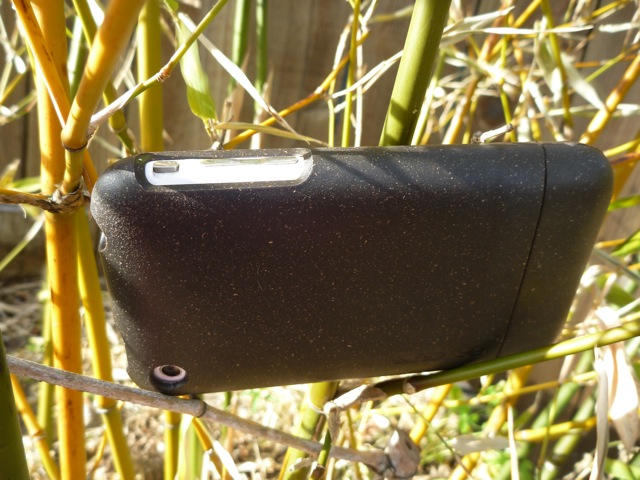
I was drawn to In-Case’s Bamboo Slider because it is made from recycled chopsticks and bamboo scaffolds. Living in California, where recycling and composting is mandatory, there’s pressure to be as green as possible. I was eager to try this iPhone case out.
But the company also sent a Monochrome Slider case made out of nothing but pure plastic. No bamboo, hemp or recycled materials in sight. Guess which one I like better?
Note: It’s Case Week on CultofMac.com. We’re checking out some of the latest and greatest iPhone cases on the market. Read all the case reviews here.
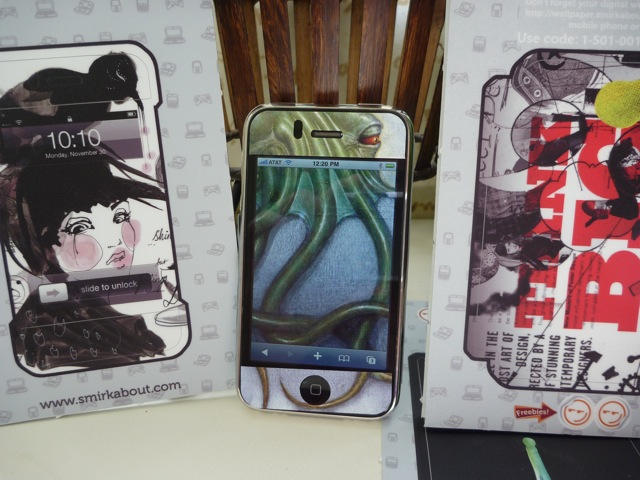
I love iPhone skins. They provide pretty good protection from scratches, and are the equivalent of getting a tattoo for your iPhone. Except these images aren’t permanent — you can change skins as often as your mood.
Three of the best iPhone skin makers — Gelaskins, Smirk About and Infectious — all offer designer skins from original artists. The offerings are all pretty similar: they all cost around $15, they are pretty easy to apply, and all offer similar levels of protection.
How they differ is in their unique designs that make your iPhone stand out from the masses.
Note: It’s Case Week on CultofMac.com. We’re checking out some of the latest and greatest iPhone cases on the market. Read all the case reviews here.
Sure, a picture is worth a thousand words, but why settle for a measly thousand words when you can cram 10,000 into one panoramic mega-photo!? Well take heart shutter bugs, Autostitch Panorama is here to give you the verbose images you so desire.
Autostitch is super simple to use. It works like this. Using your favorite camera app, take a bunch of pictures of whatever you want in your mega-photo. As you snap away, try to have each photo you take overlap about 1/3 of any other photo you take (so AutoStitch knows how the images fit together). When you’re content you’ve captured everything, import all those photos into AutoStitch, hit one button, and boom! baby, Autostitch births a giant panoramic image just for you!
“But surely the images don’t look that good,” you say in half murmur. Not so! Since picture quality was my primary concern, I decided to put this little app through some tests, creating panoramic mega-photos of all sorts of different sceneries.
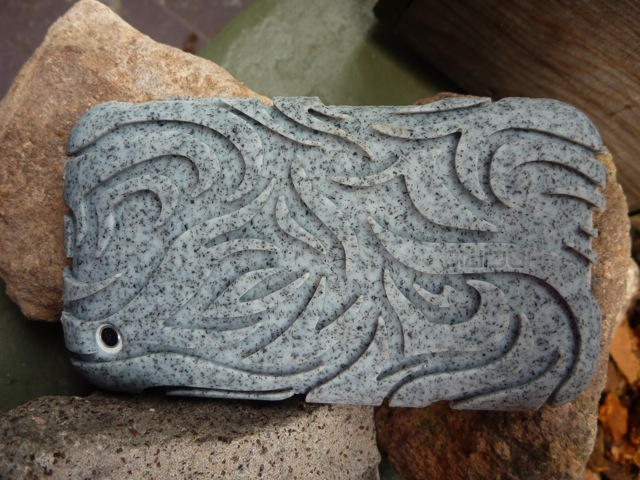
This iPhone case is made out of 100% recycled silicone, and at least 20% of that is waste materials from other Incipio products. This makes The Tribal Regrind ECO Case one of the greenest molded cases ever.
Note: It’s Case Week on CultofMac.com. We’re checking out some of the latest and greatest iPhone cases on the market. Read all the case reviews here.
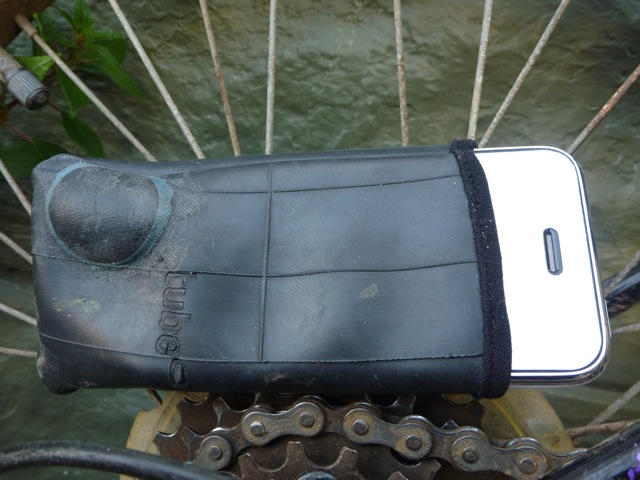
Tube a company from Biel/Bienne, Switzerland makes an iPhone case out of old used bicycle tires. The tubes are collected from bicycle dealers and are specifically from the 80s. So i-tubes are totally green and retro at the same time. Shut up!
Note: It’s Case Week on CultofMac.com. We’re checking out some of the latest and greatest iPhone cases on the market. Read all the case reviews here.
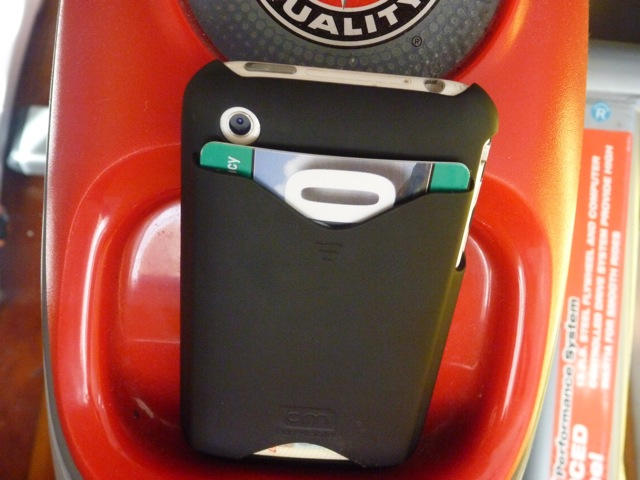
You know the dilemma. You’re going out to the club with your friends and you don’t want to take your bulky wallet and your iPhone, but you need them both. The ID Credit Card case from Case-Mate has got your back! The ID case allows you to bring both your ID and your credit card in one convenient iPhone case.
Note: It’s Case Week on CultofMac.com. We’re checking out some of the latest and greatest iPhone cases on the market. Read all the case reviews here.
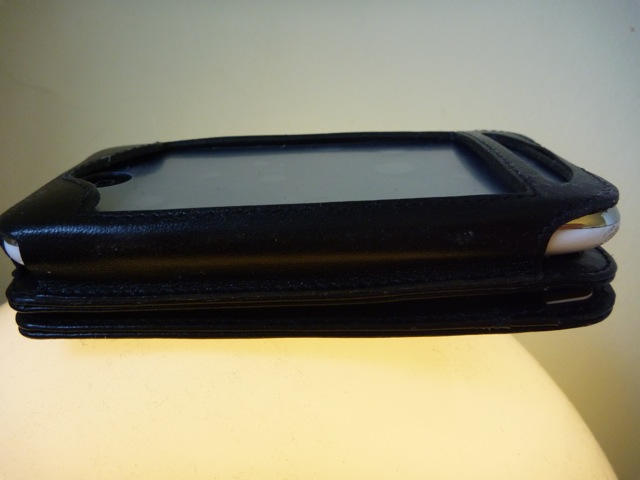
Just like a Reese’s Cup with its perfect combination of peanut butter and chocolate, the Sena Walletskin case has taken two great items, an iPhone and a wallet and combined them into one great wallet case.
Note: It’s Case Week on CultofMac.com. We’re checking out some of the latest and greatest iPhone cases on the market. Read all the case reviews here.
It’s time for our weekly digest of tiny iPhone reviews, courtesy of iPhoneTiny.com, with some extra commentary exclusive to Cult of Mac.
This time, we review Action Bowling Free, Advent Annihilation, Alien Glyphs, Color Expert, Cross Fingers, Fingerzilla, Minigame Party, Monkey Flight, Sound Warp Free, Super KO Boxing 2 Free, and Vintage Video Maker.
So you’re browsing around and doing your stuff, and you see some video on a web page that you want to watch.
Most of us will just watch it in situ, but what if it’s something special? What if it deserves to be displayed with a little more respect for the medium?
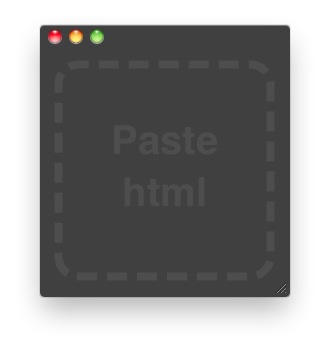
It’s a tiny utility that displays web videos in a minimal, chrome-less window of their own, very similar to the way QuickTime Player does its job in Snow Leopard.
Using Extract is as simple as pasting in the embed code for the video clip you want to watch.
Introducing Extract, Zach says: “Extract will also modify the embed code so that the video will expand as you resize the window. Then you can have it as large or as small as you want it.”
Here’s a quick demo video (which of course, you could always watch in Extract if you’ve already gone and grabbed it):
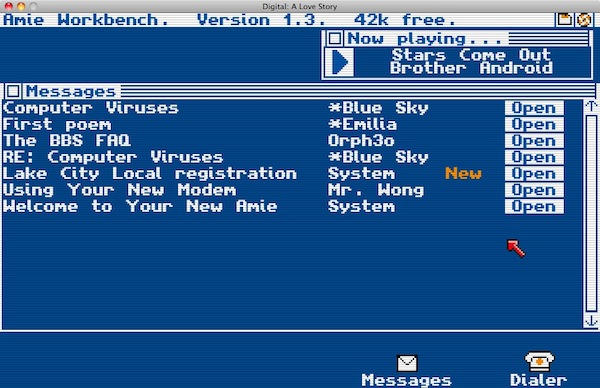
Officially, it’s “a computer mystery/romance set five minutes into the future of 1988”. It’s available for Windows, Linux and Mac, and it’s a joy for old-timers like me to behold.
What you see when you start Digital is how computers used to be. Back in the days when Cult of Mac would have been a roughly-stapled fanzine sold for 50 cents a copy (please send a stamped addressed envelope).
But it’s more than a nostalgia trip. It’s something else. Built by Ontario-based author Christine Love, Digital promises much more than just nostalgia. You might even get to save the world by exploiting a buffer overflow. That’s how old-school nerd superheroes used to do things.
It’s a native app for 10.5.8 or 10.6, and packs a lot of features into a nicely self-contained and fairly minimal little package.
One of those features is tabs: you can add Twitter-wide searches or personal filters to the line of filters that appears just below the text entry box.
YoruFukurou (it means “Night Owl”) supports link shortening, TwitPic pictures, current iTunes song, and loads more. It counts your tweet’s characters, it has a variety of appearance modes and adjustable colors, and a decent set of keyboard shortcuts. In short: it’s neat. It really does cater to pretty much all your Twittering needs – well, certainly all of mine, but then I’m not a terribly demanding Twitter user. (Sorry, can’t bring myself to say “Tweeter”. Euw.)
It’s time for our weekly digest of tiny iPhone reviews, courtesy of iPhoneTiny.com, with some extra commentary exclusive to Cult of Mac.
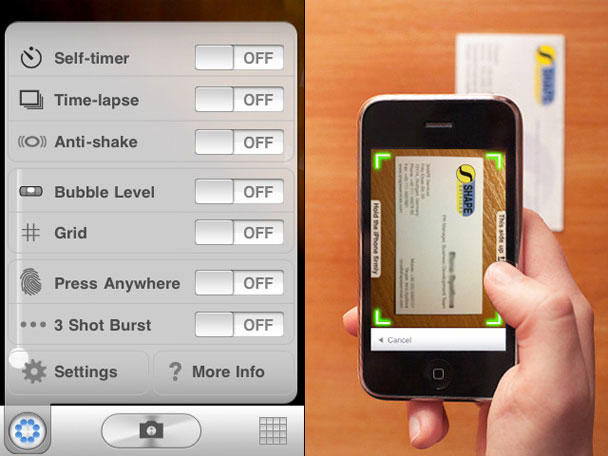
This time, we review 4×4 Jam, A Doodle Fly, Business Card Reader, Gorillacam, Magnetic Joe, Magnetic Joe 2, Neocell Fighters Evolution, Noise.io LE, Rasta Monkey, Samurai: Way of the Warrior, and Ultimate Video Poker.
Toktumi's Line2 app adds a second number to your iPhone that's all business.
Last year I signed up for a landline phone for my office. I wish I hadn’t for two reasons:
1. No one calls me.
2. Toktumi’s Line2 iPhone app, which adds a second, distinct number to my iPhone.
With a service like Line2, there’s no need for a physical phone at my place of work. I give my Line2 number to all my contacts, and it’s just like having a phone at work — except this office phone is always with me.
Like most people, I don’t like giving out my iPhone number for work but I do it all the time. But when the Line2 number rings, I know it’s a business call. I can route it straight to voicemail, or use the sophisticated Auto Attendtant to make my little company look big and important. “Dial one for the news desk,” it says, “or dial two for advertising and sales.” There’s no telling that both departments are one and the same: me.
Incoming calls on Line2 ring your iPhone whether the app is running or not.
About a hundred years ago, while I was still a Windows user and thought that a Mac was what you covered in a cheese and slurped down for lunch, I whiled away way too much time playing a DOS-based artillery duel game called Scorched Earth. Dot Matrix Interactive Designs have created their own version in the extremely polished, multiplayer KIL.A.TON — and it’s even more of a blast to play.
It’s time for our weekly digest of tiny iPhone reviews, courtesy of iPhoneTiny.com, with some extra commentary exclusive to Cult of Mac.
This time, we review Air Assault, Bad Apples, Fire Drop Free, Ghost Capture – Free, Heli Rescue, Internet Radio Box, Sunday Lawn, synthPond Lite, Tiki Totems, and Titanic Rescue.
There must be a special space reserved at the table in Valhalla for any designer able to make a fat brick look hot; if that’s true, then there’s a seat reserved right next to Jonny Ive’s for the Vers 1.5R’s designer (and yes, both design heaven and design hell are Scandinavian. Don’t believe me? Take a look at an IKEA catalog; now, go experience a 1980s-era Saab).
Drums are awesome; there’re few things as satisfying as making sounds by thumping something with a stick — even if that stick is virtual. Now, for a buck, the iPhone can be turned into a virtual museum of virtual drums, thanks to Vintage Drum by developer OutOfTheBit.
Awesome Note is a charming, flexible, free-form app that combines elements of both note-taking and todo apps. But like uncle Chuck at an all-you-can-eat Vegas-style buffet, trying to shoehorn too much good stuff into one thing can sometimes lead to messy results.
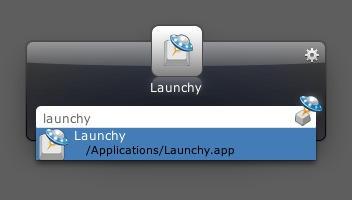
Just days after we reported on the launch of Alfred for OS X, along comes yet another keyboard-centric file and application launcher: Launchy.
Launchy has a long history as an open source Windows application, doing much the same on that platform that Quicksilver did on OS X. It too supports plugins that greatly boost its usefulness.