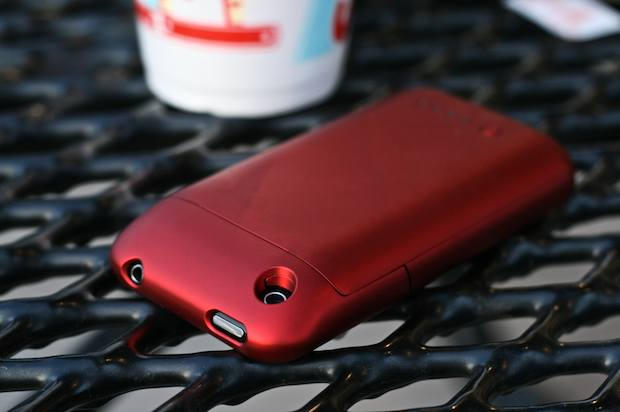
Most (if not all) of the cases we’ve reviewed here at the Cult during the past three weeks of iPhone Case Week just lay around lazily like some muscle-bound Miami Beach sunbather, looking good and maybe keeping the pretty iPhone from getting beat up. But the Mophie Juice Pack Air is different; It doesn’t just sit around, man. It’s charging up and down the beach — and it wants to take the iPhone with it.
The iSkin Solo FX iPhone case has a special mirror film that allows you to gaze at yourself when your iPhone is off. It can be a bit frighting — especially in the morning. But used like a compact, it’s great for applying lipstick.
Back in December I wrote about Cinch, a tiny little app that lets you drag application windows around to the edges of your screen, and have them instantly resize to something useful.
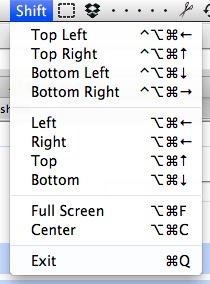
Cinch is mouse-oriented, but has a keyboard-oriented cousin called Sizeup. Today, a comment on that old post alerted me to a free, open source rival to Sizeup called ShiftIt.
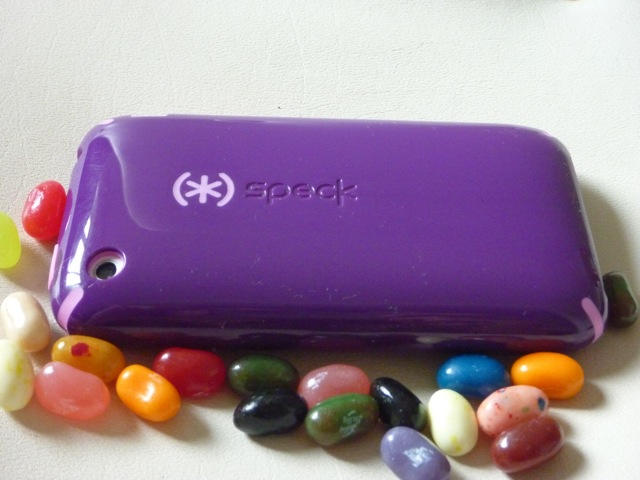
The Speck CandyShell iPhone Case is a brightly-colored protective case that not only provides first-class scratch protection, it really makes your iPhone pop.
The $34.95 CandyShell case combines a hard outer plastic shell with a soft silicone liner. Available in 13 different color combinations, you can almost taste the bright Jolly Rancher colors. I have been using the purple CandyShell and it makes me think of grape-flavored snacks like snow cones or popsicles, yum!
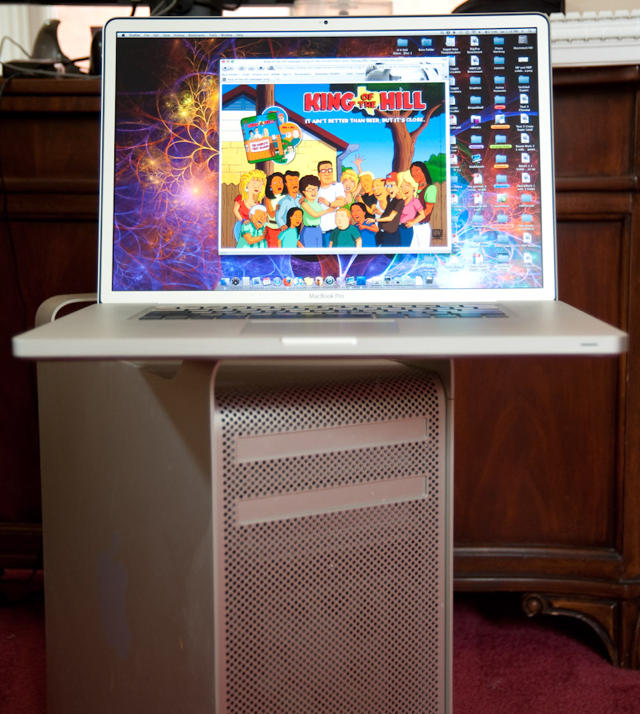
After one of the longest waits in the Intel era, the MacBook Pros were updated Tuesday complete with a migration to the new Intel i5 and i7 architecture. In addition to the CPU update these new top-end notebooks feature better battery life, and the ability to switch from integrated to high performance graphics on the fly. We here at the Cult managed to get our hands on one of the top-dog 17 inch i7 models on Wednesday have have been putting it though it’s paces.
Follow us after the jump for out first impressions and a detailed rundown of the King of the Hill’s real world performance.
Rally Up, the newish location based social networking app, released an update for iPad Thursday that immediately puts the upstart application ahead of the game for people who want to keep track of and interact with their friends on the iPad.
Taking full advantage of the iPad’s increased real estate, Rally Up’s unique map-based canvas gives the app a level of functionality and makes it interesting in ways that market leaders Foursquare and Gowalla have yet to achieve. By designing the app to take advantage of iPad’s support for popping info out and overlaying things on the same screen, Rally Up manages to let its users interact with the app in fewer taps and screen changes, allowing for more time to browse and interact with the content being constantly generated by users’ friends.
Because iPad usage patterns are likely to skew towards more time spent lingering over applications than the quick, get-in-and-get-out experience many desire from the iPhone, Rally Up’s focus on content — and the way it presents all of a user’s friends and their feeds in a single, map-based global view — makes using it a decidedly more immersive experience than other social networking apps can so far provide.
“The iPad really changes the experience of a [location based social app],” said Rally Up founder Sol Lipman. “It becomes less of a push app and more of a pull app, in my opinion. You want to sit and explore, not just wait until your friend tells you what they’re up to.”
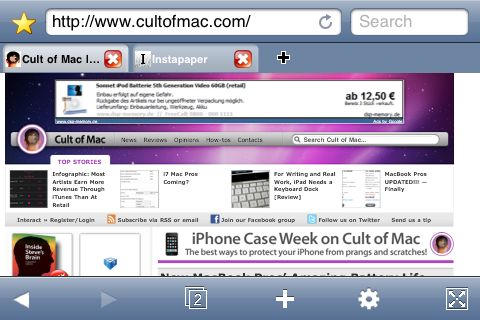
Mobile Safari’s method of handling multiple pages groks well with the iPhone’s small touchscreen, but on the iPad, it seems slow and cumbersome when there’s plenty of real estate for desktop Safari’s standard method of navigating between open websites: tabs.
Atomic Web Browser ($0.99, Free) brings tabs back to the iPhone OS. Better, it does so elegantly even on an iPhone or iPod Touch.
The icaseBelt from Austrian company Urban Tool is a modern version of the old-fashioned fanny pack, retooled for the iPhone/iPod age. It holds everything you might need for a day trip or jog, and includes built-in controls for your iPod.
Trouble is, the icaseBelt is way too cool for someone my age, but I like it anyway.
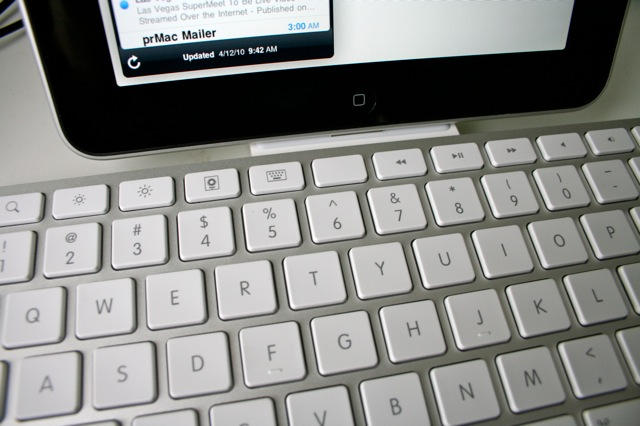
The weirdest thing about using Apple’s iPad Keyboard Dock is that you are constantly reaching for a mouse — a mouse that isn’t there, of course. The iPad doesn’t support mice. Instead, you should be tapping and swiping the screen.
Using the keyboard to work with the iPad takes you out of the multitouch mode and puts you back in mouse/keyboard mode. And while you can use the keyboard in a limited way to navigate the iPad, you can’t use many of the desktop shortcuts you’ve learned over the years, like Command-Tab to switch apps.
So using an iPad with a keyboard takes a little getting used to, but the $69 iPad Keyboard Dock is a very handy accessory, with a couple of caveats.
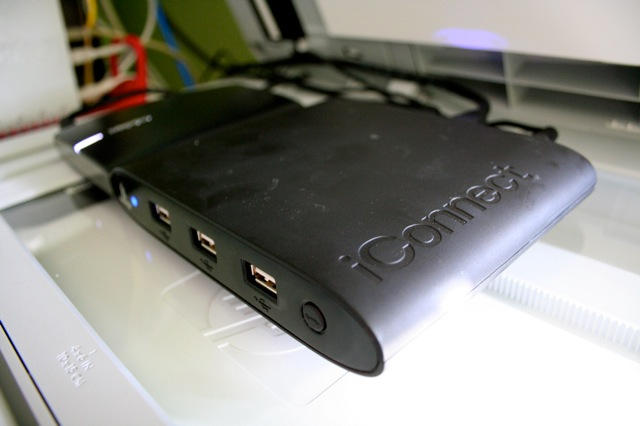
Of all the accessories for the iPad, a networked-attached storage device may not be the first thing that comes to mind, but a NAS may actually prove to be very handy.
A NAS allows you to store all your memory-hogging media cheaply and in one place. Instead of buying the more expensive 64GB iPad, which will soon get filled with movies, music and other media, get the 32GB model and invest $100 in Iomega’s iConnect Wireless Data Station.
The iConnect is perhaps the easiest and fastest way to get an iTunes share on your home or office network.
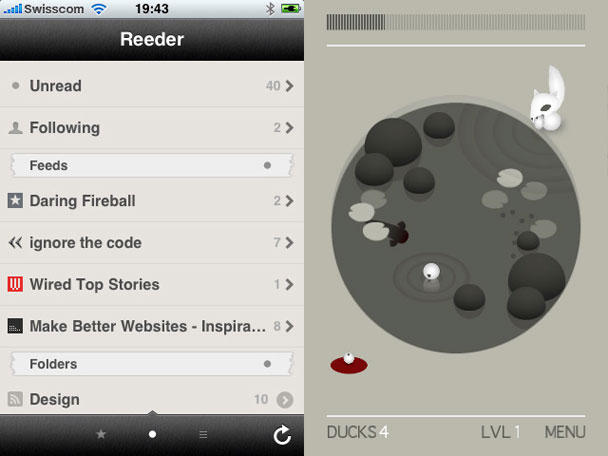
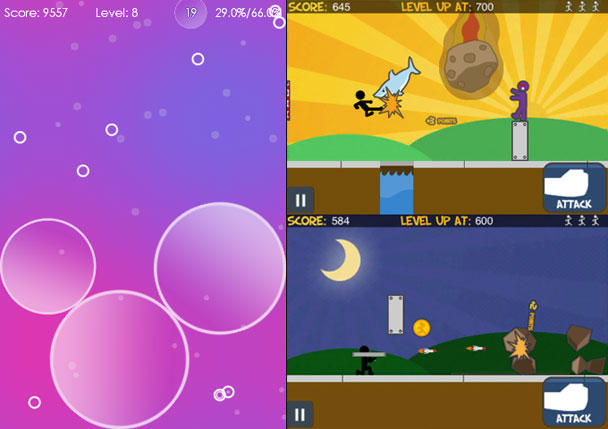
All hell breaks loose as my chain-tooth equipped arrow rips into those wretched dots; note the hardly impressive 2.5-million high-score.
Most people on this planet do something in order to live. Some catch bad guys, some heal — others yet write pithy reviews about tiny games.
A relatively new game has another suggestion, by dint of its title: “Tilt To Live.” If you do wind up with this little $2 gem in your hot hands, though, you’ll find it usurps any other activity you might have been engaged with in order to live.
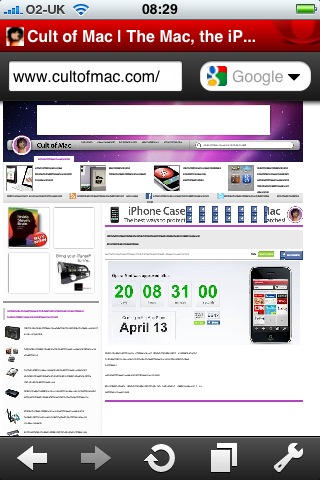
I’ve been messing around with Opera Mini as much as I can today, and here’s what I make of it so far.
First thing: it’s fast. Most of the time, you get your complete web page downloaded and readable quicker than you would using Safari.
It also does a great job of downloading over crummy network connections. I spent most of the afternoon on a beach, at the bottom of a cliff that blocks out all but one bar of my phone network signal. 3G? Forget it. Even so, I was able to read about the new MacBook Pros, and even go browsing on apple.com to check out details, using Opera Mini.
There are quite a few similar services around, but Cloud is the latest of the instant file sharing apps, and it’s very nicely done.
The aim is to make sharing of files – any files – as quick and painless as possible. Whatever you wish you share, you drag up to the icon in your Menu Bar. The app does everything from there; uploading the file, creating a short URL for it, and putting that URL on your clipboard. All you need to do is paste it somewhere.
Cloud is still very young. It was only officially out of beta on April 1st, and there are still some rough edges. What I like about it is that the dev team are very open about what’s going on, as you can see from posts like this one on their blog.
Almost as big is the Mahoubar’s lofty reputation, having been named Bicycling Magazine Editors choice for Best Commuter Bag of the year. So it was with no lack of excitement when Crumpler asked us to review the Mahoubar Messenger Backpack….
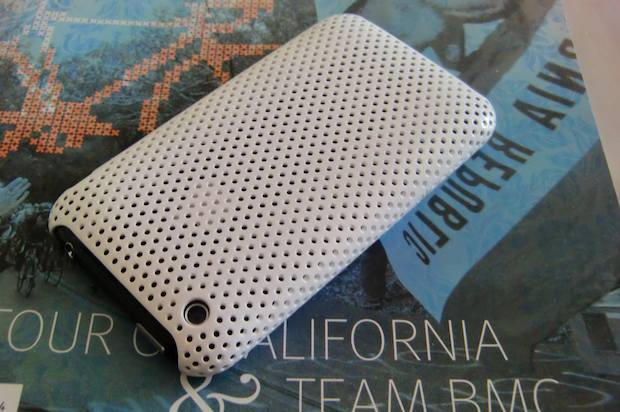
As noted in my last review, I’m not a big fan of iPhone cases (or any sort of cases, really. Or even clothes — when I was a kid, I ran around nak…uh, but back to the case). When I saw Incase’s Perforated Snap Case, and heard it was one of the lightest and leanest iPhone cases, I expected to find a case I would finally keep permanently attached to my 3GS. Well, not quite.
Left: the sedate Polyhedra. Right: the utterly bonkers Run!
It’s time for our weekly digest of tiny iPhone reviews, courtesy of iPhoneTiny.com, with some extra commentary exclusive to Cult of Mac.
This time, we review Action Hero, AutoStitch Panorama, Battleship, BDD • Büro Destruct Designer, Blackjack 21, Dropbox, Moodagent, Polyhedra, Run!, and Type Drawing.
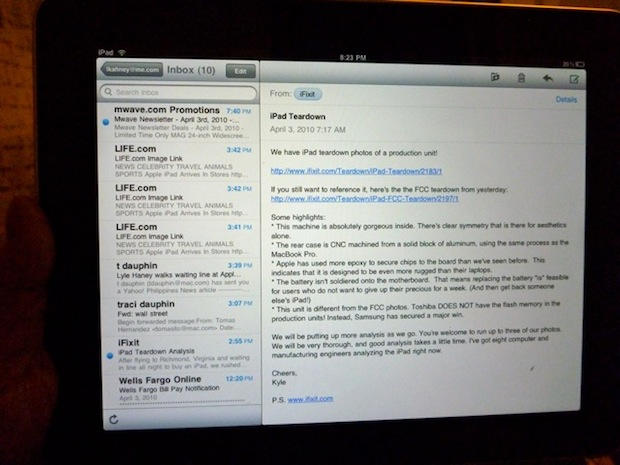
With the release of the iPad, we have yet one more way to access our email. While the look and feel of the Mail app for iPad is good, let’s dig a little deeper into what’s good, what’s bad and what’s ugly (Hint: Gmail and saving messages).
The first thing I notice about the iPad is that it’s wicked fast. Everything happens in a snap. Apps fly open. They close even faster. Web surfing is lickety-split, especially on a fast Wi-Fi connection. Netflix movies load almost immediately, and scrubbing through them is quick and painless.
I marvel at how seamless it is. Turning the pages of Winnie The Pooh is so gorgeous, I spend five minutes just turning and returning the pages.
Some new email comes in. Everything’s synced: email, address book, calendars, music and movies — all thanks to a two-minute setup in iTunes. I dash off a quick reply, and am pleased how easy it is to type on this thing. Woah — this is one slick gadget!
I know what you’re thinking. Should I get one for the kids instead of a nasty netbook? Can we replace our old PowerBook with it? Should I take it to a confernece next month instead of my heavy MacBook?
There’s a reason high-end car interiors are often accentuated with wood — it wears far better than many other materials, lends a rich, warm look, and each piece is unique due to striations and markings inherent in the wood.
Add the fact that wood is a renewable resource that — if care is taken to plant more trees — won’t harm the environment, and the result is a beautiful, warm, hard-wearing case from Vers that’ll also appeal to the green-conscious.
It’s time for our weekly digest of tiny iPhone reviews (well, it’s a day early, but, you know, it’s a holiday weekend, so…), courtesy of iPhoneTiny.com, with some extra commentary exclusive to Cult of Mac.
This time, we review Chemical Pixel, Color Magic Deluxe, ..™, Easy Beats Pro, Looptastic Gold, Rotate Video, Saturation, Vector Tanks Extreme, Vellum, and Water Your Body.
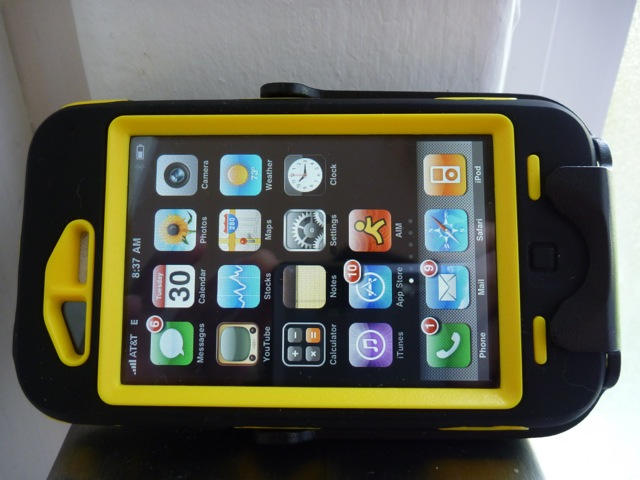
The Otterbox Defender iPhone Case is the Hummer of iPhone cases. Offering three layers of plastic armor, it protects the iPhone in any terrain.
The Defender case is chunky but offers serious protection for tough jobs. This is a case for construction workers, firefighters, and stunt skateboarders.
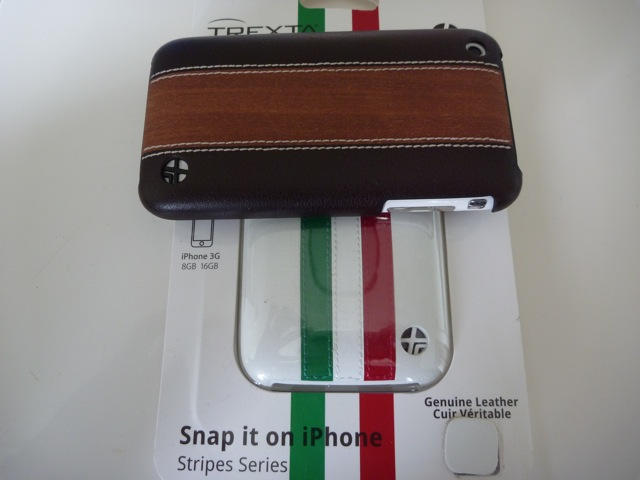
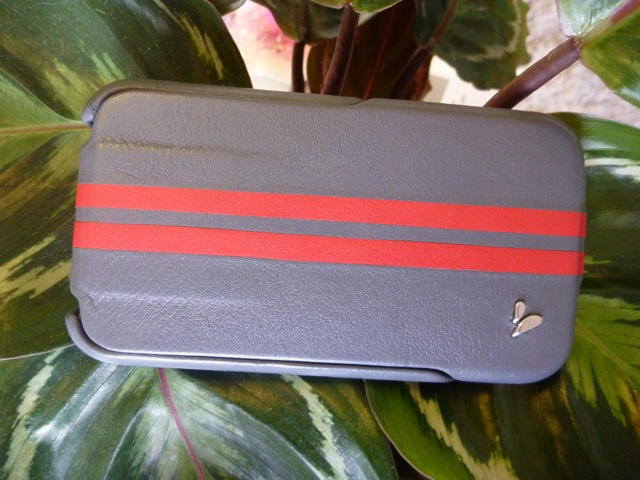
At first I thought this steel grey Ivolution GT case from Vaja was made from some new space-age material. It is textured but smooth, and has a luxurious silky feel. It took me an embarrassingly long time to realize it’s made from a pretty old material — leather.
Commanding a primo price ($100), the Ivolution GT is a primo case. The more I use it, the more I like it.
The big three tech reviewers — Walt Mossberg, David Pogue and Ed Baig — have all given the iPad pretty enthusiastic reviews. Of course, being pro reviewers, they are obliged to remain cooly professional and criticize shortcomings like the lack of Flash, multitasking and camera. But read between the lines, and these are pretty much double-thumbs-up:
WSJ’s Walt Mossberg: iPad has better than 10 hours battery life, email and other writing is surprisingly easy and productive, and digital newspapers are “gorgeous and highly functional.”
As I got deeper into it, I found the iPad a pleasure to use, and had less and less interest in cracking open my heavier ThinkPad or MacBook.
NYT’s David Pogue: Thinks nerds will be unmoved but technophobes will love it. Says it’s not as good as a laptop for “creating stuff,” but miles better for consuming books, music, video, photos, Web and e-mail.
For most people, manipulating these digital materials directly by touching them is a completely new experience — and a deeply satisfying one.
USA Today’s Ed Baig: Says Apple is “rewriting the rulebook for mainstream computing.”
Apple has delivered another impressive product that largely lives up to the hype.