PowerPC-based Macs have long been considered dead and buried by Apple, but the company just put a few more nails in the coffin to prevent any corpse risings. With the release of iTunes 10.7 this week the ubiquitous media control center becomes Intel-only, requiring at least a Core Solo processor and Mac OS X 10.6.8.
In a related one-two punch, Apple has also stopped providing online Software Updates for Mac OS X versions 10.0 through 10.3, as well as Mac OS 9. These items are now available only by direct download from Apple’s support website.
Project Genesis offers a new take on the silicon Story of Creation
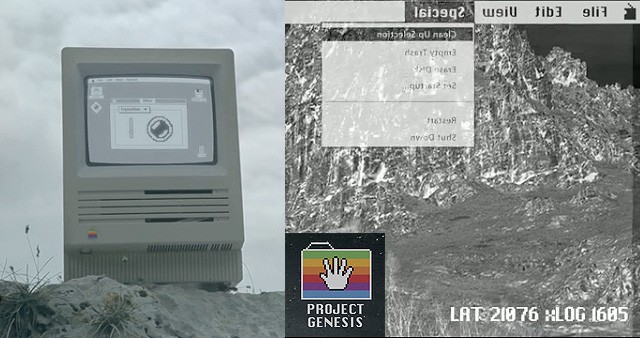
Word is spreading of a new independent film, Project Genesis, involving a world populated only by old Apple computers. Italian director and filmmaker Alessio Fava has posted an enigmatic teaser of Macs shuffling around in a drab soulless environment, with hints of better existence:
We computers have always looked at our world from a single point of view: with resignation, limiting ourselves to survive. We were wrong! From this moment on, everything changes: new unexpected ways open up in front of us, the world we knew now becomes more accessible, simple, within everyone’s range.
When people think computer gaming, they may not think Macintosh right away. However, there are a host of games both new and old, expensive and cheap, indie and triple-A for the Macintosh platform. The following list, then, is of the best strategy games the Mac platform has to offer; all of these received an over 80 score on Metacritic, a gaming review aggregation site. Most of them are playable on modern Macs, with a few exceptions as noted.
An interesting crop circle was reported at Cheesefoot Head, near Winchester in Hampshire, southern England, last week. An infinite loop, the formation has no beginning nor end. It has been likened to the Tibetan Buddha, symbolizing peace and motion simultaneously. It also reminds us of the command key symbol, an emblem of Mac keyboards over the last thirty years.
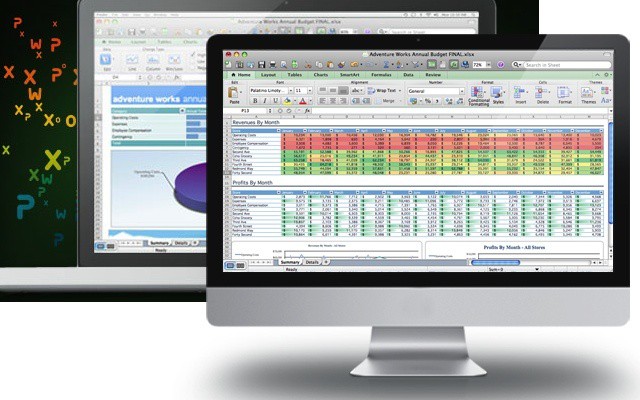
Did you know Microsoft Excel was release on the Mac before it was released on Windows? Pretty cool when you think about it—Microsoft launched its first attack on Lotus 1–2–3 through the Mac. Well that was in the late 80s-early 90s and 25 years have passed and Excel has only gotten more sophisticated and powerful. Most people who use Excel know the basics of formulas and spreadsheets, but like most apps the real power and treasures lie just below the surface.
SkimClip reads the text from your Mac screenshots.
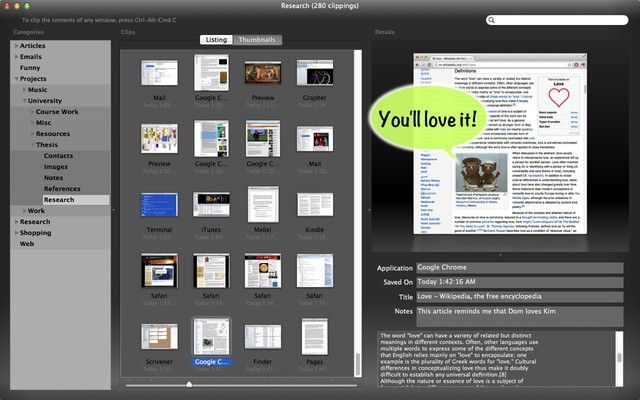
SkimClip is a very clever, and very handy little Mac app. What it does it this: With one keystroke, you can make a screen grab of any part of your Mac’s desktop and SkimClip saves it and performs OCR.
Thus, any image containing text is instantly cataloged for searching. Sure, you could also roll your own PDF workflow to do the same thing, but as SkimClip also organizes the results into an iTunes-like interface with search, subcategories and quick-look, and only costs $5 on the Mac App Store, then why bother?
Plus, this is yet another way to convert DRM-encumbered e-books into plain old go-anywhere text.
SkimClip v1.0 is available now in the Mac App Store.
Yeah it’s the set of apps we love to hate—Microsoft Office 2011 for Mac. I know, it’s all be downhill since Word 6.0, but still MS Office is the standard for sending and receiving files. Myself, I’ve always liked Excel and I taught myself how to use Pivot Tables, but it wasn’t fun or easy. When I told other people “Oh, just use a Pivot Table and you can do all of that…” their response was “That’s too hard to learn, I’ll do it the way I’ve been doing it…”
Wow.
So how would you like to tap into all the features of MS Office 2011? Really learn it inside and out? Now you can with today’s deal—Microsoft Office for Mac Video Training Bundle for only $79! That’s almost a 60% discount off the usual $196!
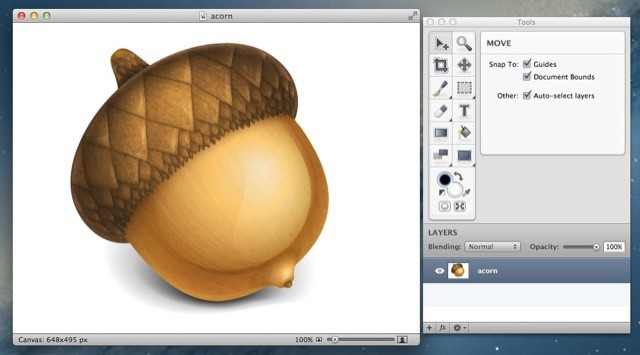
Think Retina display Macs are a gimmick? Think again: Mac developer Gus Mueller is almost ready to pop out an update to the Acorn image editing app which will use the Retina display on the new MacBook Pro to spectacular (and rather useful) effect.
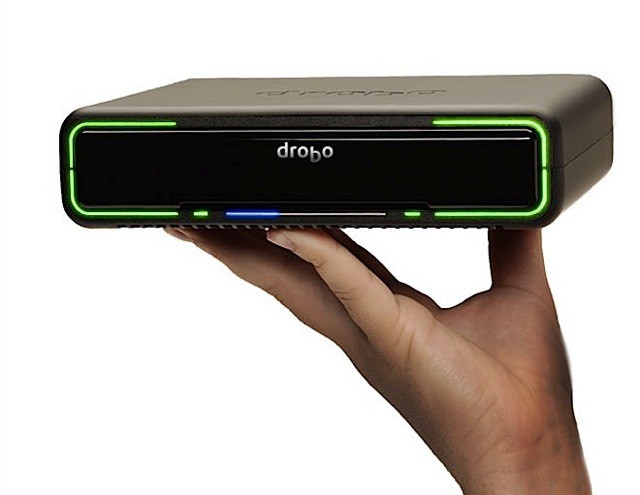
The Drobo Mini: Four drives of portable, redundant data awesomeness.
Who doesn’t love the Drobo? People who like to lose their data, that’s who. For the rest of us, today brings good news: New Thunderbolt-equipped Drobos, one for the desktop and one for taking on the road.
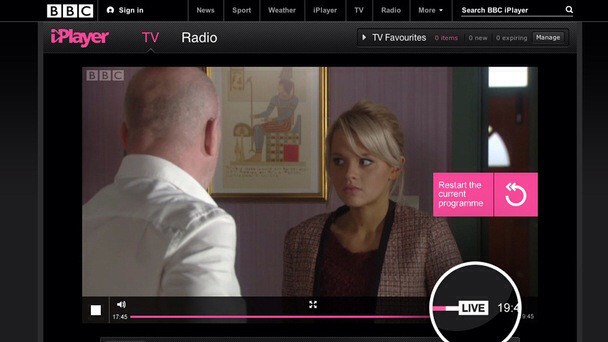
Now you can rewind live TV streams in the BBC iPlayer
BBC has added “Live Restart” to its iPlayer app. This will let Brits hit a button to rewind live TV up to two hours. Thus, if you miss the beginning of a live show you can just skip back to the beginning.
This handily closes the gap between live streaming and the watch-later service that lets you go back and catch TV shows aired in the past two weeks.
How well organized is your Documents folder? How about your Dropbox folder? Could you find that proposal you were working on? How about those images for the website you started for a client that was put on hold and it now a hot priority?
Right, exactly. Sure we have Spotlight (Or better Alfred) and we all try to keep things organized, but sometimes “life” gets in the way of keeping things together. This is where iDocument comes in.
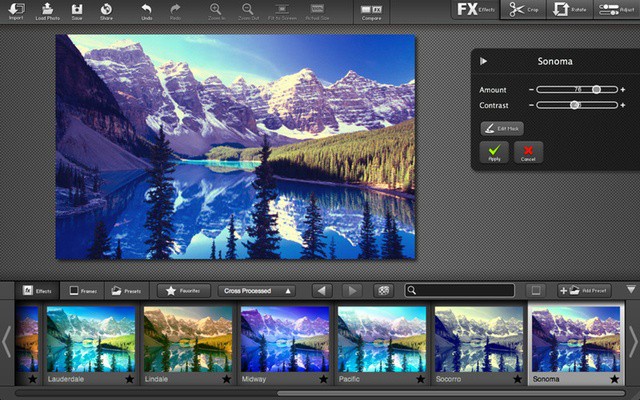
There’s something about a really well-edited photo that just “pops”. And then there are the photos that have had creative filters applied and you just see the image in a whole new way. You know it’s not magic right? You know that all it takes is practice, the right image, and…the right software.
Sure, iPhoto is pretty good and Aperture is powerful, but neither of them are really designed for effects (or layering effects), which is where FX Photo Studio Pro comes in. Part of the Cult Of Mac Deals FX Photo Studio Pro is usually $40 in the Mac App Store, but you can get it for $20 now!
The lovefest known as the Apple Worldwide Developers Conference starts Monday. As with any such event that involves Apple announcing new products, the global outpouring of love will be matched by a rising outpouring of hate.
Some people hate Apple. Other people hate people who hate Apple. Many of these haters have turned pro, leading to a lucrative “hater industrial complex.”
I know, because I’ve been the target of hate from both sides. I’m on the hate list of both the most extreme anti-Apple haters and pro-Apple haters.
Passion in technology, flame-wars, fanboyism and its discontents are nothing new. But in the past couple of years, something new has happened: The loudest, most insistent hate is now coming from the anti-Apple crowd, rather than the pro-Apple people.
I’ll tell you why below.
Also, it needs to be said: Haters are rare. The vast majority of users — and the vast majority of bona fide fans — don’t fall into the “hater” category. But haters appear to be everywhere because they’re active and vocal, and their rants memorable.
But first, let’s understand once and for all who hates, how they hate, and why.
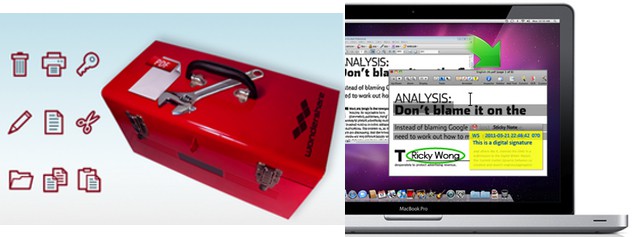
Are you ready to go paperless, but need a great way to convert your scans to editable text? Do you get lots of PDFs to review and need something with more oomph than Preview for edits, annotations, and changes? PDF is a great file format, but sometimes it’s frustrating when you need to do other stuff to them like convert them to another format, edit them, or pull out images or text for other documents. This is why you need PDF Editor Pro.
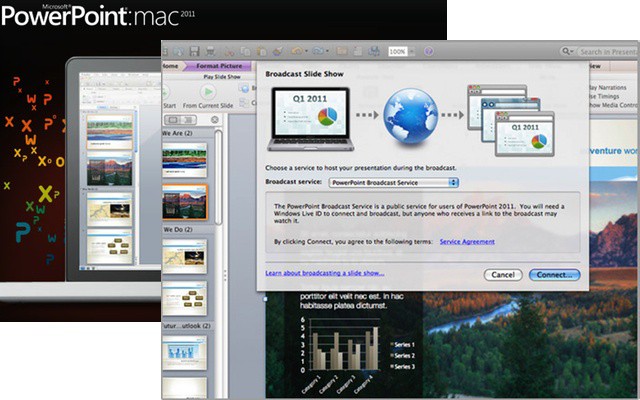
Put your hand up if you can do more with PowerPoint than make a simple presentation that goes from slide to slide? Fine, you can put your hand up if you know how to make a transition. The thing is though, PowerPoint is a pretty powerful program and can do a lot more than just a simple slideshow. Sure, PowerPoint gets a bad wrap for the terrible slides that people produce—not PowerPoint’s fault, typewriters have been used to write dreck for years!—but you can make a stunning visual impact with PowerPoint—if you know how.
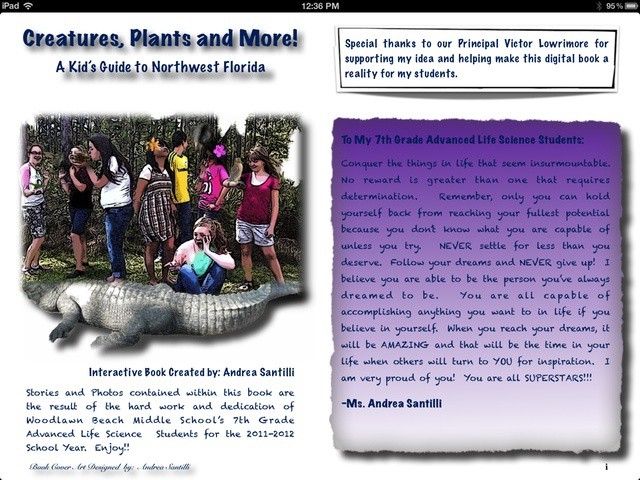
How many 7th Graders can say they best selling authors? Well this group of kids from Woodlawn Beach Middle School in Northern Florida can thanks to their teacher Andrea Santilli and iBooks Author.
Ms. Santilli, a self-professed “die-hard Mac girl”, was looking for a new way to not only challenge her Advanced Life Sciences class, but also leverage technology to make learning fun. Not to mention get some practical experience in the real world of writing, photography, video, and ebook publishing. Just a few minutes with this free ebook and you can see how much potential there is for iBooks Author and iPads in the classroom. Not to mention you’ll probably learn something interesting.
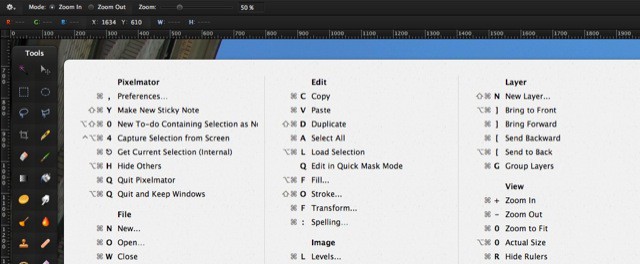
You know how in many Google web apps you can just press CMD-? to bring up an overlay containing all the keyboard shortcuts available? (you did know that, right?) Well, now you can do the same with any app on your Mac using the sweet and simple CheatSheet, a free app with this one single purpose.
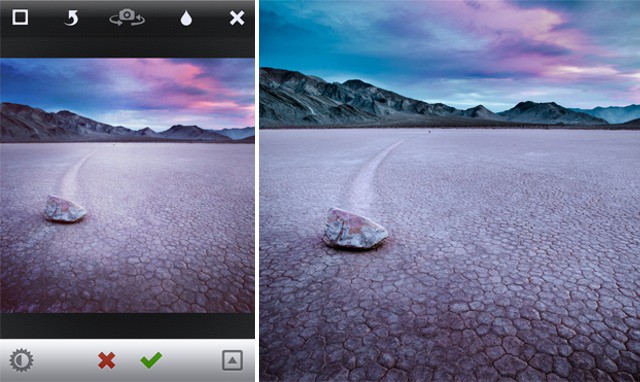
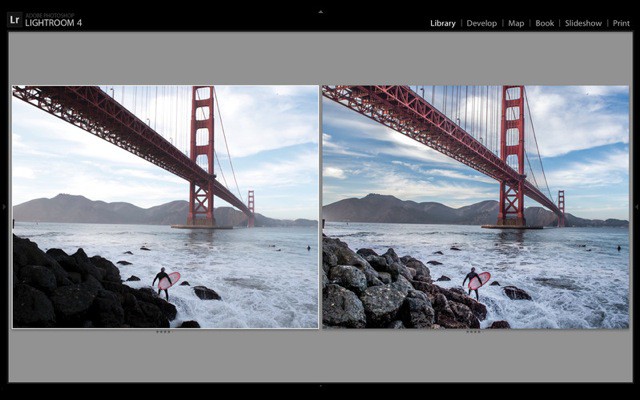
Speaking of Lightroom and iOS, what if you could take the beautifully shot RAW files from your SLR, bring them into Adobe’s super-powerful processing app and… apply Instagram filters? Now you can, thanks to a $5 set of presets from Casey Mac Photo.
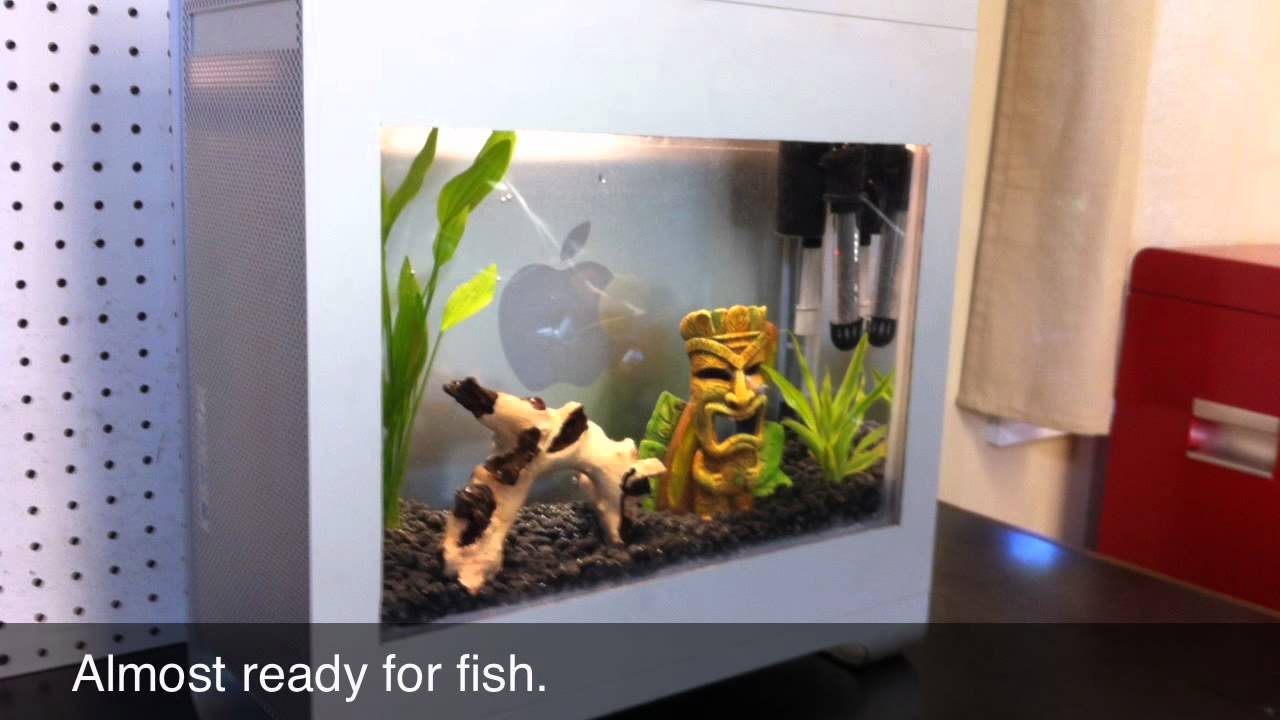
The Macquarium has been around for decades, starting as a project to make use of old compact Mac cases. Subsequent iterations have seen many different variations – beige Performas, G3 iMacs, G4 Cubes, etc.. But this latest iteration is unique, and probably has the best structural integrity of them all.
Steve Shaw recently created his Macquarium from a PowerMac G5 case (mislabeled as a Mac Pro in the video), elbow grease and some powertools. He did a nice job, bright and airy. I love the Apple logo in the rear and overall industrial look. And the totem head.
Next up we need a Siamese fighting fish in a Mac Mini…
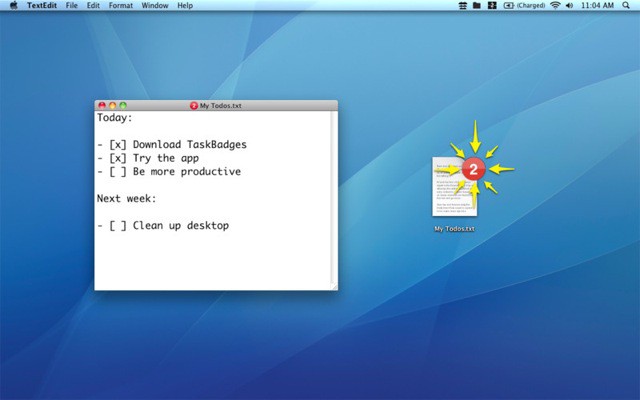
Are you a fan of plain-text files? Are you nerdy enough to stuff your todo lists into a todo.txt file? What if I told you that you could bring a lick of modernity to the your old-fashioned, candlelit ways? It’s called TaskBadges, and it adds a numbered badge to any plain-text list telling you how many uncompleted tasks are left inside.
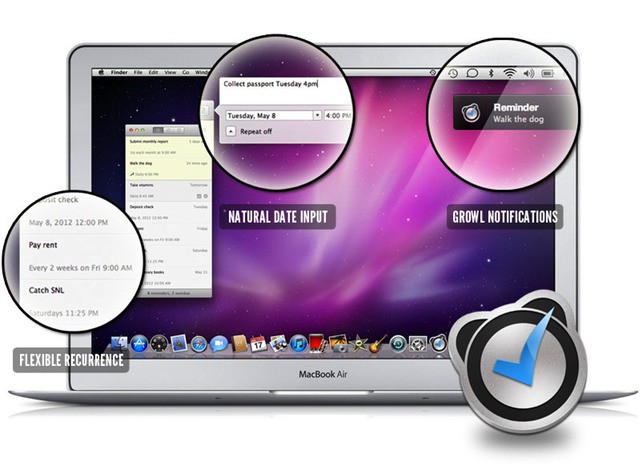
If you own an iPad and like to get out of bed on time, then you probably own a copy of Due, the super-simple alarm and timer app for iOS. It’s probably the easiest and best designed alarm app around, and now it is available on the Mac.
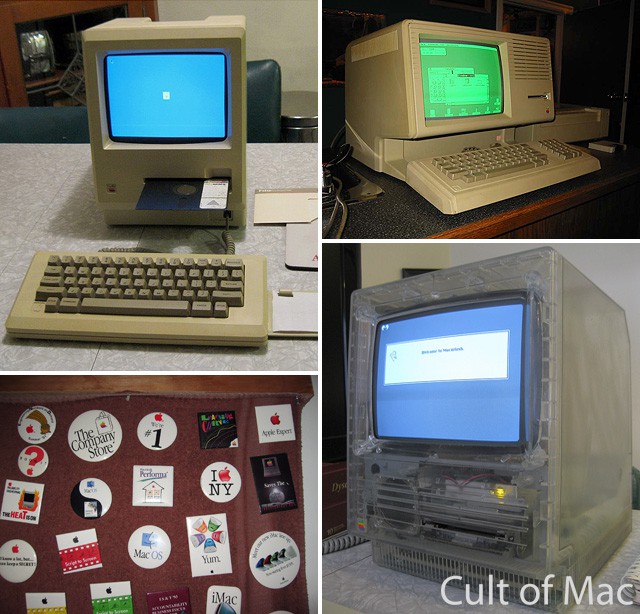
Rare Apple items: Twiggy 128k Mac, green-screen Lisa, Apple buttons, and clear Mac SE.
What does it take to be a vintage Mac collector?
A love of all things Apple and an encyclopedic knowledge of the many successful, unsuccessful and downright notorious products Cupertino has released over the years are a given. But the job can be more perilous than you’d imagine.
Just ask Adam Goolevitch. Known as “wozniac” on eBay, Adam is one of the premier vintage Mac collectors around. In just he last couple of months, some of Googlevitch’s rarest finds — including a 128k Mac with a 5.25” Twiggy floppy disk drive and a Macintosh SE with a clear outer case — have hit the web and sparked a flurry of interest.
But collecting these Macs isn’t always easy. From almost losing a finger to a PowerMac G4 Cube to mistakenly being investigated by the police under the suspicion of dealing drugs instead of Macs, Googlevitch has some wild stories to tell that prove that being a vintage Mac collector isn’t necessarily for the faint of heart.
Cult of Mac sat down with Adam to hear some of his adventures and also get the scoop on the rarest machines in his collection.
Adobe’s Photoshop Lightroom 4 can now be bought from the Mac App Store. The RAW photo editing app joins Adobe’s own Photoshop Elements and Premiere Elements, and is Adobe’s first full-featured flagship application to make it into the store.
The brand-new version of AirServer is being billed as “The Game Console For Mac.” Like previous versions of the software, AirServer runs on you Mac and turns it into an AirPlay receiver, allowing you to stream music, video, photos and even games to the Mac’s big screen, just as if it was an Apple TV. What’s new, though, is the ability to stream games from two players simultaneously for big-screen head-to-head action.
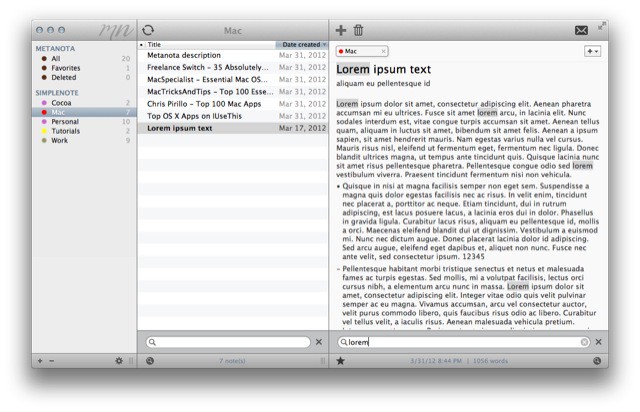
If you want a great Simplenote-compatible, note taking app for your Mac, then you should download the free and excellent Notational Velocity. If you want a harder to use, bigger and — some might say — uglier app to do the same thing, then Metanota is just the thing for you.