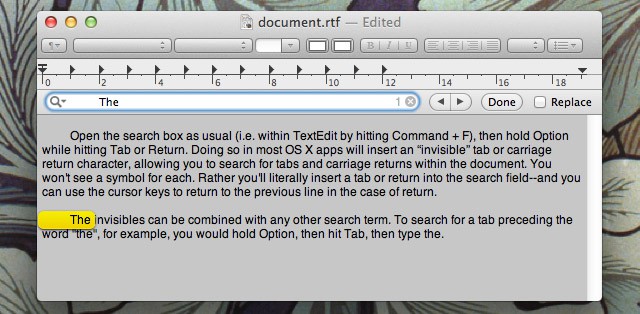
Sometimes within an OS X application you might want to search and replace all single tabs with two tabs, for example, or remove double carriage returns. However, if you type a Tab or hit Return in the search field of an app, it won’t have the desired effect. There’s a simple trick that can be used.
SAN FRANCISCO, MACWORLD / IWORLD 2012 — It’s one thing to have your favourite photos sitting on your iPhone or iPad, giving you the chance to show off your kids or places you’ve been with others quickly and easily. Snaptotes is taking that one step further — by letting you put them on the cases and bags that you keep your devices in.
Snaptotes has a small booth at Macworld/iWorld 2012, but they made an instant impression with me when I saw the photos of kids making up part of their display. I’m on the road and I miss my kids, so I decided to check out what they had to offer.
SAN FRANCISCO, MACWORLD/IWORLD 2012 — As you walk the exhibit floor here at Moscone West, there are the much larger booths that make up the bulk of what you’ll see. But there are also some of the smaller booths — known as “pods” — that a lot of the mobile apps are housed in. There’s plenty of iOS apps being featured in this area of the hall, and plenty to discover.
One of my favourite apps I’ve found here is called — oddly enough — FavorIt, an app that lets you and your friends share what their favourite apps are with one another.
SAN FRANCISCO, MACWORLD / iWorld 2012 — At the media preview last night at Macworld/iWorld, VIPOrbit Software had a ton of news to offer.
First, they unveiled a new version of VIPOrbit for the iPhone. The latest version has new features requested by its users, an improved user interface and an enhanced Dashboard.
Then they debuted VIPOrbit for iPad, bringing signature features from the initial iPhone app to iPad users.
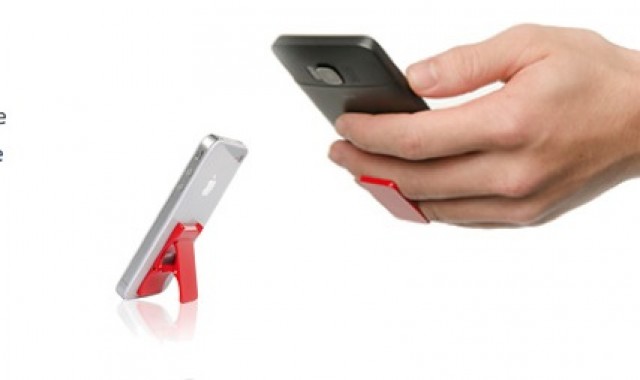
SAN FRANCISCO, MACWORLD / iWORLD 2012 — There are no shortage of iPhone cases being showcased here at Macworld/iWorld 2012, but only one grabbed my attention at last night’s media preview. It was a case called Flygrip, and it promises to keep your iPhone in hand so you can do other things without worrying about dropping your valuable device.
Macworld/iWorld marks the launch of FlyGrip, and I was given a unit to test out.
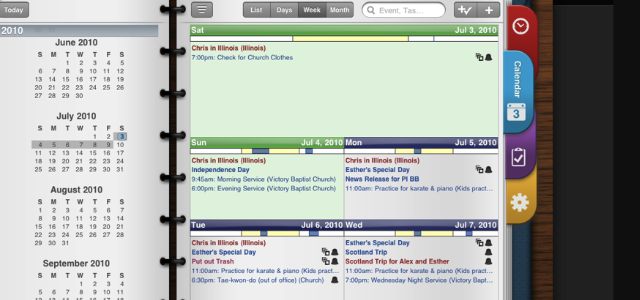
As a bit of a productivity nerd, it was great to see a couple of apps that revolve around that niche having a presence at the Macworld/iWorld media preview. One of these apps was Pocket Informant, which looks both elegant and compelling. And its available for both the iPad, iPhone and iPod Touch. For those looking to get a little bit more productive and want a pleasurable-looking experience while doing so, this might just be the app for you.
Pocket Informant fully integrates your calendar, tasks, notes and contacts into one spot, which allows you to focus on everything you’ve got going on in a day. This is a bit of a departure from other productivity-type apps in that they tend to put the emphasis on your tasks and let everything else fade into the background. Pocket Informant keeps everything close at hand and visible so that you don’t miss out on somewhere you’ve got go, someone you need to get in touch with or something you have to do.
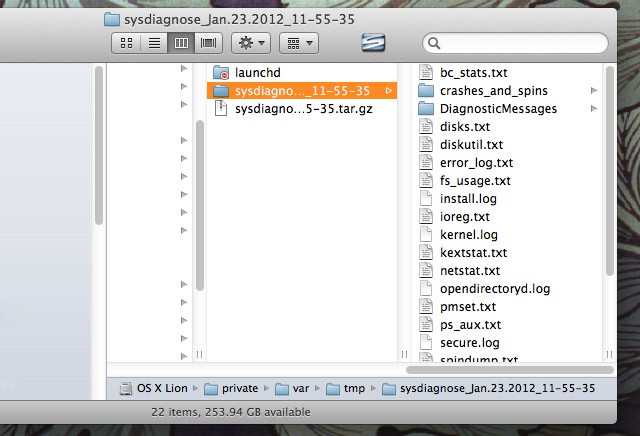
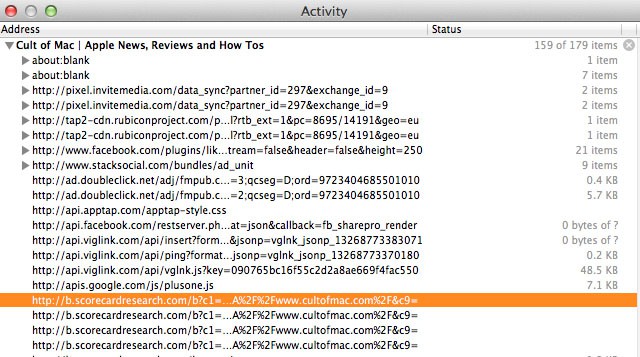
There might be certain situations where you need a snapshot of what your computer is doing. For example, if you spot a bug in a program, the developer might need to know what your computer is doing when the bug occurs. Here’s how to send the developer everything they could possibly need to know.
Photo by Shemp65 - http://www.flickr.com/photos/shemp65/5397469991/
This year’s edition of Macworld, taking place January 26-28, is shaping up to be a bit of a departure from Macworlds of the past. 2012 is a year of evolution for the event, now branded as Macworld/iWorld.
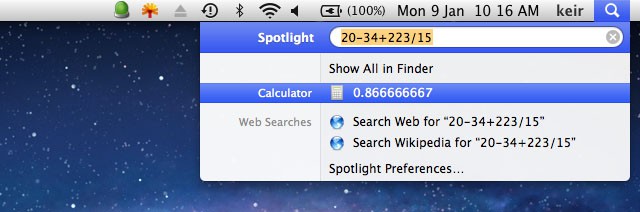
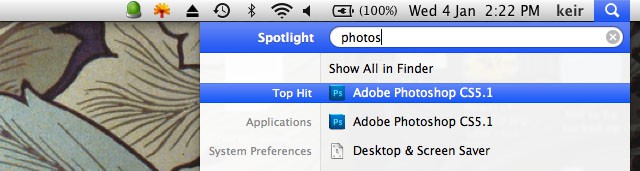
Spotlight is a love it/hate it experience. Don’t stop reading if you hate it, however, because here’s a tip that shows how useful Spotlight can be if used correctly. A simple trick lets you search for emails or documents by a particular author, which can be extremely useful when trying to track down that elusive file or message.
Ever wanted to quit every single open application? Perhaps you want to free up memory for the launch of another app. Here’s one way of doing it quickly and cleanly.
If you regularly use any X11 apps in Lion, such as the Gimp image editor, then you might dislike to the confusion of each X11 app utilizing its own menu bar. A way to make X11 apps easier to work with is to integrate X11 with Mission Control’s spaces and to run X11 full screen. Here are the steps.
If you don’t use Time Machine, you might notice that every time you attach a new and/or blank hard disk to the computer you get asked if you want to use it for backups. Here’s a simple trick that will stop that happening.
If there’s something you’d like to grab from a web page for which a download link isn’t provided, such as a movie file, Safari offers a handful of ways to download it–with no add-ons required. Read on to learn how.
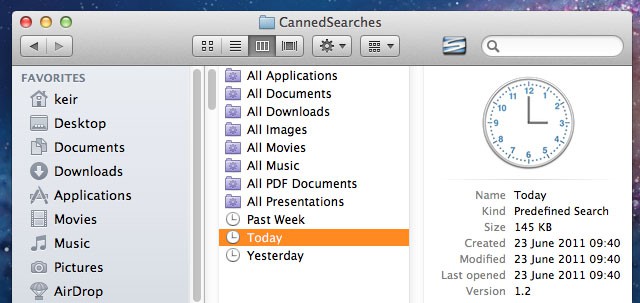
Wouldn’t it be useful to click a link in Finder that showed only files accessed or created today, yesterday, or within the last week? That would make it significantly easier to find files you’ve been working on but forgotten the location of.
Users of OS X Leopard and Snow Leopard already have this at their fingertips in the Finder sidebar, but Apple saw fit to remove it from OS X Lion, its latest release. Here’s how to restore it.
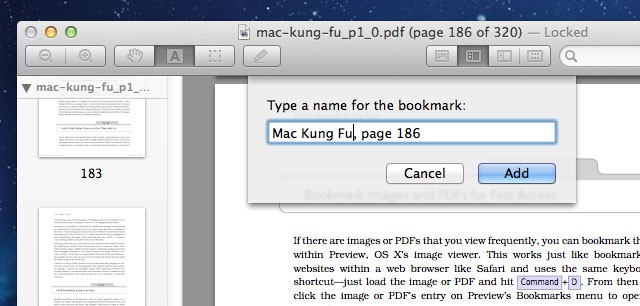
Here’s a neat trick that can be used if you need to view the same images or PDFs repeatedly, or if you want to simply record your position within a long PDF document.
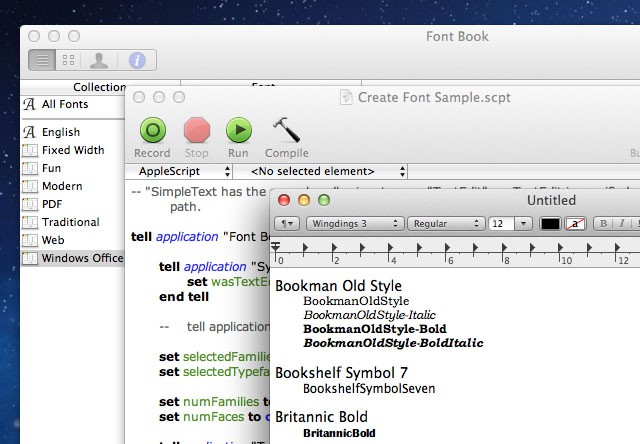
Gotta alotta fonts installed on your Mac, but never know which you’d like to actually use in a document? Most apps show font previews on the formatting menu, but with Microsoft Word and some other apps many people turn off this feature because it massively increases start-up times. The solution is to create (and print off, if you wish) a font sample document that you can refer to whenever you want. This is very easily done on your Mac, as follows.
LAS VEGAS, CES 2012 – The Consumer Electronics Show is winding down, ending today. It was an exhausting three days of navigating the jam-packed halls for Mac related items. We saw a lot of stuff. Some crap, some cool. Here it is.
Above: PhotoStitch can turn any scanned image into an embroidered work of art with a sewing machine. It’s like printing but with thread. Here’s a sample design of Steve Jobs. A Mac version will be available later this year.
LAS VEGAS, CES 2012 – If imitation is the sincerest form of flattery, Apple must be feeling very flattered. Also ripped off.
Many of the new Ultrabooks here on display at the Consumer Electronics Show are so similar to the MacBook Air, they can only be described as knockoffs.
Not only do the they rip off the basic design premise — lightweight, portable laptops with long battery life — they copy the same wedge aluminum casing, wedge shape, chiclet keyboard, large, button-less trackpad, and the selection and placement of ports.
See for yourself. Here are just a few of the MacBook Air knockoffs on display at Intel’s massive booth.
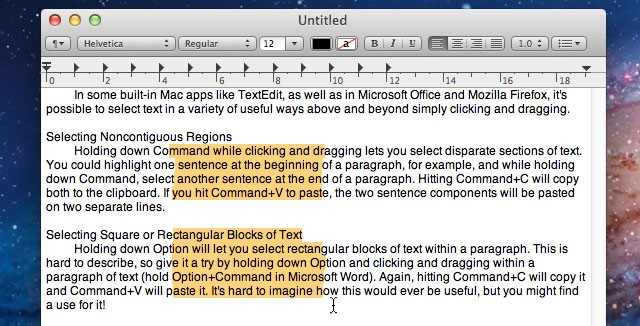
Here’s a handful of tricks you can use when selecting text within a document or web page. Like many good tricks, these techniques are simple but could potentially change the way you work with your Mac.
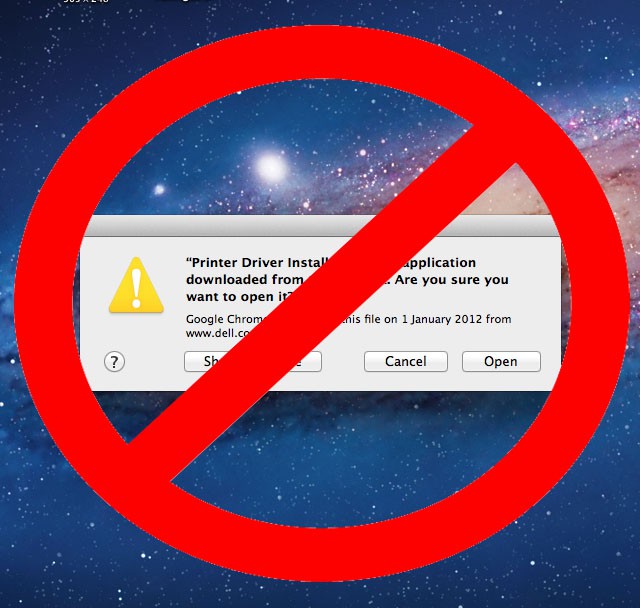
Ever get tired of the dialog that appears whenever you run or access a file you’ve downloaded? It can be an annoying halt to a workflow, especially if you already know not to trust files downloaded from questionable websites. Here’s how to turn off the warning.
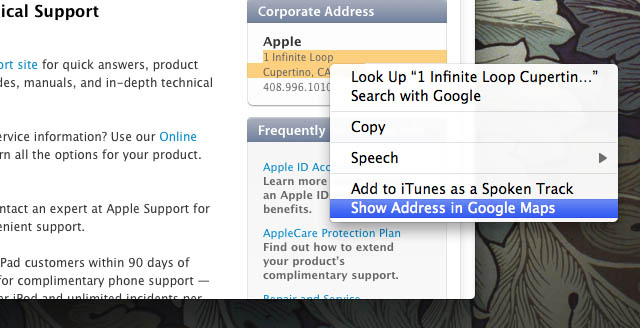
Trying to get somewhere in a hurry? The folks at Apple figured this might happen, so they built a very neat feature into OS X Lion to help you see a map of any address you’ve been sent via email, or encounter in a web page or document. No copying and pasting required.
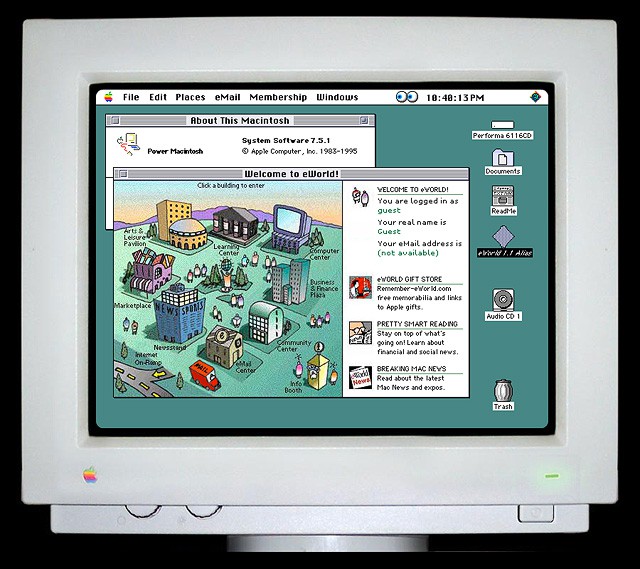
For those who yearn for the glory days of the Classic Mac OS and Beige Boxes, Andrea Grell offers up an authentic and interactive working demo of System 7 running on a Performa 6116CD. From the startup chime to eWorld, this blast from the past is worthy viewing for all old Mac fans.
If you’ve written a book full of Mac tips, as I have, it’s inevitable people ask what my favourite tips are. So here they are, for one-time only—the top 10 tricks I use every day. They’re not all barnstormers, and they’re not guaranteed to be mind-blowing. They’re just the little things I do to make life easier and more efficient when I’m using my Mac. Please share your own in the comments!