Mobile menu toggle

Mac - page 66

Westboro Baptist Church Is Still Planning a Steve Jobs Hate Fest

By

westb

Although they missed the chance to picket his funeral and memorial service, the Westboro Baptist Church still plans to stage two hate-mongering protests for Steve Jobs in Cupertino on October 19.

The Kansas-based congregation, infamous for picketing the burials of slain soldiers and its “God Hates Fags” slogan, plans to picket outside Apple headquarters during the employee celebration of Jobs and at a local high school.

In a rambling online statement, the church cited the immorality of “some nerdy people possessing ONLY what God loaned them for a very short while, have stolen God’s glory and given it to themselves.”

Earlier, the church had announced plans to picket Jobs’ funeral on October 6.
How iPhone 4s and iOS 5 Reveal the Mac of the Future

By

mac-funamizu-mobile-phone-concept8

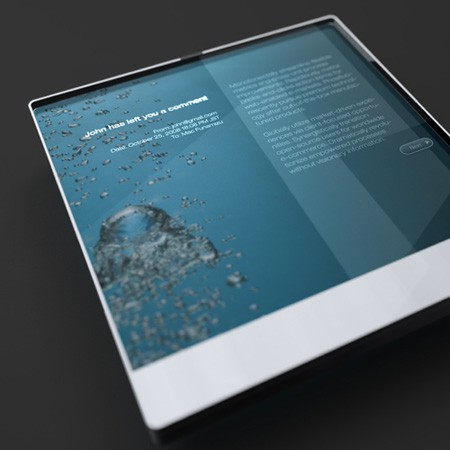
Planted in your shiny new iPhone 4s and in the iOS 5 are the seeds of tomorrow’s Mac of the future, and indeed the future of all computers. You can find them if you know where to look. (And I’ll tell you where below.)

It’s not supposed to be this way. In the Microsoft world, at least, new technology starts at the top and “trickles down” from bigger and more powerful computers over time to mobile devices and eventually cell phones. If you’re focused on the machines, this makes sense, as larger computers are more capable of handling powerful new features.

But if you’re focused on the user, as Apple is, this approach doesn’t make sense. Apple has developed what I believe is a unique strategy: introduce new interfaces and new ways to interact with computers and the Internet on the smallest devices first, then scale them up over time, eventually ending up as desktop features.

Couple To Celebrate Steve Jobs Day By Getting Married At Apple Store

By

Gunter_Zieber_Erica_Montelongo

To celebrate Steve Jobs Day this Friday, Erica Montelongo and Gunter Zieber are getting married at their local Apple Store.

 “Gunter admired Steve Jobs and this is how he wanted to celebrate Steve Jobs Day,” said Montelongo, 34. “And when you add in Tiffany and Co., how could a girl say no?” To learn more about the steve jobs wedding, check out this detailed article.

Win a Free Copy of Disk Drill Pro! [Giveaway]

By

diskdrillpro_screenshot

The newest app to grace the Deals.CultofMac.com hub is a nifty little tool called Disk Drill Pro. This is a sort of app that you hope you never have to use, but is a lifesaver when it’s called to the line of duty. In almost any situation Disk Drill Pro can assist in recovering lost data on your Mac. It has patented technology to deep-scan your hard drive and find files you thought were gone forever. Currently, the app is on sale at deals.cultofmac.com for $30 (that’s 66% off its usual $89 price-tag).

Today we’re holding a giveaway for 2 app codes of Disk Drill Pro. You have to actually play to win the giveaway though, so here are the rules for the contest:

Disable Restoration Of Previously Open Windows In The Lion Preview App [OS X Tips]

By

previewicon

You’ll either love or hate Mac OS X Lion’s Restore feature. If you didn’t know it the Restore feature kicks in when you relaunch an app. All the windows that were open the last time you used that app are open again and restored when the app launches again.

Although Restore works great for some apps like Safari I don’t really like how it works for the Preview app. Lucky for us we can permanently turn Restore off for Preview.

I Installed Steve Jobs’ Trampoline [Me & Steve Stories]

By

Me&SteveHeader


Me & Steve Stories — Some of the best stories about Steve Jobs are the personal, intimate ones. We’re collecting them here and will run as many new stories as we can find. If you have a story about Steve you’d like to share, please send us your submissions.

In September, 2004, KC Bradshaw was working as a trampoline installer, which is how he got to meet Steve Jobs in person and leave with a very special souvenir.

Steve Jobs Watched iPhone 4S Launch Live From Home

By

data

UPDATE: Jobs wasn’t in bed watching the live feed, but sitting on a sofa enjoying apple juice with rice pudding. Our source reports: “He was sitting in his favorite single soft leather sofa chair and having apple juices with rice pudding, as his favorite.”

We don’t have many details, but we have it from a good source that Steve Jobs watched the launch of the iPhone 4S from his death bed home in Palo Alto.

A special private video stream was set up for him to watch the event from home.

According to our source: “At the end of the show, he smiled as if to say ‘All things are in good hands’ but did not utter a word.”

The source declined to go into further detail. The source is well-connected and spoke on condition of anonymity.

Jobs died the following day.

Video Tribute To Steve Jobs

By

jobs_mac

Steve Jobs was no doubt a visionary and leader. People like this come along once in a lifetime, and to say that he changed the world woud be an understatement. In remembrance, I’ve put together this video. Thank you Steve.

How Do I Merge iTunes and iPhoto Libraries? [Ask MacRx]

By

AskMacRx.jpg

Many Mac users have multiple systems of varying ages, and often several different copies of their iTunes and iPhoto libraries. Here’s how to get them all in one place:

Your post today about sharing libraries made me wonder whether you have addressed importing/merging libraries across two Macs. My wife has a desktop PowerMac G4 Cube and a newer MacBook. She wants to import both her iPhoto and iTunes libraries to the MacBook, but I’m not sure how to accomplish this. Also, because the Cube has slow USB and the MacBook has no Firewire, I’m not even sure how to get the data over to the MacBook without it taking eons. Any thoughts would help.

Thanks! Rik

Only Two Days Remaining on Cult of Mac’s 40% Off Sparrow Deal

By

deals


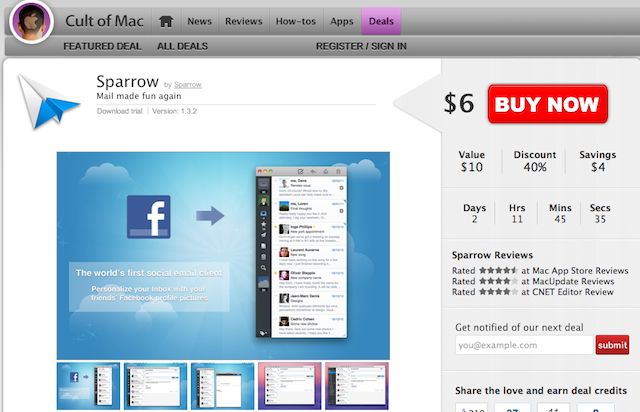
If you still haven’t heard the news, last week we launched our new “Deals” hub for Cult of Mac. We’re bringing Apple fans the best deals in cutting-edge software and apps. Right now we have the amazing email-app, Sparrow, on sale for $6. With only two days remaining on this deal, users need to act now before our discount is over. Also, we’re hosting a giveaway for five free copies of Sparrow. The contest ends today at 5PM, so sign up while you still can.

We’ll be offering all kinds of deals: free app codes; 72-hour sales on premium packages; and bundles of the best apps — all at savings of 30% to 90% off retail. Teaming up with StackSocial allows us to bring special expertise to Deals.CultofMac.com We will be using our knowledge of what Mac users want to create highly relevant offers designed to cater specifically to the demands of Cult of Mac’s core readership, the Apple enthusiast. We hope you keep checking out deal.cultofmac.com to join the experience.


Cult of Mac Deals Giveaway – Sparrow

By

sparrow


Let’s be honest, typical email clients (like your old corporate buddy Mr. Outlook) are about as fun as a bag full of dead butterflies.  When was the last time you got excited to use Entourage or Lotus Notes? Probably never.

Luckily, Sparrow glided into the app-scene with a singular goal to make emailing fun. It’s lightweight so its zippy, yet packed with features no other email app has.  The love and energy the Sparrow team put into their app has changed emailing from a dreaded chore into something that is pleasurable and fun.

Yesterday, with great excitement, Cult of Mac launched a new software hub called deals.cultofmac.com. Teaming up with the guys at StackSocial, this new feature will bring Apple fans the best deals on cutting-edge Mac Apps at a price you won’t be able to find on the Mac App Store. We’re starting things off by offering Sparrow, the best mail-app for OS X, for only $6.

To celebrate the launch, we’re giving away 5 copies of Sparrow for free to our readers via a giveaway contest on Facebook. Entering the giveaway is simple, but you gotta play to win.

Here’s how to enter:

Why Does My Mac Screen Just Show Two Buttons with Arrows? [Ask MacRx]

By

AskMacRx-fix

Inheriting an old Mac does not always mean it’s ready to go with freshly reinstalled software. The Startup (Boot) Manager might show its friendly face sometimes when a valid boot drive can’t be found:

Recently I have been given a iMac G5 (light sensor). The guy who gave it to me has wiped the HD so I can start again. I intend to give this Mac to my parents for a present but before I go and buy a copy of OSX i decided to try and install a borrowed copy just to make sure the computer still works. As far as I know the copy works. But my Mac won’t have any of it. (don’t worry, I’m not asking you for advice on pirating). All that shows on the screen are two buttons. One has a circular arrow and the other has a straight arrow. Nothing happens when I click on either of them.