Mobile menu toggle

Mac - page 68

Get Your Scroll Bars And Your Sanity Back In Lion [OS X Tips]

By

LionSystemPreferences

It seems that no matter where I go or who I run into one of the biggest complaints about Mac OS X Lion that I hear about is, “Where the #!@#!@# did Apple put those scroll bars?!?!?” This not so subtle change in Mac OS X Lion is driving people crazy.

So if you want your scroll bars and your sanity back pull up a chair, lean in close and I’ll tell you how to bring ’em back.

Fixing Finder Annoyances In OS X Lion [Video How-To]

By

Untitled

Ever since the switch to OS X Lion, there’s been a few little tweaks in the Finder that have annoyed me. Perhaps it’s just that I don’t like change, but either way, I went about looking how to fix these problems. In this video, I’ll show you how to fix little annoyances you may have found with the Finder in OS X Lion.

Steve Jobs Is NOT Dead [Twitter Rumor]

By

cbs_tweet

Steve Jobs is NOT dead — it’s a screw-up by CBS.

The rumor — which is lighting up Twitter like crazy — was caused by an errant tweet from CBS’s “What’s Trending” feed. The tweet said:

“Reports say that Steve Jobs has passed away. Stay tuned for more updates.”

But CBS has now pulled the tweet and kinda apologized:

“Reports of Steve Job’s [sic] death completely unconfirmed.”

So, they don’t know one way or the other.

We’ve called Apple and left messages all over the PR department. The one live person we talked to said they’d get back to us shortly. But there obviously wasn’t a fire drill there, so it’s safe to assume Steve is still alive.

Discover New English, Foreign And Novelty Text-To-Speech Voices in Lion [OS X Tips]

By

speechpanel

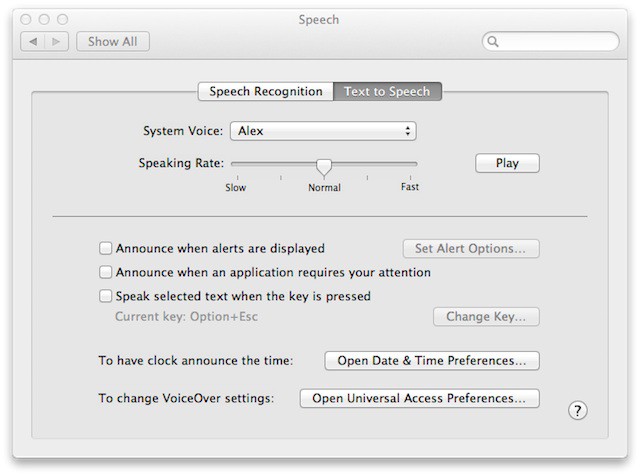
Voice-to-text speech technology quality has improved over the years and Apple is keeping up with the technology by introducing advancements in Mac OS X to support this technology. Mac OS X Lion doesn’t offer a lot of default voice choices, but armed with this tip you’ll find out that there is lot more for your ear to hear than what your eyes can see.


Awesome Recollections of Steve Jobs, By His Neighbor

By

steve_jobs_house
Steve Jobs' house in Palo Alto. Image courtesy of MacMagazine: http://macmagazine.com.br/2009/06/14/exclusivo-macmagazine-visita-jackling-house-garagem-da-apple-e-casa-de-steve-jobs/

Writer Lisen Stromberg lives in Palo Alto, just down the street from Steve Jobs. She has an awesome and touching post about Jobs as a neighbor who waves and says hello.

Discover The Hidden Password Reset Tool In Lion [OS X Tips]

By

davepwdwizard

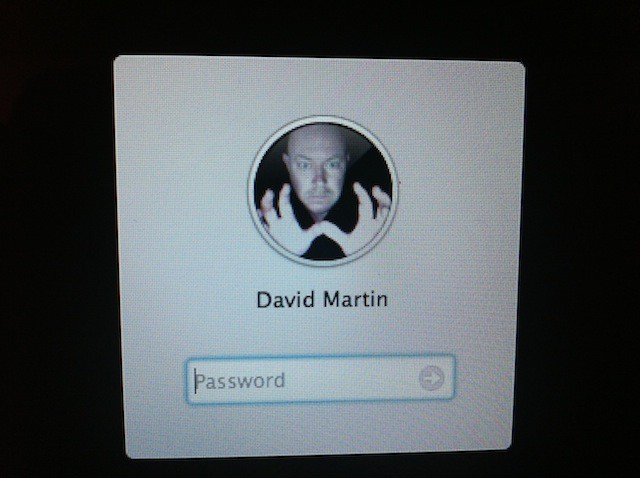
Apple provides a password reset utility that is very handy when you really need it. In versions of Mac OS X before Lion you accessed this utility by booting your Mac with the included restore DVD. Mac OS X Lion can still reset passwords, but for unknown reasons Apple decided to hide this ability.

Today’s tip will show you how to discover the hidden password reset tool in the Mac OS X Lion Recovery HD Utility.

Disable Lion’s Resume Checkbox When Shutting Down [Video How-To]

By

Resume

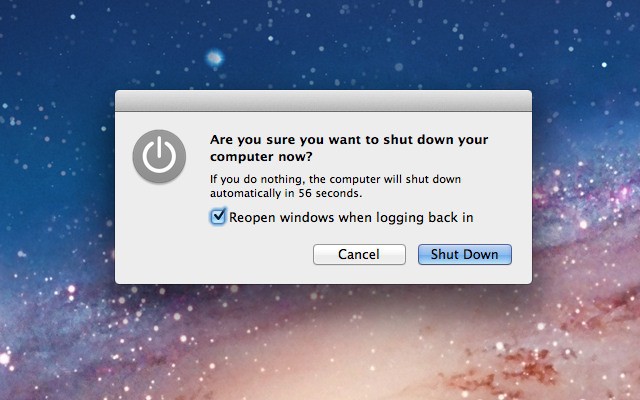
One of the most annoying features in OS X Lion for me has been the little checkbox on the shutdown dialog box that states, “Reopen windows when logging back in.” Going through the trouble of managing this checkbox every time I shut down is a hassle I’d rather not go through. Fortunately, there is a neat little Terminal trick that will allow you to render this button useless, as I’ll show you in the video below.

Adjust Displayed Web Page Width In Full-Screen Safari [OS X Tips]

By

SafariWidth

The full-screen feature supported by some applications running on Mac OS X Lion is a welcome addition to OS X. Especially since it allows you to focus on what you are doing inside of that particular application without any distractions. However, sometimes it doesn’t work very well when you are using Safari and its Reader option.

The primary reason for this might be the width of the display you are using. Luckily you can adjust the width of the page view in Safari while it is running full-screen.