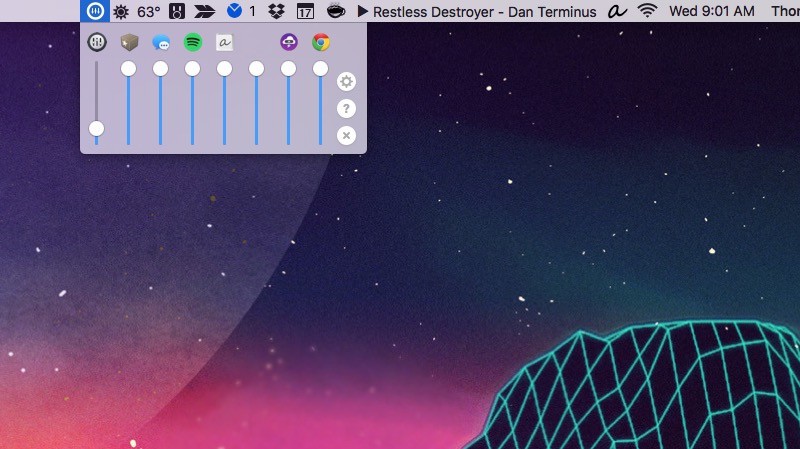
Ever been annoyed by one Mac app blurting out sound at a volume that’s too low, while the next is too high? Well, shocker! There’s an app for that.
It’s called Volume Mixer. This simple app supercharges your volume control on a Mac by allowing you to easily lower or raise an app’s volume on an app-by-app basis, thanks to an individual slider.
Many Mac apps let you adjust the volume within the app itself, but Volume Mixer is an all-in-one solution that sits in your menu bar, allowing you to adjust volume no matter where you are in an OS X stack.
It’s long overdue, especially since the capability has been available to Windows users forever. Sadly, Volume Mixer is a little pricey on the Mac: It costs $10, with a free 15-day trial. But if you juggle a lot of multimedia apps, it might be well worth the cost.
Source: Volume Mixer
Via: Product Hunt

John Brownlee is a writer for Fast Company, and a contributing writer here at CoM. He has also written for Wired, Playboy, Boing Boing, Popular Mechanics, VentureBeat, and Gizmodo. He lives in Boston with his wife and two parakeets. You can follow him here on Twitter.




2 responses to “How to control your Mac’s volume, app by app”
Is it compatible with Boom 2?
Anyone know where you can get that wallpaper?