Mobile menu toggle

Mac - page 56

These killer apps turn your Mac into a social media machine

By

post-291027-image-a14b9f15d600ea9d339f9a7cd2d9bca9-jpg

While looking at social media on your favorite iOS devices is smooth, making the transition to the Mac just isn’t quite the same. Though there are plenty of top-notch applications for looking at Twitter or Snapchat on iOS, the social media gems on Mac can be hard to find.

In today’s video, we’ll show you the top social media apps for Mac so you can transport the fun from iOS to your desktop in the most efficient ways possible. Here’s how to enjoy the fun of Snapchat, Instagram and more, all on your Mac by downloading some killer social apps.

Subscribe to Cult of Mac TV on YouTube to catch all our latest videos.
How to turn your Mac’s trackpad into the ultimate timesaver

By

post-290809-image-67bac554106b2e9e842ee4a3c2ae8b7b-jpg

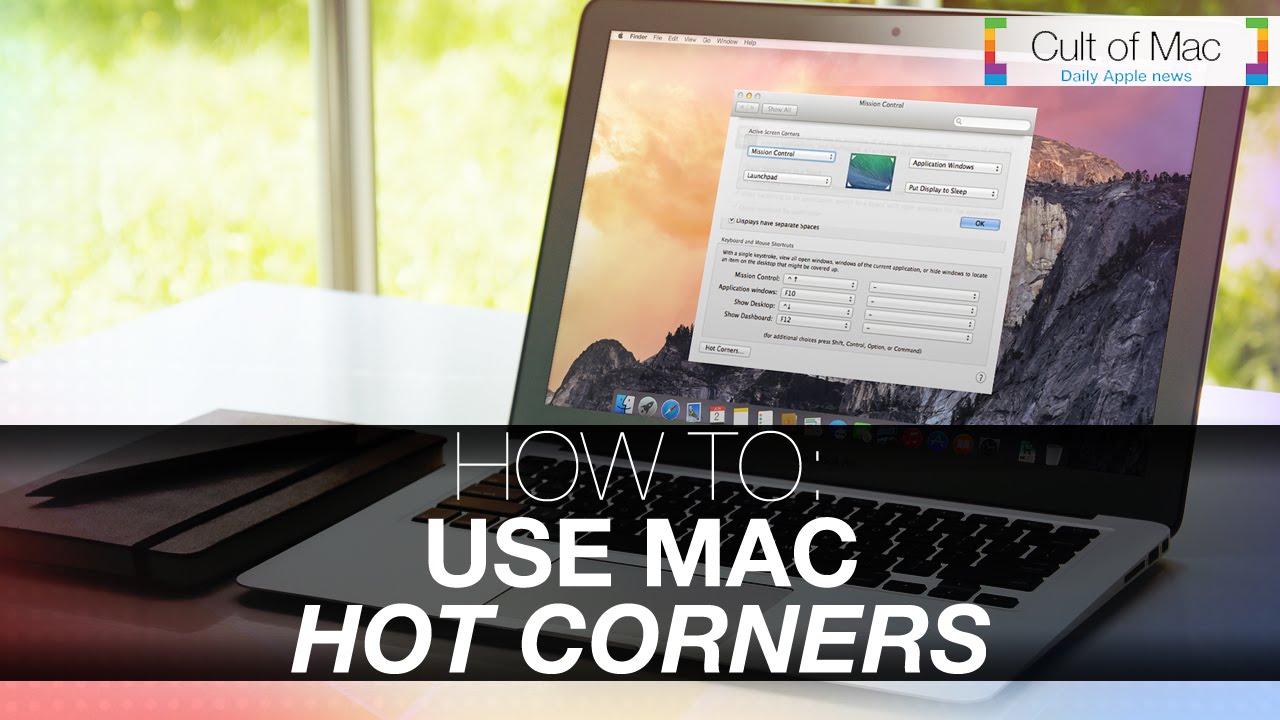
Mac are incredibly complex machines, but thanks to Jony Ive and the rest of the creators, they’re also incredibly simple to use. Mose Mac users know to use keyboard shortcuts to make daily tasks even quicker, but not many know how to turn your Mac’s trackpad into one of the best time-saving tools you’ll ever use.

In today’s video, we’ll take a look at a little known feature called Hot Corners. We’ll teach you how to set them up and how to use them. How to Put your display to sleep, clear your desktop and do even more useful actions, now with just a few quick flicks.

Subscribe to Cult of Mac TV on YouTube to catch all our latest videos.
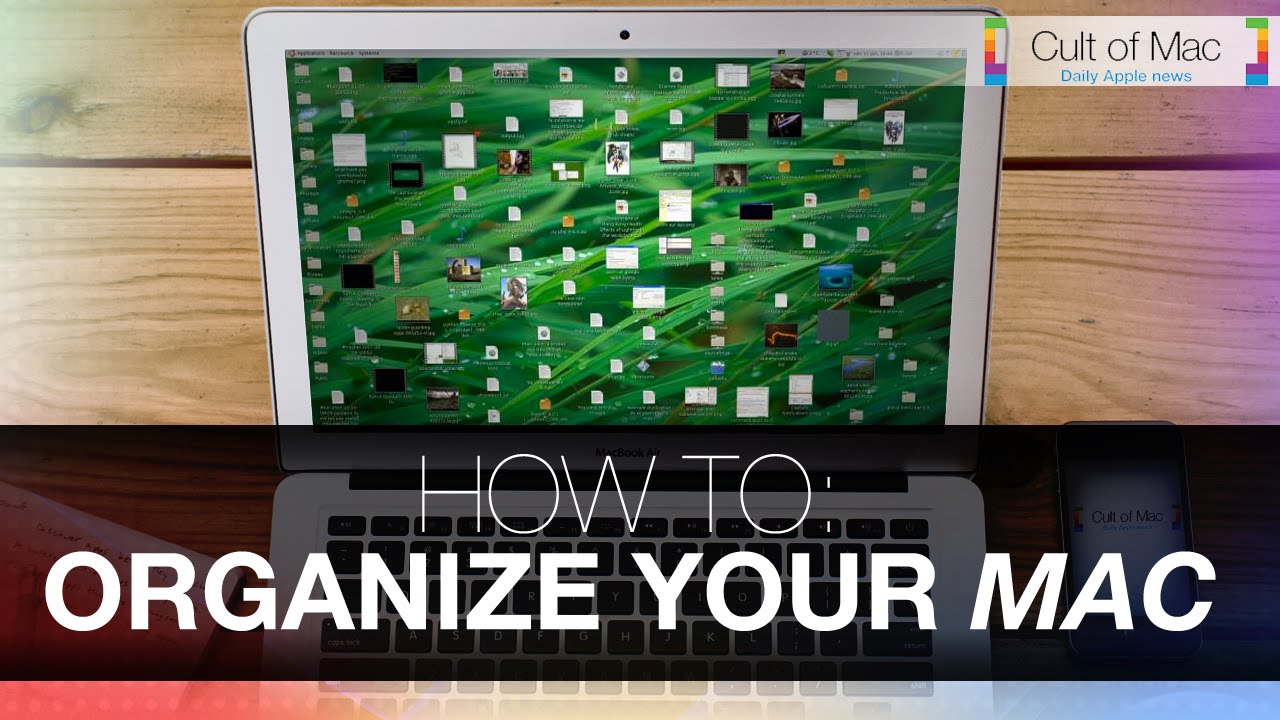
5 tidying tips to help organize your Mac

By

post-290135-image-f7d78b9202c3945fbb5bb35fd7a11aa2-jpg

Over time when using your Mac it’s common to find your desktop in scattered disarray. With photos here and documents there, in the midst of this jumble mess completing further tasks seems trivial. Luckily there’s a number of tips that you can use if you find yourself trapped in Mac disorganization.

In today’s video take a look at some tips that will help you tidy up how you use your Mac and in return clean up your experience. See how to start tagging your files, use smart-apps and other great ways to get your Mac in structural order.

Subscribe to Cult of Mac TV on YouTube to catch all our latest videos.

5 tips to make your Mac the best college wingman ever

By

post-289545-image-5d5f3d04f86374c2d4fda455e770c2f2-jpg

Transitioning to the college lifestyle can be awkward at first. Being away from home, having a heavy workload and still wanting to hangout with friends can be a lot to manage all at once.

Luckily, your Mac can help relieve a little of that stress throughout the school year. In today’s video, take a look at these five hot Mac tips that can make your new year of college easier: be prepared for thieves, find the best way to take notes and more.

Subscribe to Cult of Mac TV on YouTube to catch all our latest videos.

Safely get the grime off your beautiful Mac with these cleaning tips

By

post-289173-image-b00a267e0a59b3c42e87ff9c6d7f21c8-jpg

While our Macs were designed for power, they were also made for beauty. Sharply rounded edges and fine materials come together to create the computers we know and love. But with normal daily use, dirt and grime can make our Mac workhorses less attractive.

In today’s video, we show you the surprisingly simple steps you can take to relieve your Mac of filth and enjoy a cleaner, better-looking computing experience. Make use of these quick Mac cleaning tips and having a fresh-looking computer will be a cinch.

Subscribe to Cult of Mac TV on YouTube to catch all our latest videos.

5 ways iCloud Drive will upgrade your life

By

post-287353-image-d537483541c3c5d84ab2d563a95bec63-jpg

While iCloud has been a trusty storage companion for photos and documents, Apple’s recently announced iCloud Drive upgrades what we already know and love about the service. In today’s video, we take a look at five ways iCloud Drive will upgrade your life when Apple rolls out the enhanced service alongside iOS 8 and OS X Yosemite.

Subscribe to Cult of Mac TV on YouTube to catch all our latest videos.
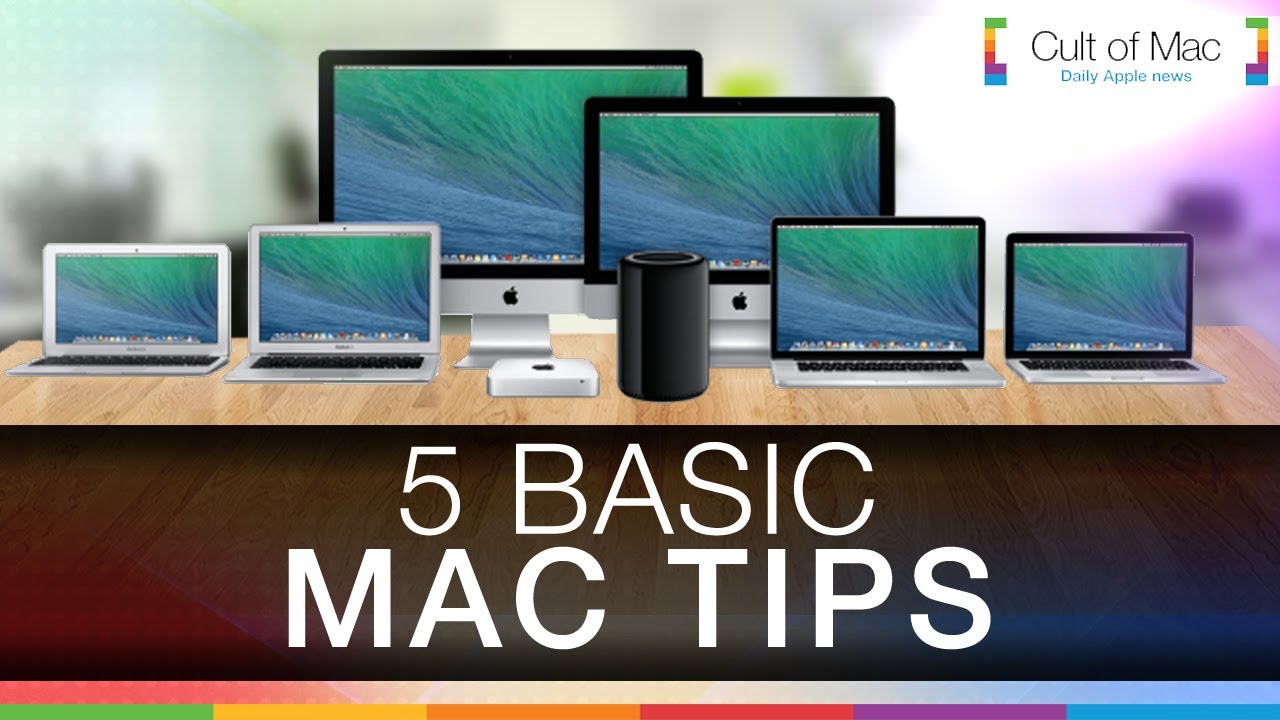
5 Mac fundamentals everyone needs to know

By

post-286960-image-e8b1216aa70ad26c7308e97b7e8901ea-jpg

As user-friendly as they are, Macs are complex machines. They’re absolutely loaded with features, some of which might not be obvious from the start. In today’s video, we take a look at five basic tips that can help make everyday use of your Mac much more enjoyable. Find out how to clean up your desktop, customize your Dock, tweak audio settings and more with just a few quick clicks.

Subscribe to Cult of Mac TV on YouTube to catch all our latest videos.
5 handy shortcuts that will make using your Mac painless

By

post-285964-image-7ce6e6b2c8b537da500142384088a899-jpg

Sometimes things aren’t as easy as they could be when you’re using your Mac to plow through the day’s tasks. Cluttered screens and excess clicking become irritating and tiresome. In today’s video, we take a look at five useful Mac shortcuts that can make using your Apple computer even more efficient.

Subscribe to Cult of Mac TV on YouTube to catch all our latest videos.
Picture-perfect strategy: Why killing Aperture means Apple will rule the cloud

By

An aperture. Charlie Sorrel/Cult of Mac
Apple and Adobe make major moves to change the way we manage our photographs. Photo: Charlie Sorrel/Cult of Mac

Ubiquitous cloud storage and editing solutions for your photos are like buses: You wait ages for one, and then two come along at once.

Both Apple and Adobe are going all-in on allowing you to view and edit your photos on any device. Adobe has done this by bringing its Lightroom desktop app to mobile. Apple is doing it by ditching iPhoto and Aperture and starting again with the upcoming Photos app for iOS.

While the approaches are different, they both look rad. And they’ll drive a fundamental shift in the way we manage our photos.

Apple just obsoleted the Mac and nobody noticed

By

Photo: Roberto Baldwin/The Next Web
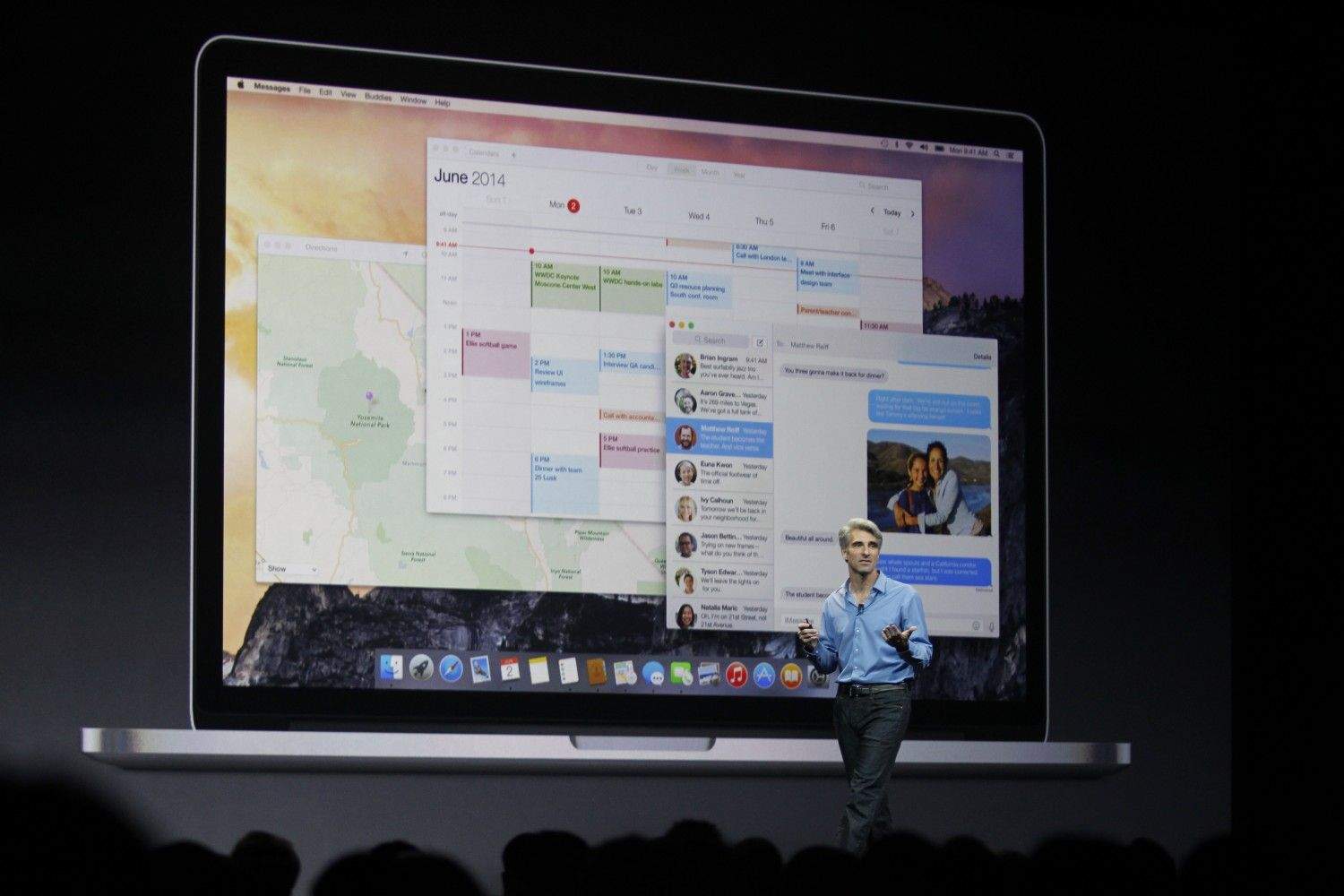
Craig Federighi, Apple's senior vice president of software engineering, unveils OS X Yosemite to the world at WWDC 2014. Photo: Roberto Baldwin/The Next Web

With iOS 8 and OS X Yosemite, Apple is finally showing us its idea of how we’ll compute in the future. Perhaps not surprisingly, this pristine vision of our computing destiny — unveiled after years of secret, patient and painstaking development — aligns perfectly with how we currently use our computers and mobile devices.

The keynote at this year’s Worldwide Developers Conference earlier this month not only showed off a new way to think about computing, based on data not devices, but also silenced pretty much every criticism leveled at the company over the past few years.

Let’s take a look at Apple’s new way of doing things, which fulfills Steve Jobs’ post-PC plan by minimizing the importance of the Mac.

When your Mac runs slow, give it a tuneup

By

Mac Tune Up
Tune up your Macintosh and clean out the cruft.

Macs are solid machines, but just like their owners they have a tendency to get lethargic as they age. Launching and switching programs takes longer, simple tasks become arduous, and the dreaded beach ball of doom appears more often than it did when your machine was new. The operating system just starts to feel crufty, and can get worse over time. I see these issues in my IT consulting business regularly.

You may be asking, why does this happen? There are many reasons, but some are more common than others. Sometimes your hard disk (or solid-state drive) gets too full and interferes with normal computer operations. Crashes or misbehaving programs can corrupt the disk directory or application cache files. Remnants from old software may still be running behind the scenes, or you don’t have enough RAM to deal with your OS and workflow.

Is there some sort of tune-up you can do to sort it out? Your tech always tells you to just reboot the computer, but there’s got to be more than that. The good news: Yes, there are some things you can do. And, perhaps, adopt some more-efficient computing practices for yourself along the way.

My OS X Yosemite nightmare (and how you can avoid a similar fate)

By

Don't let this happen to you. Screengrab and photos: Joshua Smith/Cult of Mac

An overwhelming sense of eagerness overtook me after Apple showed off OS X Yosemite at WWDC. The redesigned interface and accompanying features, like a spruced-up Spotlight and the ability to take phone calls on your Mac, made downloading the beta version too intriguing to pass up.

Little did I know that moments after finalizing the installation, I would encounter a massive problem that would send me on an emotional ride.

See super-rare prototypes of iconic Macs and other Apple marvels

By

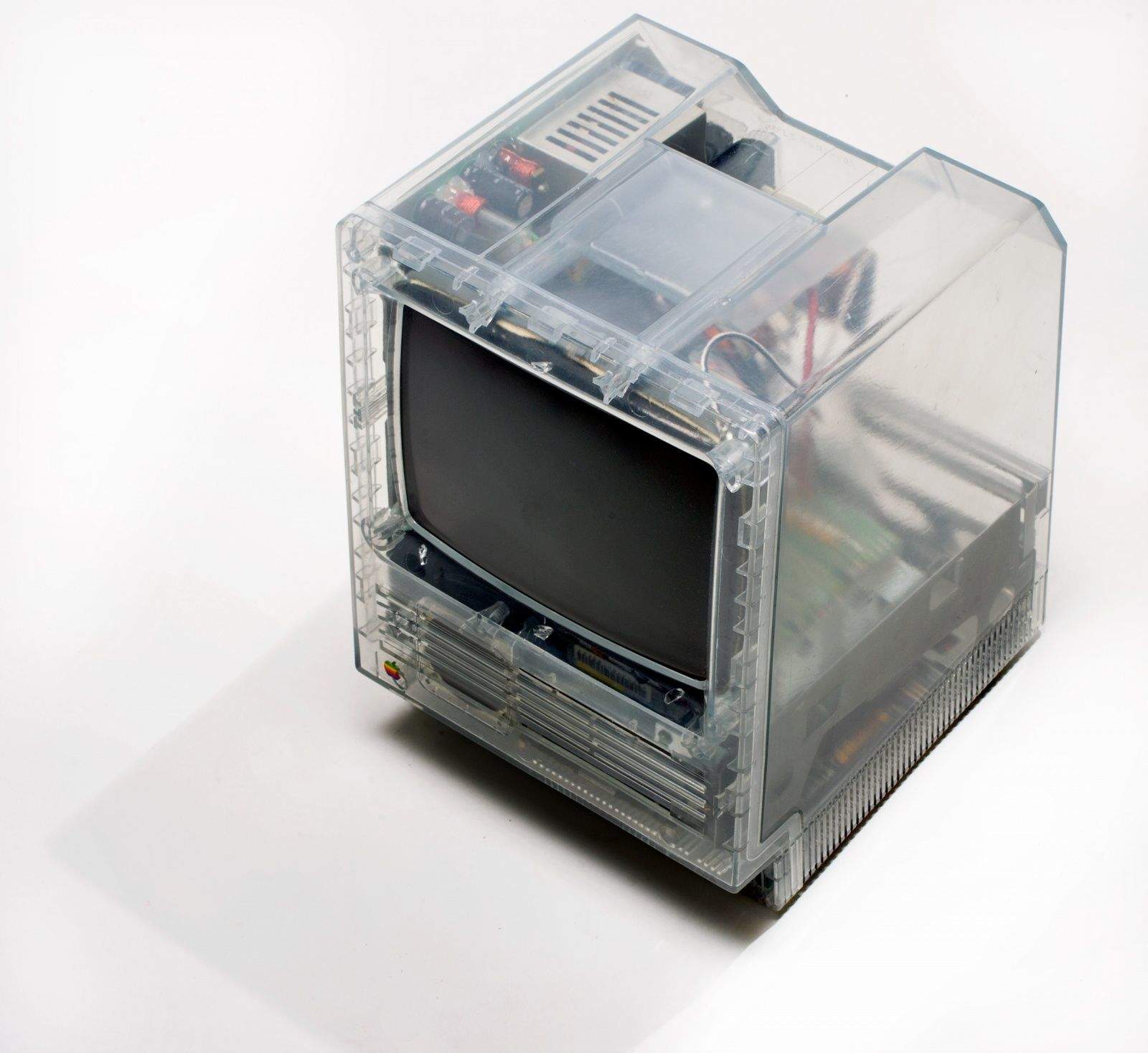
From Henry Plain’s collection, this clear-sided Macintosh SE was used for engineering tests to check airflow and heat dissipation. Photo: Jim Merithew/Cult of Mac
This clear-sided Macintosh SE from Henry Plain's collection was used for engineering tests to check airflow and heat dissipation. Photos: Jim Merithew/Cult of Mac

Some Apple collectors gather one of every Mac, iPod or iPhone, while others specialize in portables or all-in-ones. Then there are the outliers, the super-collectors who search out the incredibly rare items most people never get a chance to see.

“I’m always on the hunt,” says Henry Plain, a California man who specializes in tracking down impossible-to-find Mac prototypes.

Plain owns some of the rarest, most unusual Apple machines ever produced. These are the speed bumps, works in progress or developer’s editions that the secretive Cupertino company never intended for outside eyes. His vast knowledge of Apple’s production gave him a role in facilitating the sale of the Storage Wars-esque Macintosh collection of Marion Stokes that came to light last month. I like to think of him as Prototype Man.

What’s in Plain’s amazing Apple menagerie? Transparent versions of the Macintosh SE and PowerBook 140. A Mac mini with a built-in iPod dock. Prototypes of the Twentieth Anniversary Macintosh (TAM), the Power Mac G4 Cube and iDevices too numerous to mention. Even to other collectors — and I have a Mac Museum in my house — his inventory is crazy-impressive.

Give your Mac a speed boost with this quick tip

By

post-279809-image-2bd1d96fb18f62bb426f7a7a5ca2e744-jpg

It’s totally irritating when you’re using your Mac and it slows down all of a sudden. While your computer is obviously doing what you’re focusing on, it can also be working hard on pointless tasks running in the background. In today’s how-to video, find out how to stop this and speed up your Mac in no time.

Why is mobile email still so bad? And how can we fix it?

By

Despite all efforts to the contrary, email is still the default way to shift files, photos and – yes – mail around the internet. Even when you share a file using Dropbox, the link goes via old-fashioned email. And yet email clients are still awful. They’ve gotten a lot better in the last couple of years, on both iOS and the Mac, but we’re still stuck without a proper task manager that integrates with the native iOS/OS X Calendar and Reminders.

What’s going on?

Make your Mac smile with The Happy Mac Bundle [Deals]

By

redesign_upload

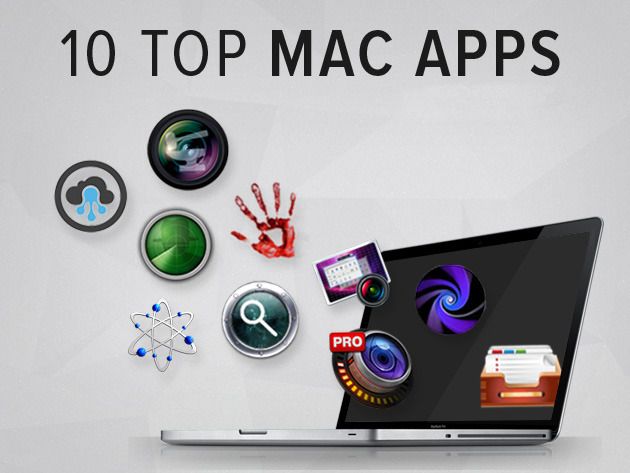
Cult of Mac Deals has a ton of stellar promotions to offer, and this time around we’re highlighting a bundle that features 10 top apps that will make your Mac happy.

We’re pumped to bring you another The Happy Mac Bundle, one that’s stacked with 10 apps that bring performance, privacy and productivity to your Mac. And we’ve got it for just $39.99 – 86% off the regular price!

Why the Mac App Store is Shangri-La for developers

By

Mac App Store
Coding for the Mac App Store could be your ticket to professional bliss.

The iOS App Store gold rush might be played out for all but the luckiest developers, but there’s another part of the Apple empire where coders can find breakout success: the Mac App Store.

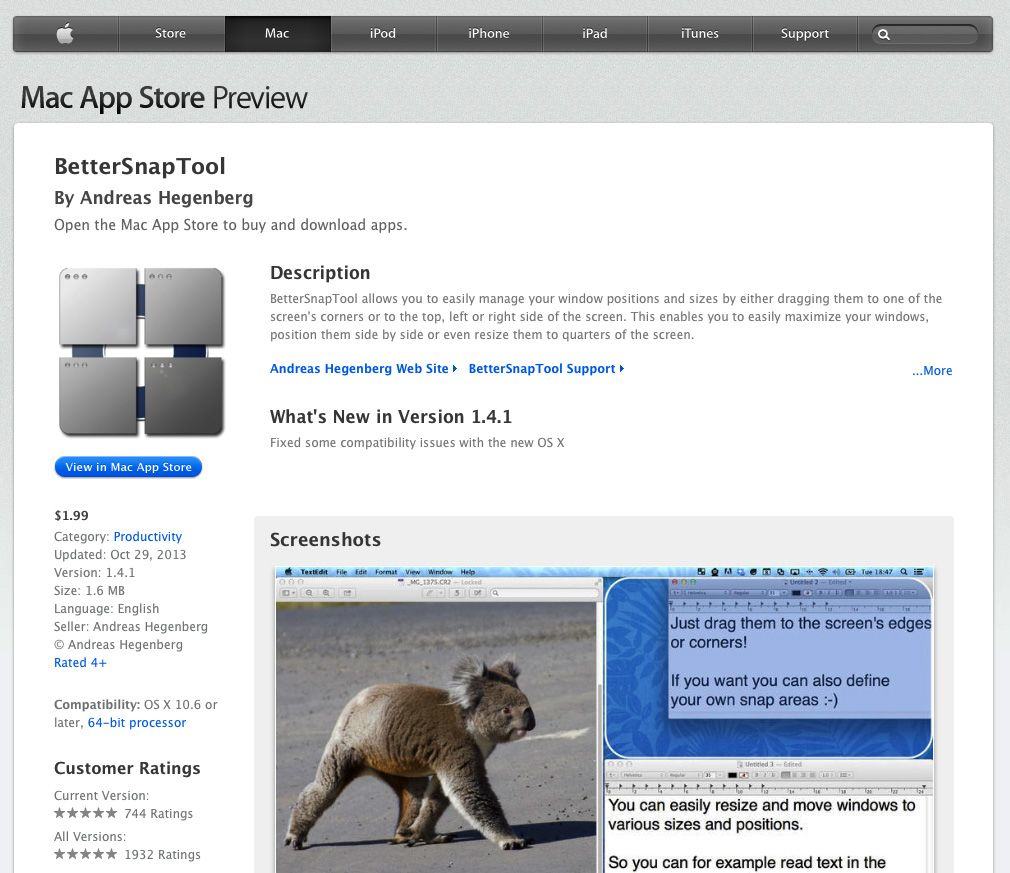
“Compared to iOS, it’s definitely easier to have a hit in the Mac App Store,” says Andreas Hegenberg, the creator of successful gesture-based Mac app BetterTouchTool. “I think it’s still pretty easy to develop a Mac App Store app that can feed you very well. But it all depends on how you define a ‘big hit.'”

While games rule the increasingly cluttered roost in the iOS store — with many unimaginative developers looking to get rich quick with yet another Flappy Bird clone — the Mac App Store is home to more pedestrian offerings like accounting software and productivity tools.

The Mac App Store might not mint a new millionaire each day, but the developers we spoke with said writing this type of bread-and-butter software can provide a reliable source of income. Here’s why.

Machine Crush Monday: Power Mac G4 Cube

By

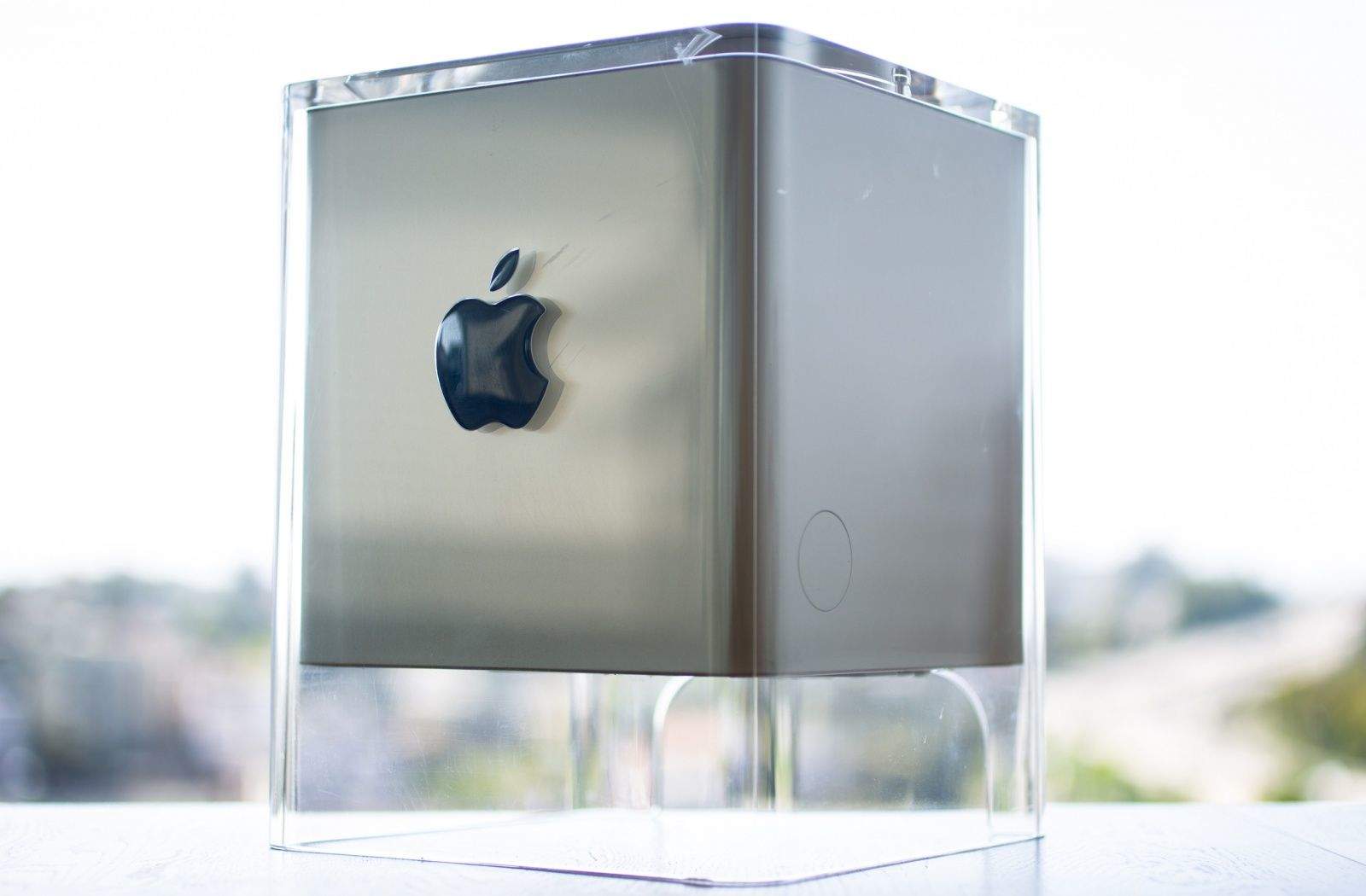
Photo of Apple's Power Mac G4 Cube, a computer housed in a translucent cube.
The Cube's raised blue badge provided a splash of color.
Photo: Jim Merithew/Cult of Mac

The Power Mac G4 Cube, introduced in July 2000, delivered a fair amount of Apple computing power in a unique see-through enclosure made of acrylic glass. Designed by Jony Ive, the futuristic-looking Cube offered a glimpse of the sleek industrial design that would come to epitomize Apple’s upscale take on consumer technology.

“I just remember it being this incredibly elegant, sexy machine that looked nothing like a computer,” said Randall Greenwell, director of photography at The Virginian-Pilot and a longtime Apple aficionado, in an email to Cult of Mac.

How to get beta seeds of OSX for your iMac and Macbooks

By

post-276272-image-fd8188601b61a6dc5d448846b660edb6-jpg

With Apple recently making OSX Beta Seed downloads available to the general public, Cult of Mac’s Ste Smith shows you how to prep your Mac to install the latest software. Get the latest OSX updates before general release by following the simple steps shown.

Take a look at the video to see what you need to do.

Vintage Computer Festivals Rock On, VCF East 2014 Larger Than Ever

By

Vintage Computers at VCF
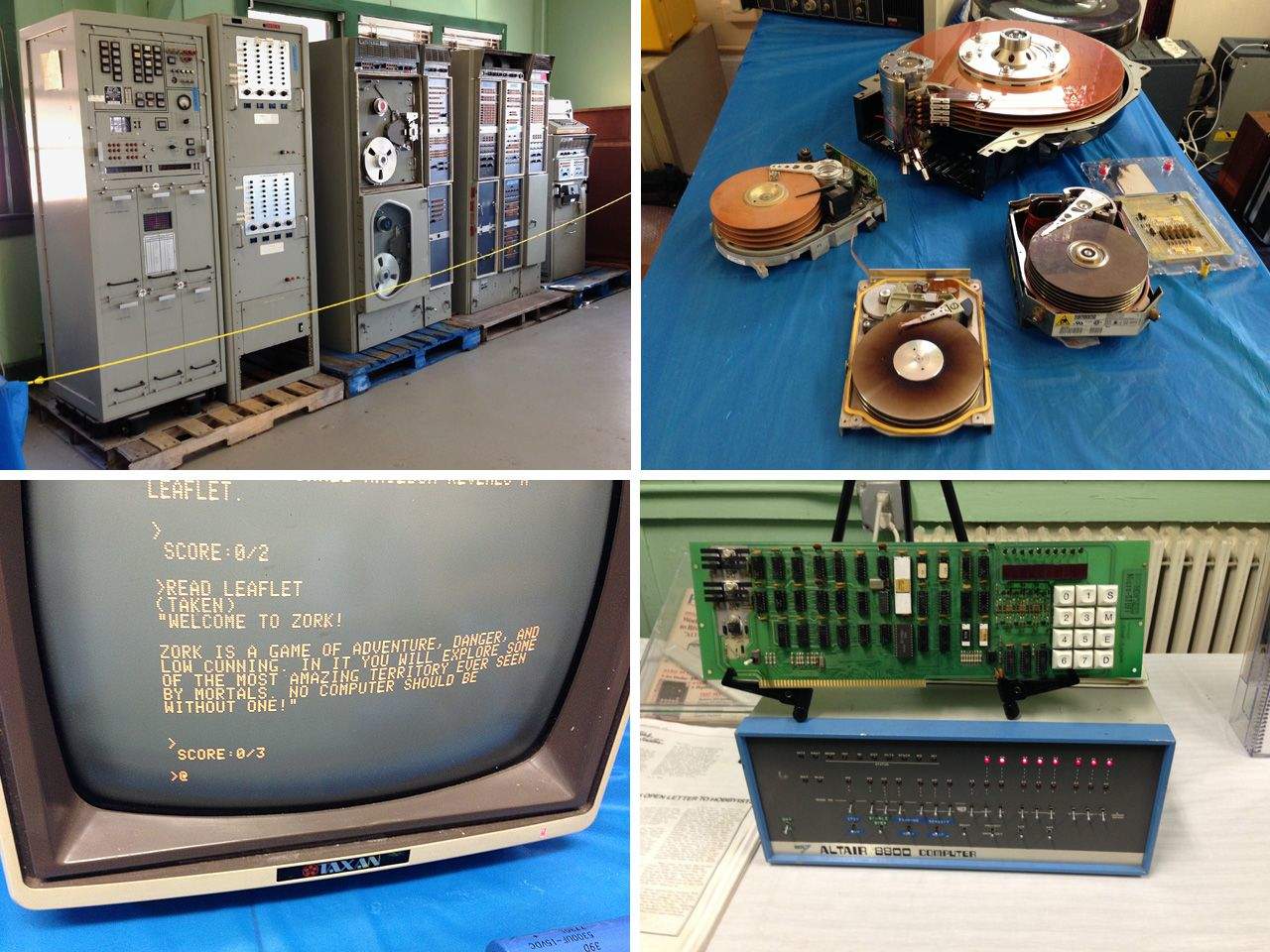
A Univac mainframe, early hard disk drives, Zork, and an Altair 8800 at VCF East 2014.

What do you get when you combine several hundred serious geeks, two large rooms, five decades’ worth of vintage computers, and a weekend in New Jersey? The Vintage Computer Festival East, of course!

The ninth running of the VCF East was held April 4-7 at the InfoAge Science Center in Wall Township, New Jersey. Hosted by MARCH, the MidAtlantic Retro Computing Hobbyists group, the 2014 show saw the largest number of exhibitors and attendees for a VCF East yet, with exhibit halls expanded from one to two rooms and three days of lectures and seminars available for attendees. The show featured a wide range of computing history, from a seminal, room-size UNIVAC computer, through the DEC, Prime and HP minicomputer era, to the workstations and home computers of the 1970s and ’80s.

Macs in the Box: The Incredible Mac Collection of Marion Stokes. Now For Sale.

By

Stokes Collection 1
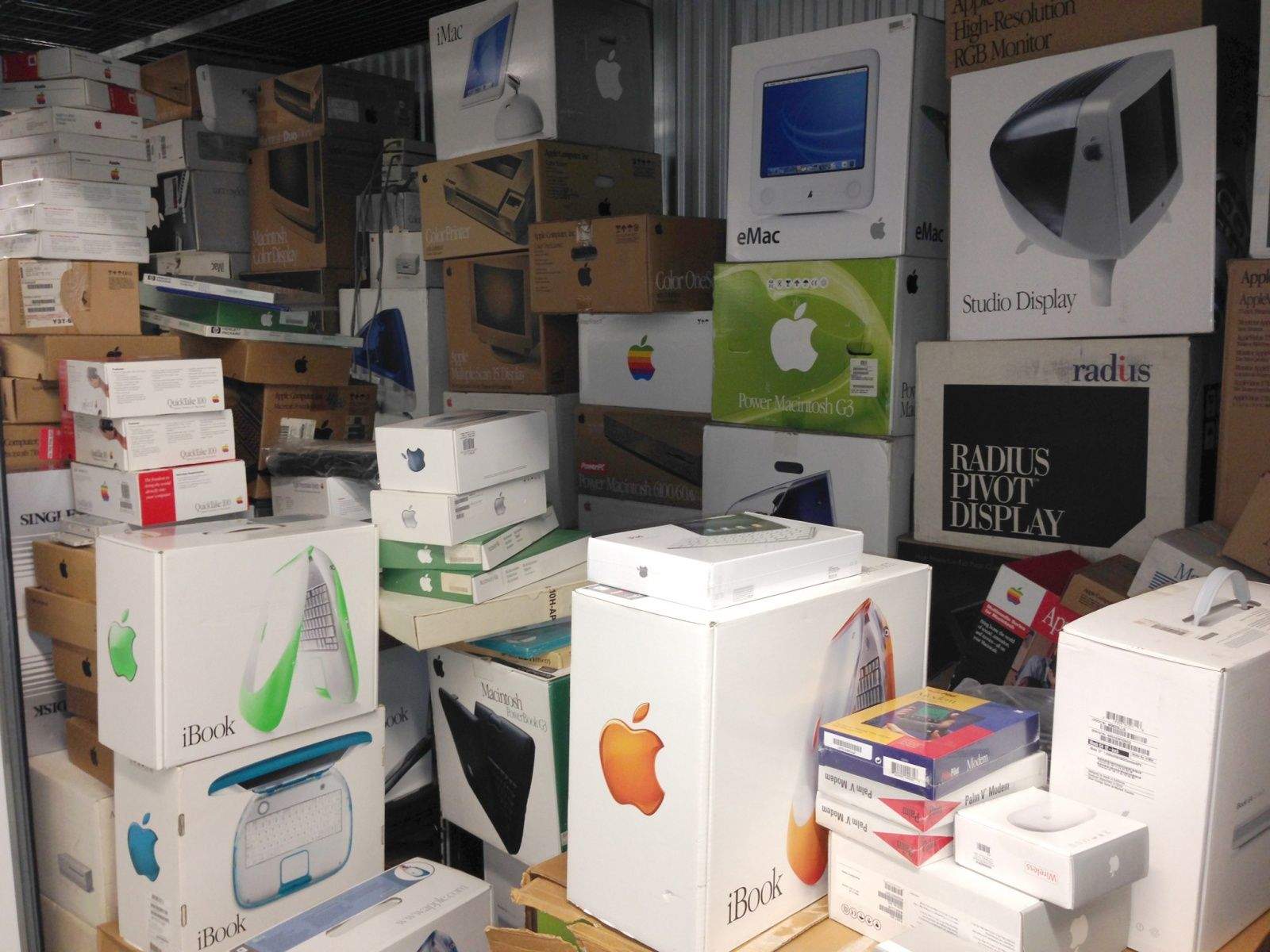
Marion Stokes Macintosh Collection in a Rhode Island storage locker

Are you a Mac collector? An Apple investor? Do you like to buy old computers still new in their original packaging? If so, do we have a storage locker for you!

Marion Stokes was a librarian, activist and local access television producer from Philadelphia. Recently she made news for her incredible archive of 35 years of TV news broadcasts, recorded continuously on home videotapes from 1977 until her death in 2012. But Stokes was also a longtime Apple investor and Macintosh fan. Over the same timeframe she acquired nearly two hundred new-in-box Macintosh computers and related Apple gear, and kept much of this equipment sealed for posterity.

It’s another incredible history, about technology and one unique Silicon Valley tech entity. And it can be yours, if the price is right. The whole kit and caboodle is available on eBay, listed for the Buy It Now price of $100,000!

When Your Mac Slows Down, Give It A Tune Up [MacRx]

By

Mac Tune Up
Tune up your Macintosh and do a bit of spring cleaning
This article first appeared in Cult of Mac magazine.

Macs are solid machines, but just like their owners they have a tendency to get lethargic as they age. Launching and switching programs takes longer, simple tasks become arduous, and the dreaded beach ball of doom appears more often. The Operating System just starts to feel crufty, and can get worse over time. I see these issues in my IT consulting business regularly.

You may be asking, why does this happen? There are many reasons, but some are more common than others. Sometimes your hard disk (or SSD) gets too full and interferes with normal computer operations. Crashes or misbehaving programs can corrupt the disk directory or application cache files. Remnants from old software may still be running behind the scenes, or you don’t have enough RAM to deal with your OS and workflow.

OK, so is there some sort of tune up or spring cleaning you can do that sorts it out? Your tech always tells you to just reboot the computer, but there’s got to be more than that. The good news: yes, there are some things you can do. And, perhaps, adopt some more efficient computing practices for yourself along the way.

Meet the Unitron Mac 512 – the World’s First Macintosh Clone

By

Unitron 512 Front
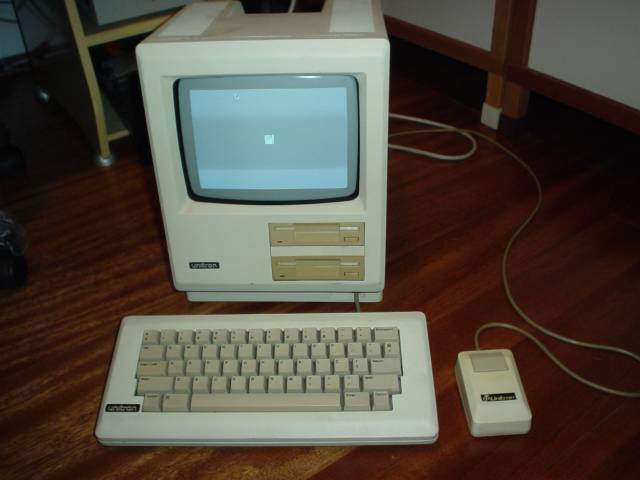
The Unitron Mac 512 was the world's first Macintosh clone (photo: Chester's blog)

The first Macintosh clone in the world was not one of the Apple sanctioned systems released in 1995, such as those from companies like PowerComputing, Radius, Umax or Daystar Digital. Nor was it the Outbound laptop in 1989, a hybrid system produced using Mac ROMs taken from working Mac Plus systems.

No, the first Macintosh clone was the Unitron Mac 512, a unauthorized copy of the 512k “Fat Mac” produced by a Brazilian company in 1986. And it was a pretty darn impressive copy. The fallout from that effort nearly help start a trade war between Brazil and the United States; to prevent theft of Intellectual Property, Apple and other companies lobbied Congress to hike import taxes on Brazilian goods like oranges and shoes as a response.

And as we know, nobody messes with Tropicana …

It’s not a widely known story. Pieces of this long-forgotten chapter in Mac history can be found scattered on websites around the world. Here is the fascinating tale of the first Macintosh clone in the world.