One of the most interesting revelations of the Fortune piece “Inside Apple” that’s making headlines this weekend is how Steve Jobs thinks Apple will be OK without him.
Fortune reporter Adam Lashinsky writes:
“Jobs himself believes he has set Apple on a course to survive in his absence. He has created a culture that, while not particularly jolly, has internalized his ways.”
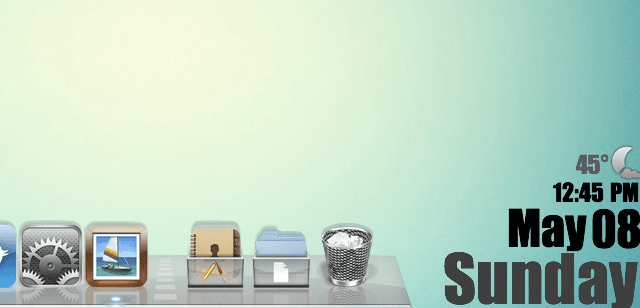
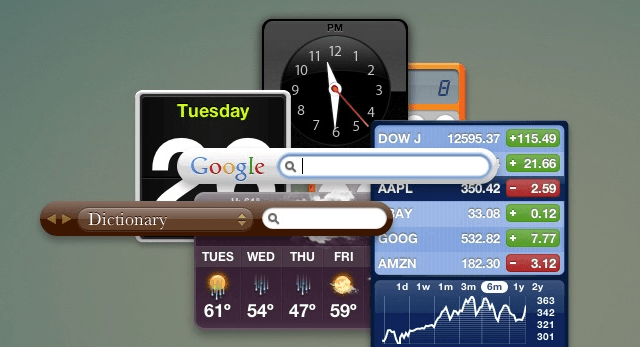
GeekTool is a neat little System Preferences add-on that lets you expand the usability of your desktop. Whether it be adding the time, date, weather, or even your Twitter feed, GeekTool can change your desktop from a boring backdrop to a useful information center. This video will show you how to setup GeekTool to fit your needs, as well as where to find many useful add-ons for it.
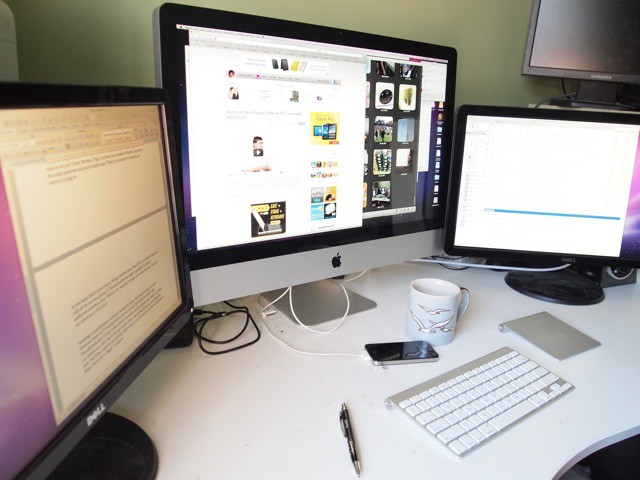
Sporting Intel’s Sandy Bridge processors, powerful new graphics cards and Thunderbolt ports that can support two external monitors, the new iMac is the undisputed champion of all-in-one machines. Plus, it’s the only one out there that’s not butt ugly.
As well as being the most attractive desktop computer available, it offers just about everything modern computer users might need in a self-contained package, from a HD webcam to a gesture-sensitive trackpad.
I’ve been testing a 27-inch model with a 3.1Ghz Core i5 chip (the biggest, fastest stock model currently available at the Apple Store), and it may sound silly, but it’s almost too much machine for my needs. The screen is so big, I have to sit back lest I get motion sickness. And the i5 chip has power to spare for someone like me, who doesn’t do high-end video or graphics work.
Still, I’ll take it. If the chip is too powerful now, it sure won’t be in a couple of years.
Apple has provided us with some of the best ads ever created. The Mac vs PC Campaign ads have been some of the most memorably entertaining advertisements to grace the television. Unfortunately Apple pulled the plug on the fun banter between Mac (Justin Long) and PC (John Hodgman) last year. However, should you feel so inclined to walk down memory lane with the plethora of Mac vs PC advertisements, Adweek has compiled all 66 ads for your viewing pleasure. They’ve even got them ordered out chronologically.
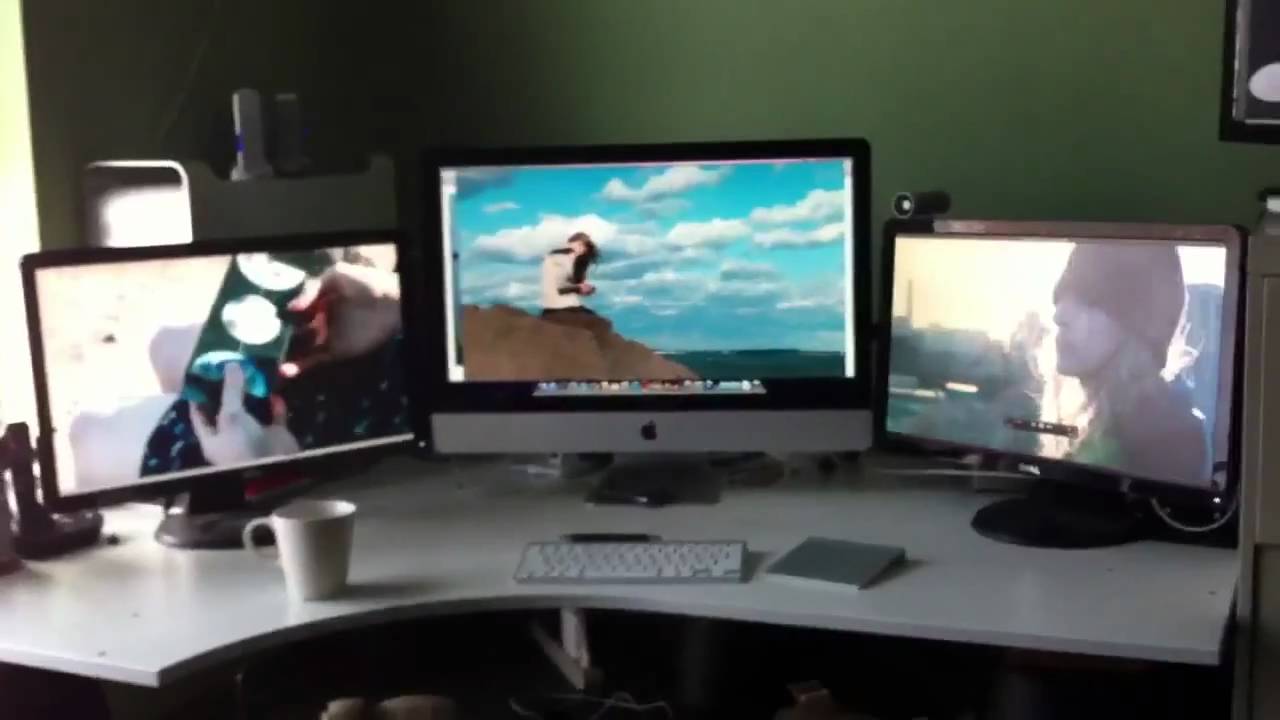
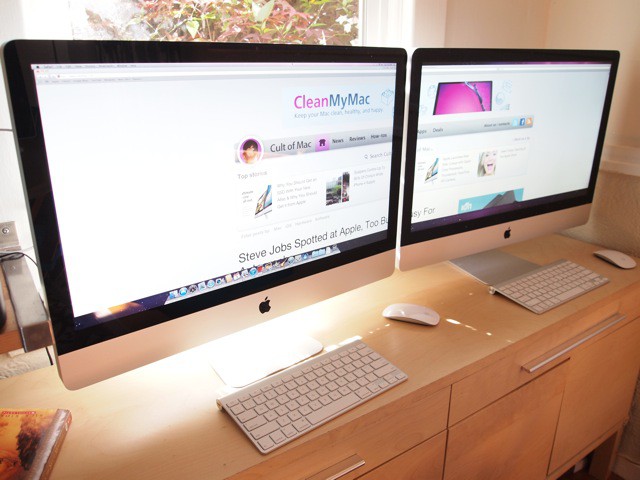
Here’s the new 2011 Thunderbolt iMac playing HD movies on three screens simultaneously — without a hiccup.
It’s a 27-inch model with an Intel Core i5 chip and AMD’s Radeon HD 6970 graphics card (1GB of GDDR5 memory).
The two 21-inch Dell monitors either side are connected via the iMac’s pair of Thunderbolt/Mini DisplayPort jacks on the back (with a pair of pricey $30 Mini-DisplayPort-to-DVI adapters).
The main 27-inch display’s resolution is 2,560-by-1,440; while the external monitors are at 1,920 by 1,080 (true 1080p HD).
While the beautiful hardware that Apple creates gets a lot of the attention, many people forget that the appeal of Apple’s devices is within the software more than anything else. Asymco.com recently published an article elaborating how the profit from Apple’s two operating systems (OSX and iOS) outpace the profits that Microsoft makes with Windows 3.5x over.
On the Mac side of operations the site says:
“While a lot of the credit for Apple’s success is rightfully assigned to the iOS franchises, the OS X business has more than quadrupled in five years. This has happened without drastic price fluctuations. Neither holds for the overall PC industry which has seen both volume and sales decline while prices have eroded along with profitability. On top of that, growth has nearly evaporated.”
Don’t trust your kids with open access to your credit card? I can’t blame you. In order to let your kids have an iTunes account though, you need to enter your credit card information, giving them free reign over your purchases, right? Wrong. While it may appear this way, there is a way to set up an iTunes account that involves absolutely no credit cards at all. This video will show you what to do.
A pair of Italian Apple fans visiting The Mothership had the good luck to spot Steve Jobs as he arrived for work recently.
They were snapping pictures out front of Apple’s Cupertino HQ when a big black luxury car pulled up. Out steps Dear Leader himself. The gobsmacked Italians asked for autographs and a commemorative picture, but Jobs shooed them away saying he was late to a meeting. He strode right by them into the building. This was a week ago: April 25th.
Good to see the miserable bastard is still hard at work.
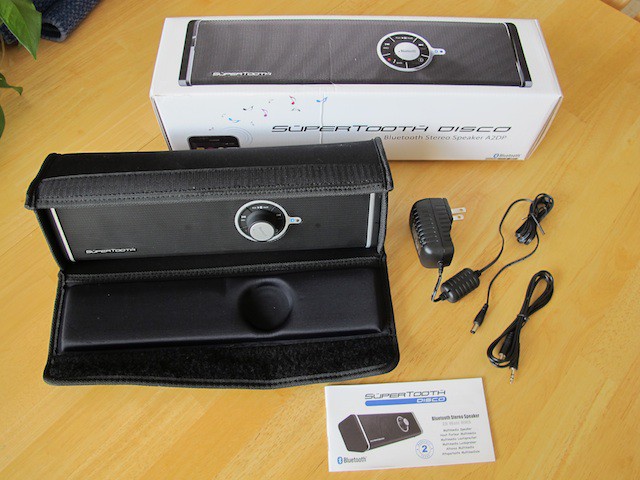
The SuperTooth Disco is a portable speaker that will wirelessly stream 28 watts of sound for your next parties dance floor. Here’s a hands-on review.
It won’t take the place of a dedicated sound system like the one you might have in your living room with only 28 watts of power, but for a portable Bluetooth device it is pretty impressive.
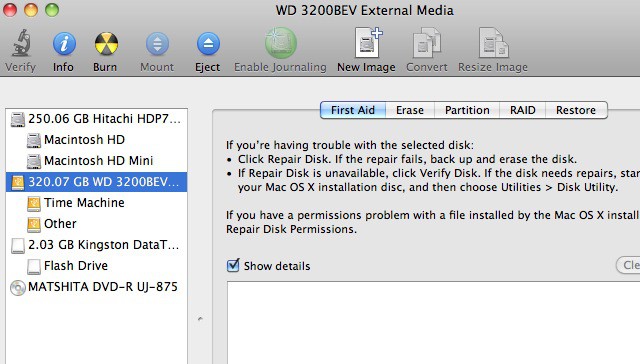
When you buy an external Hard Drive for use with Time Machine, Apple’s backup software, you will most likely need to format it before you can use it, since chances are that it is formatted for a Windows based computer. You could always spend the extra money to get a Mac formatted Hard Drive, but what’s the sense in that? You can format your own external Hard Drive right from Mac OS X. This video will show you how.
Earlier this week, I was interviewed by a Russian TV crew about Apple. They were a bit surly and aggressive, not like polished, ingratiating TV people here in the U.S.
They kept asking strange questions about Steve Jobs, as is if he were a crooked oligarch. “Vy does Steve Joybs vant to be dictator? Vy does he vant to dominate ze vorld?”
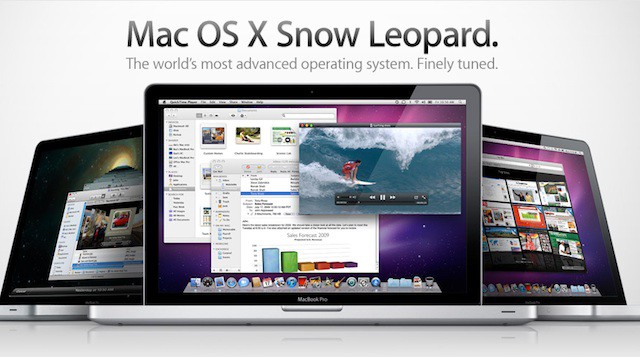
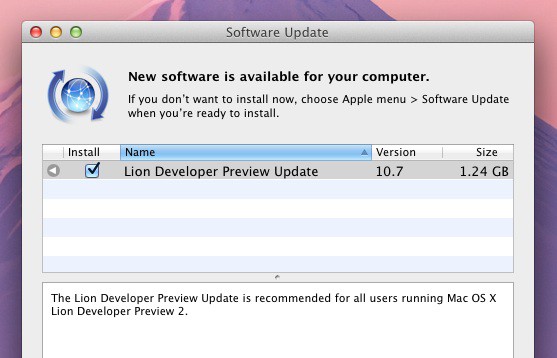
Apple has released an update to its Mac OS X 10.7 Lion beta. The 1.24 GB update is third build of the new operating system, which is expected to be shown off at WWDC in June and released to the public in the summer or fall.
The update is available to registered Mac developers running Lion Developer Preview 2. It can be downloaded through Software Update. The release contains no release notes and appears to contain only minor UI tweaks, according to tweets crossing the wire. It’s unlikely to be a big update. That will come with Developer Preview 3.
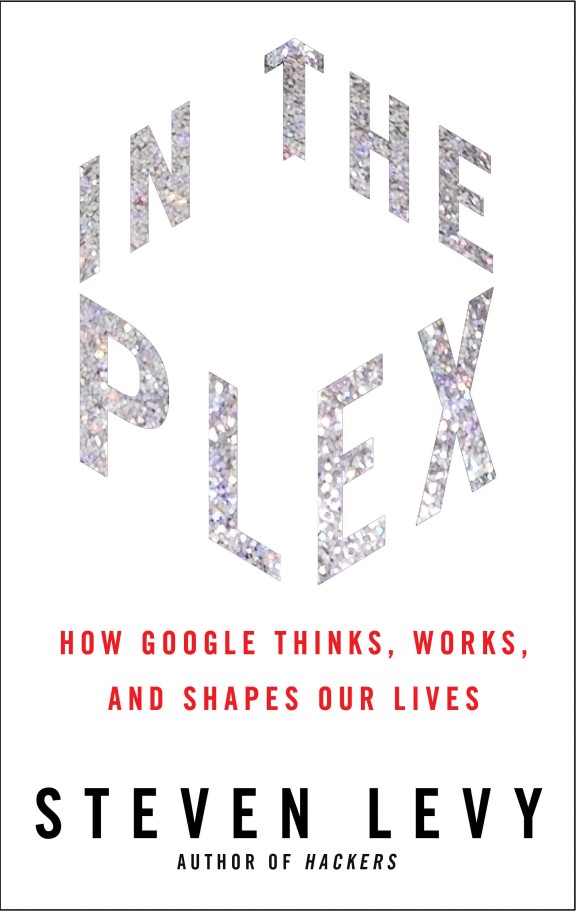
Steven Levy‘s new book about Google In The Plex revealed a few juicy nuggets about the relationship between Apple and Google.
At first, Larry and Sergey wanted Steve Jobs as their CEO. Then the two companies had a long honeymoon, sharing board members and collaborating on groundbreaking software. But then it all soured when Google released Android, and Steve Jobs hid the iPad from Eric Schmidt, even though he was sitting on Apple’s board.
We had a chance to ask Levy for more detail and insight into the relationship between Apple and Google. Here is our exclusive Q&A:
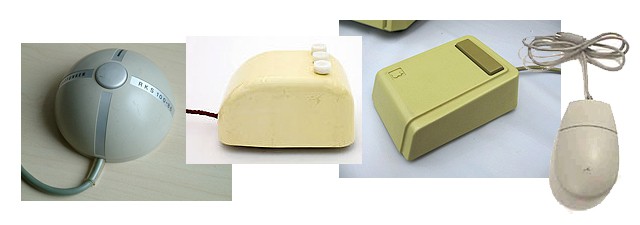
As we move into the touch computing era and our fingers again become the primary pointing device, it’s interesting to look back at the beginnings of earlier forms computer control. Dan Knight has posted a nice retrospective of the first few decades of mouse design over at Low End Mac:
The first computer mouse was carved from a block of wood and used two wheels to track its motion. The first commercial mouse was the Telefunken Rollkugel, an accessory for Telefunken’s computers that replaced the wheels in Engelbart’s design with a ball, making it essentially an inverted trackball.
Early mice started out with more buttons than later models – first three, then two, then whittled down to a single button with the Apple Lisa and Macintosh. It’s inverted cousin, the trackball, had a similarly downward growth trend over time:
…the first trackball used a 5″ Canadian five-pin bowling ball. The trackball first came to popularity with Missile Command, an Atari arcade game introduced in 1980 that used a 4″ ball.
Sometimes Dashboard can seem like a hassle. While it can be very handy for quick tasks, having to open a specific application to access these widgets can become cumbersome. It is also impossible to perform other tasks while using these widgets. Well, a simple command can fix all of that, and let you enjoy widgets alongside Mac OS X applications. Find out what to do in this video.
If you’ve run up against the New York Times‘ new paywall, here is the simplest way to continue reading — guaranteed. This isn’t just a Mac tip: it works on Windows too.
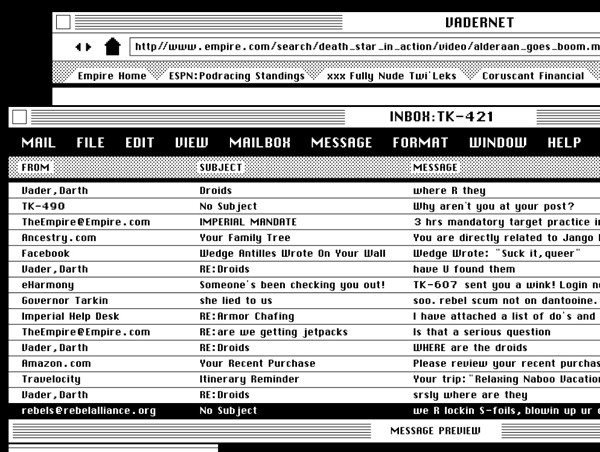
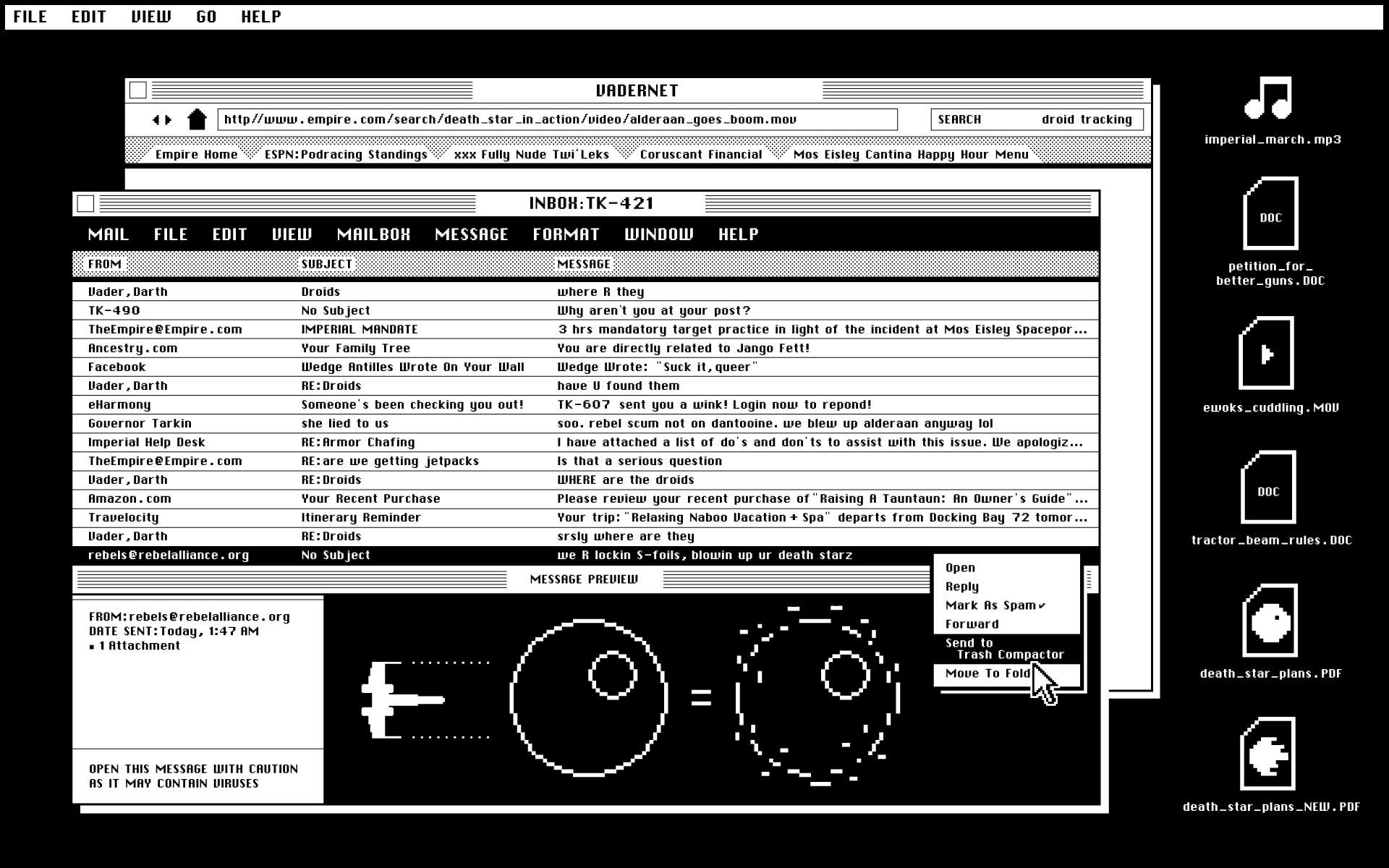
It’s been a good week for Apple-Star Wars Geekdom. News today of a Death Star desktop screenshot, circa Mac System 6 era. TK-421 is not at his post (again), Darth is urgently looking for two lost droids, and spam exists on Vadernet even Far, Far Away.
Kudos to designer Matt Chase for this awesome vintage mockup of a black & white Safari, Mail and the right-click menu option to Move to Trash Compactor. Complete image (1920×1200) available here.
I suspect Darth has a Steve Jobs in Carbonite case on his iPhone, too. Or would that be Han Solo?
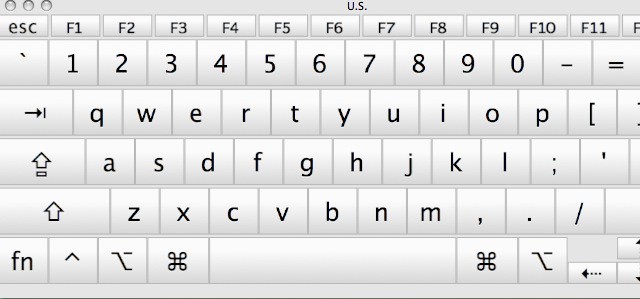
Have you ever needed to insert a special character while typing a document in Mac OS X, but didn’t know how? Apple doesn’t provide an easily accessible way to view which keys generate which characters. Buried in System Preferences though, is a keyboard viewer which will let you figure out which keys give which symbols. This video will show you how to enable this function and use it to discover helpful key combinations.
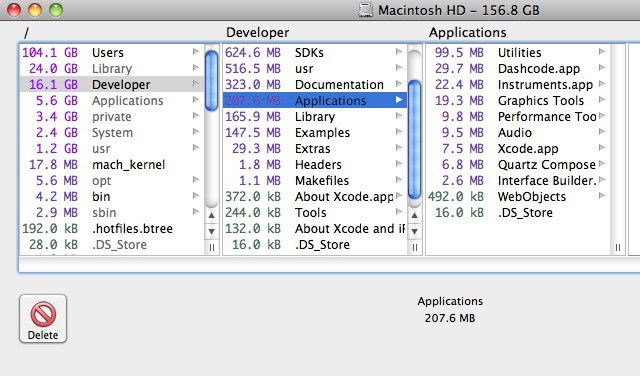
It happens to everyone. Over time, large files will build up on your hard drive and take up space needed for important files, such as photos, music, and the like. It can be frustrating trying to find these files to see if they are of any importance. Enter OmniDiskSweeper, a free utility that solves all those problems. As you’ll see in this video, it’s a handy tool that can help you free up a lot of space.
Is Apple Chief Operating Officer Headed for HP CEO Chair?
Apple Chief Operating Officer, Tim Cook.
From today’s Q2 analyst conference call:
On Steve Jobs: “He is still on medical leave, but we do see him on a regular basis. And as we previously said, he continues to be involved in major strategic decisions. I know he wants to be back full-time as soon as he can.”
On iPad 2: “Demand on iPad 2 has been staggering.”
On Android: “We continue to believe—and even more and more every day—that iPhone’s integrated approach is materially better than Android’s fragmented approach, where you have multiple OSes on multiple devices with different screen resolutions and multiple app stores with different rules, payment methods, and update strategies.”
On Samsung: “We are Samsung’s largest customer. And Samsung is a very valued component supplier to us, and I expect that strong relationship will continue. Separately from this, we felt the mobile communication division of Samsung had crossed the line.”
On Japan: “… there’s aftershocks, there’s still uncertainty about the nuclear plant, there’s power interruptions. If that stays at the level that it is today, I’m not as worried. I would worry if something happened and took a turn for the worst.”
On iPad in education: “… last quarter, we were about a 1:1 ratio of iPads to Macs, which is, I think, amazing given the short life of the iPad. And really demonstrates what kind of opportunity there probably is there.”
And one from Apple’s chief financial officer, Peter Oppenheimer, on iPhone: “We saw stunning iPhone sales.”
Apple released iTunes 10.2.2 today and the new version of iTunes contains a number of important bug fixes. According to Apple these fixes include:
• Addresses an issue where iTunes may become unresponsive when syncing an iPad.
• Resolves an issue which may cause syncing photos with iPhone, iPad, or iPod touch to take longer than necessary.
• Fixes a problem where video previews on the iTunes Store may skip while playing.
• Addresses other issues that improve stability and performance.
iTunes 10.2 came with several new features and improvements, including:
• Sync with your iPhone, iPad, or iPod touch with iOS 4.3.
• Improved Home Sharing. Browse and play from your iTunes libraries with Home Sharing on any iPhone, iPad, or iPod touch with iOS 4.3.
It’s a little admitted secret, but one of the biggest reasons people like Network Attached Storage drives is for Torrent downloads. They’re the easiest ways to download obscure British TV shows, for example, that can’t be easily had here in the U.S. After downloading a couple of shows, users watch them via WiFi streaming on their MacBooks or iPads.
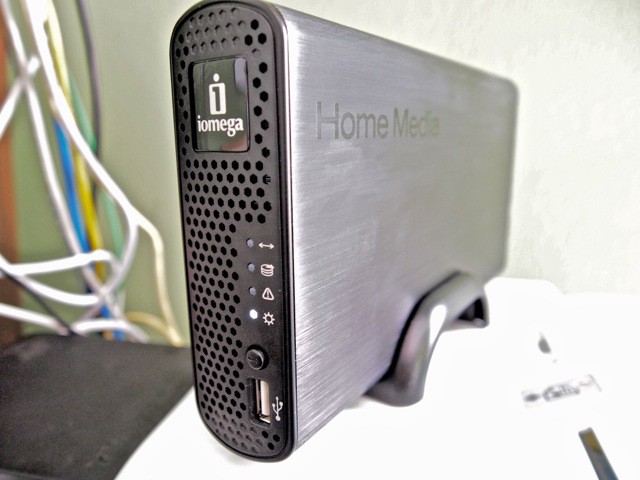
Trouble is, Torrent downloads slow everything on the home network to a crawl. Everyone complains when the network is clogged with Torrents of Shameless or The Killing. Well, not any more. You can set up one of Iomega’s new Home Media Network Hard Drive, Cloud Edition at work and use the office’s net connection to download Torrents at night. Then you stream them over the net to your home.
I’ve been testing one of the Home Media Drives for several weeks. There’s a been a few glitches, but on the whole, it works well. Now I’ve got my own little Amazon S3 system, with none of the monthly fees.
Apple released an update to the Mac OS X Lion Developer Preview 2 last Friday. The update is available to developers that are beta testing Lion via Software Update on the Apple menu. According to the update:
The Lion Developer Preview Update is recommended for all users running Mac OS X Lion Developer Preview 2
The update did not include information on specific fixes or updates. If you’ve discovered something about the update please share your discovery by leaving a comment.
Apple has released the third version of its developer preview for Xcode 4.1. The new update according to Apple:
This is a pre-release version of Xcode 4.1 for both Mac and iOS development. This release requires Mac OS X Lion Developer Preview 2 Update and includes iOS SDK 4.3. Continue to use Xcode 3.2.5 or Xcode 4 on a Snow Leopard partition if you plan to submit Mac or iOS apps to the App Store.
Xcode 4.1 Preview 3 includes these new features:
• Updated to support Mac OS X 10.7 Lion preview 3 and include iOS SDK 4.3
• Improved Assistant editor logic when switching among different file types
• Fixed a bug that prevented indexing of some projects
• Fixed a bug related to nil settings in the Core Data model editor
• Fixed a bug in LLVM GCC 4.2 and LLVM compiler 2.0 for iOS projects
• Additional bug fixes and stability improvements
You can download Xcode 4.1 Developer Preview 3 from Mac Dev Center.