Mobile menu toggle

Mac - page 71

OS X 10.7 Lion Is The First Great PC Operating System Of The Post-PC Age [Review]

By

comreviewlionheader

Editor’s Note: This post has been stickied to top of the front page. If you scroll down there is probably new content below it.

Intro

OS X Lion is the eighth major release of Mac OS X, and it brings to the table several ideas from iOS, like Launchpad (a matrix display of installed applications, similar to the iOS Home Screen — and the Mac App Store) which is being used to deliver the new OS.

Despite the iOS inspiration, Lion’s not a huge shift from previous versions, and it won’t turn your Mac into a faux iOS device. Rather, it borrows some of iOS’s best ideas and uses them to polish the core Mac experience, making Lion the most attractive, cohesive, user-friendly and idiot-proof OS X yet.

It’s a big accomplishment overall. Lion not only looks cleaner and nicer, it fixes a surprising number of long-time niggles. But it also adds some nice new features, and while there are some changes that will cause consternation, like reverse scrolling, almost everything added is for the better.

The question isn’t whether you should spend $29 on Lion, because that’s just a no-brainer. No, the real question is: now that we’re in the post-PC age, how will Lion change the way you use your Mac, and how does it set the stage for the Mac of the future?

Cats on the Prowl: The Evolution of Mac OS X [Gallery]

By

evolutionlion

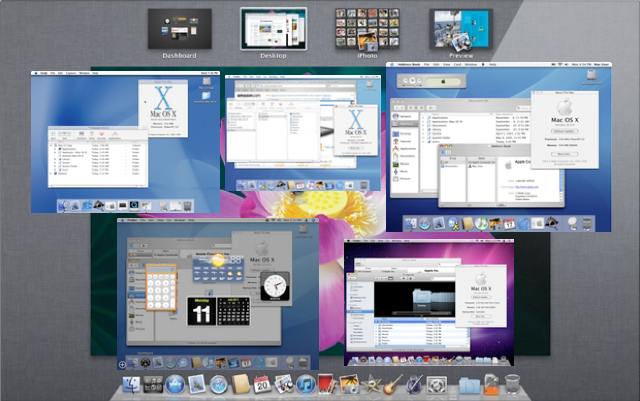
The release of Mac OS X Lion culminates a decade-long software development process. Back in 2001 Apple introduced a new (and long awaited) replacement to the Classic Macintosh System Software, Mac OS X. How far we’ve come in ten years. As Lion goes on the prowl, we present a brief look back at Apple’s Big Cats over the years and review the Evolution of Mac OS X.

Parallels Announces Enterprise Edition For Better Corporate Mac Integration

By

parallells

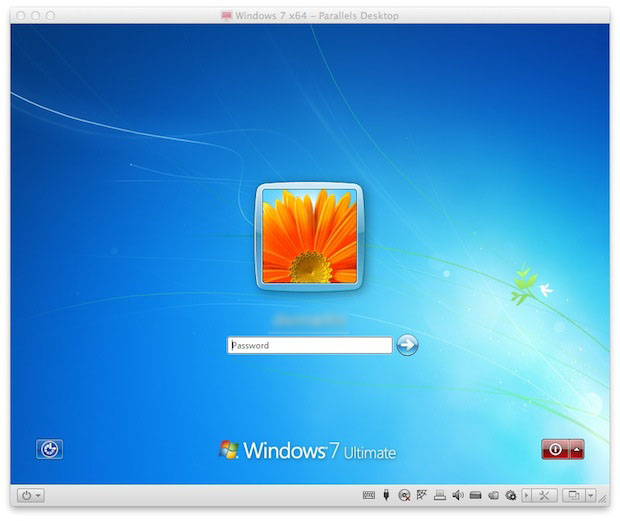
Today Parallels announced the release of Parallels Desktop 6 for Mac Enterprise Edition. The new version of the popular Parallels Desktop 6 virtualization program gives enterprise IT departments support for deploying Windows-based business applications for Mac users. It is a configurable policy compliant solution that easily fits into existing business processes.

OS X Lion Kills Rosetta PowerPC Support, Here’s What To Do About It

By

RosettaTombstoneapp

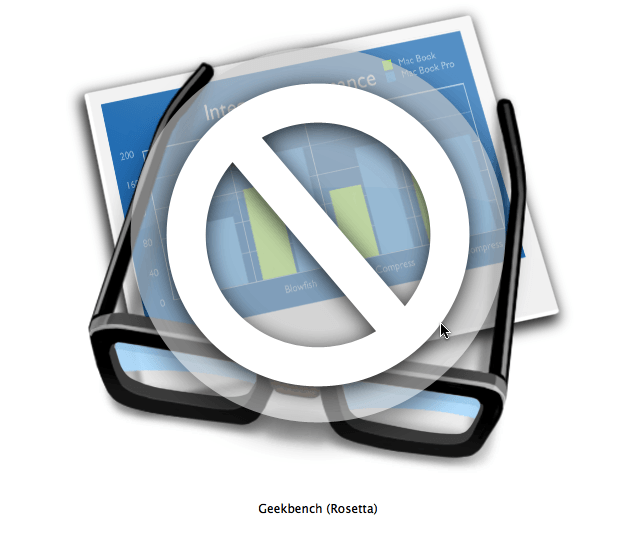
It isn’t a secret that Apple is killing support for Rosetta in OS X Lion 10.7 the first version of OS X that won’t support the PowerPC platform and apps designed to run on it.  All applications requiring Rosetta support turn into “tombstones”  that can no longer be executed after upgrading to OS X Lion. Here’s what they look like and information on what to do about it.

Turn Your Dock Stacks Into Organized Bins [Video How-To]

By

Stacks

Recently, I was asked about the custom “bin” overlays that I have on the Applications and Documents stacks in my dock. These bins are cool tweaks that you can apply to any Dock stack to not only customize the look of them, but to also keep things organized and identifiable at a glance. In this video, I’ll show you how you can set up your own Stack bins.

Mac OS X 10.6.8 Adds TRIM Support for Apple SSDs Leaves Third-Party SSDs Hanging

By

TrimSupport

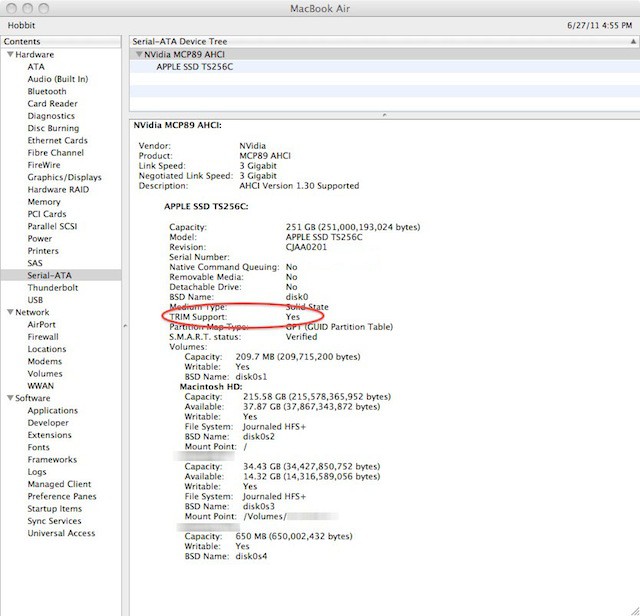
Apple released Mac OS X 10.6.8 last week while I was traveling and I managed to find a nice Wi-Fi connection to use to update my 13-inch MacBook Air. I didn’t get to spend a lot of time with the new OS release until today. I found something nice while looking through the System Profiler for any changes. Mac OS X 10.6.8 had added TRIM support to all Macs that have SSD drives installed — a feature that will benefit my MacBook Air.

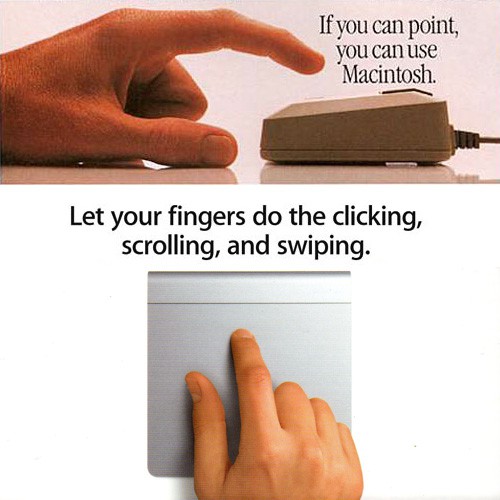
If You Can Point, You Can Use a Macintosh [What’s Old Is New]

By

If-You-Can-Point.jpg

I picked up a Magic Trackpad this weekend, and while browsing Apple’s instructions printed on the box was struck by the similarity between the tagline and photo of the hand with the trackpad, and the original ads for the Macintosh and its revolutionary mouse back in 1984. As well as how much simpler the directions for use are today.

Look familiar?

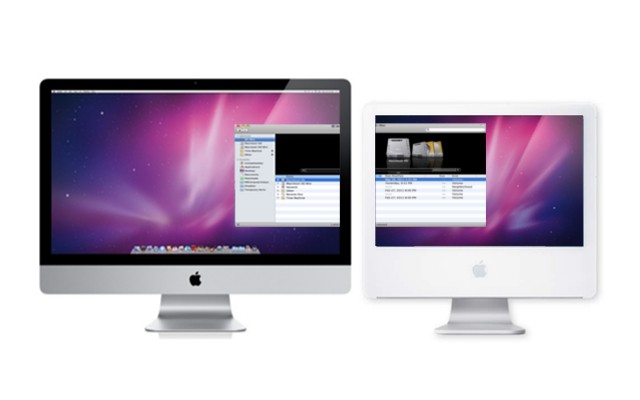
Use Your Old Mac As A Secondary Display [Video How-To]

By

Untitled

If you’re like me, chances are that you have at least one older computer lying around the house. Maybe you just bought a shiny new Mac and your old, not so shiny one is now sitting unused in the corner. Before you throw it away, you may want to take a look at ScreenRecycler, an application designed to help you use your old computer as a secondary monitor. In this video, I’ll show you how to set it up on both computers and get everything up and running.

Macworld Gives Final Cut Pro X a Cautious Thumbs Up

By

Final-Cut-Pro-X-Banner

Macworld magazine has given Apple’s controversial update of Final Cut Pro X a cautious thumbs up.

The new version of Final Cut Pro rocked the video editing world with its ruthless embrace of the new at the expense of the old. Lots of veteran FCP editors are outraged by the update, which has a whole new code base and workflow. The new software can’t even open old FCP projects!

But Macworld says that’s the price to pay for progress. The new software has been rewritten for a tapeless, metadata-based video workflow, and though incomplete, it’s a huge imporvement:

With Final Cut Pro X, Apple is once again out to completely re-invent the video industry. This is a truly groundbreaking release for a 1.0 software version, and I hope that the professional features that many video editors currently use will be made available soon.

Macworld: Review: Final Cut Pro X

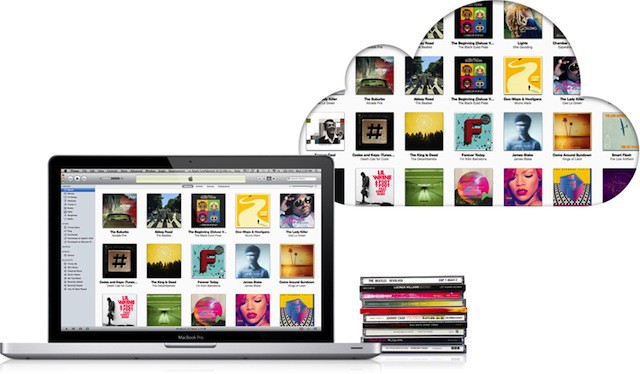
UPDATED: iTunes In Cloud Might Not Recognize 80% Of Your Music, Says Expert [Exclusive]

By

itunes_golden_ticket

UPDATE: I totally screwed this one up. When my contact, TuneUp founder Raza Zaidi, told me iTunes in the cloud has only 20% of the all the music listed in Gracenote’s big database of music, I interpreted it to mean that the upcoming iTunes Match service would mirror only a fraction of most music libraries. What I failed to realize was that 20% of music in iTunes represents the most popular 20%. The remaining 80% is all the music in the long tail. So when Apple rolls out iTunes Match in the fall, it will indeed likely mirror most music libraries, just as Apple claims. In a clarifying note, Zaidi says matches will likely be 95% or higher. In addition, the Get Album Artwork feature in iTunes isn’t powered by Gracenote, as the post implies. Sorry for the mistakes. Teach me to post before my morning coffee.

When iTunes Match goes live in September, Apple promises to instantaneously match any of the tracks in your iTunes library to the iCloud… as long as it already has your music in its mega music library. What Apple hasn’t said is that as much of 80% of your music might not be recognized by iTunes Match… and the only way to get that music into the iCloud will be to spend days manually uploading gigabytes at a time.

Monitor Your Mac’s Status From The Dock [Video How-To]

By

ActivityMonitor

When it comes to monitoring your Mac’s status,such as the CPU or RAM usage, you have a couple different options. You can use menu bar applications which are often costly, or Dashboard widgets that are inconvenient to access. If neither of these sound like good options to you, monitoring your system with Activity Monitor might be a good option. It’s free, (after all, it’s built into Mac OS X), and it lets you display handy information right from the dock icon. In this video, I’ll show you how to set it up.

Final Cut Studio X: Everything Just Changed In Post (Whether You Like It Or Not)

By

fcpx

Apple has just released an update to its flagship video editing application, Final Cut Pro. The new version, now known as Final Cut Pro X, has some of the audio editing features of Soundtrack Pro and a simplified the user experience, but will potentially alienate pro film makers and audio engineers.

On the Mac App Store page for Final Cut Pro X, Apple has coined the phrase, “Everything just changed in post.” Unfortunately, it seems not for the better.

How To Check If iTunes Match Will Recognize All Your MP3s [How To]

By

itunes_golden_ticket

One of the big questions about Apple’s upcoming iTunes Match is how the online music service will handle songs acquired from non-standard sources, like analog LPs, or yes, file-sharing networks.

Coming this fall, iTunes Match will scan your iTunes library and make available in the cloud all the songs you’ve purchased online or ripped from CDs.

But Apple hasn’t explained what will happen with songs encoded from sources like tapes or LPs; or those couple of tracks you accidentally downloaded from a file-sharing network and forgot to delete. Will iTunes Match reject these songs or make them available?

In theory, the system should recognize most digitzed music. Apple has explicitly said it will not discriminate based on source, and someone likely ripped the songs from CD before sharing them with the world.

We’ve found a way for you to check how iTunes Match will treat your music library before Apple makes it public.

Use Spotlight To Its Full Potential [Video How-To]

By

Spotlight

Spotlight, the search tool built into Mac OS X is extremely powerful if you know how to use it. Unfortunately, many people don’t realize the true power of it, and therefore lose out on a lot of functionality. In this video I’ll show you how to use Spotlight to its full potential.

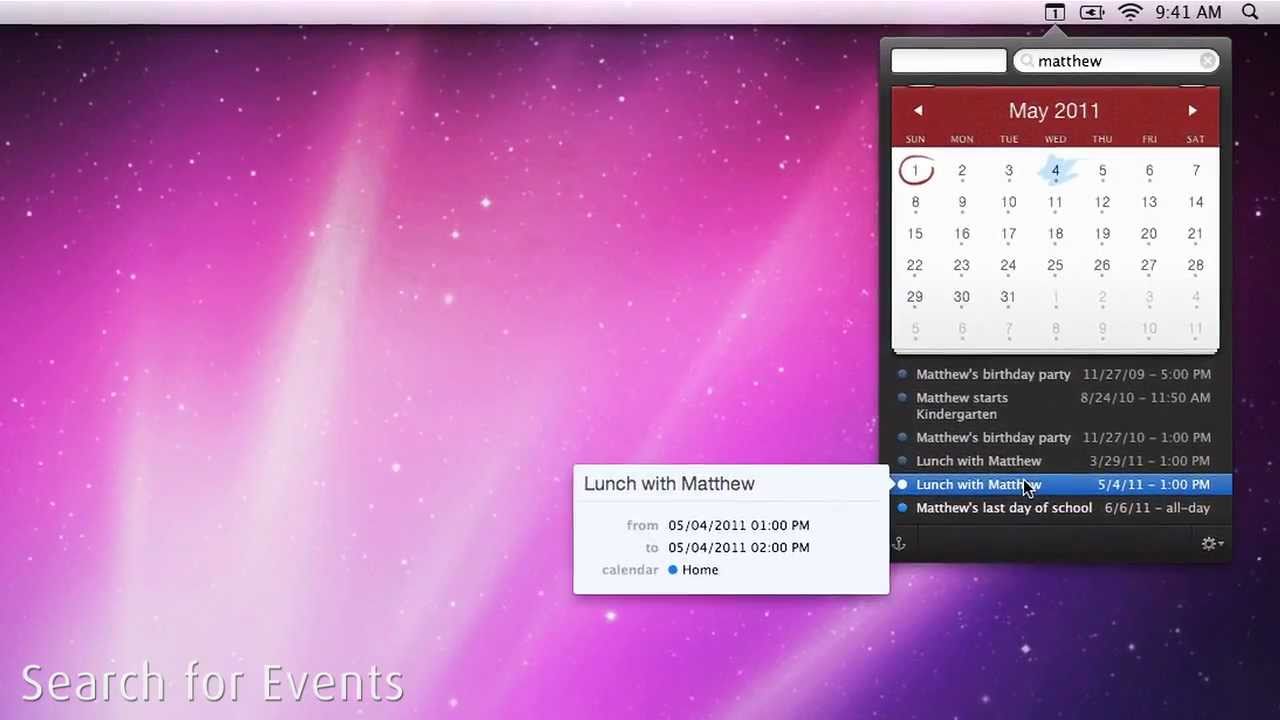
Cult of Mac Friday Giveaway – Fantastical

By

post-101010-image-7c3d6563aaed29c9b011e5611b914be3-jpg

httpvhd://www.youtube.com/watch?v=uSJmTByABG0

Calendar apps are usually pretty boring. You log an appointment in it and then you never think about the app again. Fantastical is here to bring a little bit of flavor and awesomeness to your drab calendar app. Fantastical allows you to create events instantly via natural language input. One of the great things is that the app works perfectly with iCal, Entourage, and Outlook so you don’t have to change over to a new calendar system.

Lucky for you, the team behind Fantastical, Flexibits, wanted us to share the love with all our readers, so today we’re giving away 3 promo codes for this awesome new calendar app. Soon enough you’ll be using natural language to create events in no time. Of course you have to enter to win. Here’s how to enter today’s contest.


Three Popular Applications That Can Replace iWeb & Another Takes You To The Next Level

By

iweb-screenshot1

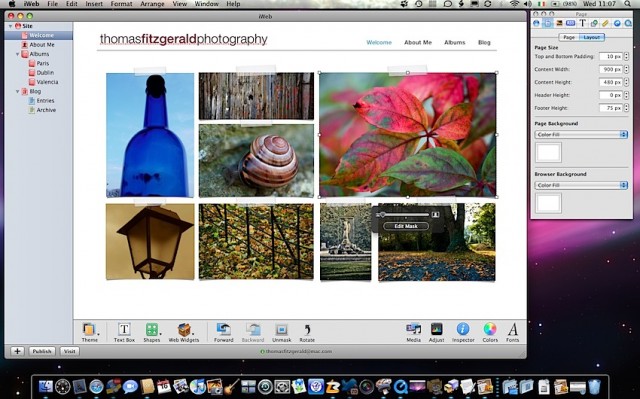
If the rumors are true then iWeb will go away along with MobileMe in 2012, but luckily for you there is plenty of time to look for alternative applications. Giles Turnbull offered up a few ideas on What To Do With Your iWeb Site that you should take a look at if you haven’t. I’d like to add to his advice by recommending four popular desktop web design applications that run on Mac OS X.

Use FaceTime To Monitor Your Home [Video How-To]

By

If you're an AT&T customer, you'll need a certain plan to enjoy this with a data connection.

As neat as Apple’s FaceTime service is, for many people, it tends to be just a novelty. With two FaceTime capable devices though, it can become a lot more useful. In this video, you’ll see how you can expand the possibilities of FaceTime beyond video conferencing.